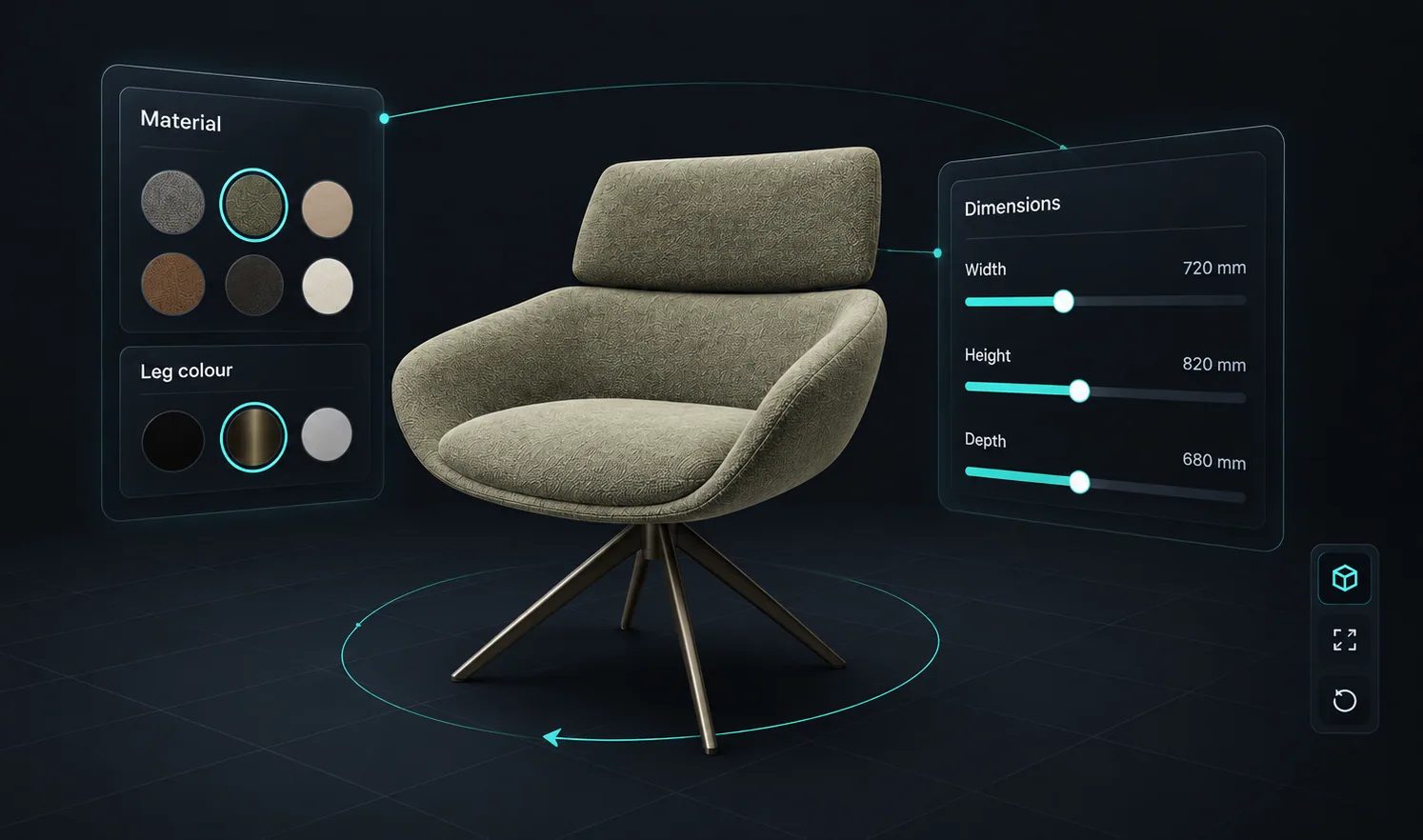
Materials and colours
Fabric, timber, paint or metal, shown on the product rather than as a swatch beside it.
Product configurator guide
A product configurator is an online tool that lets a buyer or salesperson specify a customisable product: choose its options, see the result and get a price, with rules that only allow combinations you can make. Here is how one works and where it is used.
No credit card required
The same five things happen whether the buyer is on a website or a salesperson is on a tablet.
The configurator sits on a product page, in a quote flow or on a salesperson’s tablet, with the product shown in its default state.
Choosing a finish, a size or an add-on changes the picture straight away, so what they see is what they are specifying.
Conditional logic hides or restricts options based on earlier choices, so a combination you cannot make cannot be selected.
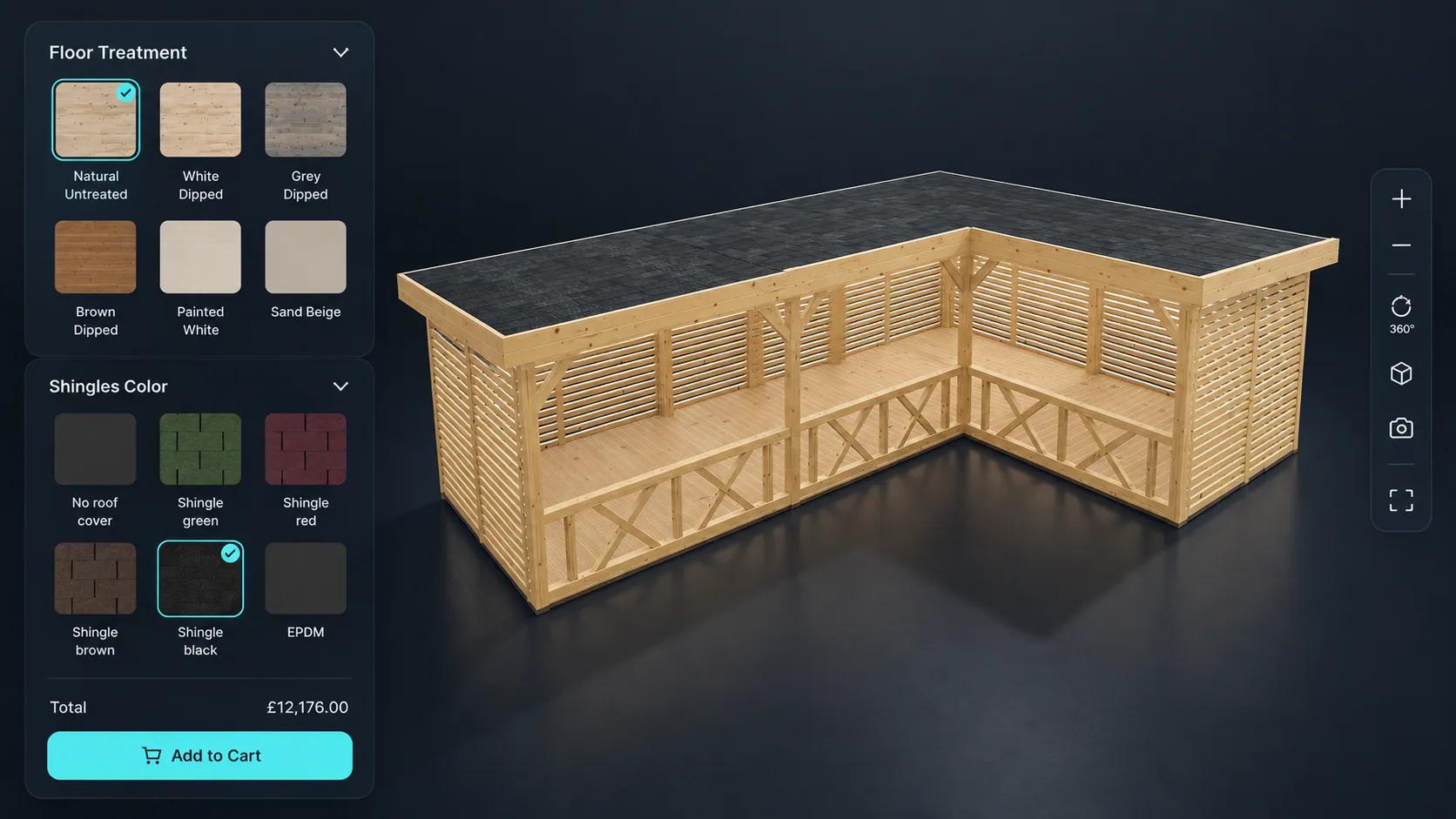
Pricing rules add up the chosen options, dimensions and quantities into a total, instead of showing one starting price.
The configured product goes into a cart, or a quote request reaches your team with the full specification attached.
Fabric, timber, paint or metal, shown on the product rather than as a swatch beside it.
Handles, armrests or a roof light appear only when they are chosen and when they apply.
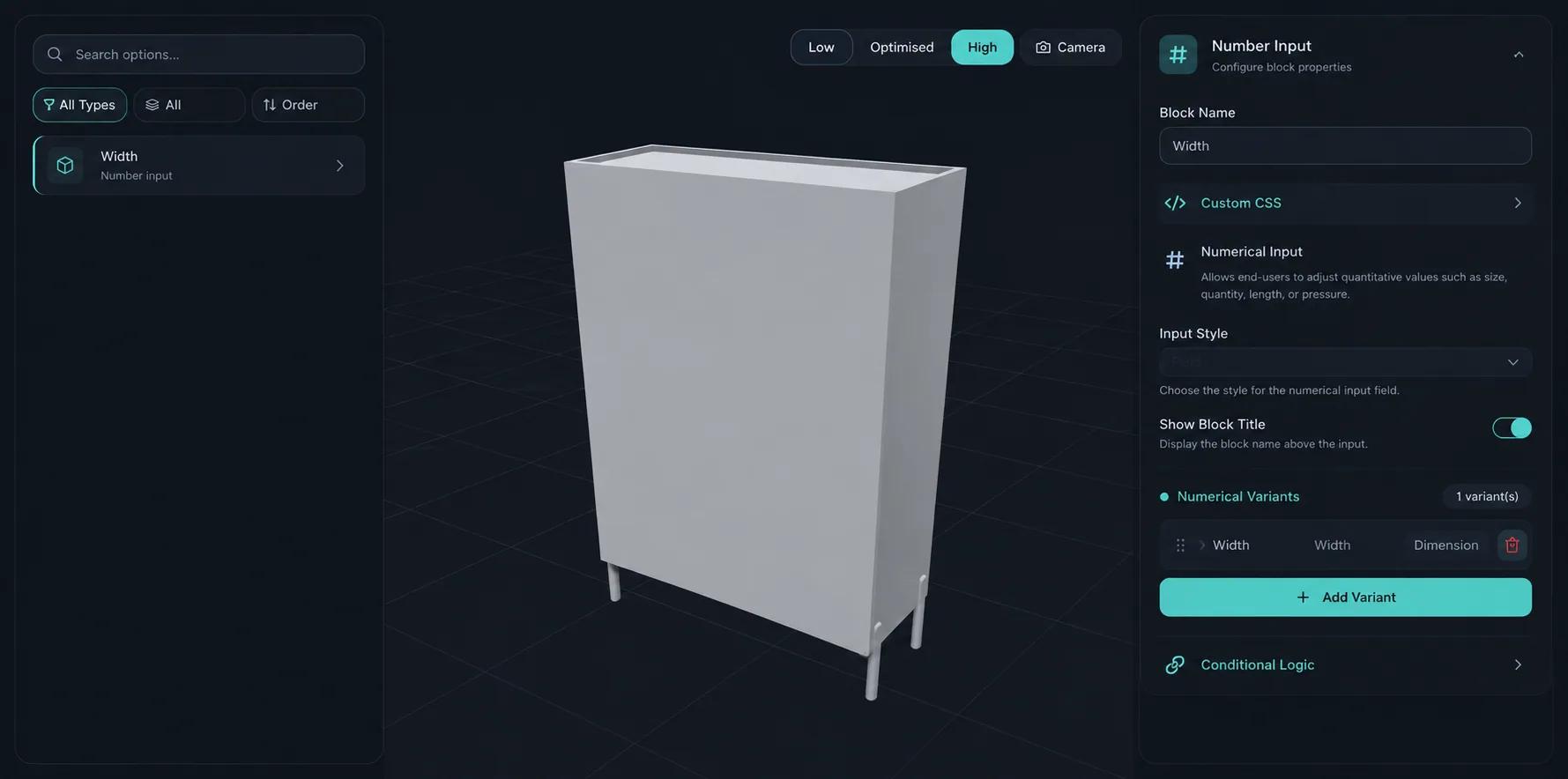
Width, height or quantity typed in, with the model and the price responding.
Dropdowns, thumbnails and toggles for picking a style, a model or an add-on.
A name, a logo or the buyer’s own artwork placed on the product.
Backgrounds, camera angles and information markers that explain the product.
See how users score Simplio3D across the major software review platforms.

4.6/5

4.3/5

9.5/10
Variants multiply. A door in 4 sizes, 6 colours and 3 handles is already 72 listings, and one new colour adds 12 more. A configurator holds those choices as options on one product, so the catalogue stays small and the buyer can still reach every combination. It also stops them choosing something you cannot make, which a list of variants only does if you leave each impossible combination out by hand.
A 3D viewer shows one finished product with no options, which suits showcases. A configurator adds options, rules, pricing and a quote form. A modular configurator lets people assemble a layout from 3D modules with drag and drop and snap points, which suits sofas, storage and buildings. In Simplio3D the viewer and configurator are included from the Starter plan, and the advanced modular system is an Enterprise capability.
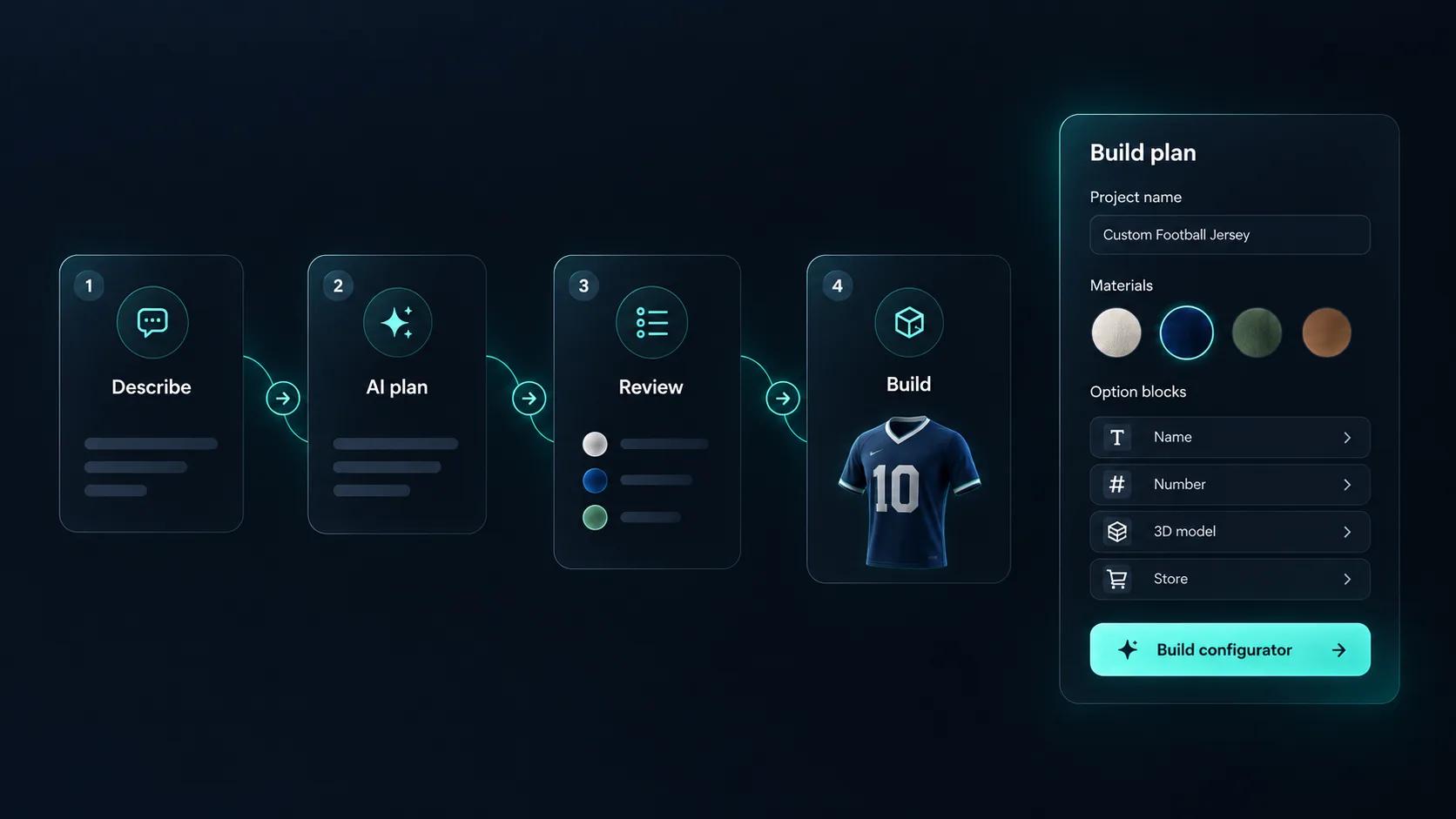
Setting up options, rules and prices is the slow part of building a configurator, so that is where AI helps. In Simplio3D you can describe a product and get a first draft built around the 3D models in your library, then have the AI assistant audit it for gaps. It does not create the 3D model, and people stay in charge of pricing and publishing.
The names overlap, so here is what each tool is for.
| Tool | What it does | Best when |
|---|---|---|
| Product configurator | Lets a buyer choose options and see the result, with rules | The product has many valid combinations |
| CPQ (configure, price, quote) | Adds pricing and a quote to the configuration | Sales teams or dealers quote complex products |
| 3D product viewer | Shows one finished product in 3D | There is nothing to choose |
| Store variants | One listing for each combination | There are only a handful of combinations |
| Parametric CAD configurator | Generates new geometry and production files from parameters | Each order needs its own engineering output |
A cabinet with finishes, handles and made-to-size dimensions, priced as it changes.
Furniture configurator softwareExact sizes, frame material, glazing and opening type, with options that only appear where they apply.
Window configurator softwareFootprint, roof, cladding and door position, priced from the floor area.
Building configuratorFabric, cut, logo placement and a name on the garment, within what production can handle.
3D clothing configuratorMetal, gemstone, setting and engraving, shown close enough to judge.
Jewelry configurator softwareClub colours, sponsor logos, names and numbers on kit, gloves and other gear.
Sports customization softwareA cabinet you can resize and refinish. Launch it and try the options.
















A medical cart maker, a pop-up tent maker and a timber joinery: each configurator is built or maintained by the client’s own team in Simplio3D.
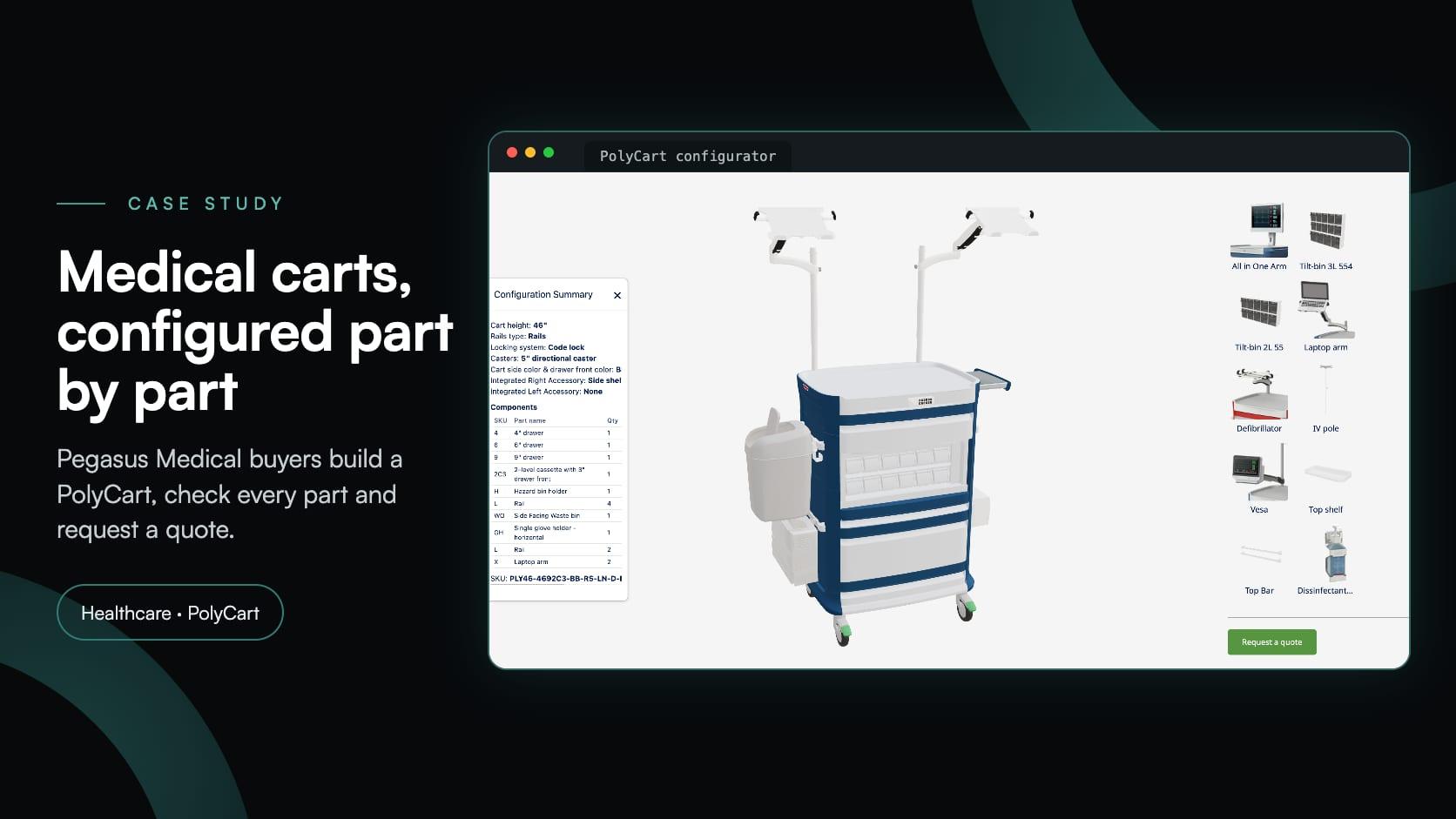
Pegasus Medical
Pegasus Medical wanted buyers to configure PolyCart medical carts in 3D and request a quote, without paying for custom software. Simplio3D helped set it up; their team now runs it.
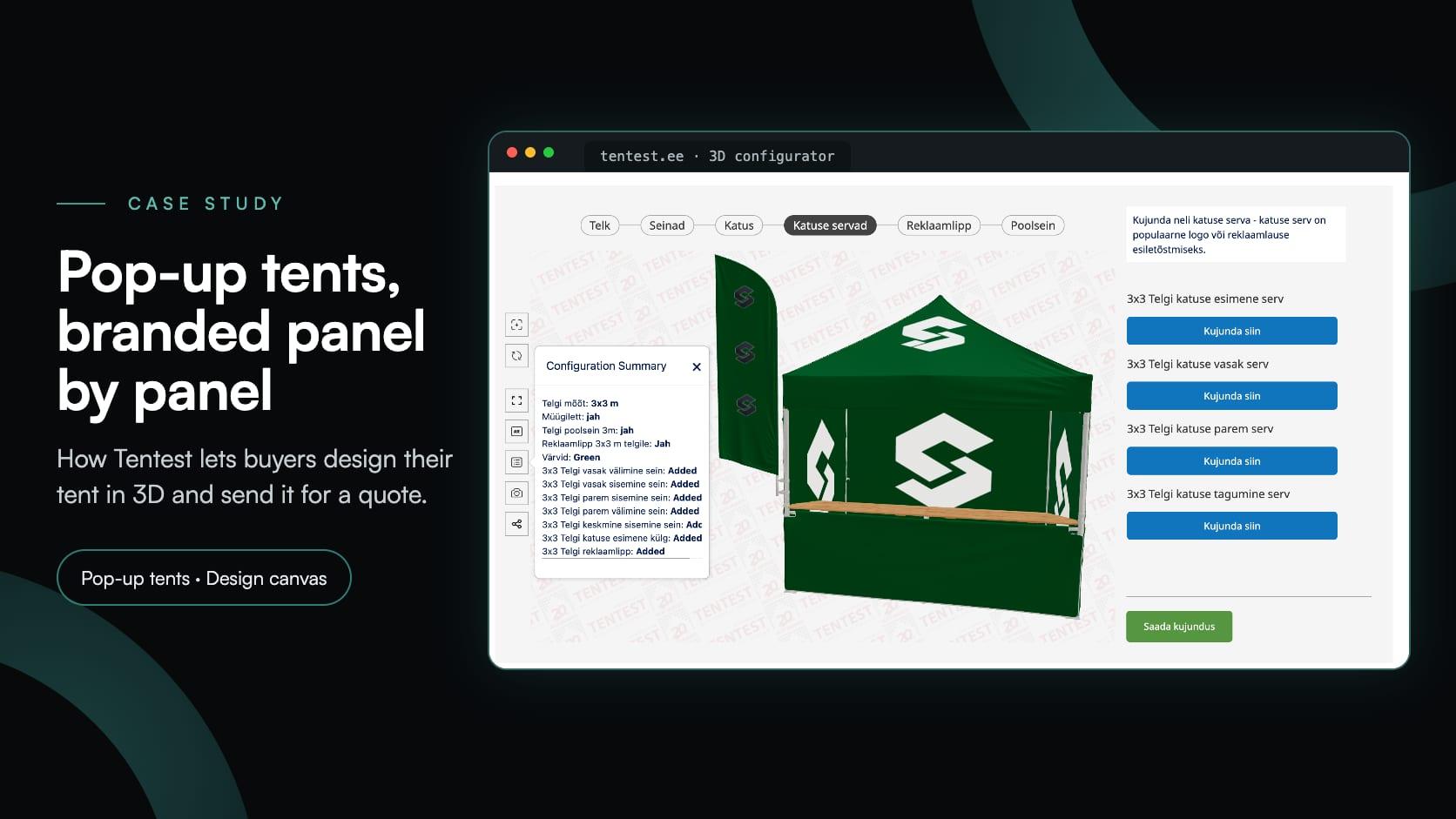
Tentest
Tentest, an Estonian pop-up tent maker in Scandipro Group, built its own 3D configurator: six tent sizes, a design canvas with logo upload on every panel, AR and a quote request.
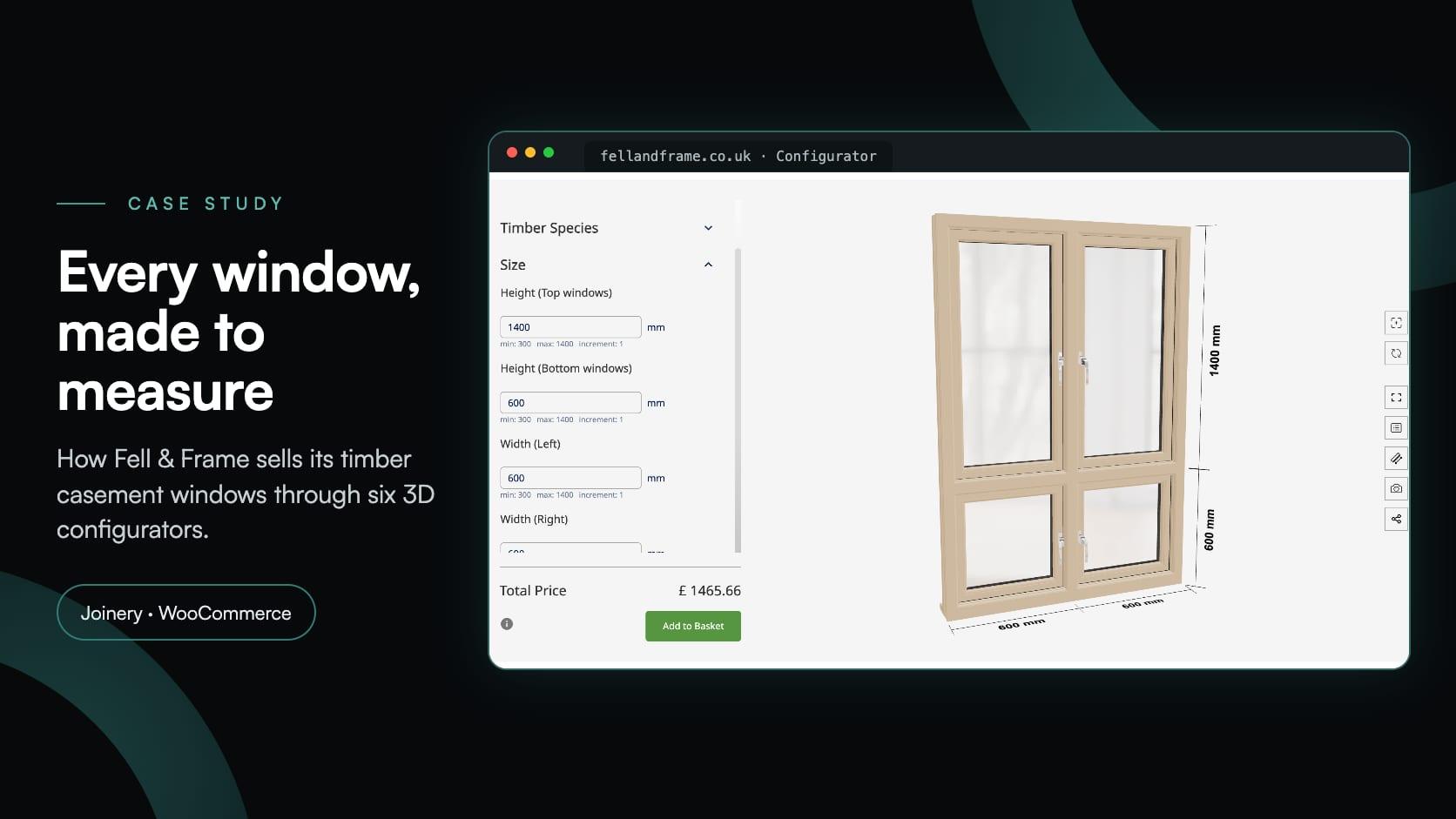
Fell & Frame
Fell & Frame, a Carlisle joinery, built its own timber window configurator in Simplio3D. Buyers size six casement types to the millimetre and add them to the WooCommerce basket.
It turns a set of options, rules and prices into a tool a buyer can use: they choose, the product updates, invalid combinations are ruled out, and the result is a specification with a price.
The terms overlap. “Customizer” usually means personalising a product with colours, text or artwork, as with custom apparel. “Configurator” usually also covers structural choices, rules and pricing, as with furniture or windows. Simplio3D handles both.
It depends mostly on the software and the 3D models. Simplio3D plans are $29 a month for Starter and $49 for Pro, with custom pricing on Enterprise and a 30-day Pro trial to start. Budget separately for preparing 3D models, and for optional one-time setup help if you want it. The pricing page compares the plans.
For a 3D configurator, yes. You can upload your own files, import a free model from an online library, or start from the 3D Model Library. Simplio3D configures models rather than creating them.
No. Models, materials, options, logic, pricing and publishing are all handled visually in the editor. A REST API and TypeScript SDK exist for teams that want headless control, but they are optional.
It can replace the back-and-forth. A configurator that also prices and captures the request is usually called CPQ, for configure, price, quote, and the enquiry arrives as a specification your team can act on.
Any business selling products with many valid combinations: furniture, windows and doors, garden buildings, apparel, footwear, jewellery, sports equipment and industrial equipment.
See what the no-code editor does, what customers can control and how a first build goes.
Turn a configurator into a full configure-price-quote flow with rules, formulas and quote capture.
Send configured products to the WooCommerce or Shopify cart, which can charge the calculated price.
Ten product configurator platforms, grouped by what each one is built for.
Guides, tutorials and news from the Simplio3D team.
Product Configurator MCP: Connect Claude, Cursor and VS Code to Simplio3D
MCP connectors let Claude, Cursor or VS Code work with your real Simplio3D projects. What a connected agent can read and change, how approval works, and how to connect one.
Top 10 Best Product Configurator Software in 2026 (Pros & Cons Comparison)
A practical comparison of ten product configurator platforms — what each is genuinely built for, how they differ on visualisation, pricing logic and integration, and how to shortlist without wasting a quarter.
Simplio3D Product Configurator Plugin for WordPress
Embed a 3D product configurator on WordPress and let customers add their configured product straight to the WooCommerce basket — with the price your own rules calculated.
Build a Configurator with Claude: the Simplio3D Plugin Tutorial
Install the Simplio3D plugin in Claude, sign in once and build your first 3D product configurator from a prompt: setup, permissions, the first prompts, and what stays in your hands.
The Simplio3D Plugin for ChatGPT: a Step-by-Step Tutorial
Simplio3D now has an official plugin in ChatGPT’s Plugins directory. Install it, connect your workspace and ask ChatGPT to audit, price, build and manage your 3D configurators.
Own a 3D product configurator to drive sales and generate proposals directly from your website