

Back to case studies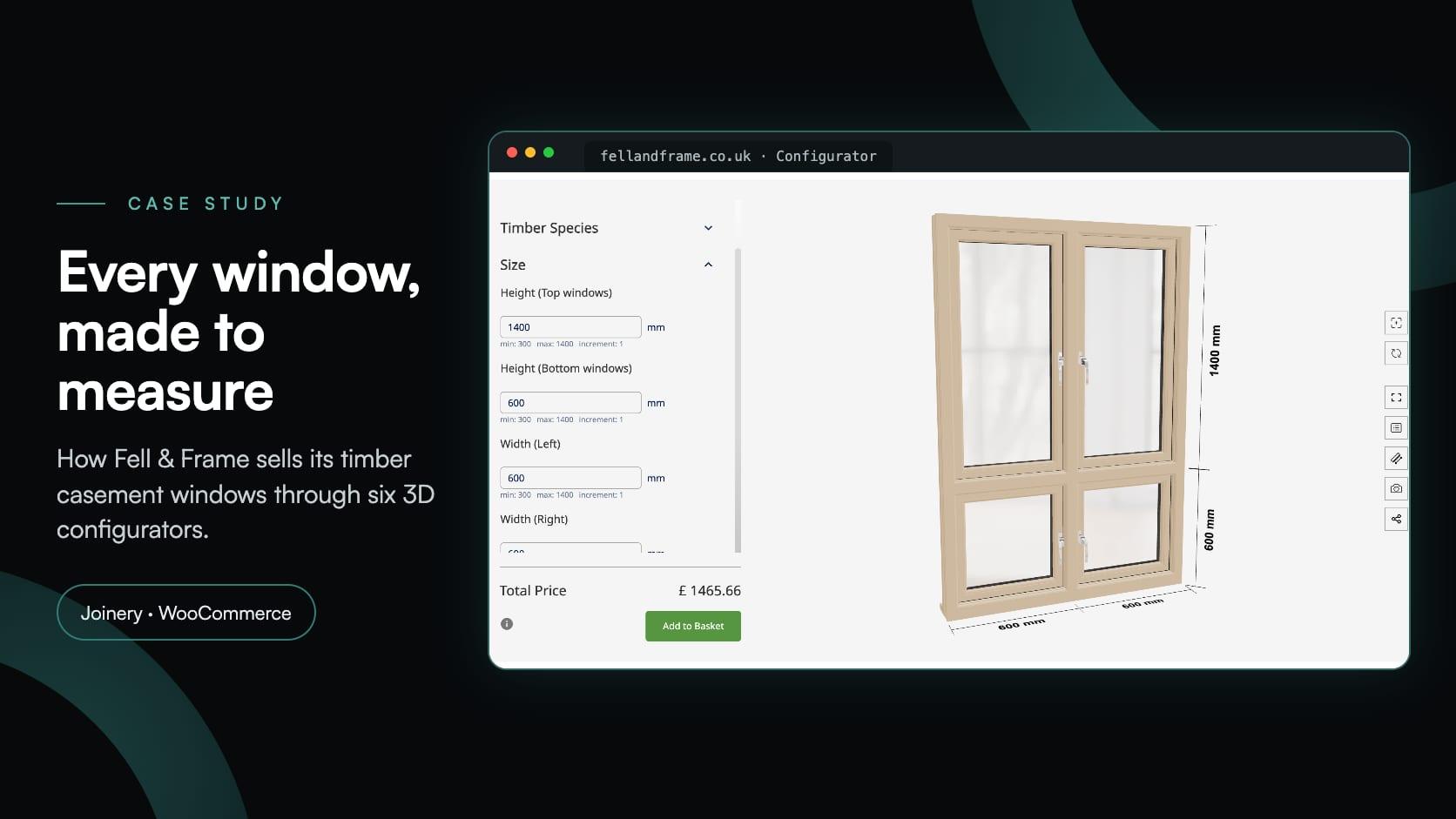
Building productsbuilding productswindowswoocommerceecommerce
Fell & Frame: a timber window configurator built in-house for WooCommerce
Fell & Frame·
Fell & Frame designs, machines and hand-finishes timber windows in its own workshop in Carlisle, Cumbria, and sells them to homeowners, builders, architects and developers across the UK. It manufactures and supplies, with more than 50 years of joinery behind it, and every window is made to order: its own size, its own timber, its own glazing, hinges and ironmongery.
In March 2026, Fell & Frame added a timber window configurator to its WordPress and WooCommerce store at fellandframe.co.uk. Buyers pick one of six flush casement window types, enter the sizes to the millimetre, specify the window in 3D and add it to the basket at the price on screen. Fell & Frame’s own team did the whole setup: the six configurators in Simplio3D, the WooCommerce products behind them and the page that brings them together, connected with the Simplio3D plugin for WordPress.
| Item | Details |
|---|---|
| Client | Fell & Frame, a timber window and door maker in Carlisle, Cumbria, and a trading brand of Cubby Construction Limited |
| Store | fellandframe.co.uk, built on WordPress and WooCommerce |
| Configurators | Six flush casement window types: 1 pane, 2 pane horizontal, 2 pane vertical, 3 pane (1-2), 3 pane (2-1) and 4 pane |
| Built by | Fell & Frame’s own team: the 3D configurators, their options and prices, the WooCommerce products and the page |
| Integration | The Simplio3D plugin for WordPress, in Add to Basket mode |
| Went live | March 2026, behind a Configurator button in the store’s main menu |
| What the buyer sees | The window in 3D with its dimensions drawn on, the total price, and an Add to Basket button |
Every window is made to measure, so no price list could cover the range. Each width and height between 300 and 1,400 mm needed a price of its own.
Opening types, timber, glazing, hinges, trickle vents, finish and handles: everything the workshop needs to make the window, chosen by the buyer.
PAS 24 security, laminated glass and egress hinges chosen when the window is specified, not added after a phone call.
The right number of panes, the right openers and the handles on the right side, shown in 3D before the buyer pays.
Each window reaching the basket with its complete specification, ready to go into production.
A setup Fell & Frame’s own team could build, price and change, without waiting on a developer.
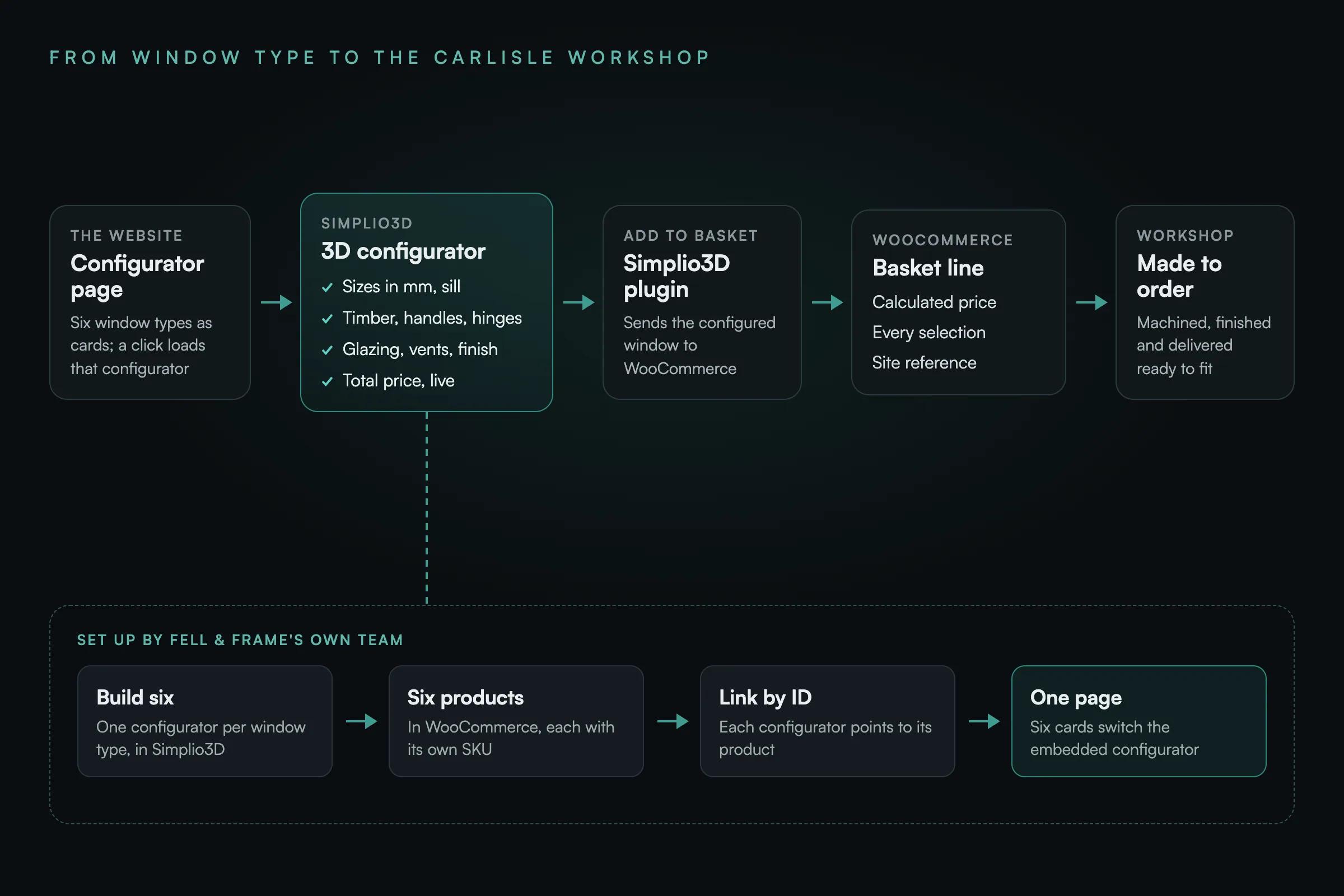
A Configurator button in the main menu opens a single page. Six cards at the top show renders of the window types Fell & Frame makes, from one pane to four. Clicking a card loads that window’s configurator into the frame below, so a buyer can switch between types without leaving the page.
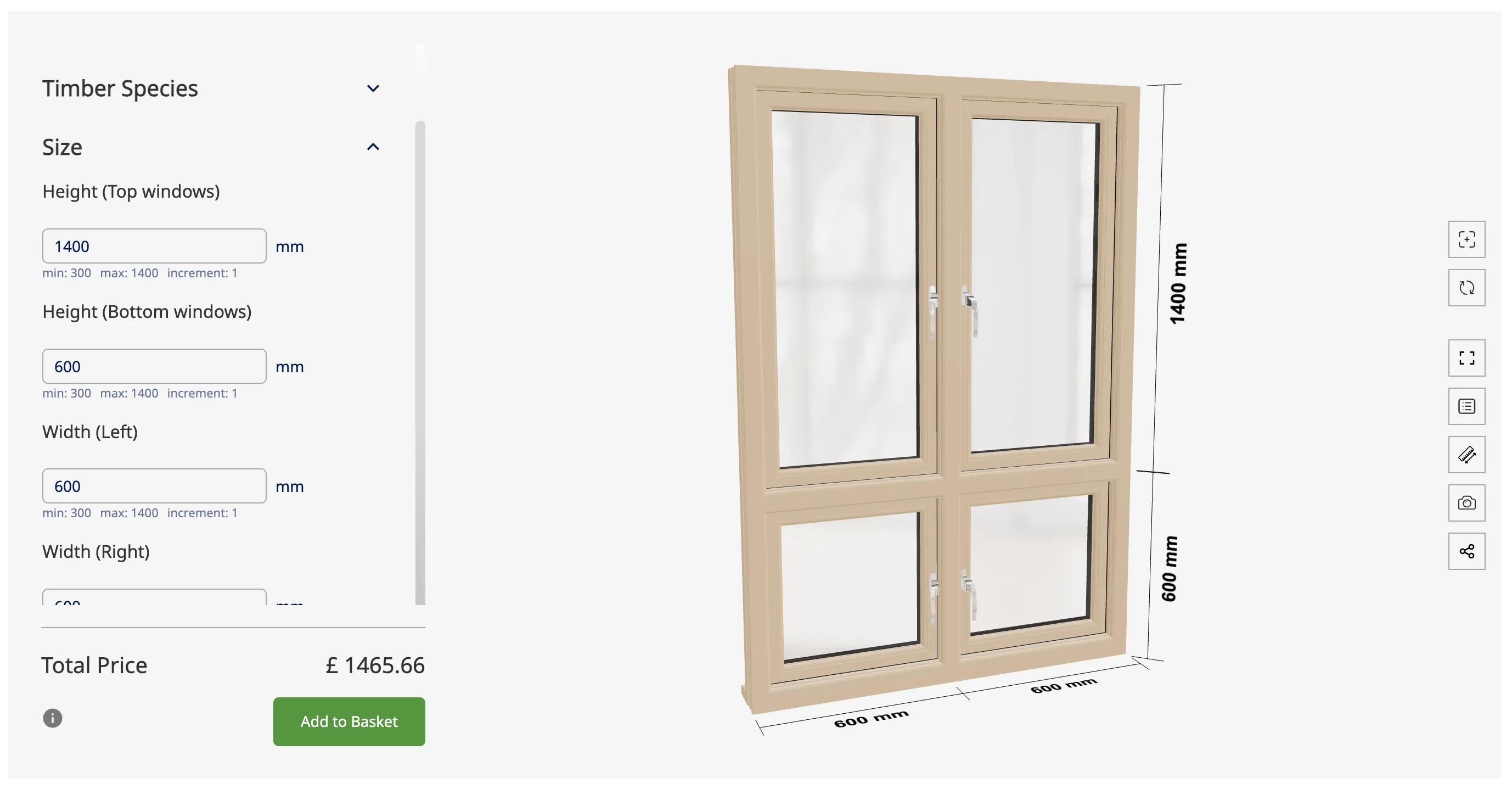
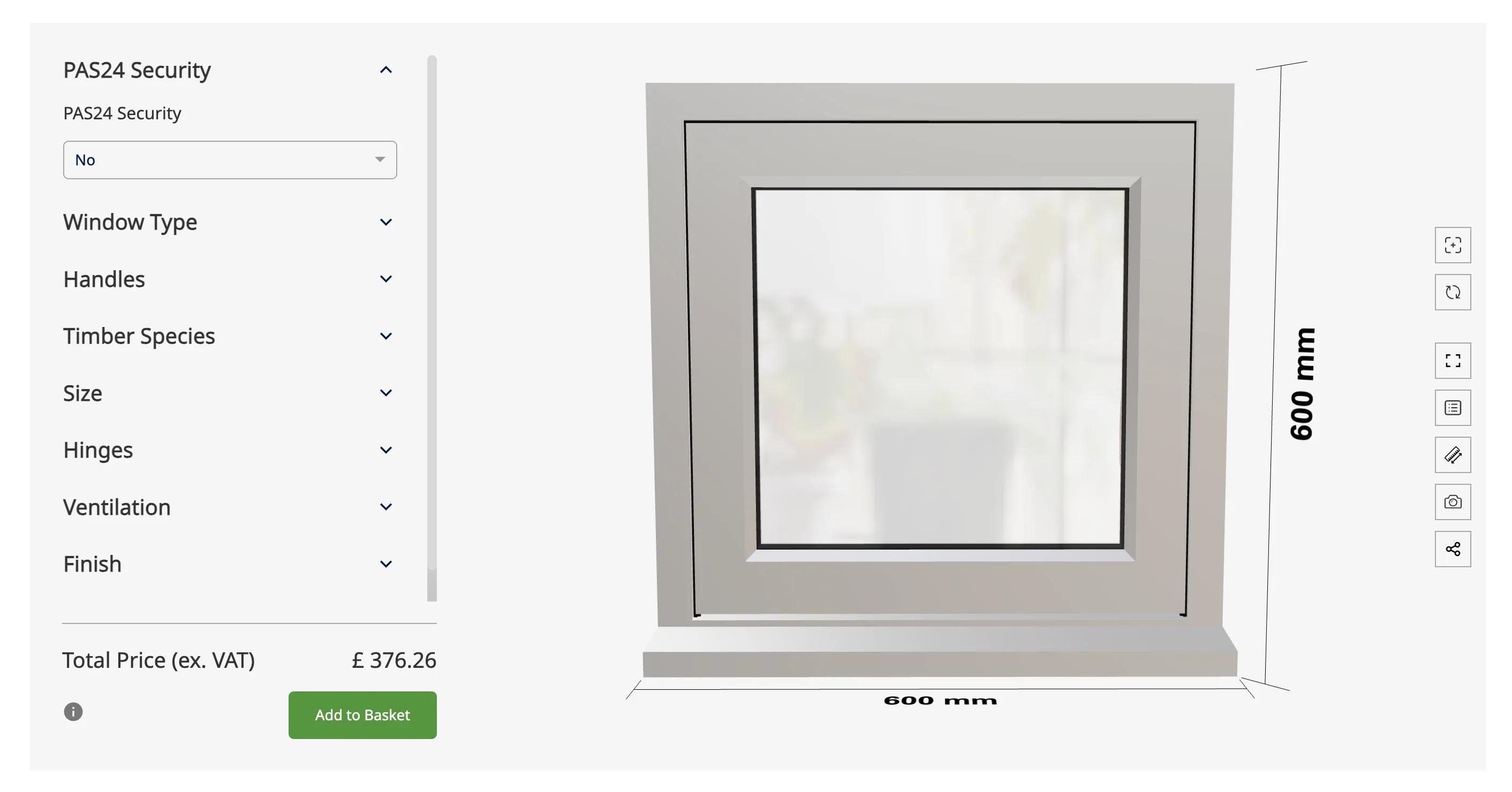
Each configurator shows the window in 3D, with the options beside it in nine sections: PAS24 Security, Window Type, Handles, Timber Species, Size, Hinges, Ventilation, Finish and Glazing. The sizes are typed in millimetres, and the model resizes to match, with its dimensions drawn alongside. Windows with more than one sash take a height for each row and a width for each column, and an opening type for each sash: turn, tilt or fixed. Info buttons explain the less obvious choices, such as what an egress hinge is for or how obscure each glass pattern is.
Rules keep every specification buildable. Choosing PAS 24 security switches the glass to laminated, and a sash set to fixed loses its handle and hinge choices. The price follows each of those changes, as it does every other selection.
Under the options, the Total Price changes with every selection, beside the Add to Basket button. A toolbar next to the model lets the buyer turn it, go full screen, show the dimensions or take a snapshot.
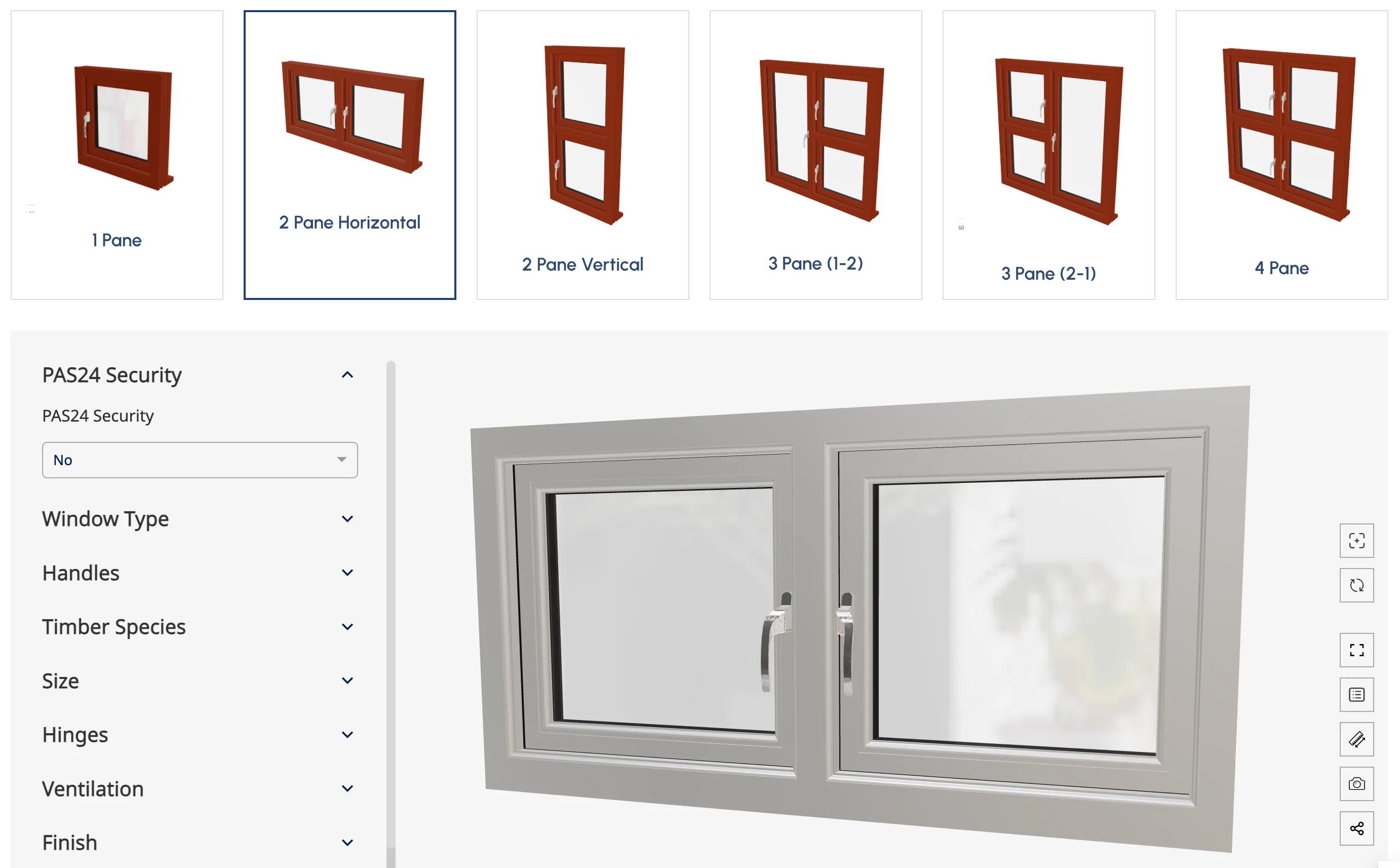
The six configurators share one set of options. Windows with more panes add a size for each row or column and an opening type for each sash.
| Option | Choices |
|---|---|
| Window type | Turn, tilt or fixed, set for each sash. A fixed sash has no handle or hinges. |
| Size | Width and height in millimetres, 300 to 1,400 mm in 1 mm steps; a height for each row and a width for each column on windows with more panes |
| Sill extension | 35, 60 or 85 mm |
| Timber | Red Pine (softwood) and Accoya (engineered timber) on every type, plus Red Grandis (engineered) on five types or Utile (hardwood) on the 3 pane (1-2) |
| Handles | Left or right hand for each sash, in polished chrome, satin chrome, white, black or gold |
| Hinges | Friction hinges for each opening sash: standard, egress, or easy clean and egress |
| Ventilation | None, or a trickle vent for each sash from 265 mm (1,700 mm²) upwards; the single casement adds Simon Sightline 400 and 500 and Titon Trimvent XR16 and 90 Hi Lift; vent colour in white, black or brown |
| Finish | Primed only, or fully finished |
| Glazing | A 24 mm double-glazed sealed unit, clear or one of 20 obscure patterns graded 1 to 5; toughened as standard or laminated; a black or silver warm-edge spacer bar |
| Security | PAS 24 or not; choosing PAS 24 switches the glass to laminated |
Open Configurator from the main menu and click one of the six cards, from 1 pane to 4 pane.
Type the width and height in millimetres, between 300 and 1,400 mm. The 3D window resizes and shows its dimensions.
Opening type for each sash, timber, handles, hinges, trickle vent, finish and glazing, with PAS 24 security where the project needs it.
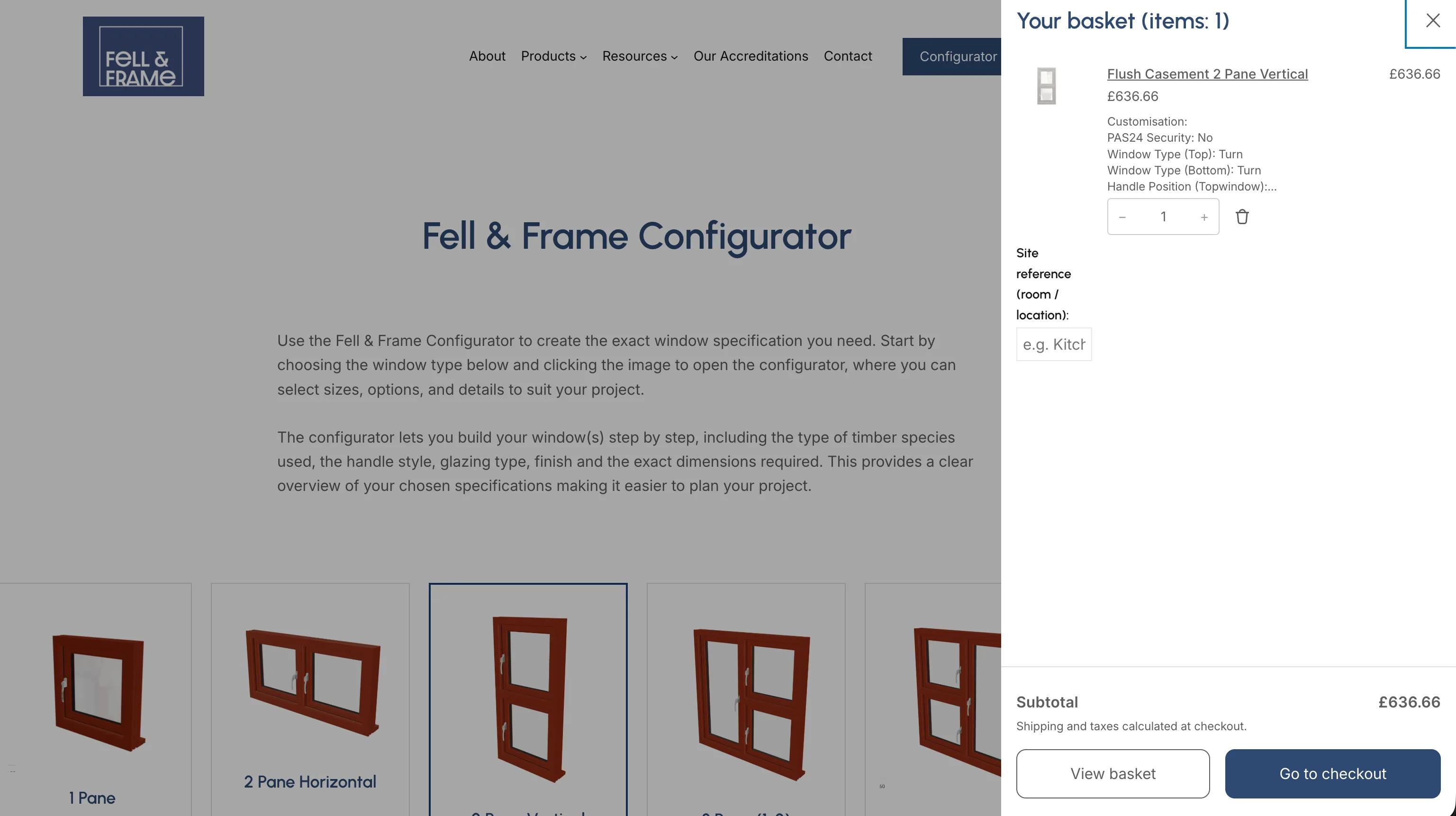
Check the total and press Add to Basket. The basket lists the window with every selection, and a site reference field records the room it is for.
Fell & Frame machines, assembles and finishes the window in its workshop, then delivers it ready to install, or the buyer collects it.
fellandframe.co.uk runs on WordPress and WooCommerce, and the configurators reach the basket through the Simplio3D plugin for WordPress, in its Add to Basket mode. Fell & Frame set it up in four parts:
When a buyer presses Add to Basket, the plugin adds the matching product to the WooCommerce basket at the configurator’s calculated price, with a description of every selection. The basket opens beside the page, where the store’s own Site reference (room / location) field lets the buyer note where each window goes, which helps when one order covers several rooms. Shipping and taxes are added at the store’s normal WooCommerce checkout. More on this setup: 3D product configurators for WooCommerce.
Six window types can be specified and priced to the millimetre on fellandframe.co.uk at any hour, without waiting for a quote.
Each window reaches the basket with its complete specification and a site reference, so the order says exactly what the workshop has to make.
Fell & Frame built it and runs it in-house, so new options and price changes are made by the people who make the windows.
Every window we make is made to measure, so a price list was never going to work online. We built the configurator ourselves in Simplio3D: our casement types, the timbers, glazing, vents and hinges we offer, and the pricing behind them. Customers now see the exact window, with its dimensions, before it goes in the basket, and every order reaches us with the full specification and the room it is for. Because we set it up in-house, adding an option or adjusting a price is something we simply do ourselves.
Fell & Frame’s own team, without outside development. They built the six configurators in Simplio3D, set their options and prices, created a WooCommerce product for each window type, linked each configurator to its product and wrote the page that switches between them. The Simplio3D plugin for WordPress handles the add to basket step.
Width and height are typed in millimetres, in 1 mm steps from 300 to 1,400 mm. Windows with several panes take a height for each row and a width for each column, and the 3D model redraws its dimensions as the numbers change.
Through the Simplio3D plugin’s Add to Basket mode. Each configurator is linked to a WooCommerce product by its product ID, and Add to Basket puts that product in the basket at the configurator’s calculated price, with a description of every selection.
Yes. Fell & Frame shows all six on one page: a card for each window type loads its configurator into the same embedded frame, and each configurator still adds its own WooCommerce product to the basket.
Yes, through rules Fell & Frame set up in Simplio3D. Choosing PAS 24 security switches the glass to laminated, and setting a sash to fixed removes its handle and hinge choices. The price is recalculated with each change.
By choosing egress hinges, or easy clean and egress hinges, for the opening sash. The configurator’s info buttons explain that egress hinges open to a full 90 degrees for escape, and that a fire exit window needs an opening section at least 540 mm wide and 830 mm tall.
Fell & Frame makes the window in its Carlisle workshop, then delivers it ready to install or has it collected from the workshop. Its own FAQ says it aims to deliver within four weeks.
None of this section is part of the Fell & Frame setup described above, which uses an early version of the Simplio3D plugin and a page Fell & Frame wrote itself. For a joinery starting now:
How Evergreen Shutters returns a generated 3D view of each shutter with every quote from its own system, through the Simplio3D API.
Sizes, frame material, glazing, opening type and colour, priced as the customer builds the window.
How a configurator plugs into WooCommerce and sends the configured product, at its calculated price, to the cart.
Own a 3D product configurator to drive sales and generate proposals directly from your website
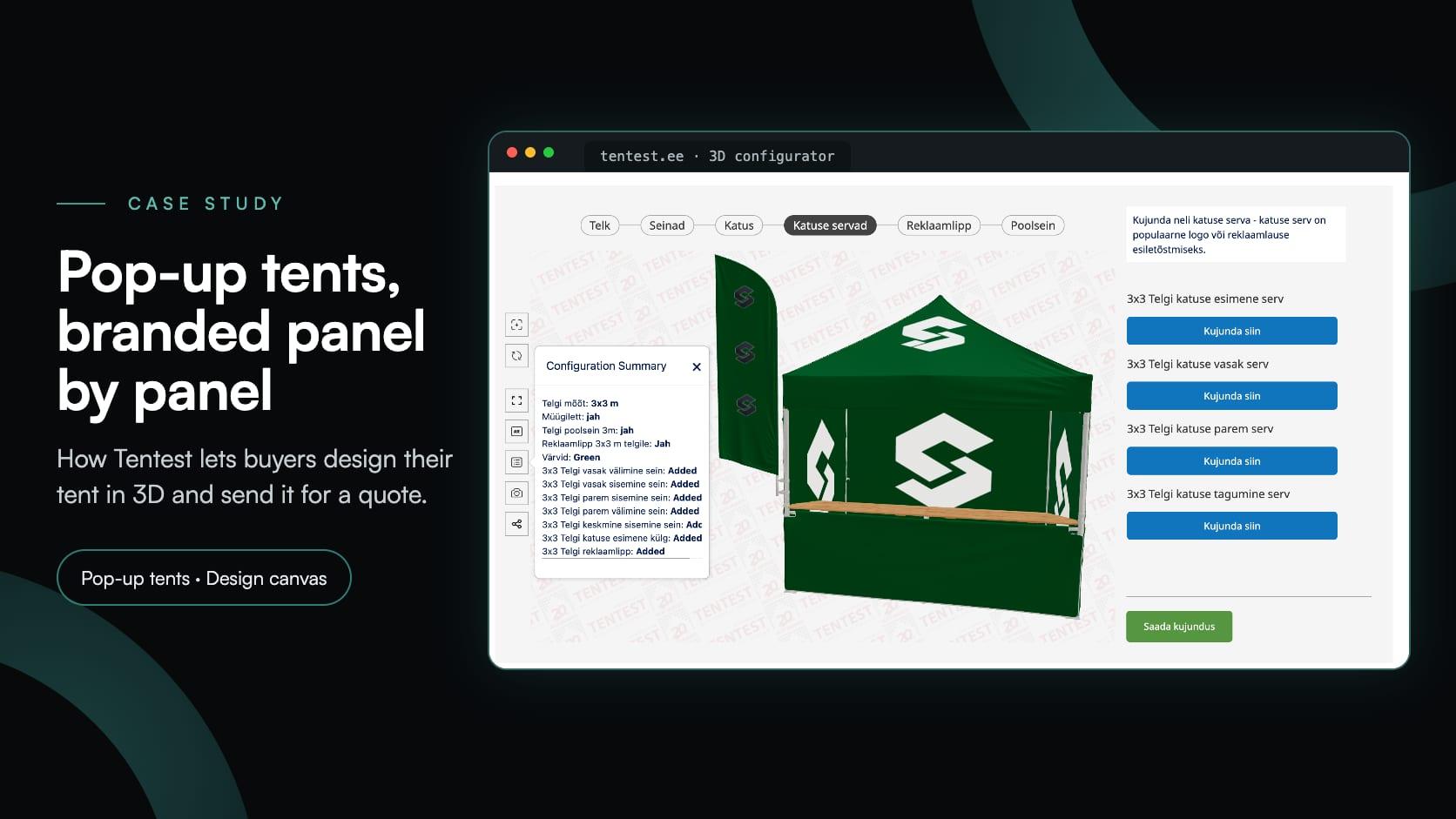
Tentest, an Estonian pop-up tent maker in Scandipro Group, built its own 3D configurator: six tent sizes, a design canvas with logo upload on every panel, AR and a quote request.
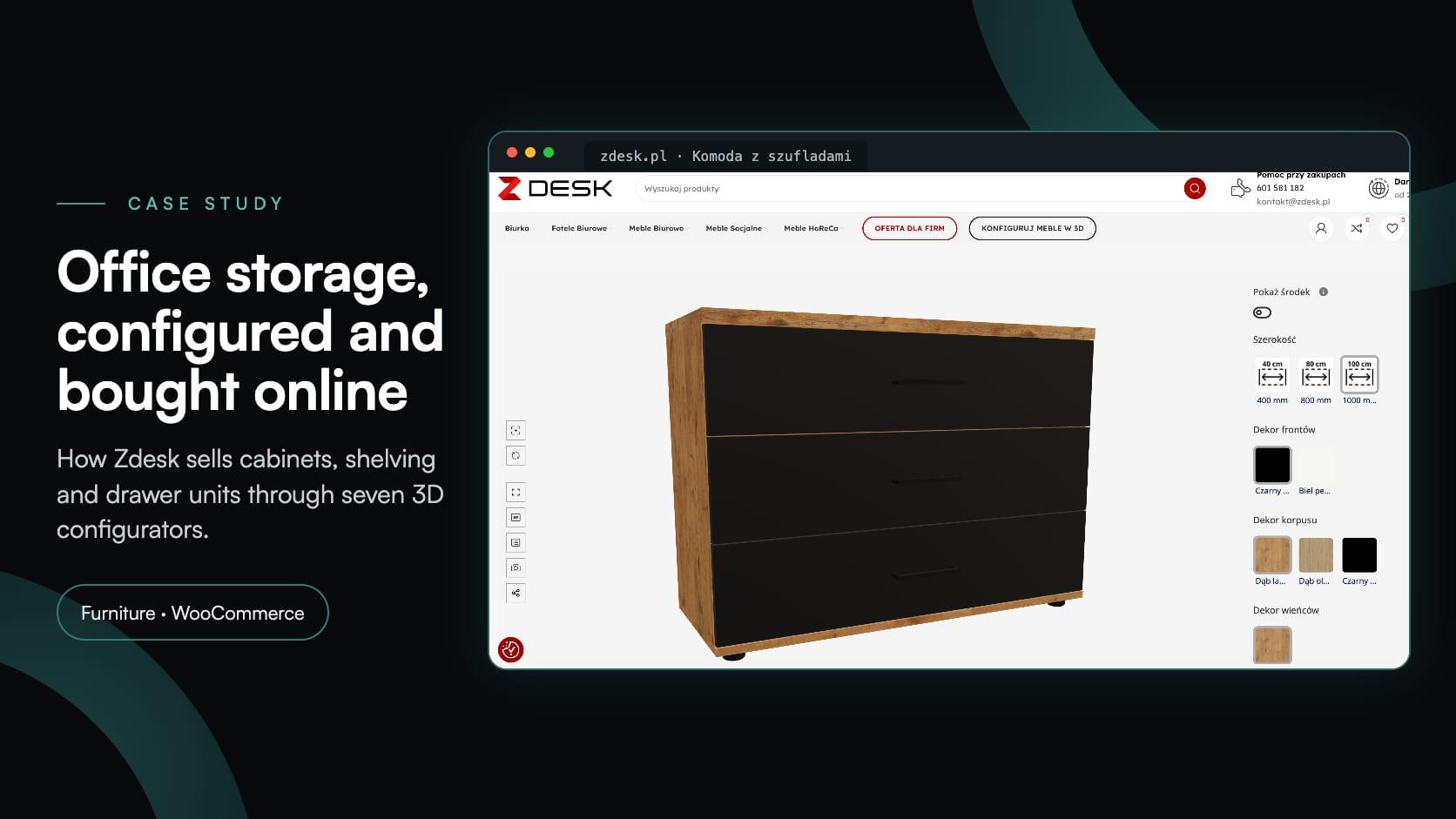
Zdesk, a Wrocław office furniture maker, put seven 3D configurators into its WooCommerce store with the Simplio3D plugin. Buyers set size, décor and fittings, see the price and add to cart.
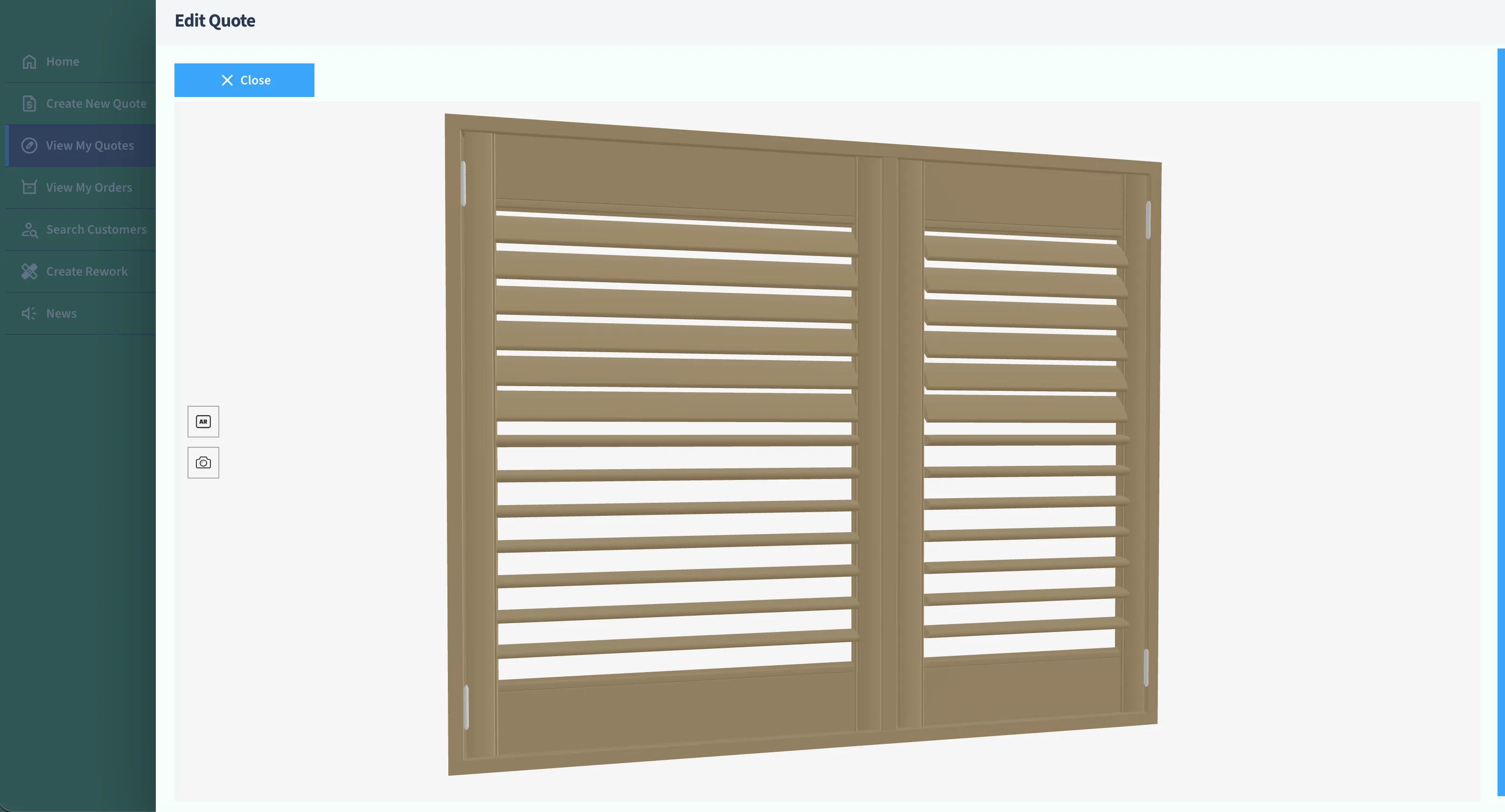
Evergreen Shutters Ltd needed accurate visuals for thousands of shutter variations inside their own quoting platform. Instead of building a 3D engine, they integrated the Simplio3D API and returned a generated 3D view with every quote.