

































Skip to content

Making 3D configurators has never been easier

Everything you need to design, deploy and scale 3D product experiences.

No credit card required

The Simplio3D configurator platform showing options and materials

Everything you need to design, deploy and scale 3D product experiences

It uses a unique architecture, allowing anyone to easily build and embed a 3D product viewer and configurator into a website, all in one place

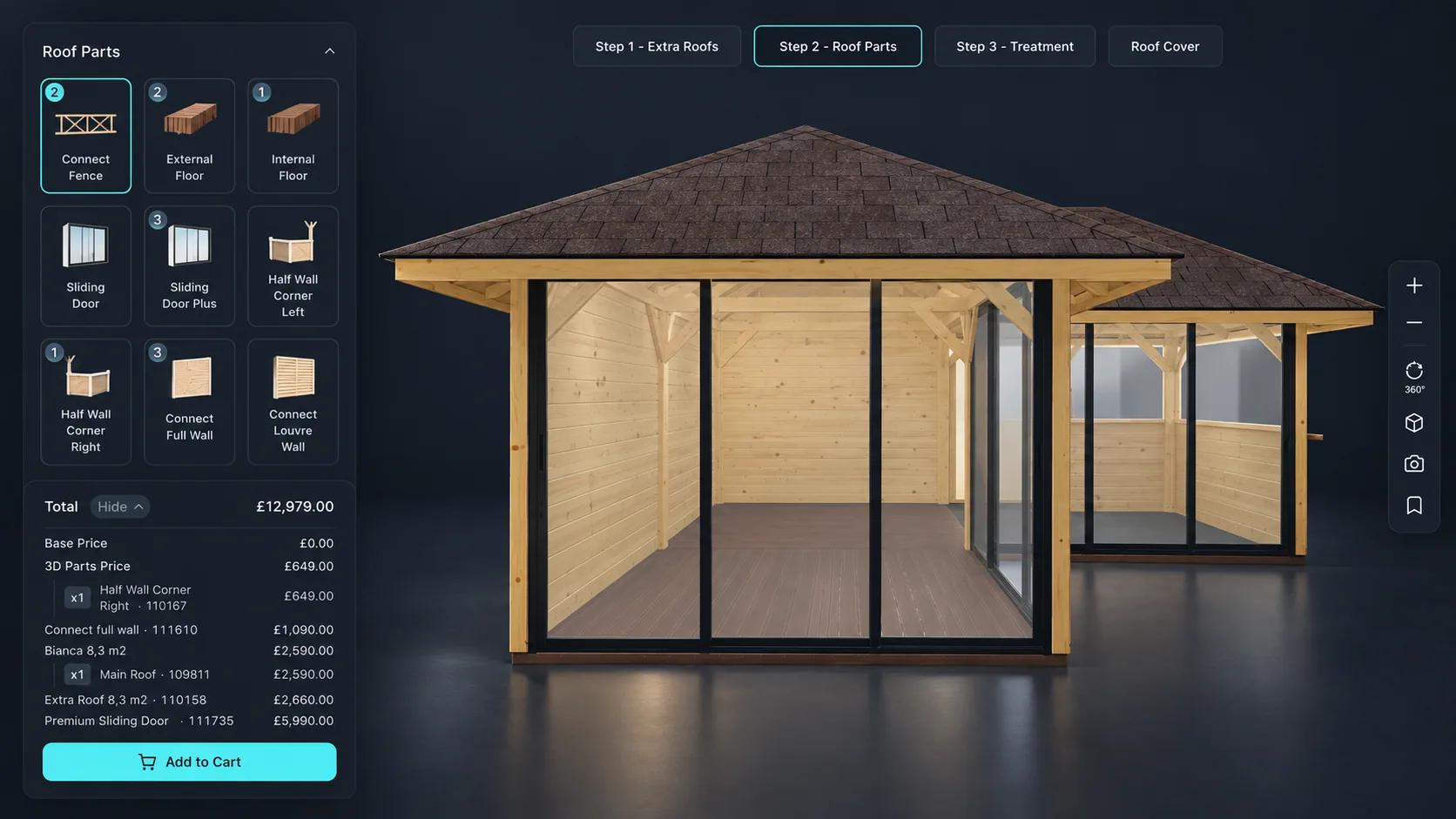
Timber pavilion assembled from modules, with a parts list and a running total

A block-based platform

Every configurator is assembled from the same building blocks: option blocks for what customers choose, conditional logic for what constrains them, and price blocks for what it costs. That makes a 3D product configurator quicker to create and easier to change than a custom build, whether you publish it on a website, a store or an app.

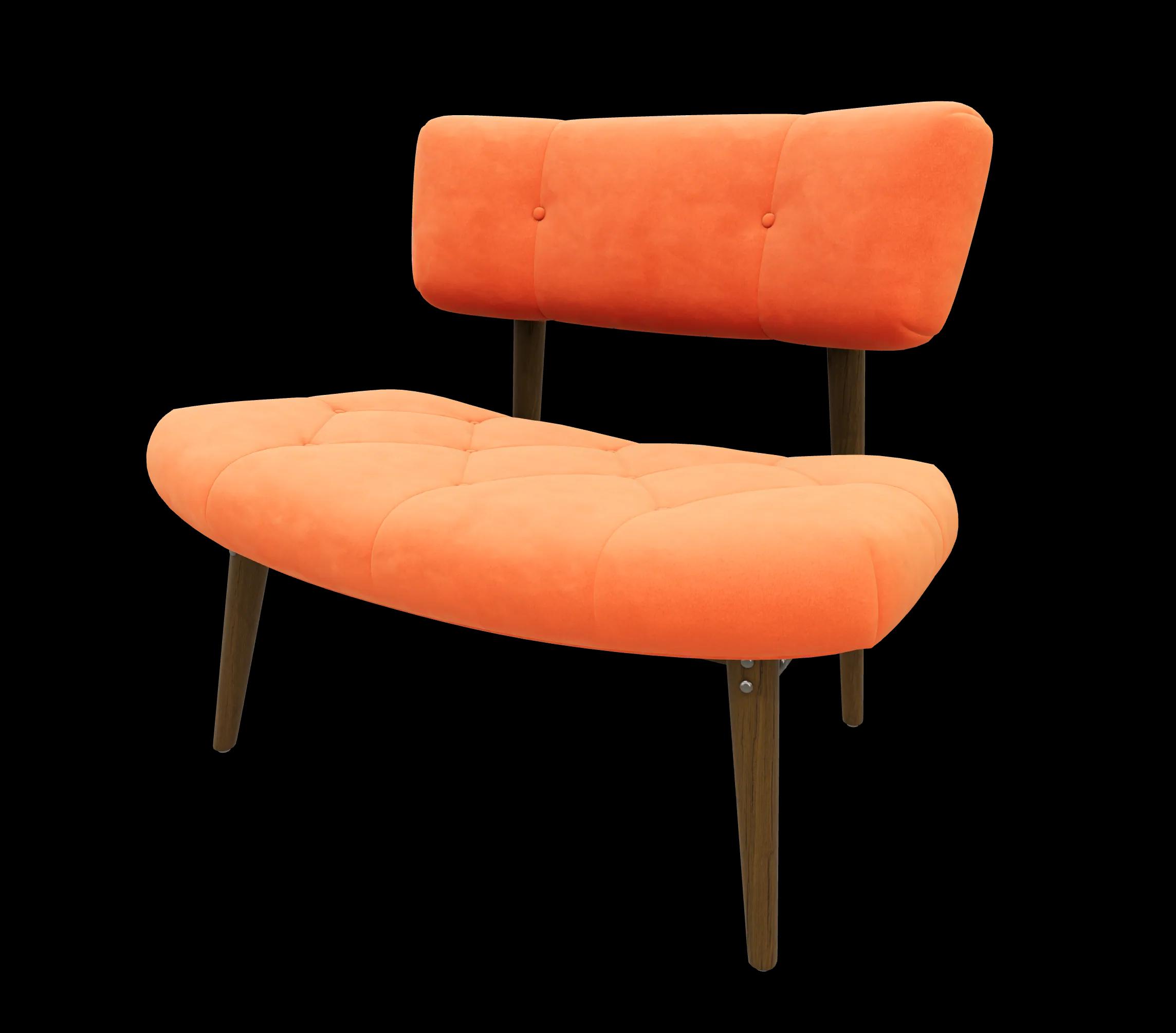
Orange upholstered loveseat in the Simplio3D 3D viewer

3D Product Viewer

Sharing your 3D viewer on any website or app enhances reach, boosts engagement, and offers a consistent, immersive product experience across all digital platforms. By integrating advanced 3D visualization technology into your website, this solution enables customers to interact with products in a more immersive and engaging way.

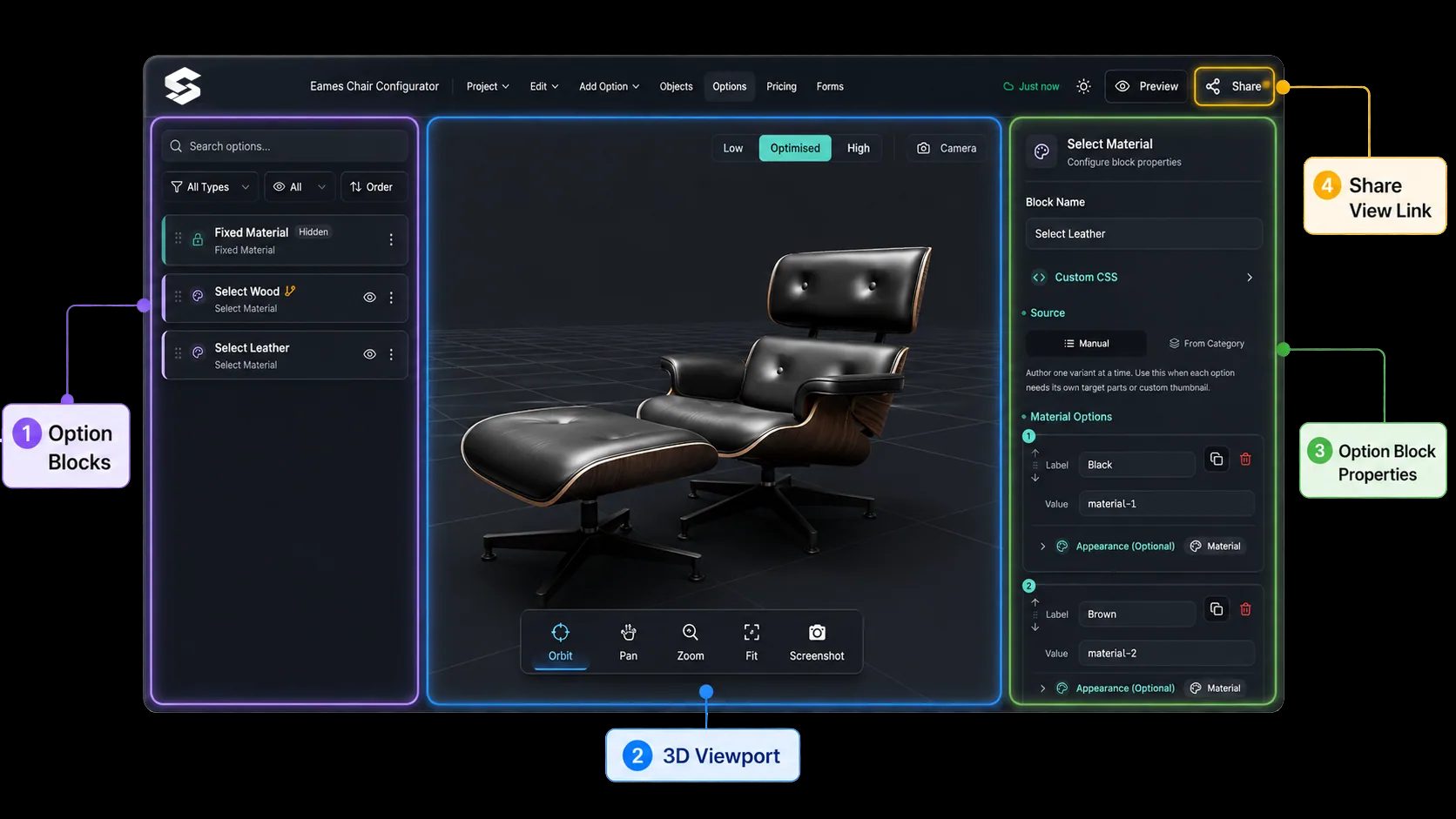
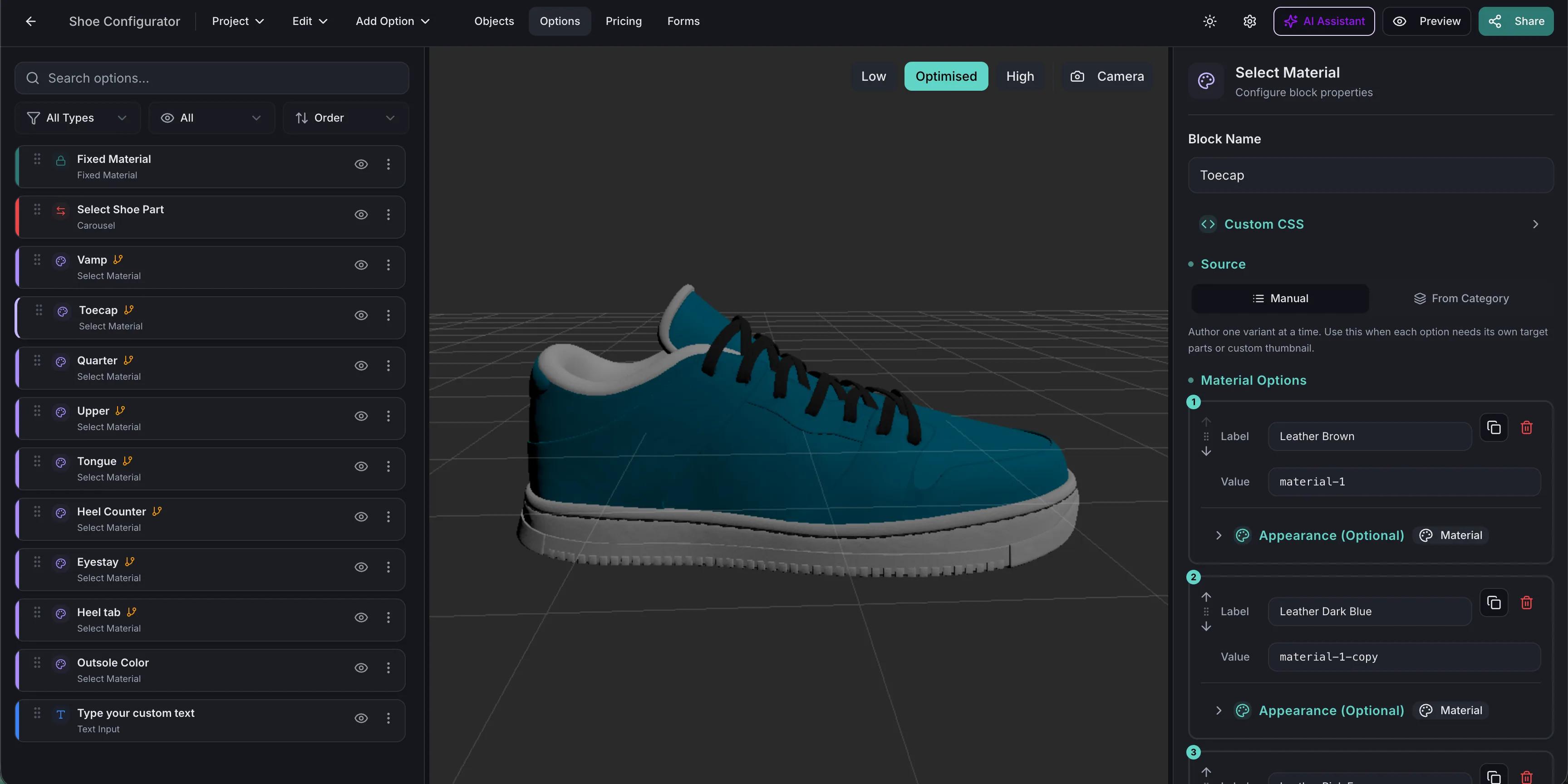
Trainer in the Simplio3D editor, with its option blocks beside the 3D view

3D Configurators Made Easy

Set up the UI of your configurator using ready-made block elements. Build simple to medium complexity 3d configurators directly online. Its user-friendly platform lets you upload 3D models, customize product options, and configure features without any coding skills. With simple drag-and-drop functionality and ready-to-use templates, you can create a fully interactive configurator in just a few steps. Simplio3D makes the entire process fast and hassle-free, allowing you to enhance your online store effortlessly.

Illustration of a person choosing a sofa finish in augmented reality

Augmented reality

Customers can place the configured product in their own space on iOS or Android with no app to install, or try on accessories in wearable mode. A QR code hands the configuration from a computer to a phone. AR is included from the Pro plan.

Rated by the people who use it

See how users score Simplio3D across the major software review platforms.

Capterra logo

4.6/5

G2 logo

4.3/5

TrustRadius logo

9.5/10

What customers are saying

The team at Simplio3D is very easy to work with, great problem solvers and very budget sensitive.

Kyle Forman
Kyle FormanCEO · Krowne

The execution of ideas on paper to a finished, functional application couldn't have been done any better.

Matt Wood
Matt WoodProduct Manager · The Wise Company

Simplio3D have significantly enhanced our product presentations, providing a unique and interactive experience for our clients.

Janick Rolli
Janick RolliDigital Marketing Specialist · digital M

Versatile, easy to use and easy to deploy 3D Configurator. Super simple to use and create configurations on.

John Bergmann
John BergmannCEO · Waterloo Healthcare

I have used other similar platforms and find Simplio3D the most intuitive way to build a configurator. I'm not a CAD engineer so I wanted a solution without features I couldn't understand.

Joshua Tiso
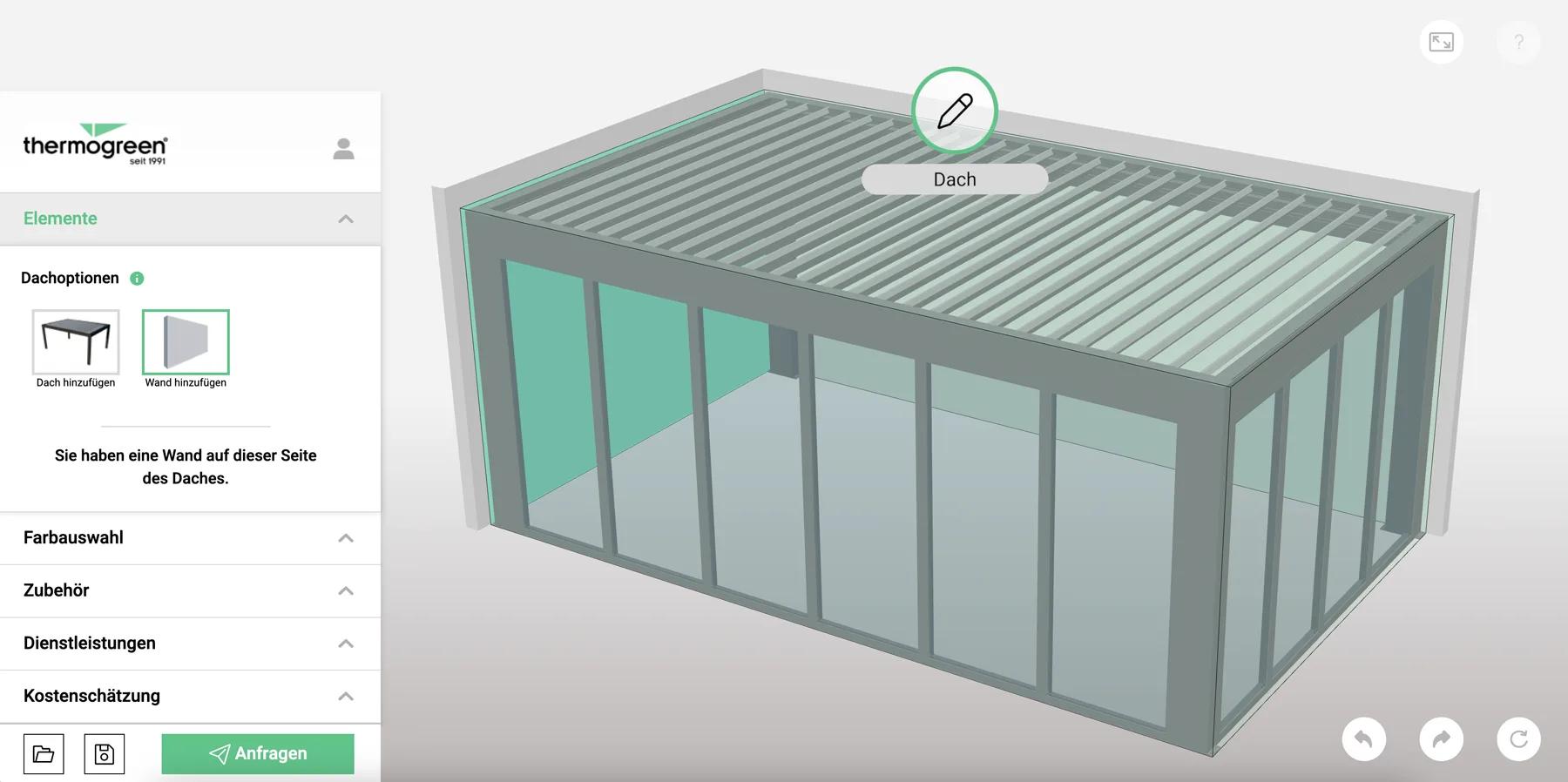
Joshua TisoMarketing · Thermogreen AG

It was so simple to get started, and the results have been very impressive. We now have it live on four different platforms.

Kenneth Rotchell
Kenneth RotchellProject Manager · Evergreen Shutters

Become one of the companies that trust Simplio3D

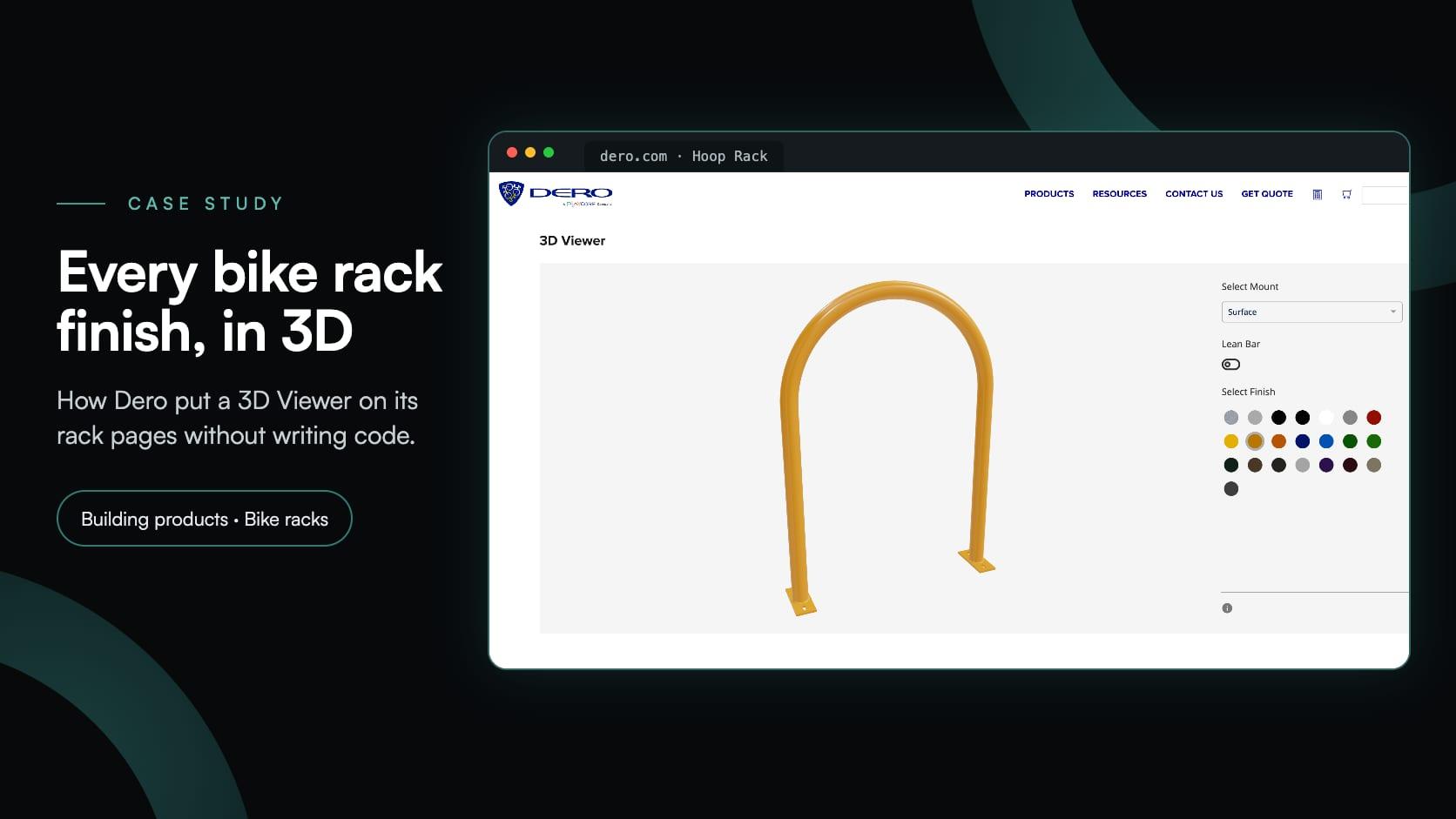
Dero
Emerson
Evergreen Shutters
Fill it Forward
FSL Electronics
Gratnells
J’adore
JF Fixtures & Design
Krowne
Palmako
Pegasus Medical
SocksFactory
Tentest
Thermogreen
Waterloo Healthcare
The Wise Company

Configurations that convert

~50%

average conversion lift

Shopify says merchants adding 3D content see a 94% conversion lift on average

~25%

fewer product returns

Strongest impact is usually in furniture, home decor, apparel, made-to-order products, and products where “wrong size / wrong expectation” causes returns

~20%

average order value / upsell

Buyers often add premium options when they can clearly see differences in materials, colors, dimensions, or accessories

~50%

sales / quoting efficiency

CPQ ROI also comes from fewer pricing mistakes, less revenue leakage, lower training costs, and reduced manual quote preparation

What you can build with Simplio3D product configurators

The capability set, and what each part is actually for.

Simplio3D capabilities
CapabilityWhat it doesWhere it matters
Real-time 3DPBR materials and lighting rendered in the browser, with orbit, zoom and panAny product bought on how it looks
Sixteen option block typesSwatches, dropdowns, thumbnails, toggles, dimension inputs, text, image upload, pattern and canvas toolsCovers how customers actually choose
Conditional logicShows, hides and restricts options based on earlier choicesKeeps every configuration manufacturable
CPQ pricingBase price, price groups, price tables and variables combined in a visual formula editorMade-to-size and option-driven pricing
Forms and requestsQuote and contact forms capturing the configuration with the customer detailsB2B and made-to-order sales
Augmented realityTrue-scale placement via AR Quick Look and Scene Viewer; wearable mode for accessoriesFurniture, buildings, jewellery, apparel
Sharing and embeddingShare links, iframe snippets, QR codes, password protection and allowed embed domainsGetting it in front of customers
Ecommerce integrationShopify and WooCommerce, whose carts can charge the configured priceSelling directly rather than quoting
API, SDK and MCPREST API, the typed @simplio3d/sdk client, and an MCP server for AI agentsERP integration, headless builds, automated auditing

From an empty project to a configurator embedded on a product page.

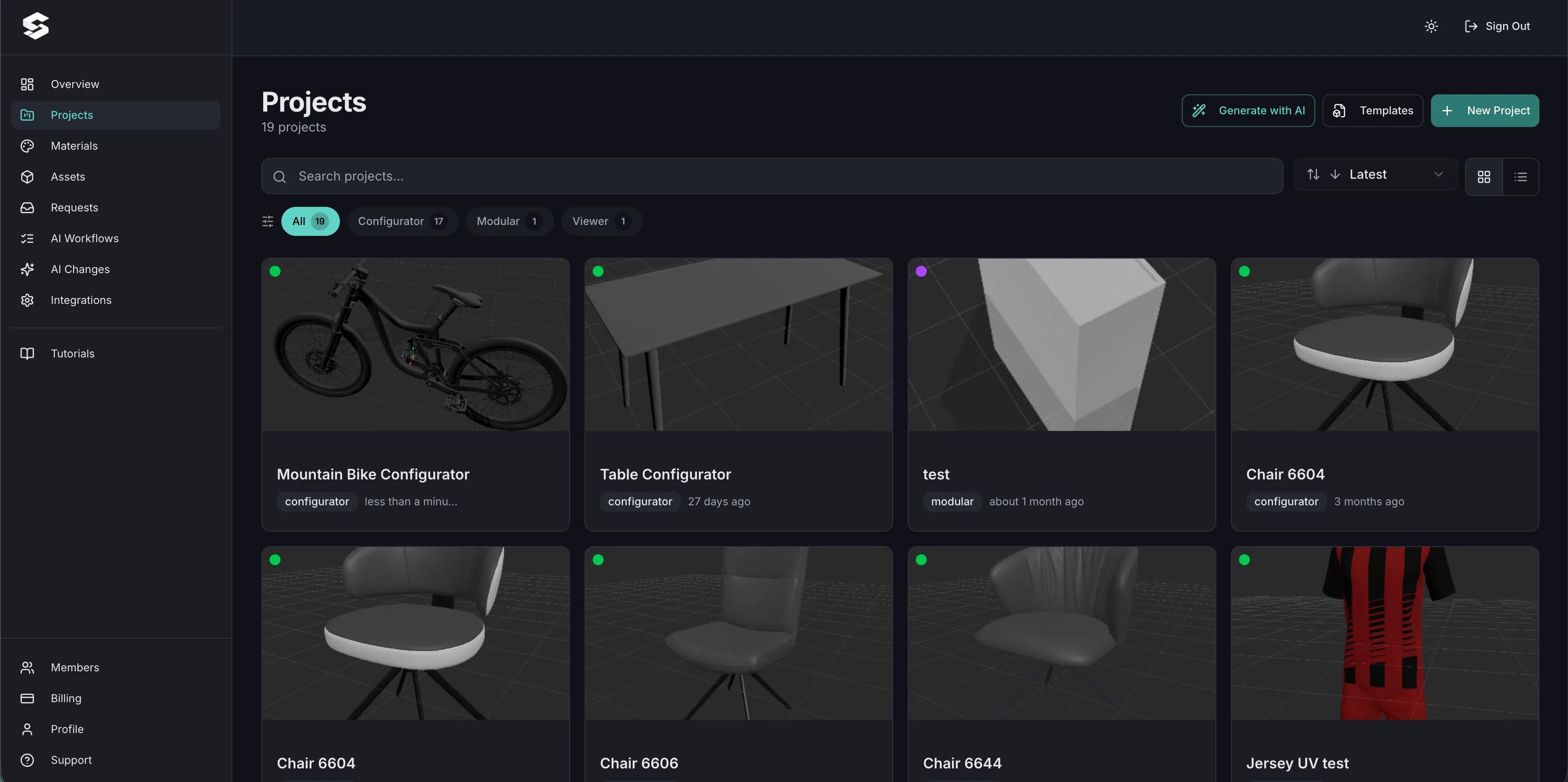
The Simplio3D project dashboard listing configurator projects
Projects — viewer, configurator and modular, side by side.
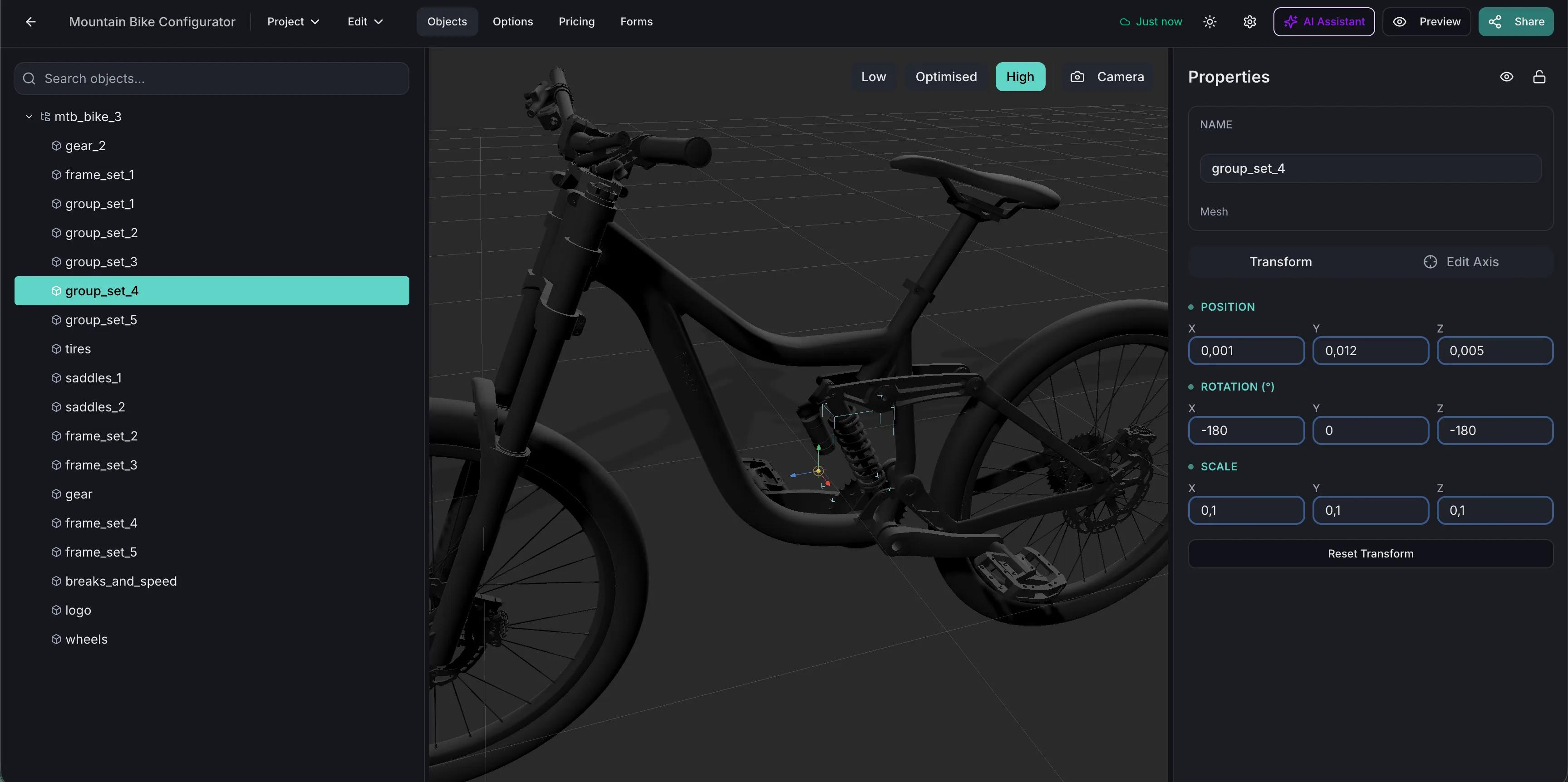
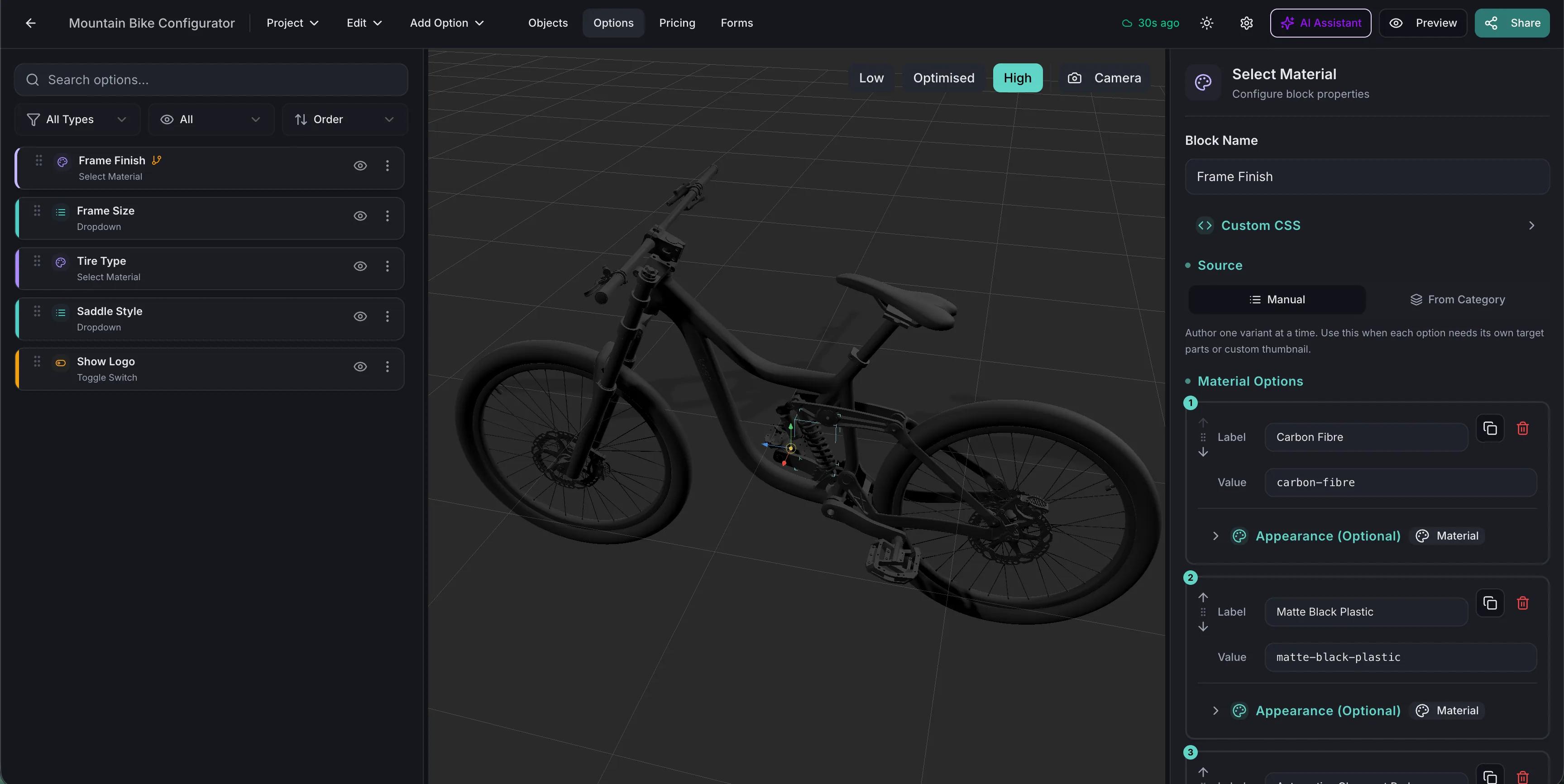
The Simplio3D project editor with the 3D viewport and option blocks
The editor: 3D viewport on one side, option blocks on the other.
Creating and managing product parameters in Simplio3D
Building the options customers will choose from.
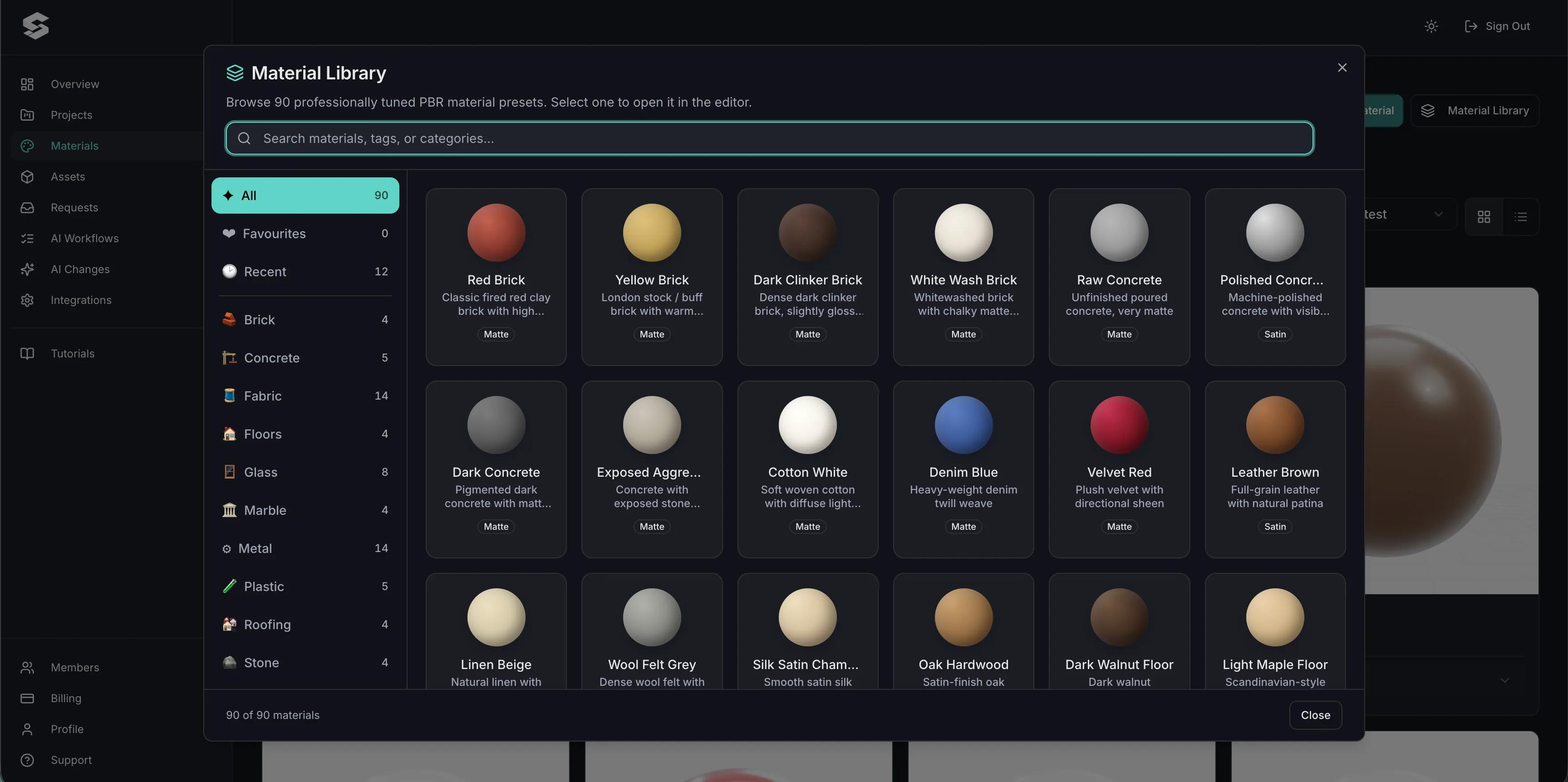
Simplio3D material library with fabric, metal and leather swatches
The material library, shared across projects.
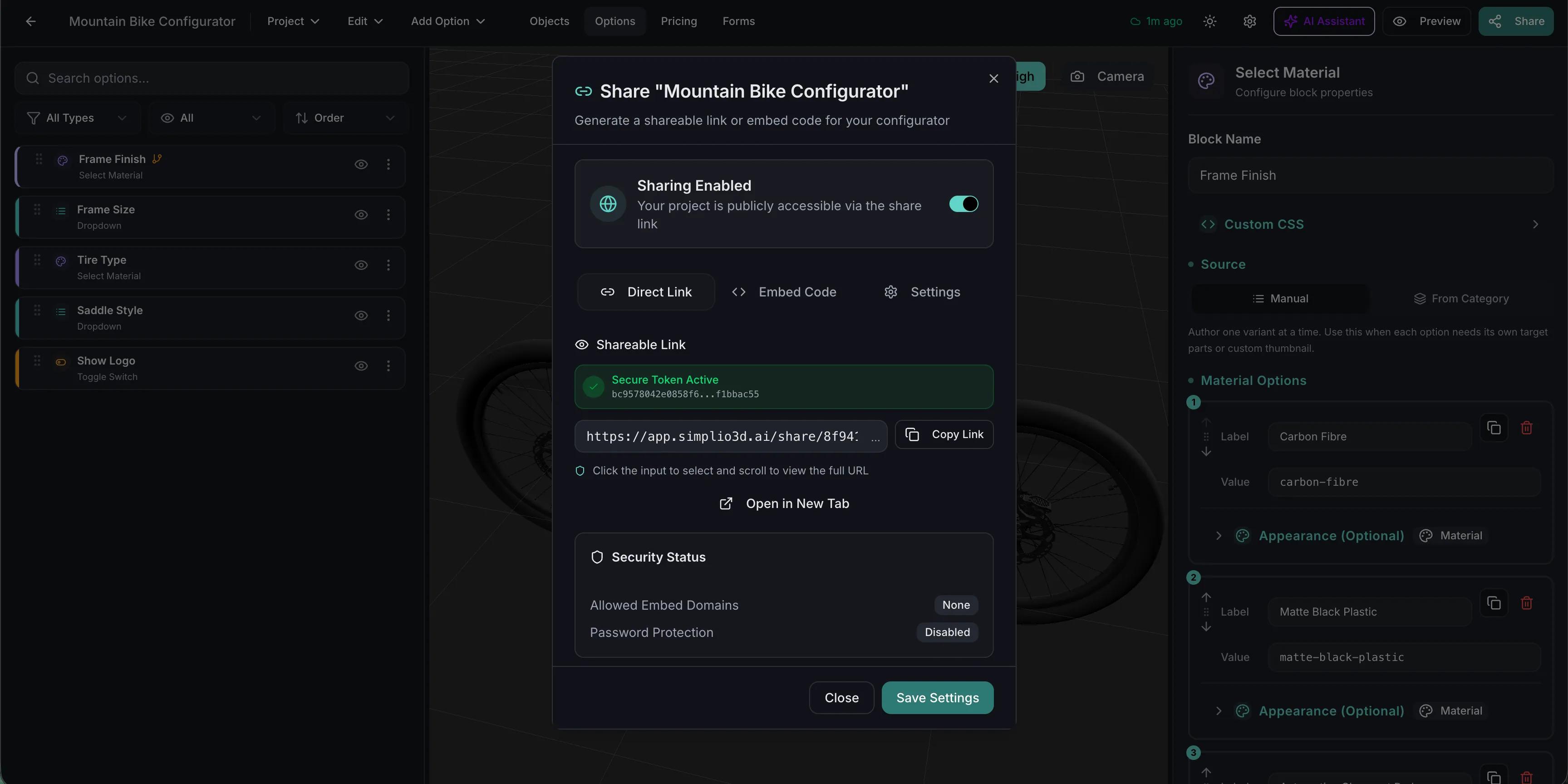
Share dialog in Simplio3D with sharing switched on, a link and embed code
Publishing: a share link and an embed code for your product page.

Try the features in a live configurator

A lounge chair with wood and leather options.

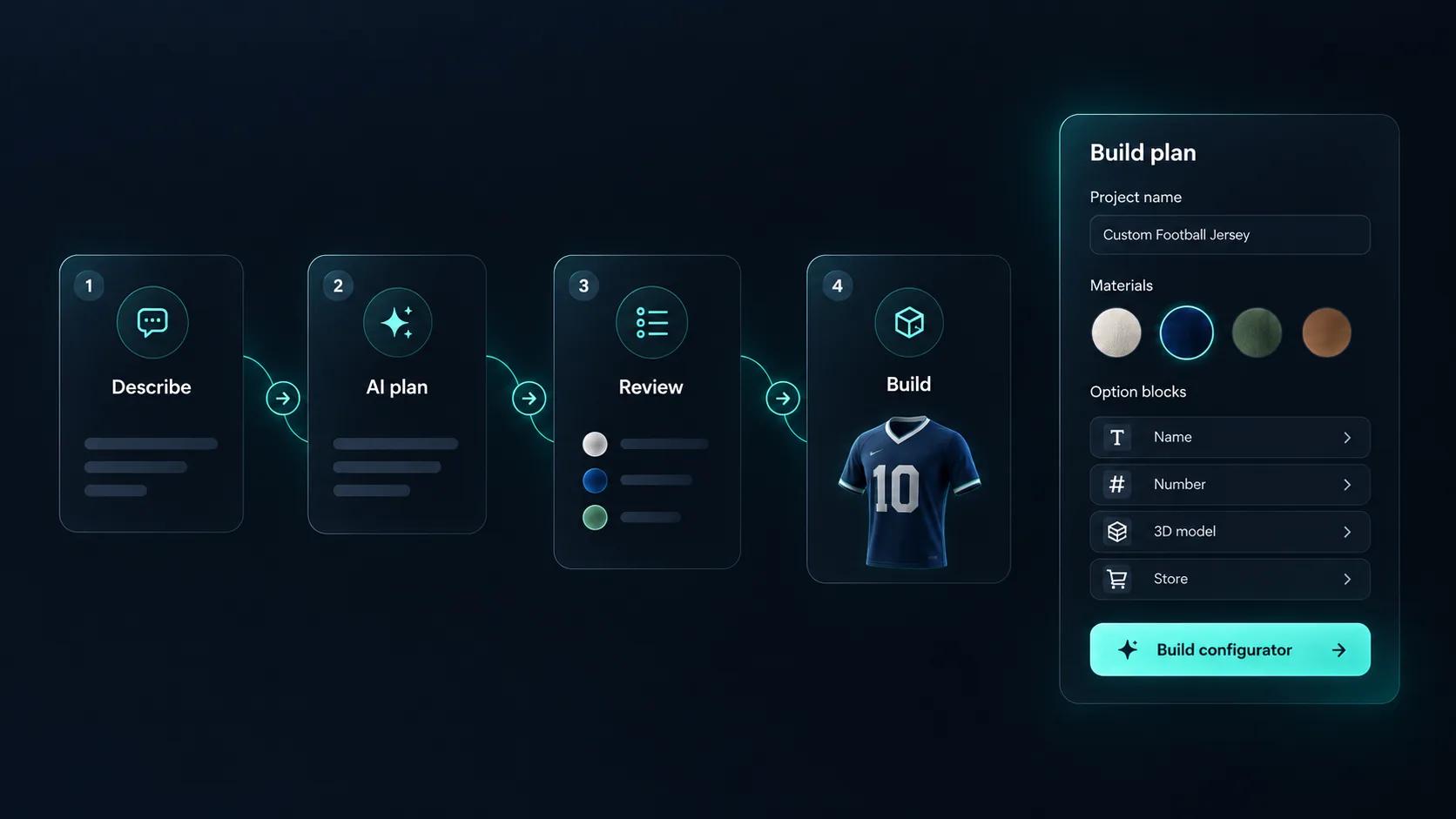
Generate with AI in four steps: describe the product, read the AI plan, review it, then build the draft

Build it with AI, then have AI check it

Describe a product and Generate with AI drafts a configurator around the 3D models in your library, so you refine a working structure instead of starting from an empty project. The AI assistant then audits what you built, reviewing option coverage and conditional logic rather than leaving someone to click through every combination. An MCP connection also lets an assistant such as Claude work against real projects, with high-risk changes held as proposals for you to apply.

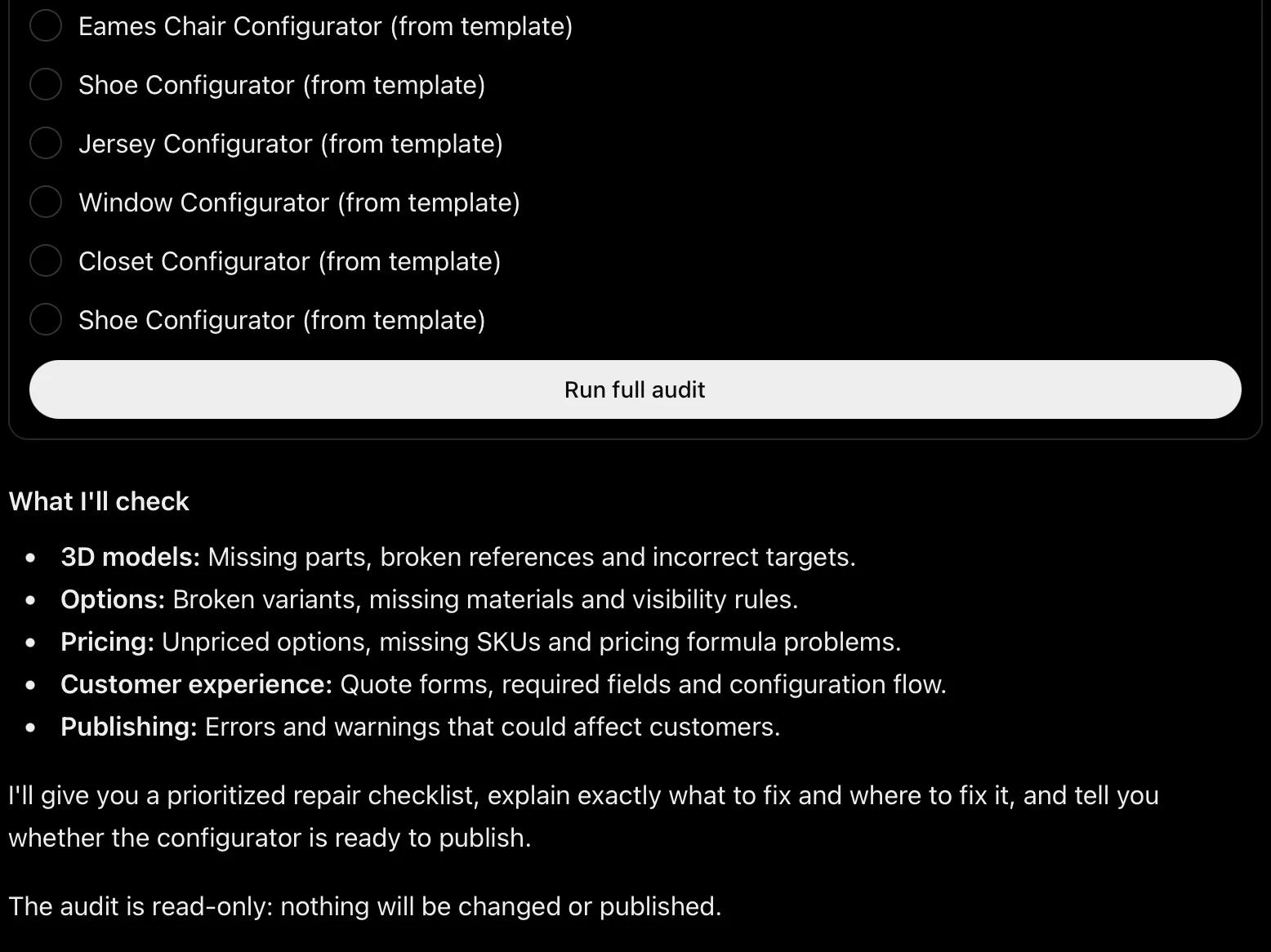
ChatGPT running a Simplio3D audit: a list of projects to choose from, a Run full audit button and the five areas it checks

Audit and build from ChatGPT

The official Simplio3D plugin brings your saved projects into ChatGPT. It audits a configurator area by area, explains why an option is hidden, checks that every option points at a real part of the model, and calculates prices from your own pricing blocks. Grant write access and it adds options, rules, materials and form fields too; price, SKU and store changes stay proposals until you approve them.

Case studies

Real projects from manufacturers and retailers who sell in 3D.

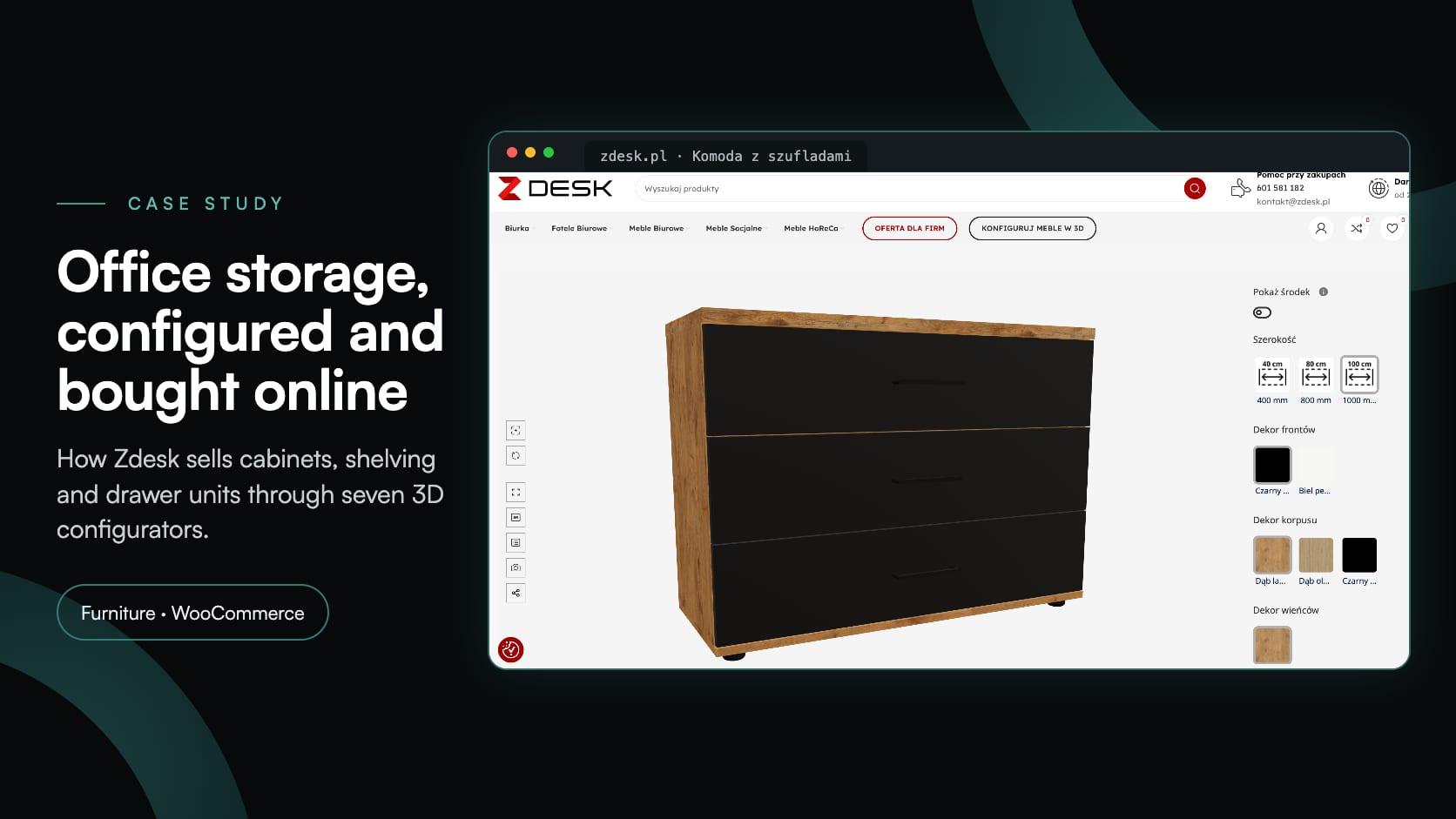
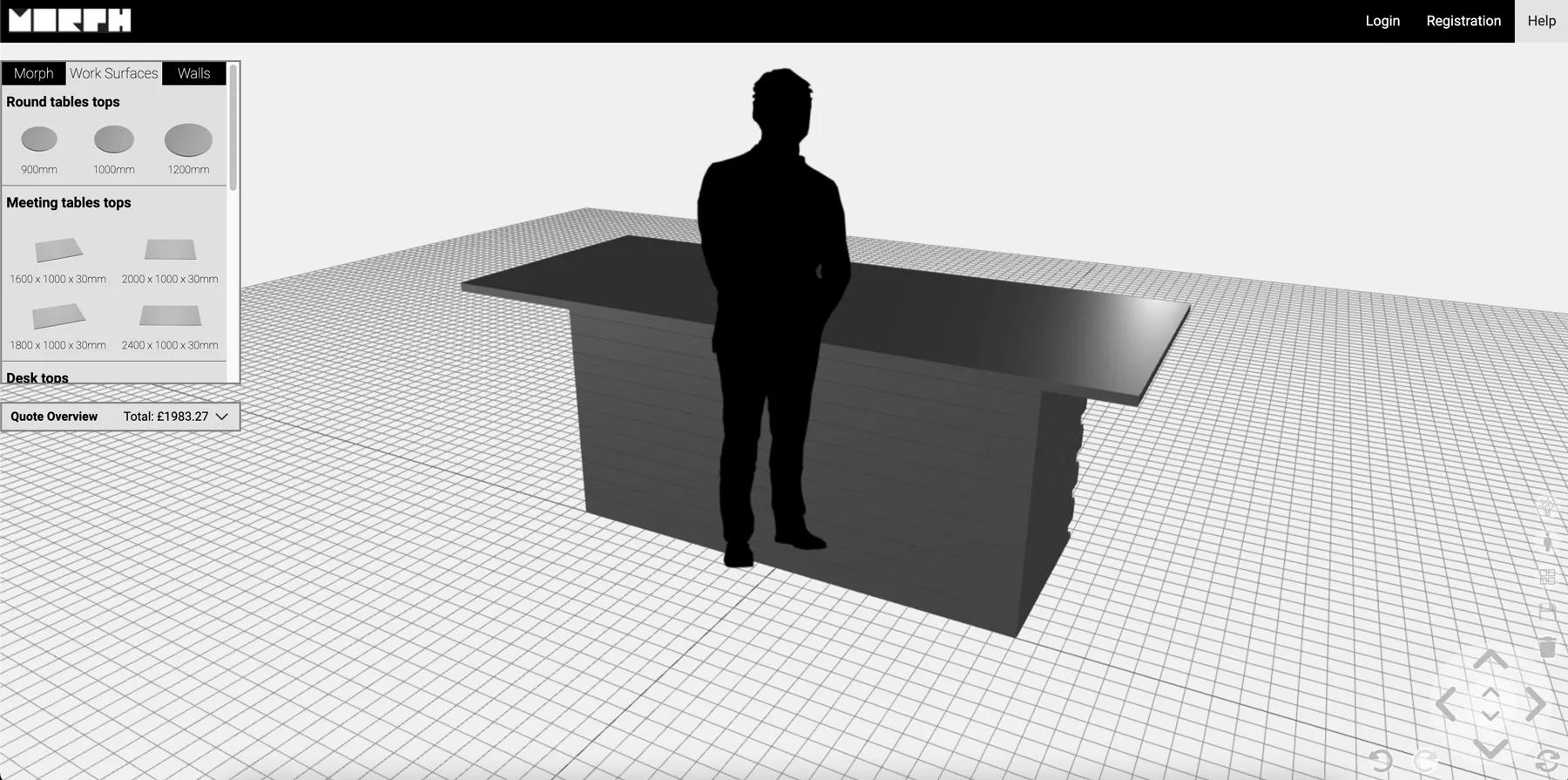
  1. Morph Bricks Ltd.Building products

    Morph Creator: building anything from eight bricks

    Morph Bricks needed a configurator where customers could build walls, meeting rooms and tiered seating from eight brick types — and get a PDF instruction manual for the design they submitted.
Feature questions

GLB, GLTF, FBX, OBJ, STL and DAE, plus ZIP archives bundling a model with its textures. GLB and GLTF are best for the web.

From the blog

Guides, tutorials and news from the Simplio3D team.

Build, deploy and scale 3D commerce.

Own a 3D product configurator to drive sales and generate proposals directly from your website