
Frame size and geometry
The size options you build, presented clearly so the rider picks the right one before ordering.
3D Bike Configurator
Frame size and colour, groupset, wheels, finishing kit — chosen in real time, rendered photorealistically, and priced as the build comes together.
No credit card required
The size options you build, presented clearly so the rider picks the right one before ordering.
Paint colours, fades and matt or gloss finishes rendered on the actual frame geometry.
Component tiers offered as options, with the price difference visible at the moment of choice.
Wheelset and tyre choices swapped on the model rather than listed in a specification table.
Bars, stem, saddle and grips selected individually, the way a rider actually specifies a build.
Every upgrade moves the total, so the customer manages their own budget as they build.
See how users score Simplio3D across the major software review platforms.

4.6/5

4.3/5

9.5/10
Custom bike sales usually run through a spreadsheet and a series of emails: the customer picks a frame, asks about a groupset, waits for a price, changes their mind. A configurator turns that into a self-service build. The rider sees the bike change as they specify it and knows what each upgrade costs, so the enquiry that reaches you is a finished build rather than an opening question.
Component compatibility is the hard part of selling bikes online. A groupset that will not fit a frame, a wheelset that does not match the axle standard, a tyre that exceeds clearance — each one is a support ticket or a cancelled order. Conditional logic encodes those constraints once, so incompatible parts are hidden or disabled as soon as an earlier choice rules them out.
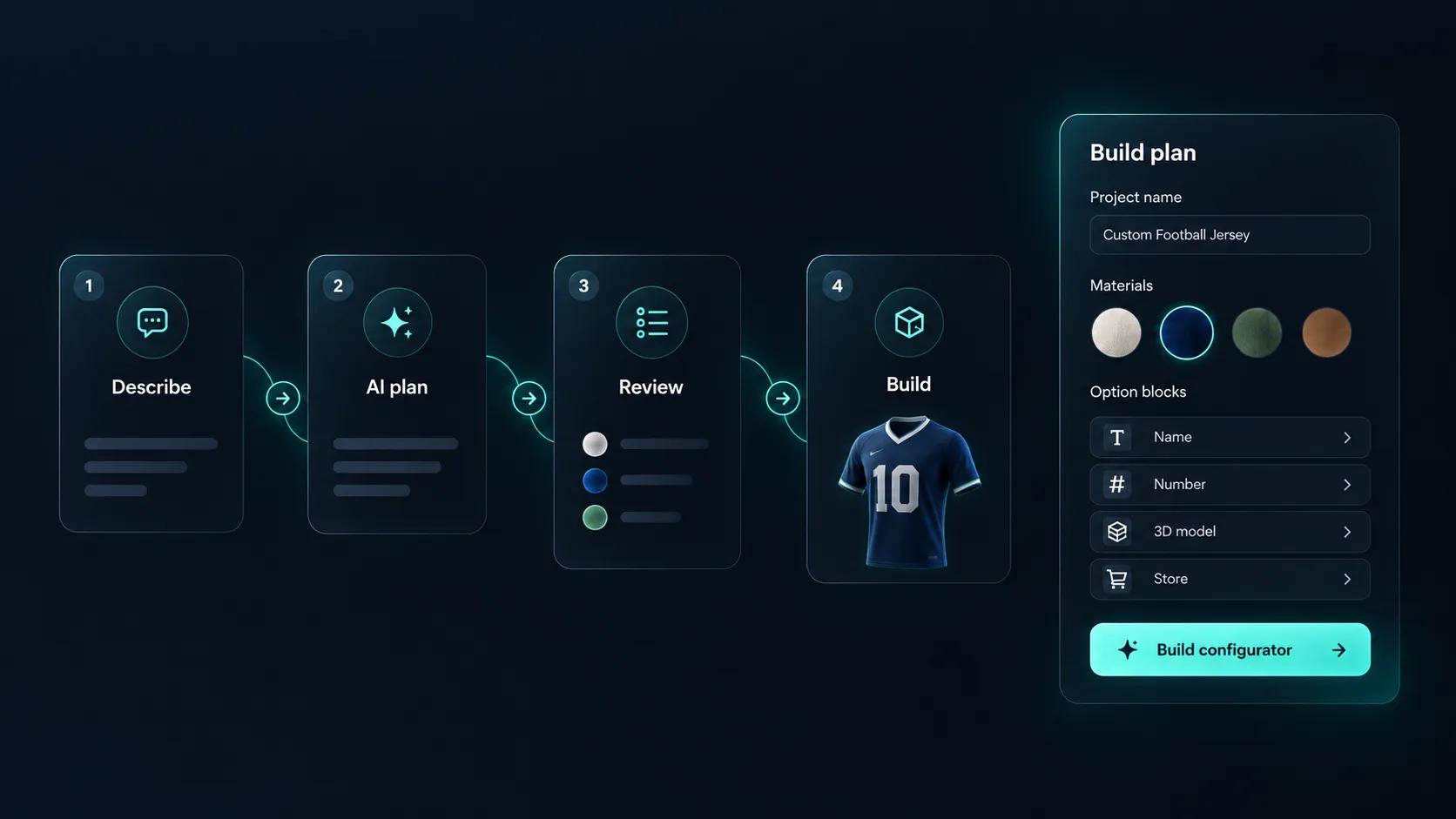
Describe the build, for example “a road bike with three frame colours, two wheelsets and a groupset upgrade”, and Generate with AI plans the materials, options and a quote form around a bike model in your library. Compatibility rules take more care, so check them yourself, then ask the AI assistant to explain which rule hides a given part. You approve the base price, and it does not create the 3D model.
From a model of the frame and components to a live build tool.
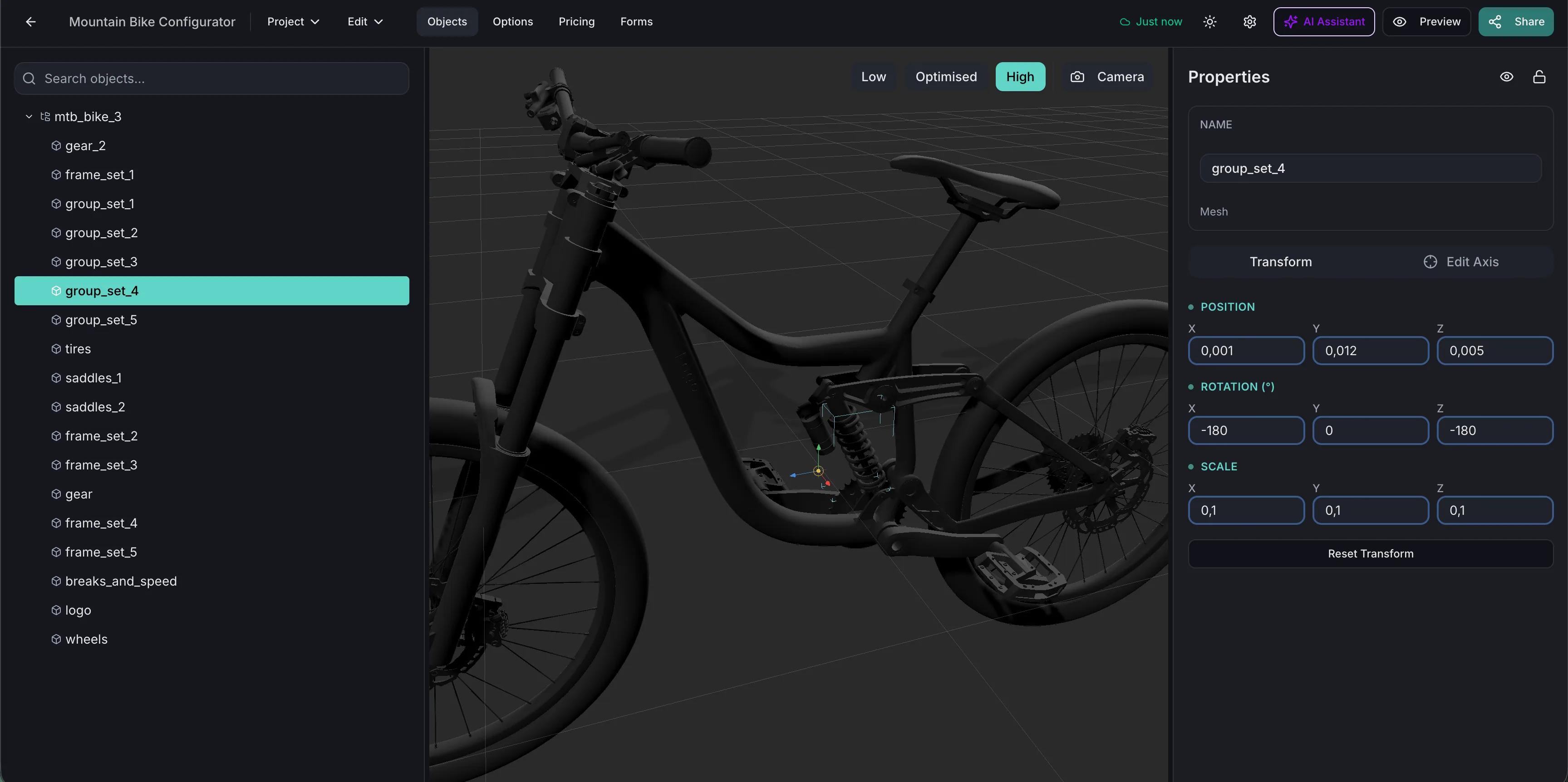
Import the bike with frame, wheels, drivetrain, bars, saddle and other components as separate parts so each can be swapped independently.
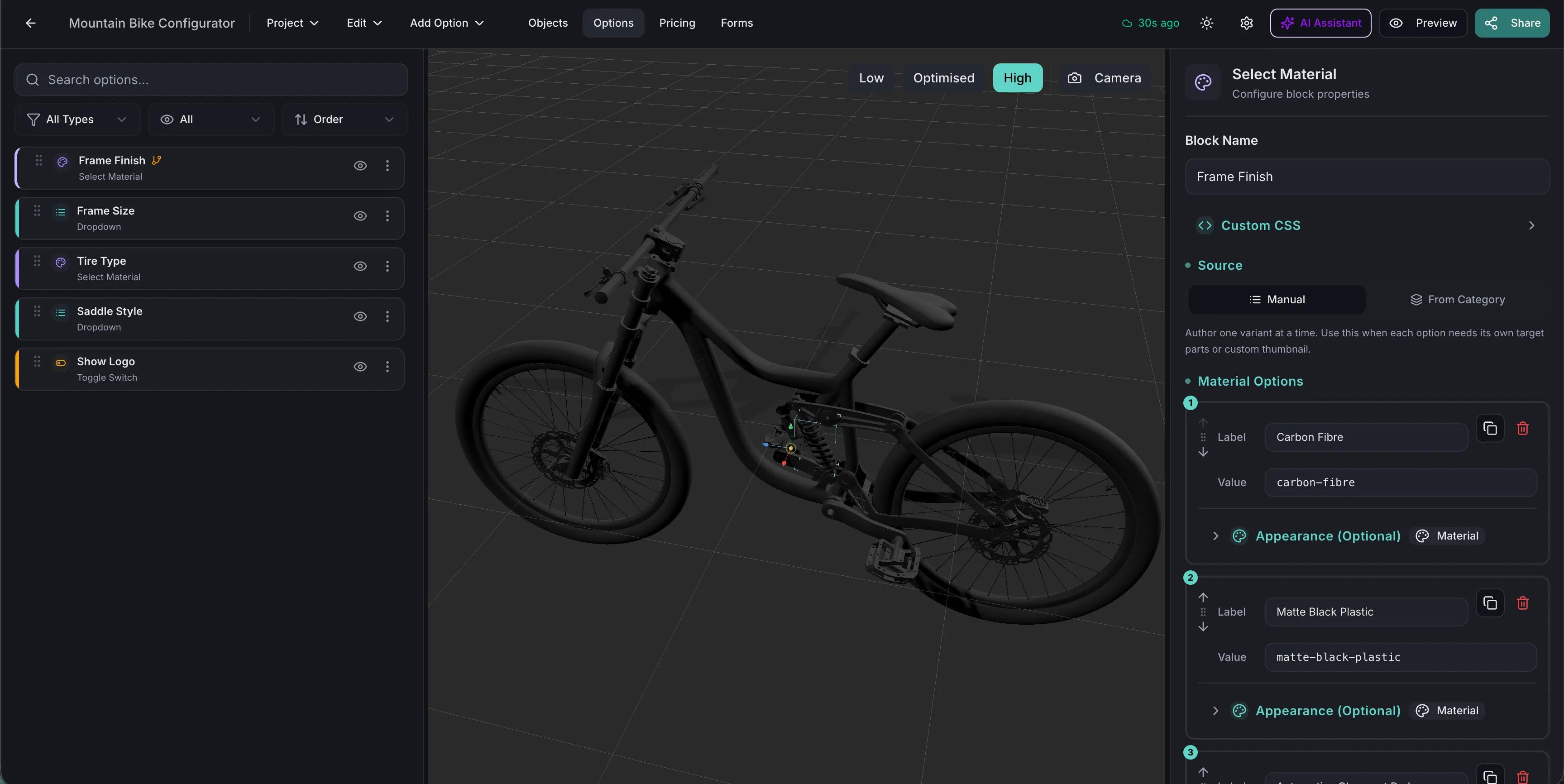
Build the frame finishes as PBR materials: metallic paints, fades, matt and gloss clearcoats, plus the anodised and polished finishes used on components.
Encode component compatibility once — axle standards, tyre clearance, groupset and frame combinations — so a rider cannot build a bike that will not assemble.
Price the frameset as the base and each component tier as an upgrade, so the running total reflects the exact build the rider has specified.
Publish and embed it on your custom build page, and use the same link on a tablet at the counter during a fitting.
One way to set up a custom road bike build.
| What the customer chooses | How it is built | Rule or price example |
|---|---|---|
| Frame size | Dropdown Select with the sizes you build | No price effect |
| Frame colour | Select Material for metallic, matt and gloss paints | A Price Group charges for special finishes |
| Groupset | Thumbnail Selector of component tiers | Each tier adds its upgrade price |
| Wheels | Carousel of wheelsets | Hidden when the axle standard does not match the frame |
| Finishing kit | Dropdown Select for bars and saddle | A Price Group sets each upgrade |
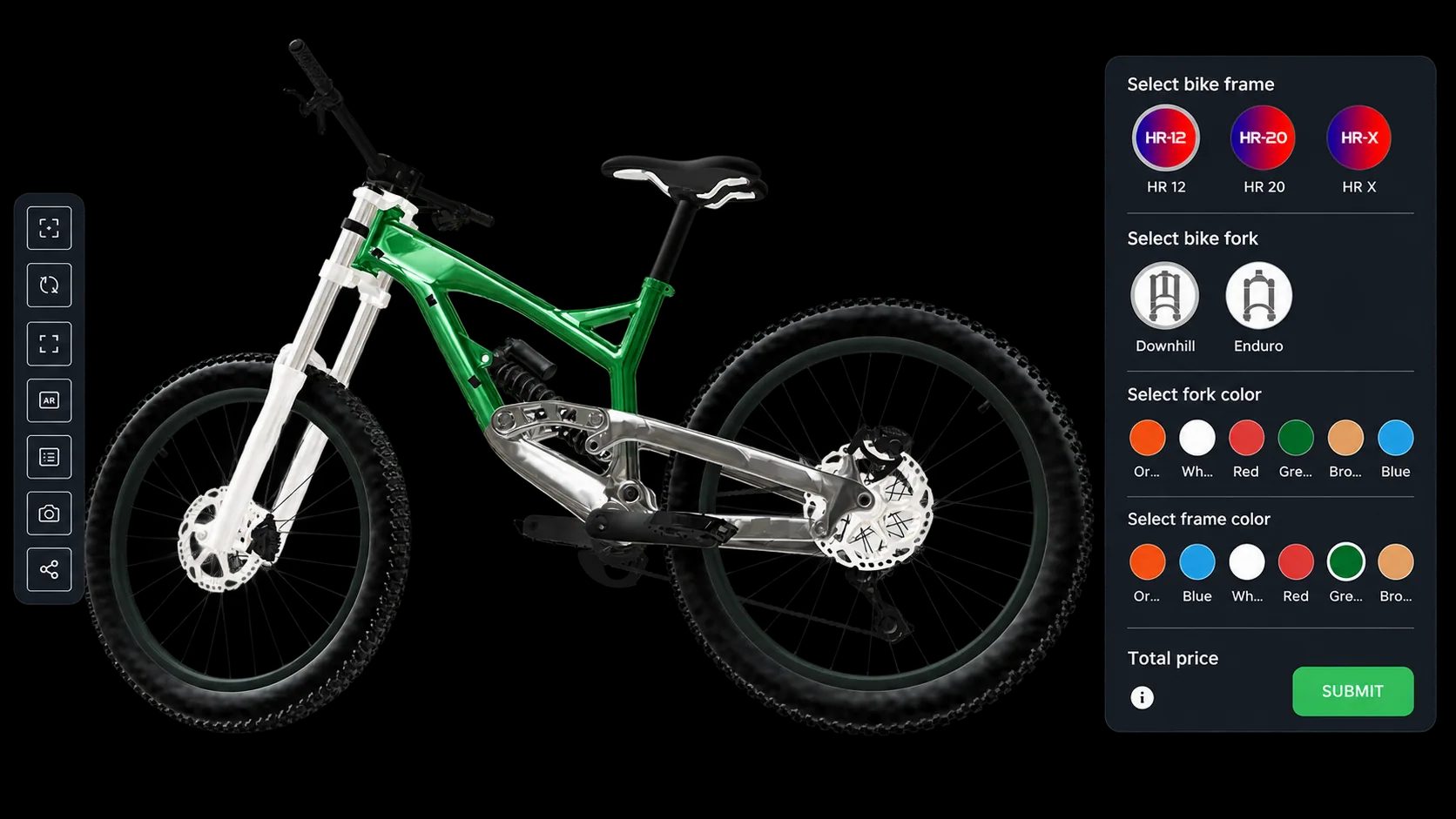
A mountain bike with frame, fork and colour choices. Launch it and build one.
Team kit, protective gear and equipment personalisation use the same colour, logo and pricing tools.
How a configured build reaches your Shopify or WooCommerce cart.
















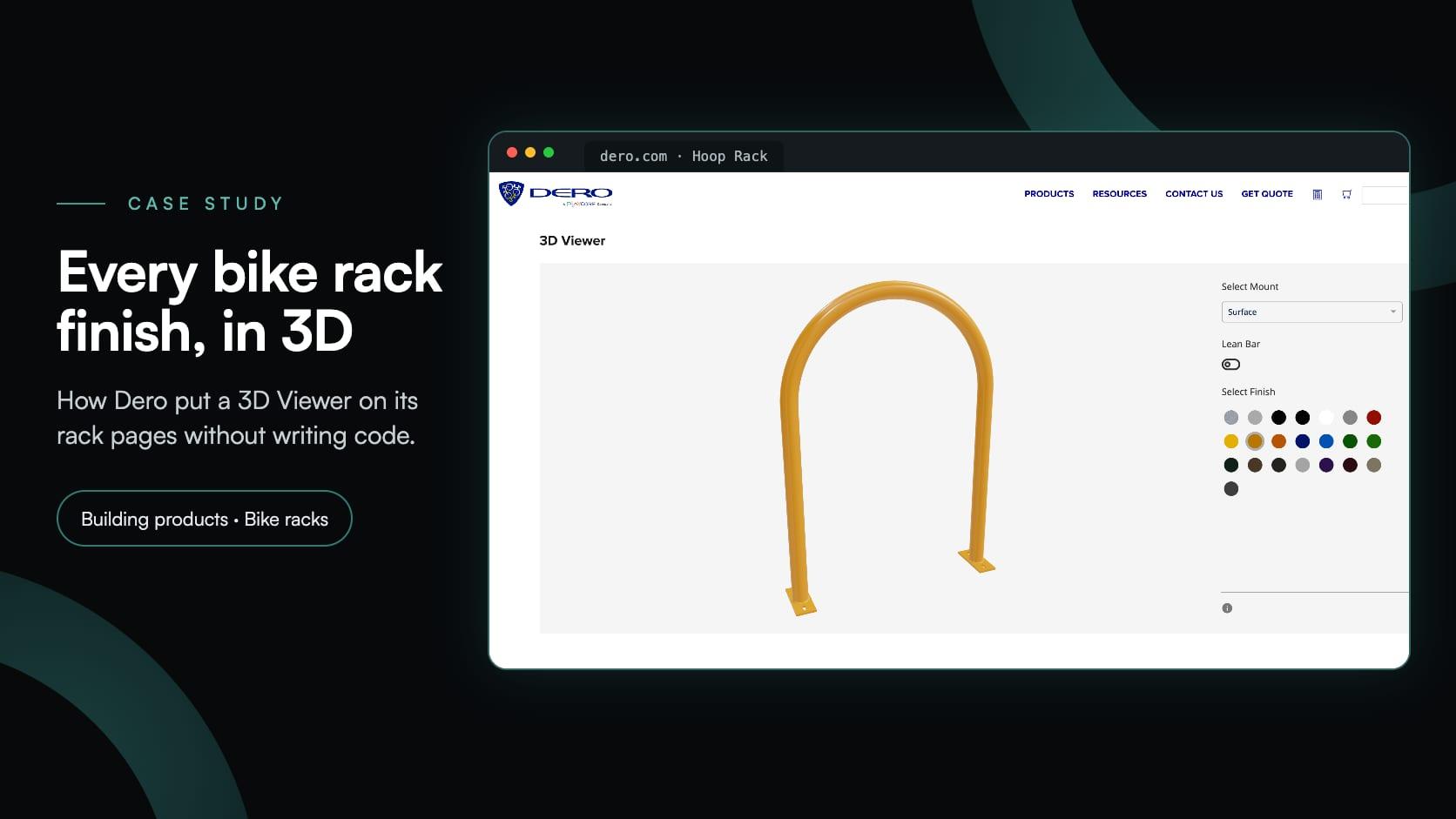
Dero sells bike racks, not bikes, but the build is the one a bike configurator needs: pick the parts, try every finish and see the result in 3D on the product page.
Dero
Dero, a PlayCore company, added a 3D Viewer to seven bike rack pages: visitors pick a mount, add a lean bar and try 22 finishes in 3D. No cart, no form and no code to embed it.
Yes. Conditional logic ties component options to earlier choices, so parts that do not fit the selected frame or standard are hidden or disabled.
Yes. Each option can carry its own price contribution, so the running total reflects the exact build rather than a base model price.
PBR materials render metallic paints, fades and matt or gloss finishes on the frame geometry under the scene lighting.
Yes, via the WooCommerce or Shopify integration, which can pass the configuration and price into the cart, with a picture of the configuration kept with the order.
Yes. The published project runs in any browser, so the same configurator works on a tablet at the counter and on your website.
Model versioning lets you replace the 3D file while keeping the options built around it, and options can be added or retired without rebuilding the project.
Guides, tutorials and news from the Simplio3D team.
Zakeke Alternatives in 2026: 7 Product Configurators Compared
Looking for a Zakeke alternative? What Zakeke offers today, when it is worth staying, and seven alternatives compared on 3D, rules, stores and published prices.
Simplio3D is Included in the Gartner Innovation Insight for Visual Configuration Report
In the 2020 Innovation Insight for Visual Configuration report, Simplio3D is included for the first time in the list of visual configuration vendors as a software solution provider for product configuration.
How a Product Configurator Gets Built (2026 Workflow)
The decisions that determine whether a configurator project succeeds — defining the requirement, choosing the project type, building options, logic and pricing, and where AI now does the work.
The Simplio3D Shopify App Is Now on the Shopify App Store
Simplio3D is now on the Shopify App Store. Install the app, add a 3D configurator to your theme with blocks, and let the cart charge the price your configurator calculates.
Build a Configurator with Claude: the Simplio3D Plugin Tutorial
Install the Simplio3D plugin in Claude, sign in once and build your first 3D product configurator from a prompt: setup, permissions, the first prompts, and what stays in your hands.
Own a 3D product configurator to drive sales and generate proposals directly from your website