

Redirect to checkout
The configured product is added to the cart and the shopper goes straight to your WooCommerce checkout.
3D Product Configurator for WooCommerce
Let shoppers configure in 3D on your WooCommerce product page and add the configured item — with its calculated price — straight to the cart.
No credit card required

The configured product is added to the cart and the shopper goes straight to your WooCommerce checkout.
The configured product is added and the shopper lands on your cart page, ready to keep shopping or check out.
Charge the price your configurator calculated, recalculated on Simplio3D’s server and never taken from the browser, or the WooCommerce product’s own price.
The shopper’s 3D configuration image and chosen options appear in the cart, at checkout, in order emails and in the order.
Embed the configurator on any page with its share link, or build the page from native blocks with the optional WordPress plugin.
Standard WooCommerce products and configurable 3D products sit side by side in the same store.
See how users score Simplio3D across the major software review platforms.

4.6/5

4.3/5

9.5/10
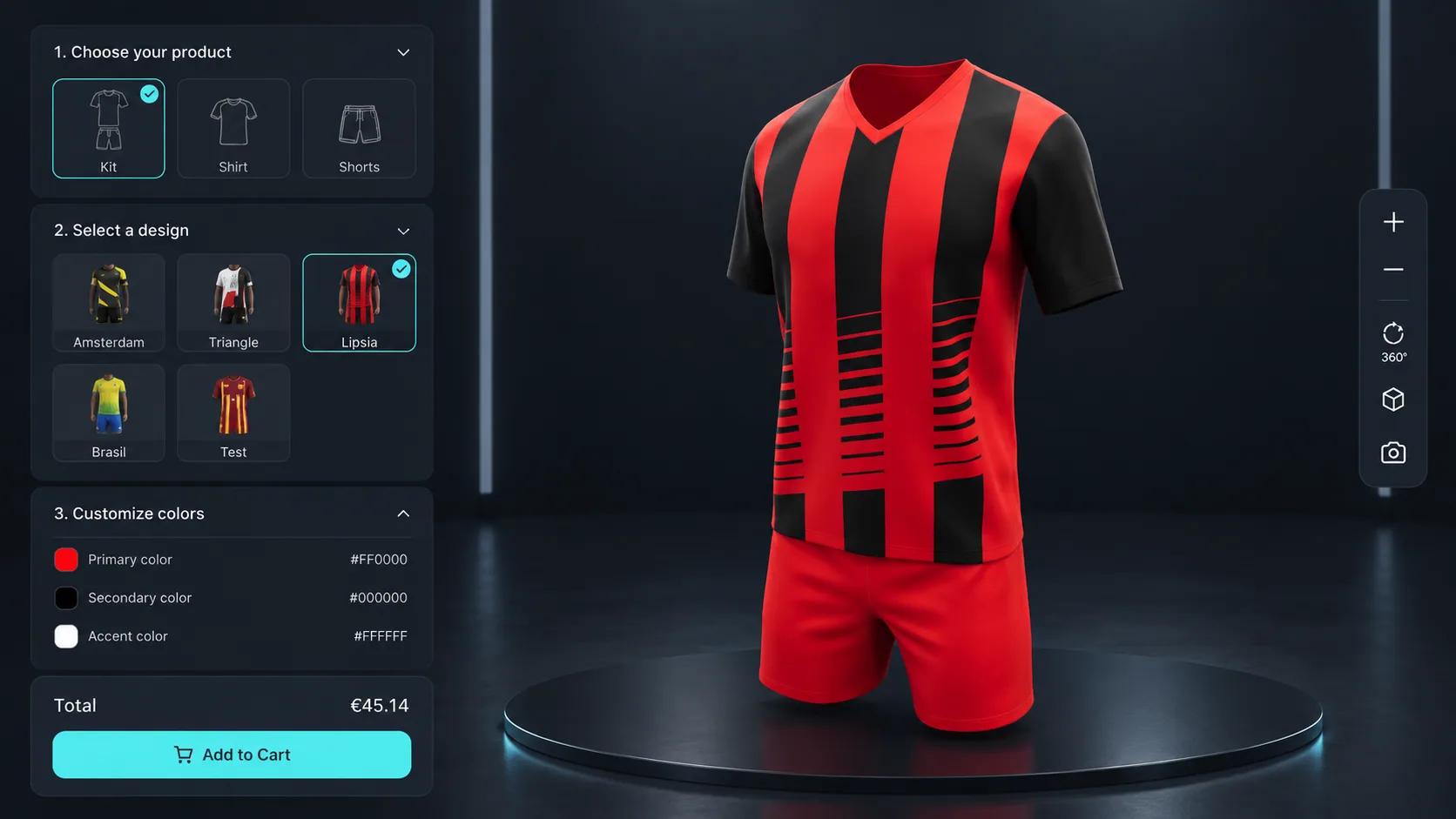
Most configurator plugins end at a quote form or a redirect, which means the shopper leaves the flow they were in and your store loses the sale to friction. With Simplio3D the configured product goes into your own WooCommerce cart: shoppers configure, add to cart and land on your cart page or checkout, as with any other product, with the configuration image, the chosen options and the price carried through to the order.

You link one WooCommerce product to each project. What the shopper pays can come from the pricing you built in Simplio3D — a base price, price groups tied to option blocks, price tables for dimensional combinations, and formulas that combine them. Simplio3D recalculates that total on its server and adds the configuration to your store as a hidden product at that price, so a made-to-measure product prices correctly without maintaining a variant for every combination.

The configurator is built in the Simplio3D editor: model, materials, option blocks, conditional logic and pricing, with no code involved. Simplio3D can generate a starting configurator from a product description, and its AI assistant can audit an existing project for option coverage and logic gaps. On a large catalogue, the MCP server lets an assistant connect with a scoped token to evaluate logic or calculate prices, proposing changes rather than applying them.
From an API key to a configured product in the cart.
In WooCommerce → Settings → Advanced → REST API, add a key with Read/Write permission. Read/Write lets Simplio3D add configured products; a read-only key can only add the product as it is.
In Simplio3D, open Dashboard → Integrations → WooCommerce and enter your store URL, Consumer Key and Consumer Secret. The connection test checks the key and finds your cart and checkout pages.
On the project, choose Link WooCommerce Product and pick the product to sell. Then choose where shoppers land (cart or checkout), what goes into the cart (the configured product or the product as it is) and the price charged (the Simplio3D configured price or the WooCommerce price).
Add the option blocks shoppers will use, apply conditional logic so invalid combinations cannot be selected, set the pricing rules that produce the total, and add an Add to Cart field to the project’s form.
Turn on the project’s share link and embed the configurator on your product page, or build the page from native blocks with the optional Simplio3D WordPress plugin. Add to Cart then takes shoppers to your cart or checkout.
The team at Simplio3D is very easy to work with, great problem solvers and very budget sensitive.

The execution of ideas on paper to a finished, functional application couldn't have been done any better.

Simplio3D have significantly enhanced our product presentations, providing a unique and interactive experience for our clients.

Versatile, easy to use and easy to deploy 3D Configurator. Super simple to use and create configurations on.

I have used other similar platforms and find Simplio3D the most intuitive way to build a configurator. I'm not a CAD engineer so I wanted a solution without features I couldn't understand.

It was so simple to get started, and the results have been very impressive. We now have it live on four different platforms.

An office furniture maker using the Simplio3D plugin and a joinery that built its own configurator: in both stores, buyers add what they configured to the WooCommerce cart.
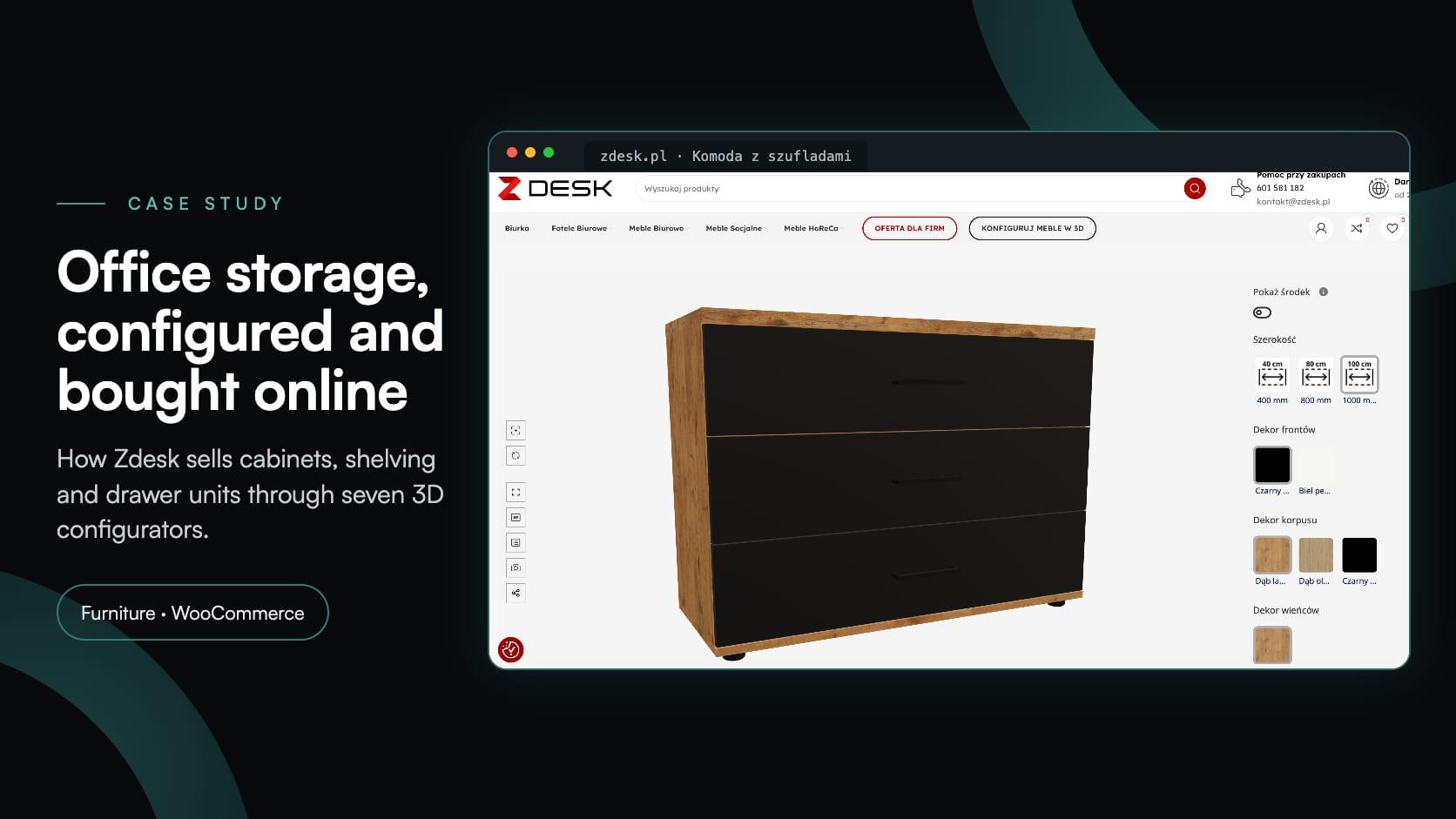
Zdesk
Zdesk, a Wrocław office furniture maker, put seven 3D configurators into its WooCommerce store with the Simplio3D plugin. Buyers set size, décor and fittings, see the price and add to cart.
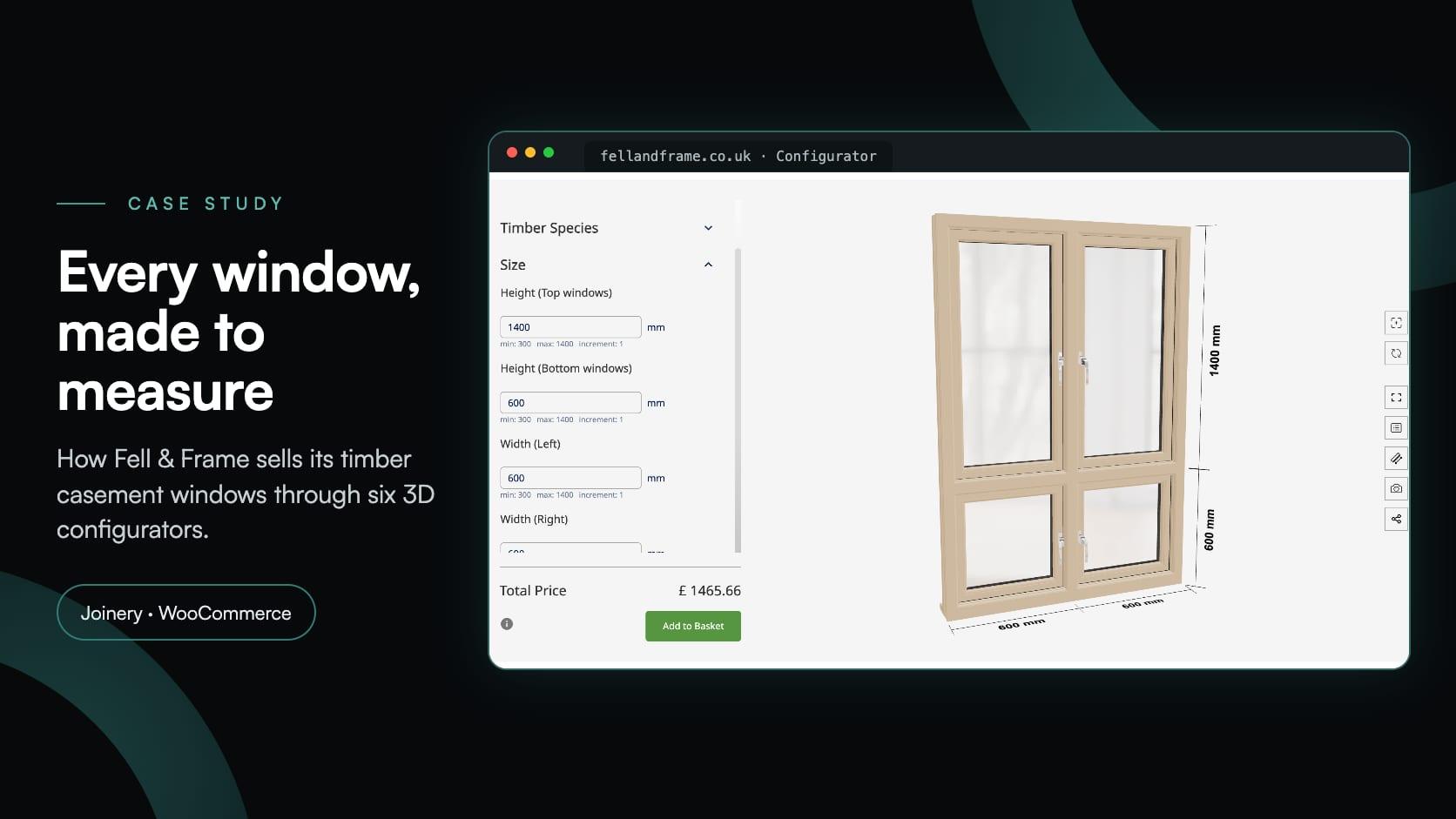
Fell & Frame
Fell & Frame, a Carlisle joinery, built its own timber window configurator in Simplio3D. Buyers size six casement types to the millimetre and add them to the WooCommerce basket.
No. The WooCommerce connection adds the configured product to the cart on its own, whichever landing page you choose. The Simplio3D WordPress plugin is optional: use it to build the configurator page from native WordPress blocks.
The one you choose for each product: the total Simplio3D calculated from your pricing rules, recalculated on its server, or the WooCommerce product’s own price. Modular projects, and pricing the server cannot recalculate, use the WooCommerce price.
Yes. The configured product shows the shopper’s 3D configuration image and the options they chose in the cart, at checkout, in order emails and in the order.
Yes. Only the products you link to a Simplio3D project behave differently; the rest of your catalogue is unaffected.
WooCommerce on your WordPress site and a REST API key with Read/Write permission. The optional plugin needs WordPress 6.3 or higher and PHP 7.4 or higher, and is published in the WordPress.org plugin directory by Digital Artflow.
Yes. The plugin can publish a plain 3D product viewer as well as a full configurator.
The Shopify integration supports cart links, Draft Orders with price overrides, and SKU-matched multi-line carts on Enterprise.
A short tutorial on placing the Simplio3D viewer, options, price and Add to Cart with Elementor’s Shortcode widget.
Guides, tutorials and news from the Simplio3D team.
In the 2020 Innovation Insight for Visual Configuration report, Simplio3D is included for the first time in the list of visual configuration vendors as a software solution provider for product configuration.
Install the Simplio3D plugin in Claude, sign in once and build your first 3D product configurator from a prompt: setup, permissions, the first prompts, and what stays in your hands.
Structure, UV mapping, optimisation and pivots — the four things that decide whether a 3D model becomes a working configurator or a troubleshooting exercise.
The decisions that determine whether a configurator project succeeds — defining the requirement, choosing the project type, building options, logic and pricing, and where AI now does the work.
MCP connectors let Claude, Cursor or VS Code work with your real Simplio3D projects. What a connected agent can read and change, how approval works, and how to connect one.
Own a 3D product configurator to drive sales and generate proposals directly from your website


