

Upholstery and fabric
Fabrics and leathers applied as PBR materials, so weave, sheen and colour read as they will in the room.
3D Chair Configurator
Let customers combine frame, upholstery, legs and finishes in real time, see the result photorealistically, and add it to the cart.
No credit card required
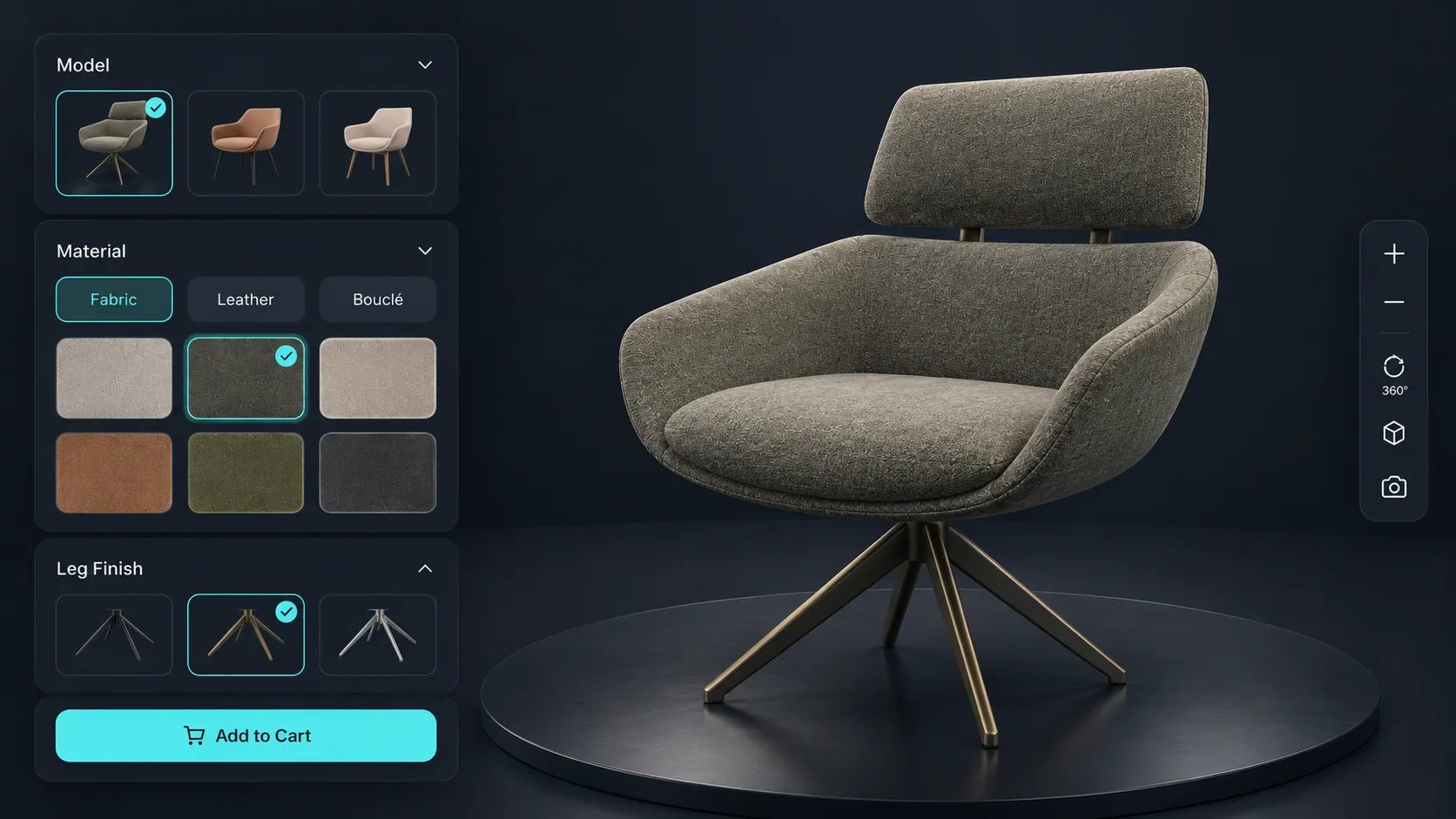
Fabrics and leathers applied as PBR materials, so weave, sheen and colour read as they will in the room.
Leg style, base type and frame finish swapped on the model as the customer chooses.
Stains, paints and metal finishes rendered on the actual geometry rather than shown as swatches.
Armrests, castors, headrests and other extras added and priced individually.
Seat height or width exposed as inputs for ranges that are made to size.
A premium fabric or a different base moves the total immediately, so there are no surprises at checkout.
See how users score Simplio3D across the major software review platforms.

4.6/5

4.3/5

9.5/10
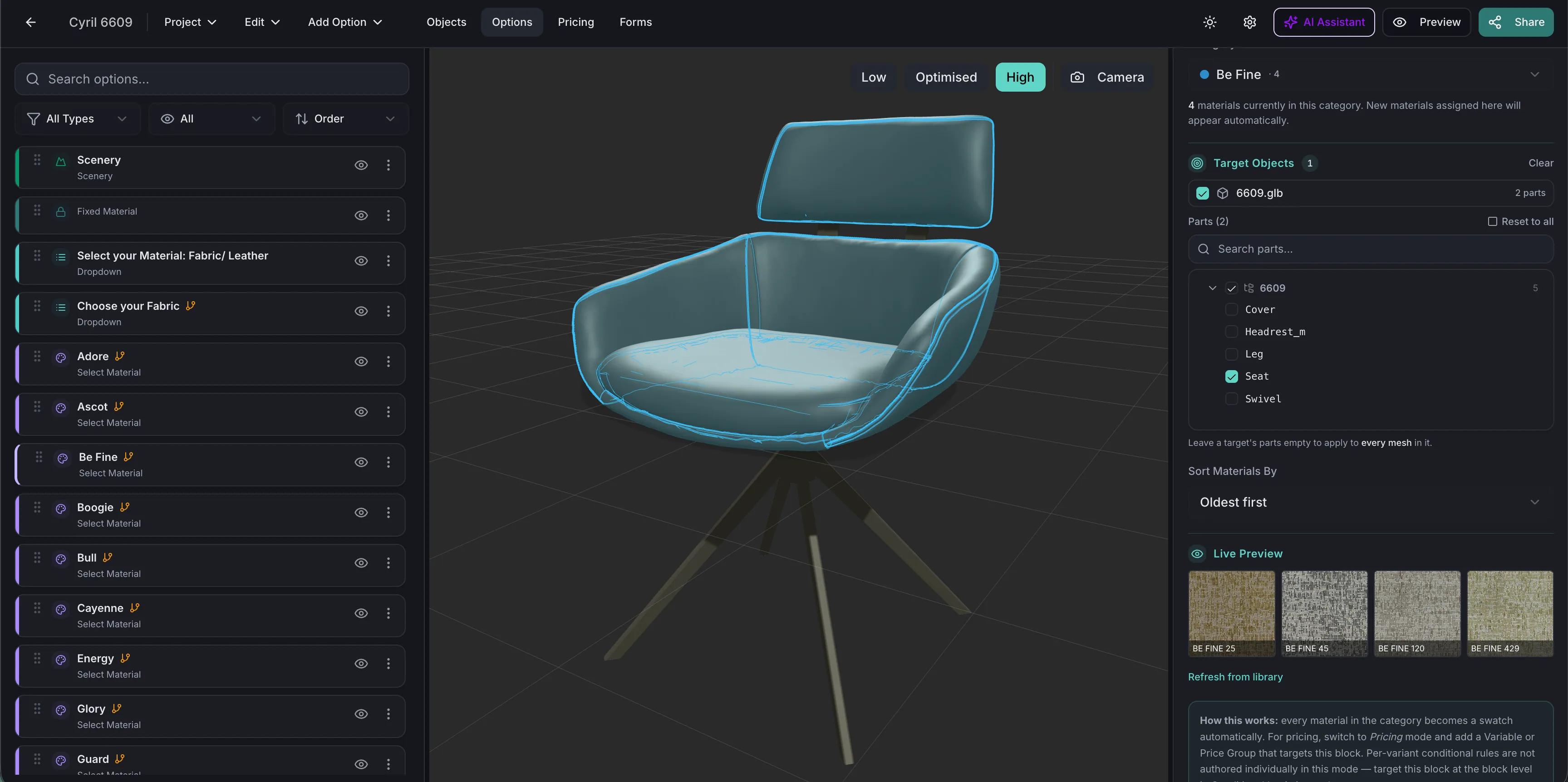
A chair offered in twelve fabrics, three leg finishes and two arm options is seventy-two products. Photographing all of them is not realistic, so most stores show three and describe the rest. With a configurator, one properly built 3D model covers every combination and always shows the customer the version they are about to buy.
Will it suit the room, and is it the right height for the table? Augmented reality answers both at true scale: the customer points a phone at the floor and walks around the chair they just configured, through AR Quick Look on iOS or Scene Viewer on Android, with nothing to install. On a computer, a QR code hands the same configuration to the phone. AR is included from the Pro plan.
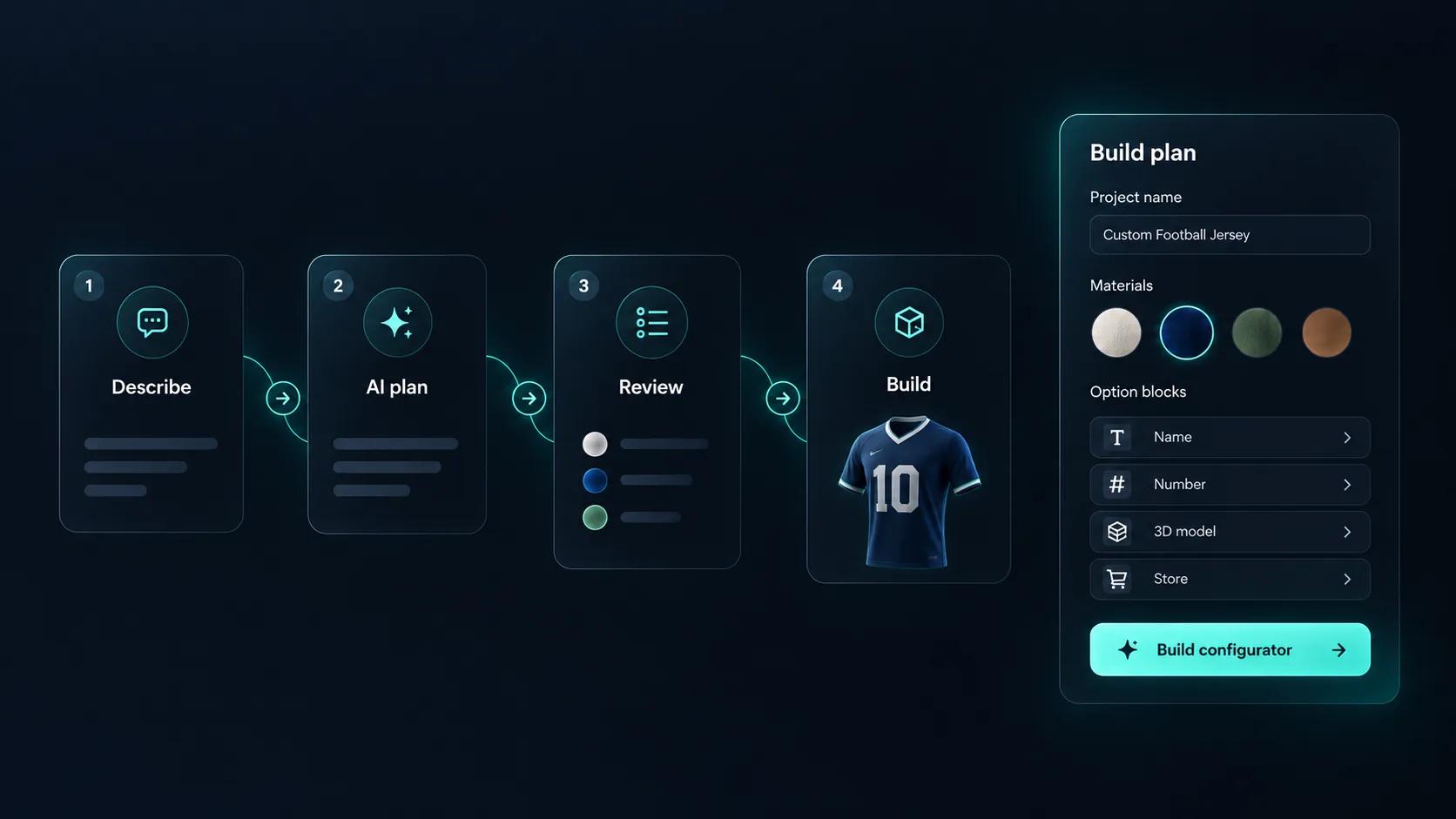
Describe the chair in a sentence, such as “a lounge chair with oak, walnut and black frames and a fabric or leather seat”, and Generate with AI plans a first draft around a model already in your library: finishes, a seat option, a base price and a quote form. You review each step, the base price waits for your approval, and it does not create the 3D model. With a full fabric book in place, ask the AI assistant to audit the result for swatches pointing at missing parts.
One model, a material library and a set of options.
Import the chair as GLB, GLTF, FBX, OBJ or STL with the shell, upholstery, frame and legs as separate parts.
Build your upholstery range as PBR materials from fabric scans, and the frame finishes from your timber and metal samples. Bulk-add by category so a full fabric book becomes a swatch set.
Restrict fabrics by frame and base type where your upholsterer requires it, so a combination that cannot be made is never added to a cart.
Price by fabric grade — the way seating is actually sold — then add arms, castors and headrests as priced options on top of the base model.
Publish and embed it on the product page, then push the configured chair into the WooCommerce or Shopify cart at the calculated price.
One way to set up an upholstered dining chair range.
| What the customer chooses | How it is built | Rule or price example |
|---|---|---|
| Upholstery | Select Material in From Category mode, so a fabric book becomes a swatch set | A Price Group charges by fabric grade |
| Frame finish | Select Material with oak, walnut and black | Leather, in its own block, is hidden on frames you do not upholster in it |
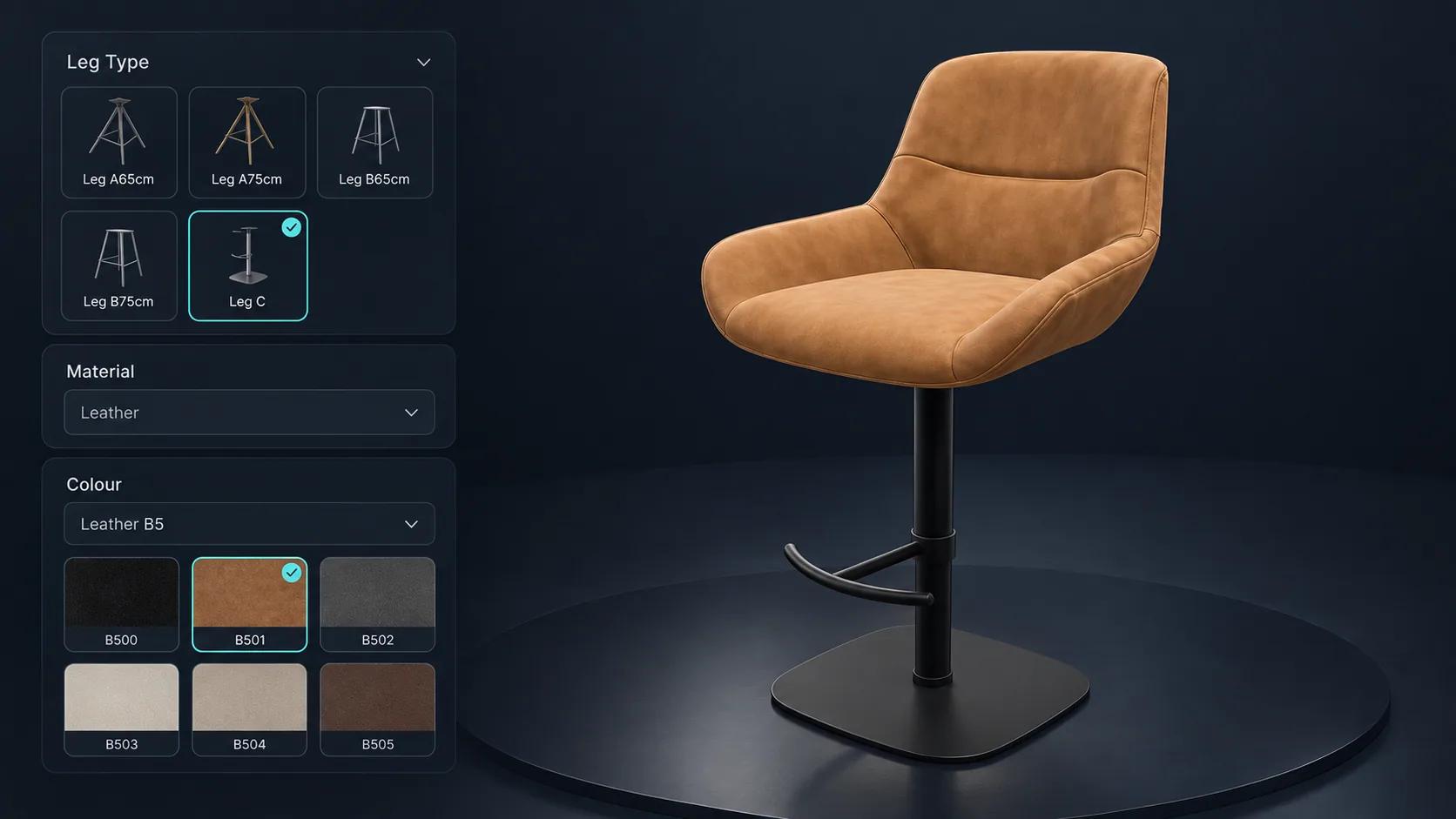
| Legs | Thumbnail Selector showing each leg model | Show/Hide Objects swaps the legs on the model |
| Armrests | Toggle Switch | Adds a fixed price |
| Seat height | Dropdown Select of the heights you make | A Price Group adds a charge for non-standard heights |
A bar chair with leg types and leather colours. Launch it and change the build.
The team at Simplio3D is very easy to work with, great problem solvers and very budget sensitive.

The execution of ideas on paper to a finished, functional application couldn't have been done any better.

Simplio3D have significantly enhanced our product presentations, providing a unique and interactive experience for our clients.

Versatile, easy to use and easy to deploy 3D Configurator. Super simple to use and create configurations on.

I have used other similar platforms and find Simplio3D the most intuitive way to build a configurator. I'm not a CAD engineer so I wanted a solution without features I couldn't understand.

It was so simple to get started, and the results have been very impressive. We now have it live on four different platforms.

Every chair draws on one shared library, so a new fabric colour is added once, and the same configurators serve the website, the showroom and the fair stand.
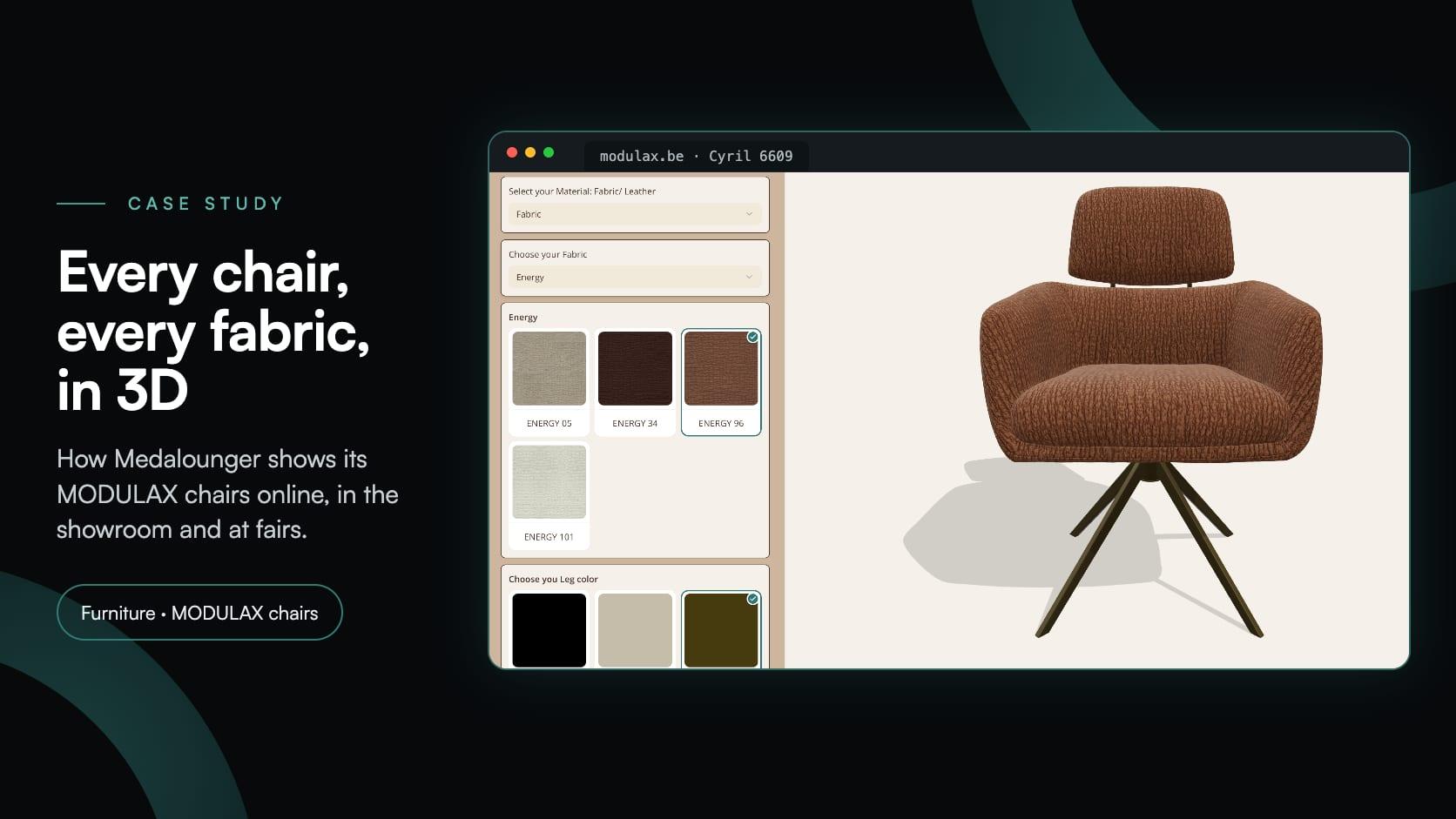
Medalounger
Medalounger, the Belgian maker of MODULAX furniture, built 51 chair configurators around one library of 161 materials, for its website, its showroom and its stand at furniture fairs.
As many as you have materials for. Materials can be bulk-added by category, so a full fabric book becomes a swatch set without creating each option by hand.
Materials are PBR with multiple texture maps, so weave, sheen and colour render properly under the scene lighting rather than as a flat tint.
Yes. The WooCommerce and Shopify integrations can pass the configuration, the calculated price and a screenshot of the configured product into the cart.
Yes. Conditional logic hides or restricts options based on earlier selections, so a fabric that is not available on a given frame cannot be chosen.
You need a model of the chair. Materials, options, rules, pricing and publishing are all handled in the editor without code.
Yes, with touch controls, and customers can switch to AR to place the chair in their room at true scale.
Yes. The template catalogue includes an Eames Chair Configurator and a Chair Viewer. A template copies the scene, options, pricing and forms into a new, unpublished project that you then adapt to your own range.
Sofas, tables and cabinets use the same materials, options and pricing model — build one and the next is faster.
Tables with top materials, bases and pricing that follows the size.
Guides, tutorials and news from the Simplio3D team.
Build a Configurator with Claude: the Simplio3D Plugin Tutorial
Install the Simplio3D plugin in Claude, sign in once and build your first 3D product configurator from a prompt: setup, permissions, the first prompts, and what stays in your hands.
How a Product Configurator Gets Built (2026 Workflow)
The decisions that determine whether a configurator project succeeds — defining the requirement, choosing the project type, building options, logic and pricing, and where AI now does the work.
Zakeke Alternatives in 2026: 7 Product Configurators Compared
Looking for a Zakeke alternative? What Zakeke offers today, when it is worth staying, and seven alternatives compared on 3D, rules, stores and published prices.
Simplio3D is Included in the Gartner Innovation Insight for Visual Configuration Report
In the 2020 Innovation Insight for Visual Configuration report, Simplio3D is included for the first time in the list of visual configuration vendors as a software solution provider for product configuration.
How to Use the Simplio3D WordPress Plugin in Elementor
Place the Simplio3D viewer, options, price, summary and Add to Cart in Elementor with the free Shortcode widget: find your ids, build the layout and connect WooCommerce.
Own a 3D product configurator to drive sales and generate proposals directly from your website


