No variant explosion
Options live in the configurator, not as thousands of product variants you have to create and maintain.
Ecommerce Product Configurator
Add real-time 3D customisation to the storefront you already run — Shopify, WooCommerce or a custom build — with the configured price carried to checkout.
No credit card required
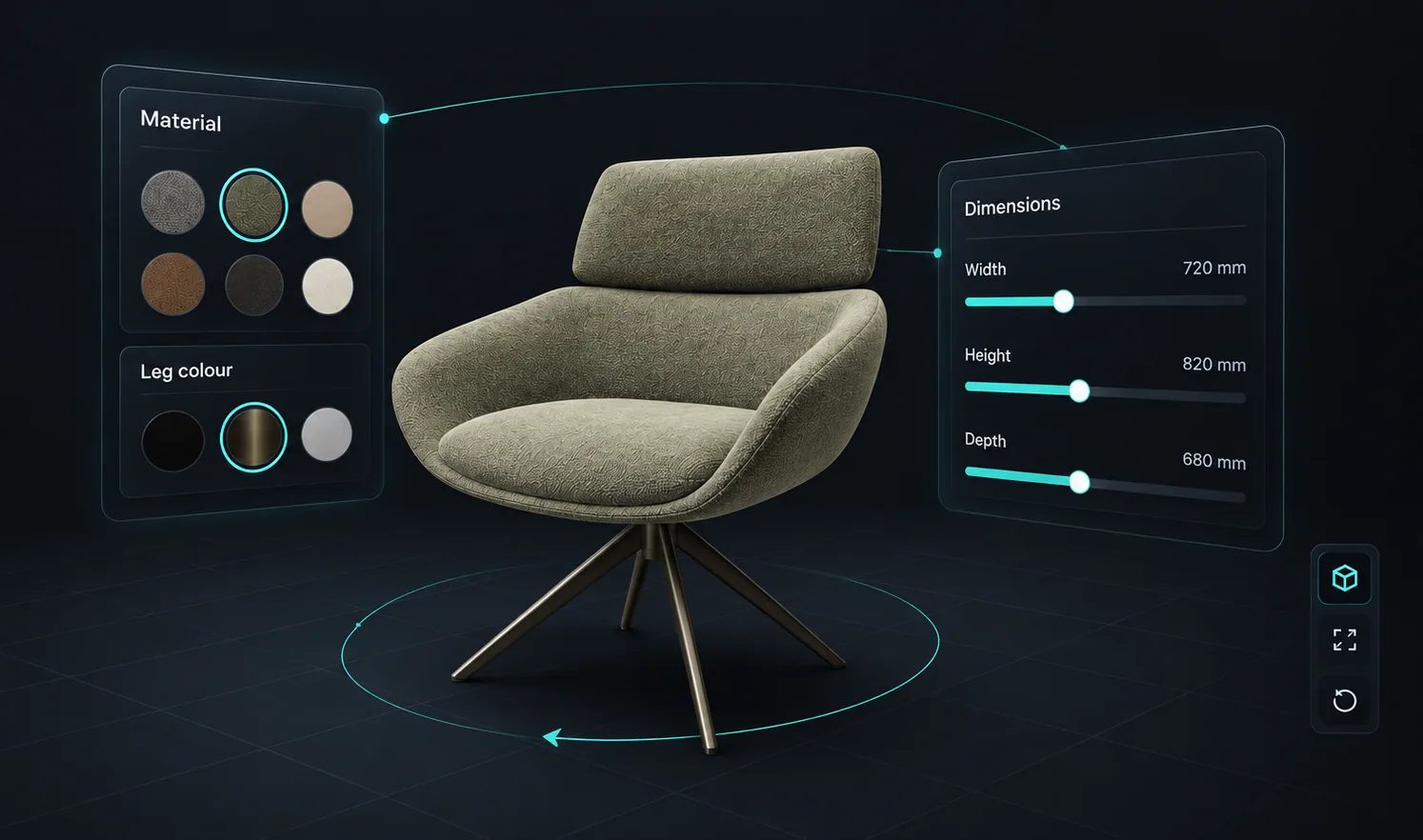
Options live in the configurator, not as thousands of product variants you have to create and maintain.
Price groups, tables and formulas produce a total for the exact configuration rather than a base SKU price.
Conditional logic stops shoppers ordering a combination you cannot make.
The configured item reaches the WooCommerce or Shopify cart with its price and a screenshot attached.
A shopper who saw the product they configured is far less likely to be surprised when it arrives.
True-scale placement in the room through the phone camera, without an app to install.
See how users score Simplio3D across the major software review platforms.

4.6/5

4.3/5

9.5/10

Replatforming to add customisation is rarely worth it. Simplio3D works alongside what you have: a published project embeds as an iframe on any product page, and the platform integrations handle the cart. For Shopify that means cart links, Draft Orders with price overrides, or SKU-matched multi-line carts on Enterprise. For WooCommerce it means the configured product in your own cart, at the price you choose, with no plugin to install.
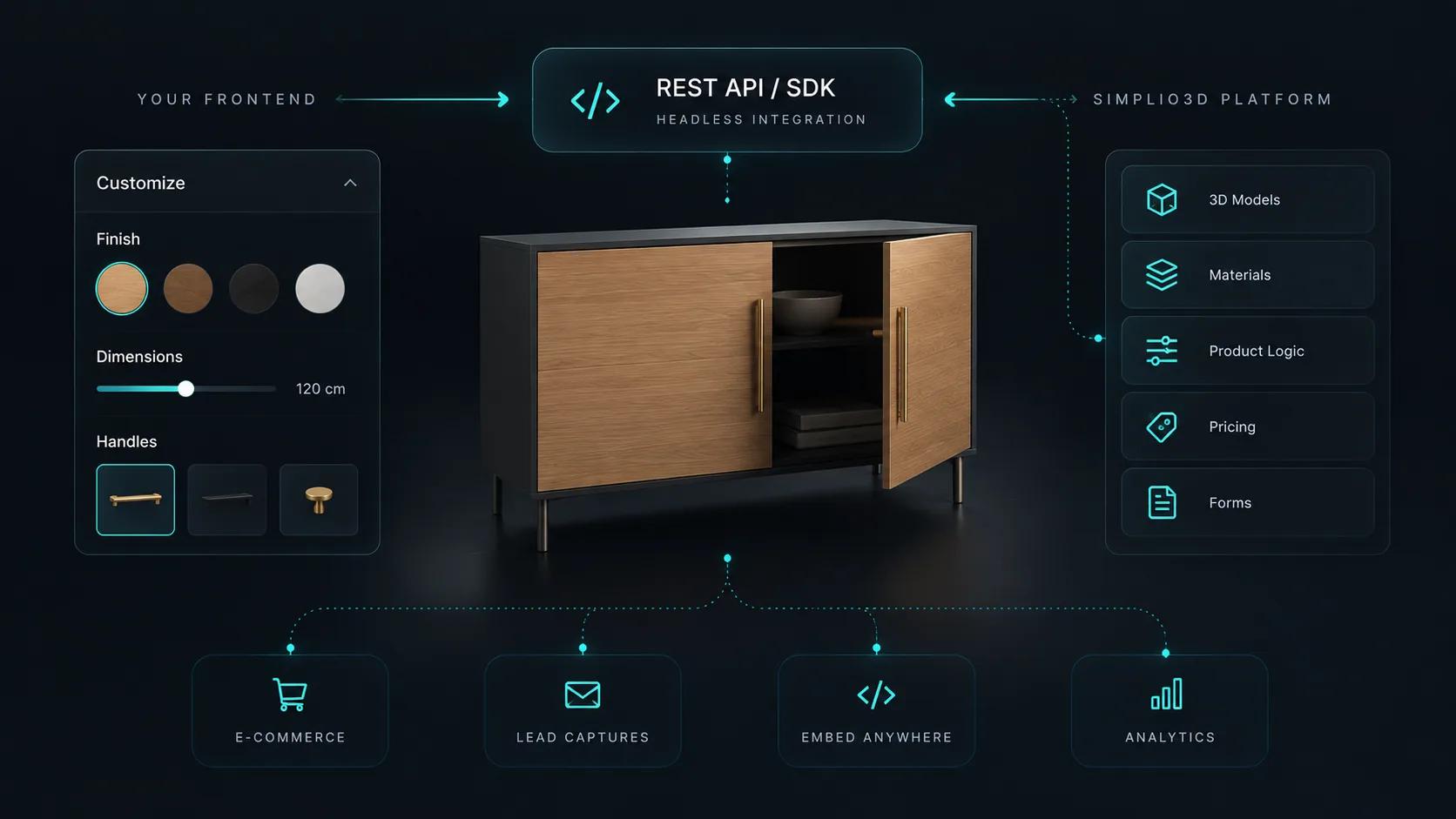
If your storefront is custom, the REST API and the @simplio3d/sdk TypeScript client let your own systems author option blocks, manage pricing, read quote submissions and register webhooks headlessly. The SDK does not render a configurator — it is a headless REST client — so the 3D experience still comes from a published share URL or a custom UI built on the viewer package.
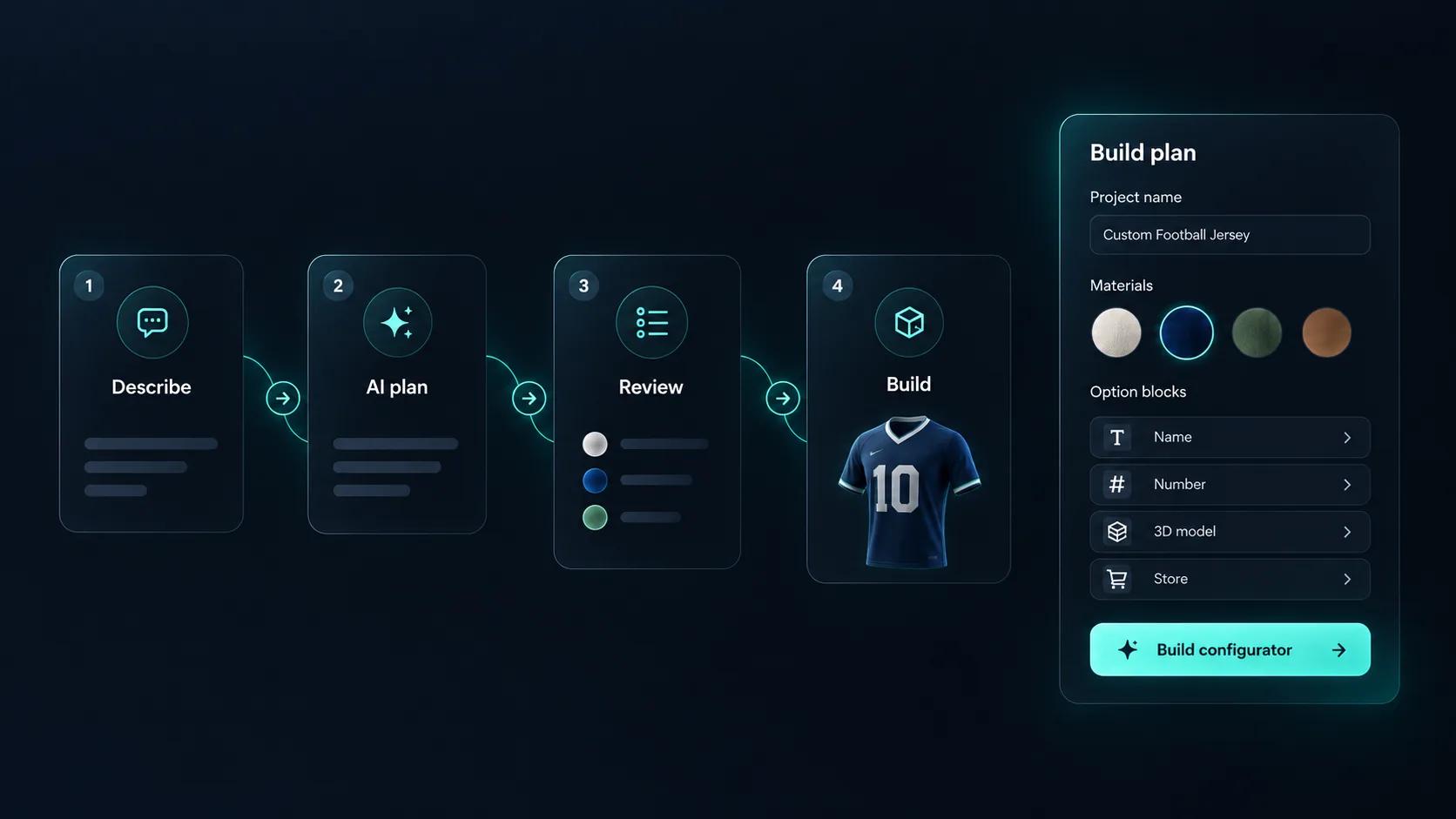
The slow part of launching a configurator is not the 3D — it is authoring every option, rule and price. Simplio3D can generate a working configurator from a product description to start from, and its AI assistant can audit an existing project for option coverage and logic gaps. For a catalogue of any size, the MCP server lets an assistant such as Claude connect with a scoped token and inspect real projects — evaluating conditional logic or calculating a price — under a controlled-write model that proposes changes before applying them.
The same five steps on any platform.
Upload the 3D model, create PBR materials, and add the option blocks shoppers will use — swatches, dropdowns, toggles, dimension inputs, text and image upload.
Restrict options based on earlier choices so a shopper cannot configure something you do not manufacture.
A base price plus price groups, price tables and formulas produce a total that matches the configuration.
Install the Simplio3D app from the Shopify App Store, or connect WooCommerce with an API key, and link the project to the product that represents the configurable item.
Place the iframe snippet on your product page, restrict the domains allowed to embed it, and go live.
















Personalised water bottles whose orders flow into an ERP, office furniture added to a WooCommerce cart, and a deck designer integrated with Shopify.
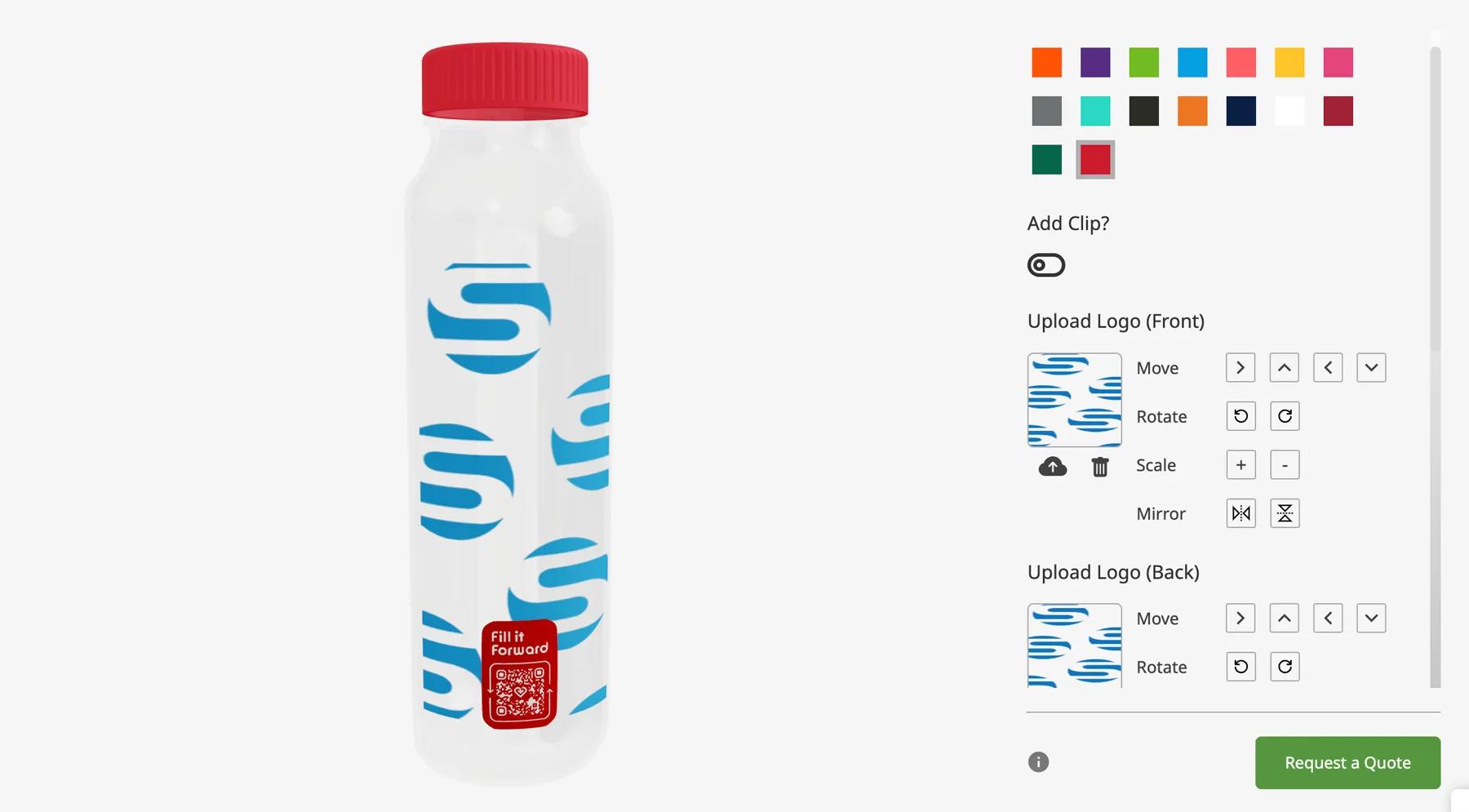
Fill it Forward
Fill it Forward wanted customers to personalise reusable water bottles online, and the resulting orders to flow into the ERP they already ran. A Pro account and the open API covered both.
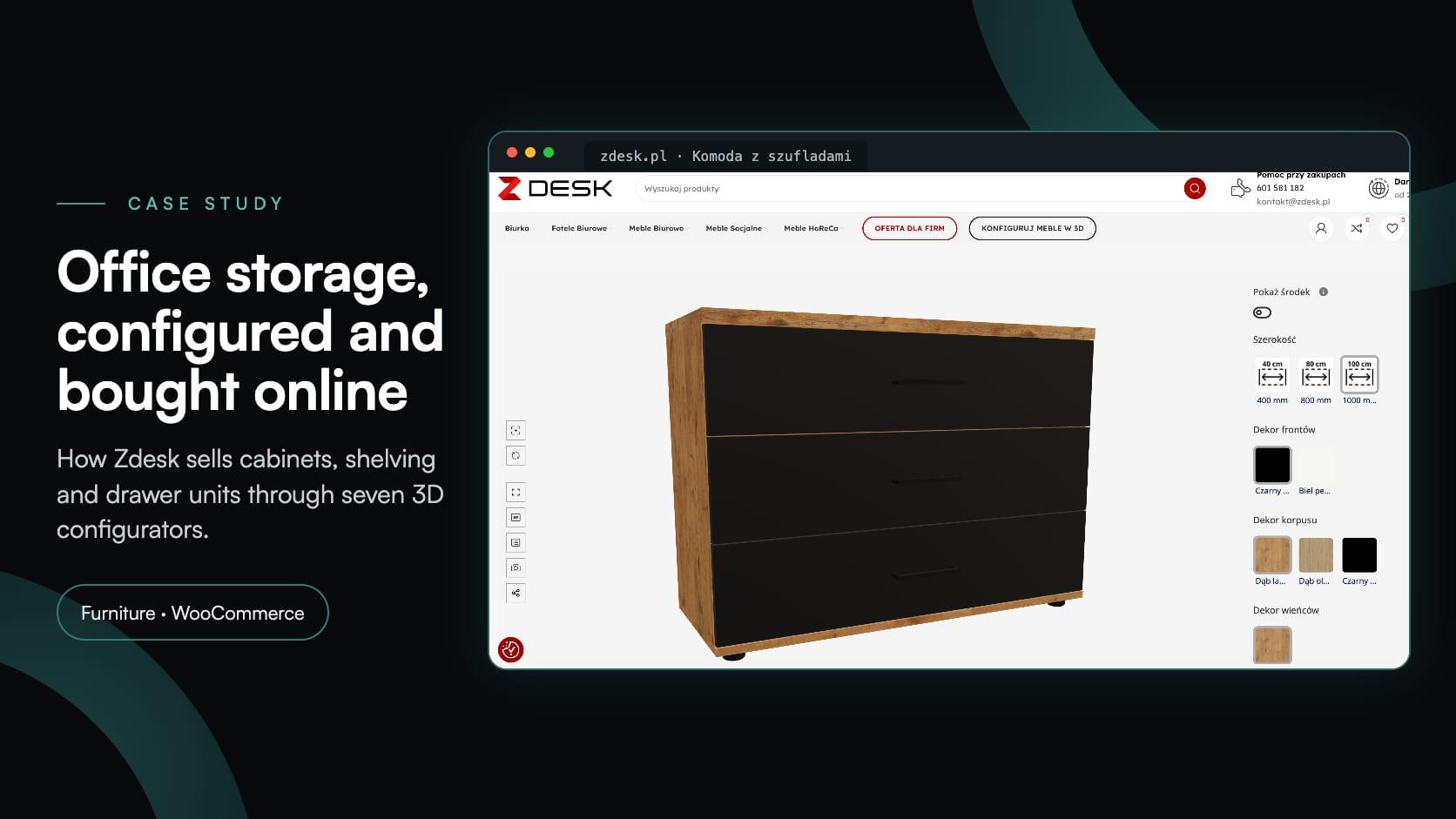
Zdesk
Zdesk, a Wrocław office furniture maker, put seven 3D configurators into its WooCommerce store with the Simplio3D plugin. Buyers set size, décor and fittings, see the price and add to cart.
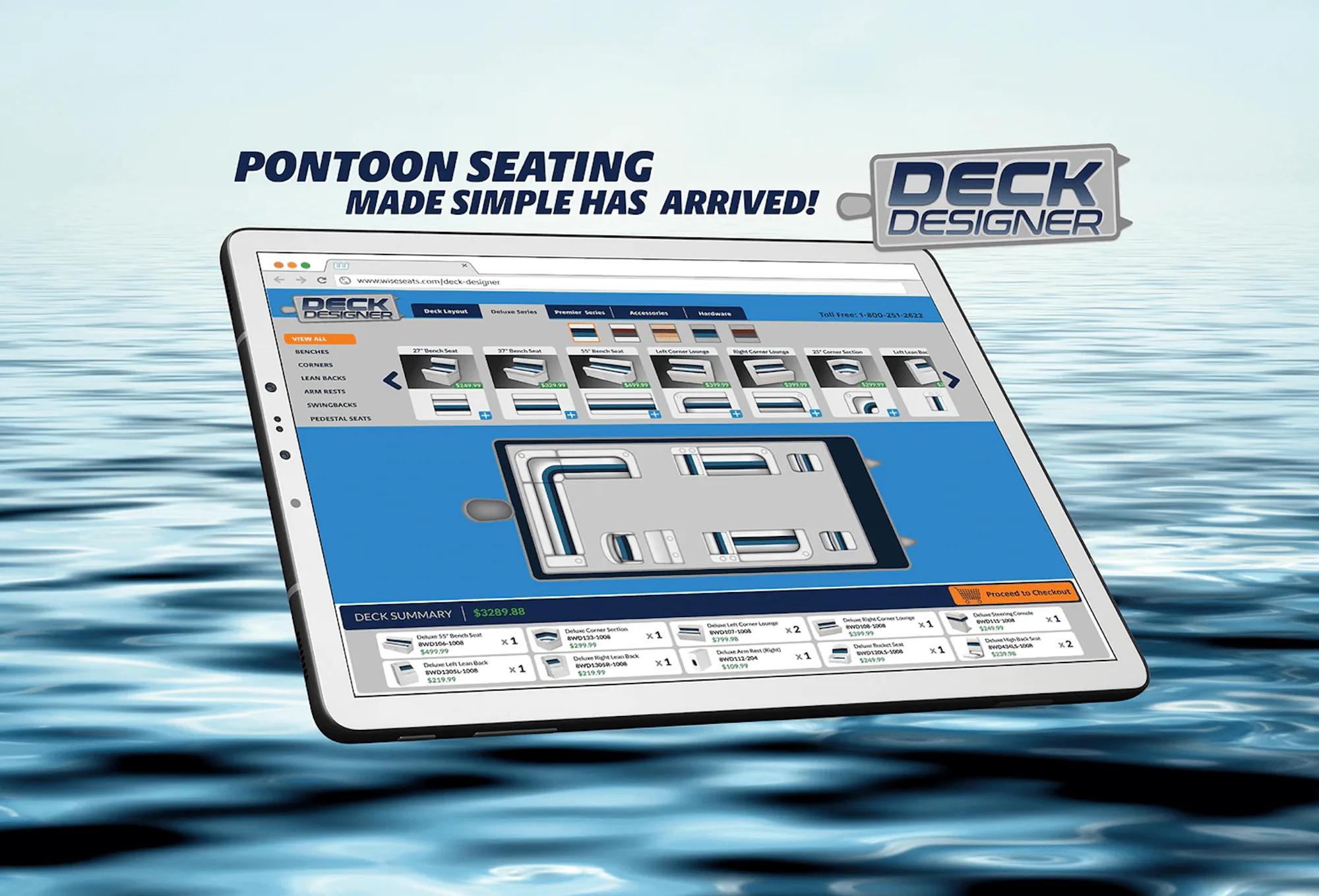
The Wise Company, Inc
One of the largest US manufacturers of boat seating needed a configurator for pontoon renovation projects — in two versions, working on browsers and tablets, and integrated with Shopify.
No. The configurator embeds as an iframe on your existing product pages, and the platform integrations handle the cart.
Shopify and WooCommerce have dedicated integrations. Any other storefront can embed the configurator and use the REST API or SDK for a custom checkout flow.
On WooCommerce the configured product is added at the Simplio3D price or the WooCommerce price, whichever the product link is set to. On Shopify, Draft Order mode carries a price override and a configuration summary.
No. That is the point of a configurator — the option space lives in the project rather than as variants in your store catalogue.
Yes. AR places the configured product at true scale using AR Quick Look on iOS and Scene Viewer on Android.
Yes. The embed broadcasts browser events — simplio3d:option.changed, simplio3d:form.submitted and simplio3d:quote.submitted — that your page can forward to analytics.
App install, Draft Orders with price override, and SKU-matched carts on Enterprise.
Configured products in your own WooCommerce cart, with their 3D image, options and calculated price, and no plugin to install.
Guides, tutorials and news from the Simplio3D team.
MCP connectors let Claude, Cursor or VS Code work with your real Simplio3D projects. What a connected agent can read and change, how approval works, and how to connect one.
The decisions that determine whether a configurator project succeeds — defining the requirement, choosing the project type, building options, logic and pricing, and where AI now does the work.
In the 2020 Innovation Insight for Visual Configuration report, Simplio3D is included for the first time in the list of visual configuration vendors as a software solution provider for product configuration.
We’re proud to announce that Simplio3D has been recognized by G2, the leading software review platform, earning both the High Performer badge and the Easiest Admin badge in the G2 Grid.
Place the Simplio3D viewer, options, price, summary and Add to Cart in Elementor with the free Shortcode widget: find your ids, build the layout and connect WooCommerce.
Own a 3D product configurator to drive sales and generate proposals directly from your website