Fabric and colour
Fabrics built as PBR materials so weave and finish read correctly, with colourways as swatches.
3D Clothing Configurator
Fabric, colour, cut and decoration configured on the garment itself — with rules and pricing that reflect what your factory can actually produce.
No credit card required
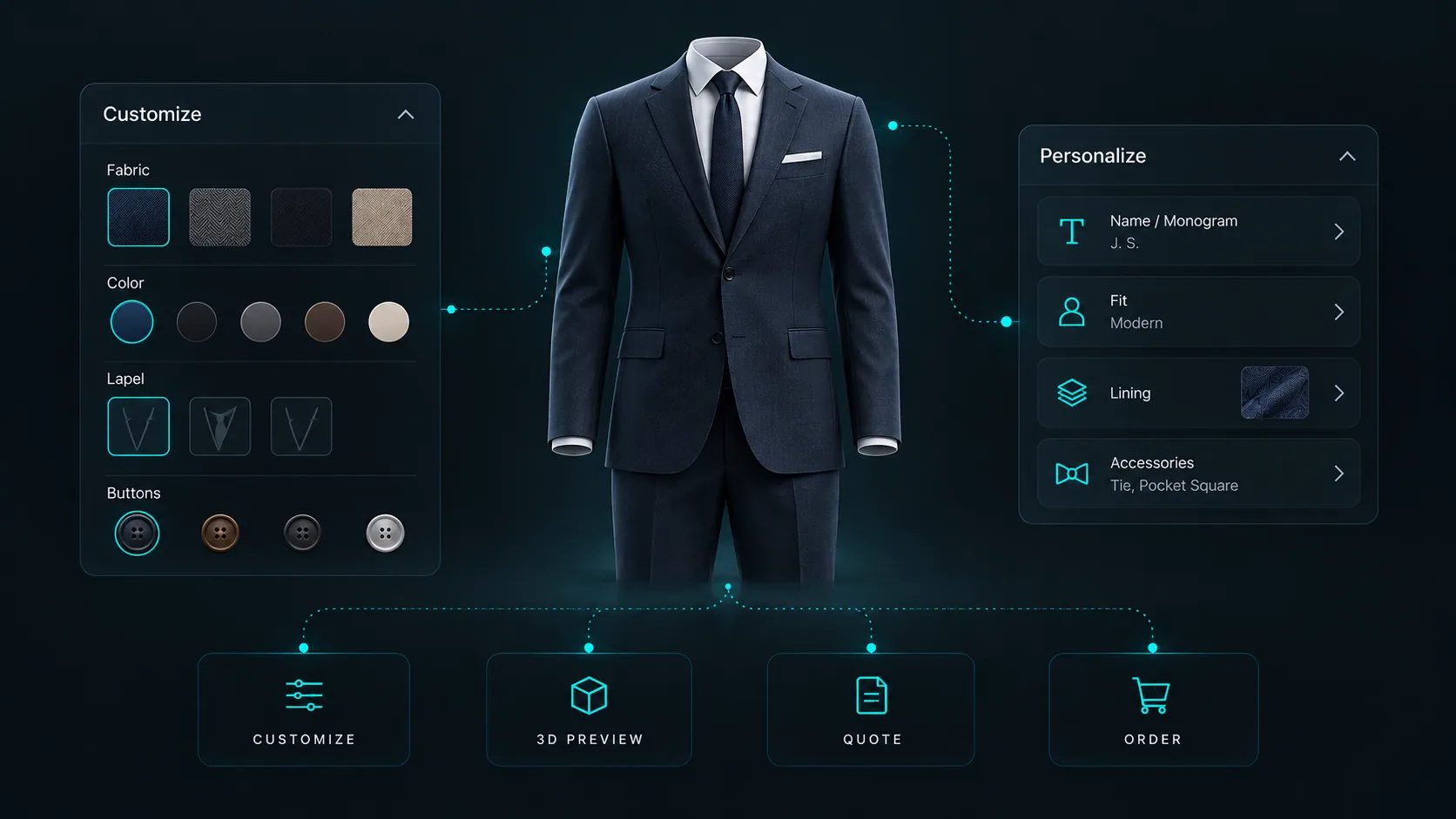
Fabrics built as PBR materials so weave and finish read correctly, with colourways as swatches.
Collar, sleeve, fit and trim options swapped on the garment rather than described in a size guide.
The Design Canvas places logos and artwork freely on the garment surface, at the scale and angle the customer wants.
The Pattern Designer applies all-over patterns with adjustable scale, rotation and offset.
Text Input adds personalised text with a choice of font, rendered on the garment.
Image Upload lets customers supply their own artwork, within the file types and size limits you set.
See how users score Simplio3D across the major software review platforms.

4.6/5

4.3/5

9.5/10
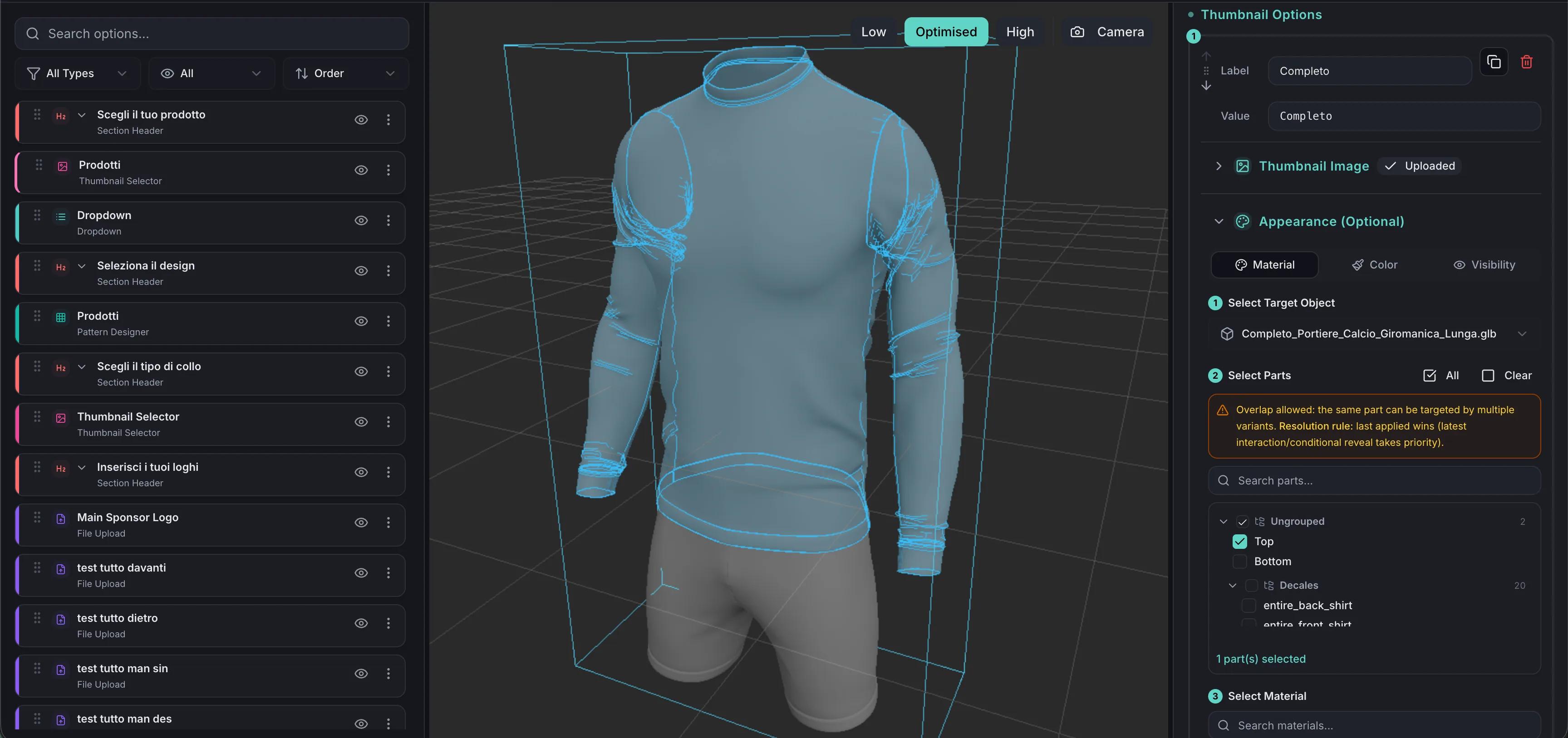
Custom apparel goes wrong in the gap between what the customer imagined and what production received: a logo slightly too large, a colour that was named rather than shown, a placement described in an email. Configuring on the 3D garment closes that gap. What the customer approves is the thing that gets made, and the order carries the configuration and a screenshot of the approved result.
Decoration is what makes clothing custom, and it is the part that is hardest to show in a mock-up. Simplio3D handles it with dedicated option blocks: the Design Canvas places decals, logos and artwork freely on the surface; the Pattern Designer applies repeating patterns with adjustable scale, rotation and offset; Image Upload lets the customer bring their own artwork; and Text Input adds names or numbers with a choice of font. SVG artwork goes further — when a file contains distinct fill colours, Simplio3D detects those colour channels automatically and makes each one recolourable at runtime, so a single logo file becomes every colourway you offer.
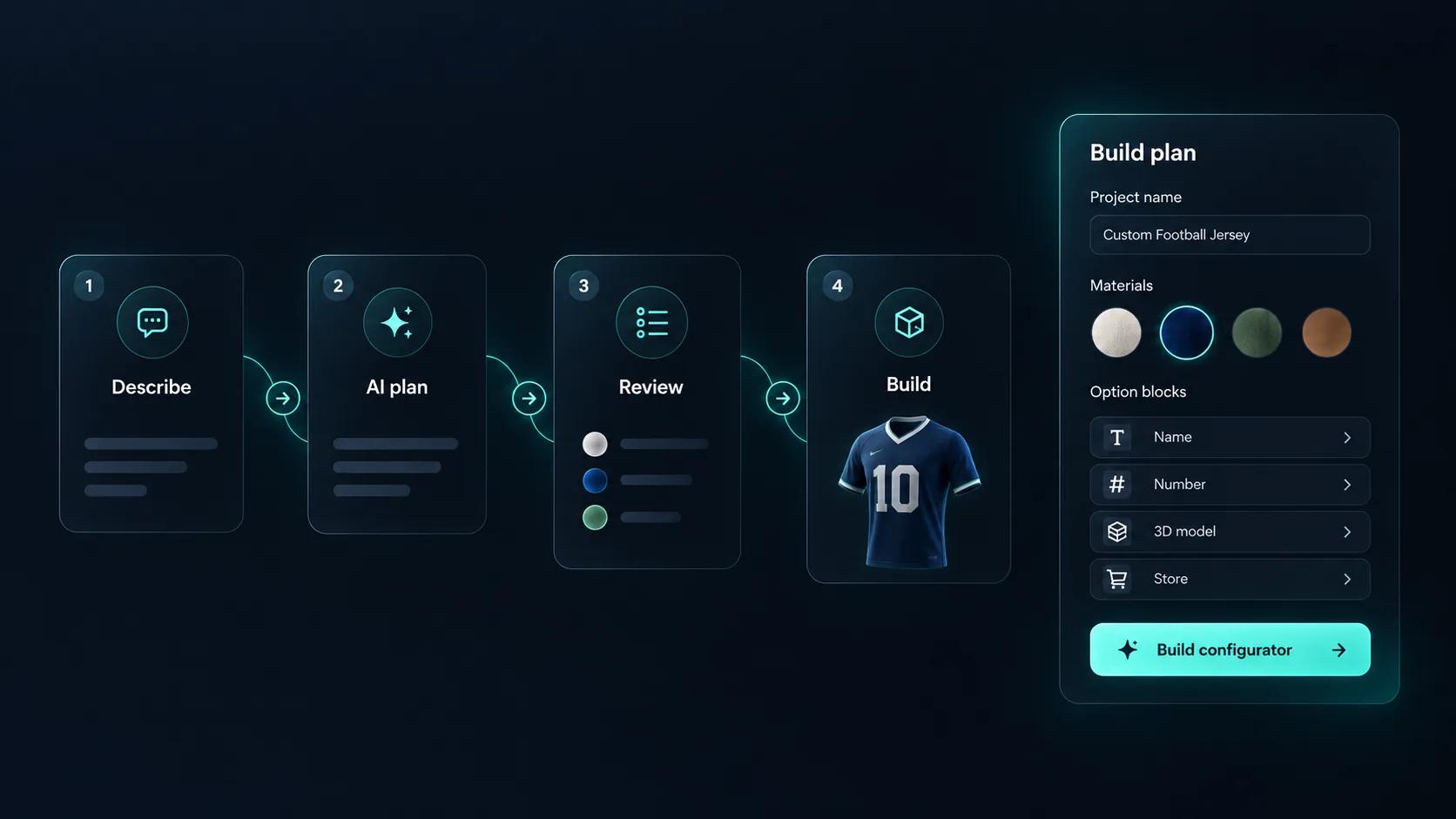
Setting up a clothing configurator means building every option, every rule that links them, and every price that depends on them. Simplio3D can generate a working configurator from a product description, which gives you a structure to refine rather than a blank project. Its AI assistant can then audit what you have built — reviewing option coverage and conditional logic instead of leaving you to click through every combination. If you run a large catalogue, the MCP server lets an assistant connect with a scoped token to evaluate logic and calculate prices directly, proposing changes before anything is applied.
From a garment model to a live configurator with decoration.
Import the garment with the panels, trims and decoration zones separated so each can carry its own material or artwork.
Scan or photograph your fabric range and build it as PBR materials, so a linen reads as linen and a technical knit reads as one. Bulk-add by category to turn a whole fabric book into a swatch set.
Cap artwork size and placement per zone, and restrict fabrics by garment style, so decoration always stays inside what your factory can produce.
Price by fabric and cut, then charge per print position and per personalisation — the cost structure custom apparel actually runs on.
Publish and embed it on the product page for single orders, and use a quote form for bulk and team runs.
















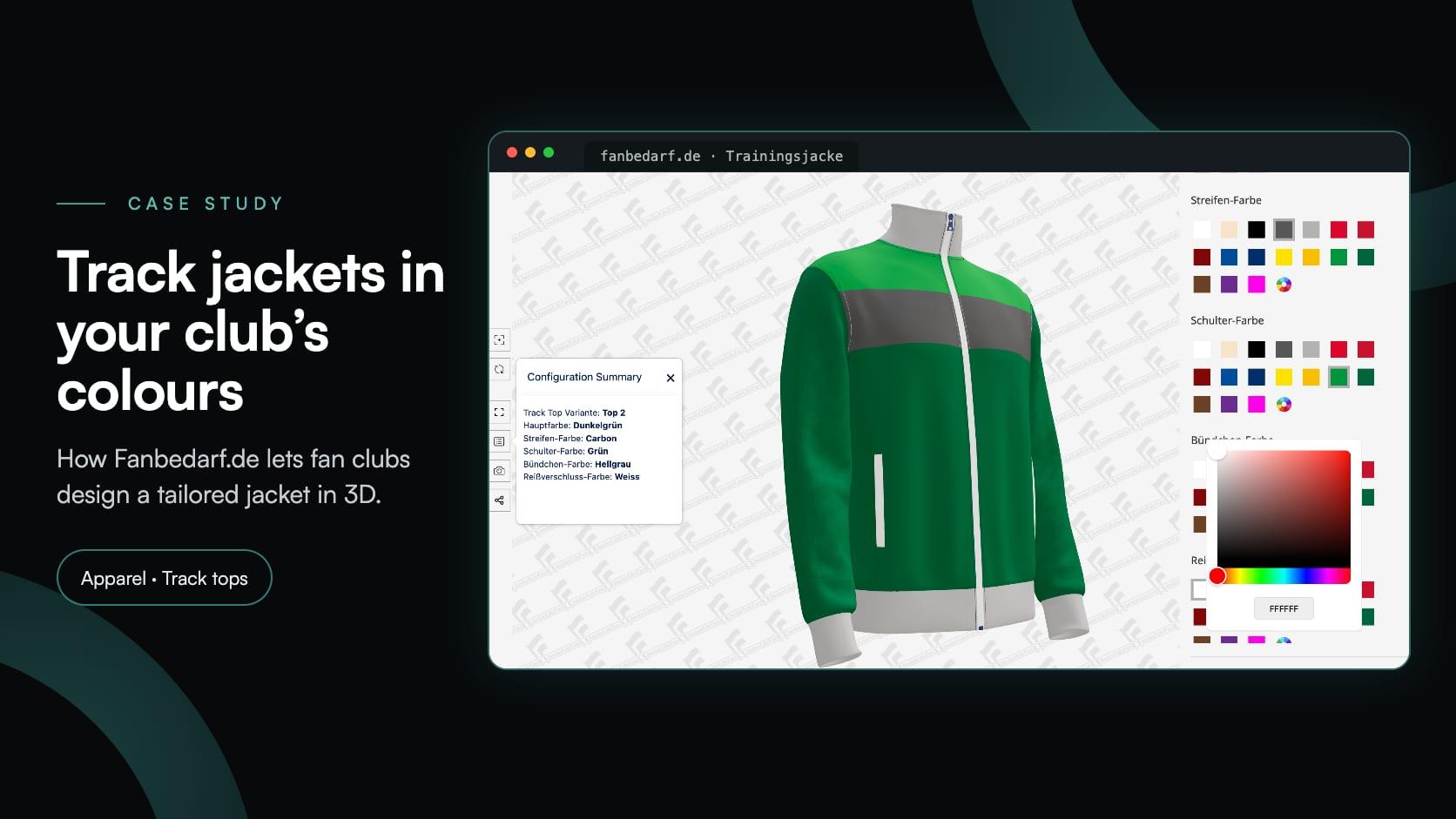
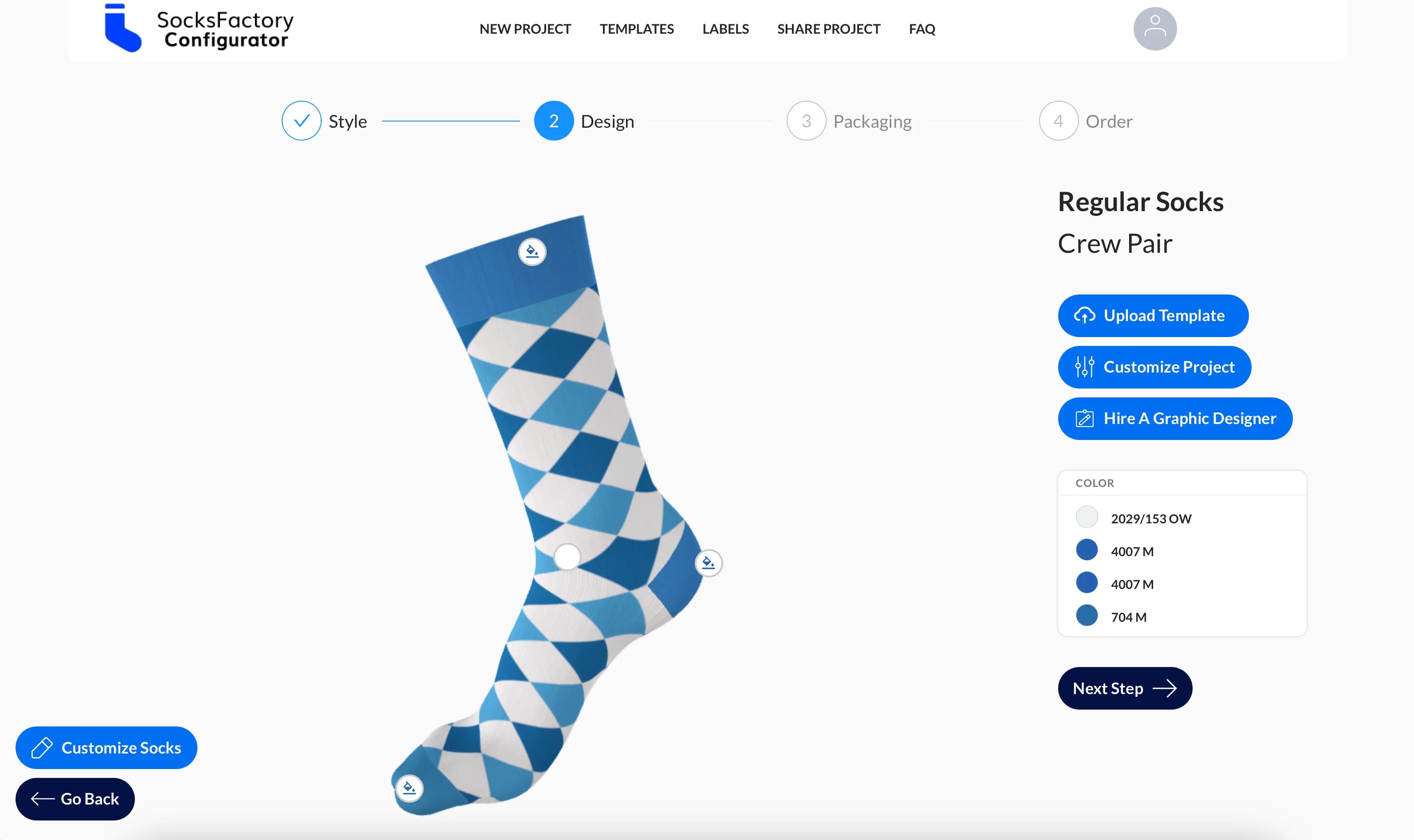
Fan club track tops with 17 fabric colours for every part, and socks designed with the customer’s own artwork.
Fanbedarf.de
Fanbedarf.de, a club wear workshop in Nuremberg, added a 3D jacket configurator: four Track Top models, 17 fabric colours for every part of the jacket and a non-binding request.
SocksFactory
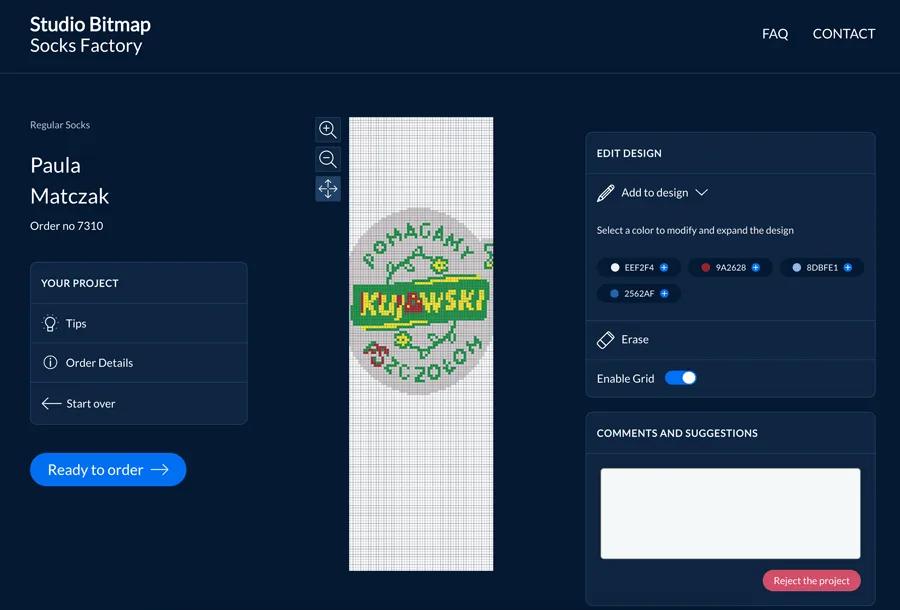
A Polish knitting factory needed a 3D sock configurator with fabric colours, customer artwork upload, shareable projects and multi-language support across three markets.
Yes. Image Upload is one of the sixteen option block types: customers add their own artwork, within the file types and size you allow on the block, and you choose how it fits the print area.
Yes, for SVG artwork. Where a file contains distinct fill colours, Simplio3D detects those colour channels and makes each one independently customisable at runtime.
Yes. You define the decoration zones and the options available, and conditional logic can restrict placements or sizes that your production cannot handle.
Fabrics are PBR materials built from your own texture maps, so weave, knit and sheen render under the scene lighting rather than appearing as flat colour.
Yes. Each option can carry a price contribution, so a second print position or a premium fabric moves the total as it is selected.
Yes. A quote form captures the configuration for bulk enquiries, or the configured garment can be added directly to a WooCommerce or Shopify cart.
Jerseys, team kit and equipment with names, numbers and club colours.
Shoe configuration with panel-level colour, material choice and personalisation.
Guides, tutorials and news from the Simplio3D team.
Place the Simplio3D viewer, options, price, summary and Add to Cart in Elementor with the free Shortcode widget: find your ids, build the layout and connect WooCommerce.
MCP connectors let Claude, Cursor or VS Code work with your real Simplio3D projects. What a connected agent can read and change, how approval works, and how to connect one.
We’re proud to announce that Simplio3D has been recognized by G2, the leading software review platform, earning both the High Performer badge and the Easiest Admin badge in the G2 Grid.
In the 2020 Innovation Insight for Visual Configuration report, Simplio3D is included for the first time in the list of visual configuration vendors as a software solution provider for product configuration.
The decisions that determine whether a configurator project succeeds — defining the requirement, choosing the project type, building options, logic and pricing, and where AI now does the work.
Own a 3D product configurator to drive sales and generate proposals directly from your website