
Team colours
Colour applied per panel or component so kit and gear match the club palette exactly.
Sports Customization Software
Let athletes, teams and fans personalise equipment and apparel in 3D — club colours, sponsor logos, names and numbers — and order what they approved.
No credit card required
Colour applied per panel or component so kit and gear match the club palette exactly.
The Design Canvas places club and sponsor artwork at the position and scale required.
Text Input adds player names and squad numbers with font selection, rendered on the product.
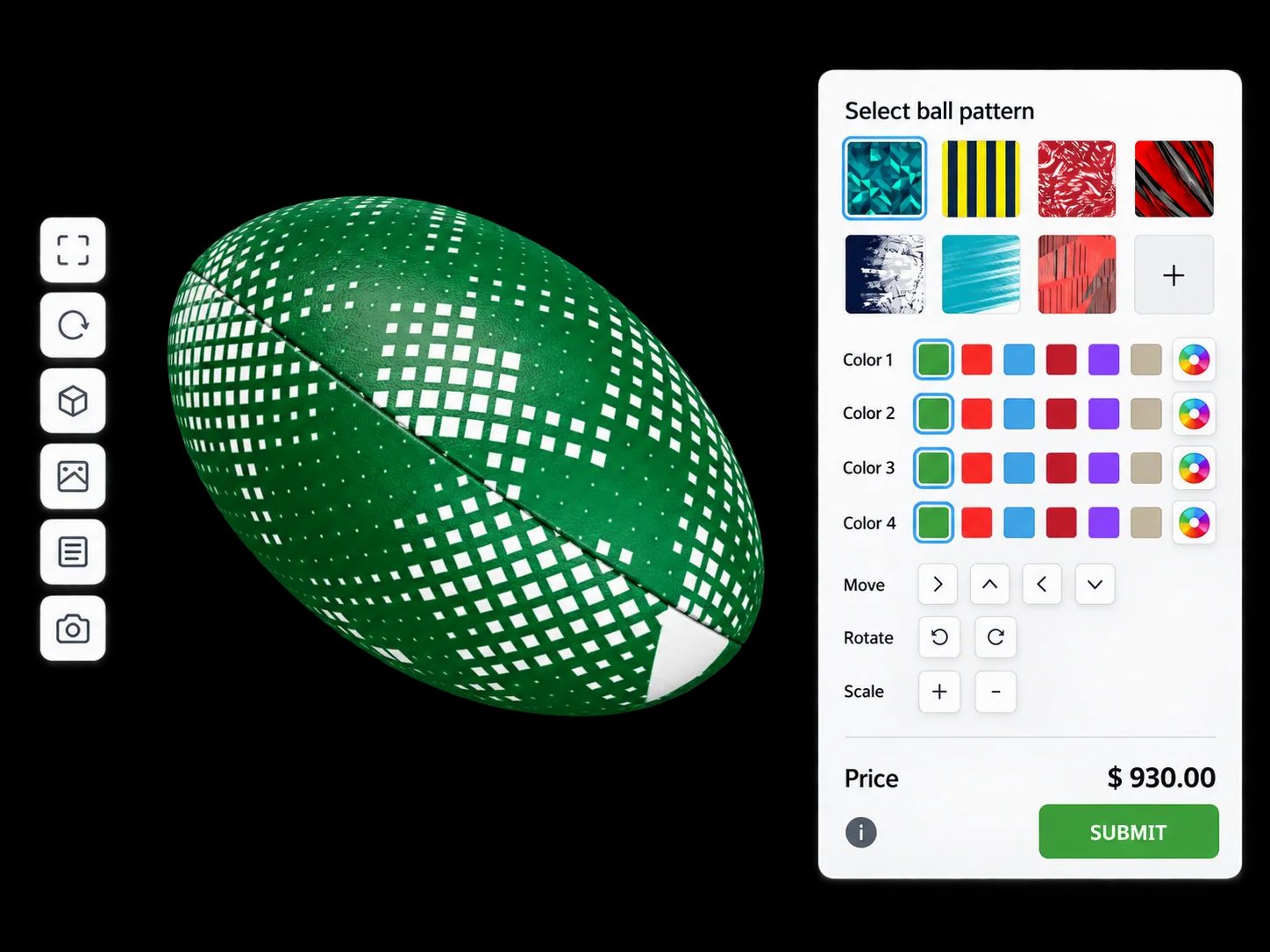
Leather, synthetics, mesh and moulded finishes rendered as PBR materials.
Size and fit exposed as options and carried through to the order.
Quote forms capture team orders, while single items can go straight into your cart.
See how users score Simplio3D across the major software review platforms.

4.6/5

4.3/5

9.5/10
Sports personalisation is not just shirts. Gloves, helmets, bats, boards and bikes are all customised, and they are harder to mock up in 2D because their surfaces curve in every direction. Real-time 3D handles them the same way it handles a jersey: panels, materials, artwork placement and text, with rules keeping the result manufacturable.
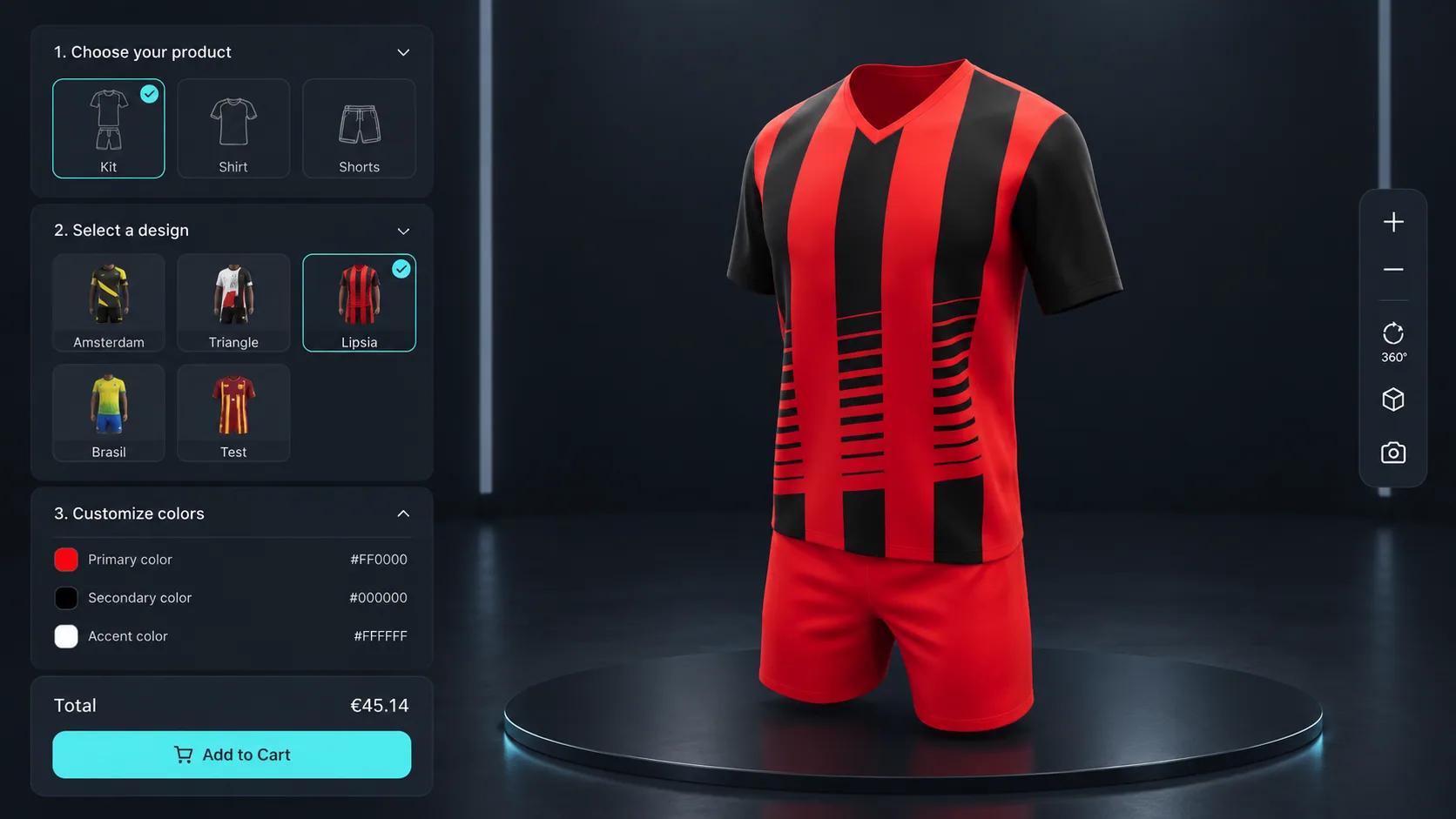
Clubs want their badge on everything, and a glove or a ball curves in every direction. Image Upload takes the club’s logo within the limits you set, on the area you choose, and the Design Canvas lets them place artwork freely. The Pattern Designer repeats a design across a panel with adjustable scale and rotation, and Text Input adds a name or a squad number. The pattern and canvas modules start on the Pro plan.
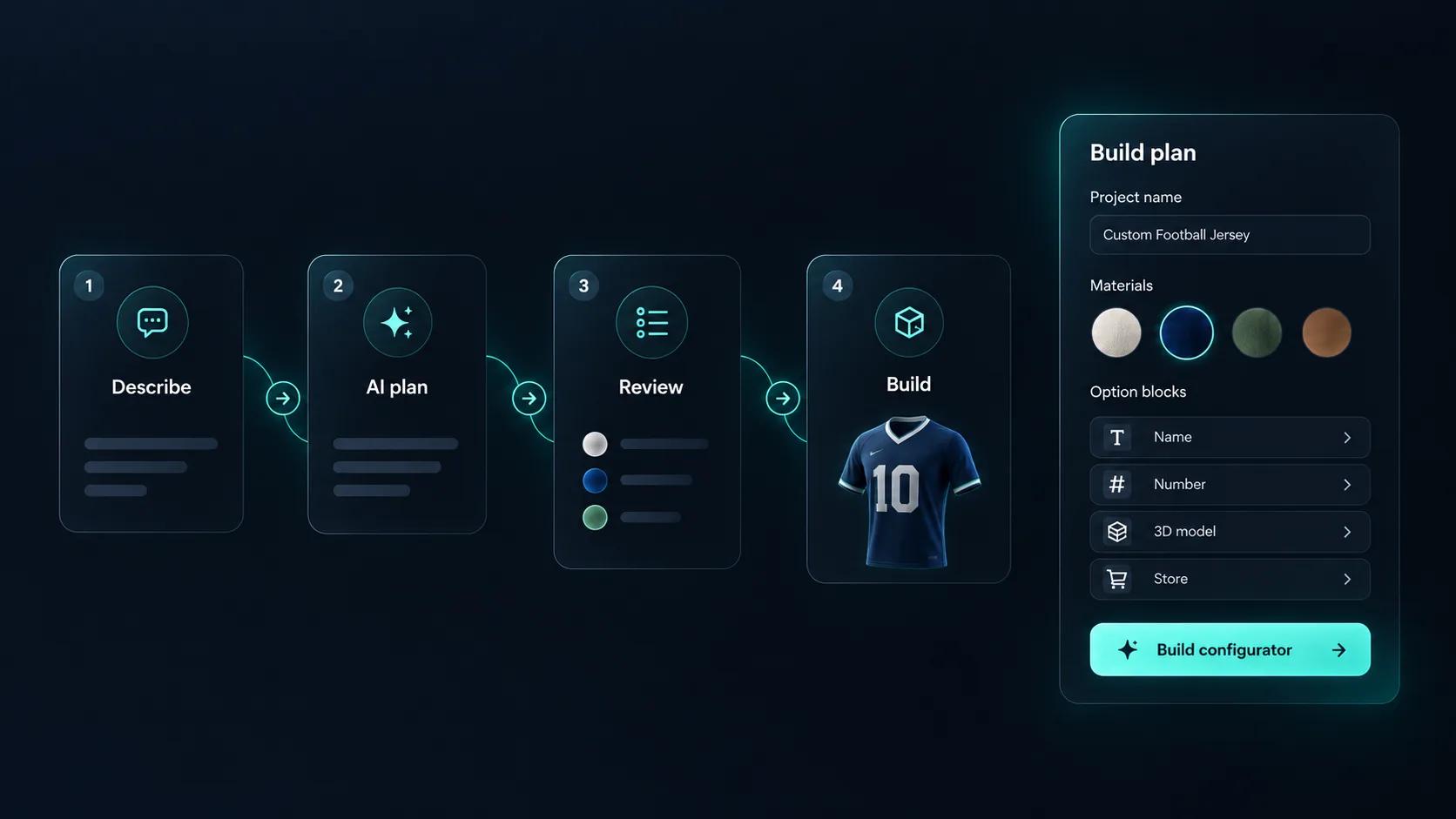
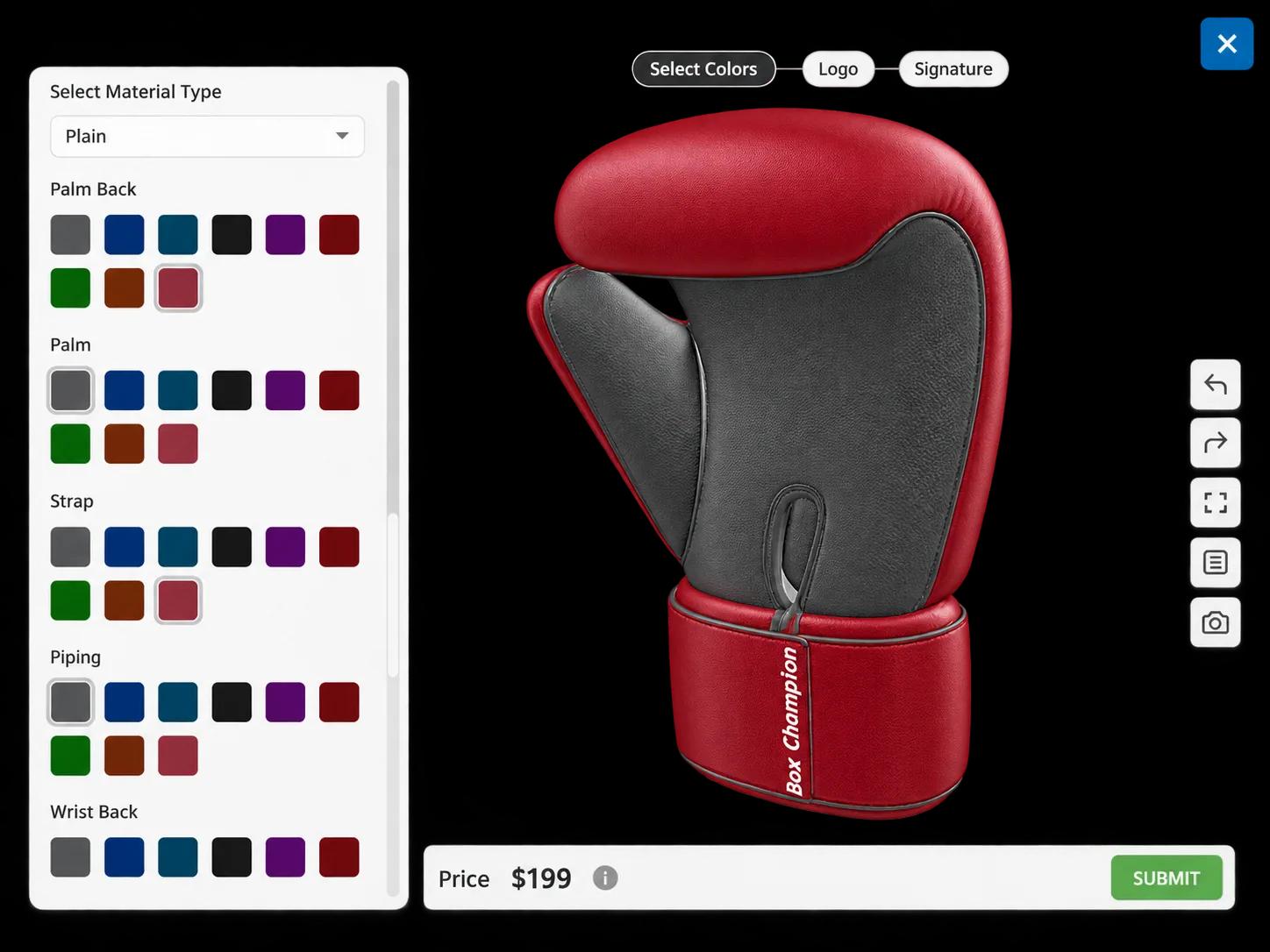
Try a brief like “boxing gloves with colours per panel and a fighter’s name”. Generate with AI plans the materials, options, base price and form around a model in your library, for you to review and approve, and you add the logo upload by hand or with the AI assistant. It does not create the 3D model. Across a range of products, the AI assistant can audit each project for options with no price and rules that can never fire.
The same flow whether the product is a jersey, a glove or a bike.
Import the product with panels, trims and decoration zones separated so colours and artwork can be applied independently.
Build materials for both halves of the range: performance fabrics for kit, and leather, moulded plastics and padding for equipment.
Restrict decoration and colour combinations per product, so kit, gloves and hard goods each stay inside what their own production allows.
Price by product and size, charging separately for logos, names and numbers — the structure a squad order is actually quoted on.
Publish and embed it on your teamwear pages, and share a link per club so a whole squad can be ordered from one approved design.
The same blocks fit very different kinds of gear.
| Product | What customers choose | How it is built |
|---|---|---|
| Boxing gloves | Colours for palm, back, strap and piping, a logo and a name | Colour Variants on each panel, Image Upload and Text Input |
| Rugby ball | A pattern, its colours, and how it is scaled and rotated | Pattern Designer |
| Team jersey | Club colours, sponsors, names and numbers | Colour Variants, Design Canvas and Text Input |
| Bike | Frame colour, groupset and wheels | Select Material and Thumbnail Selector, with conditional logic for compatibility |














Fan club track tops with 17 fabric colours for every part, and pop-up tents with a design canvas and logo upload on every panel.
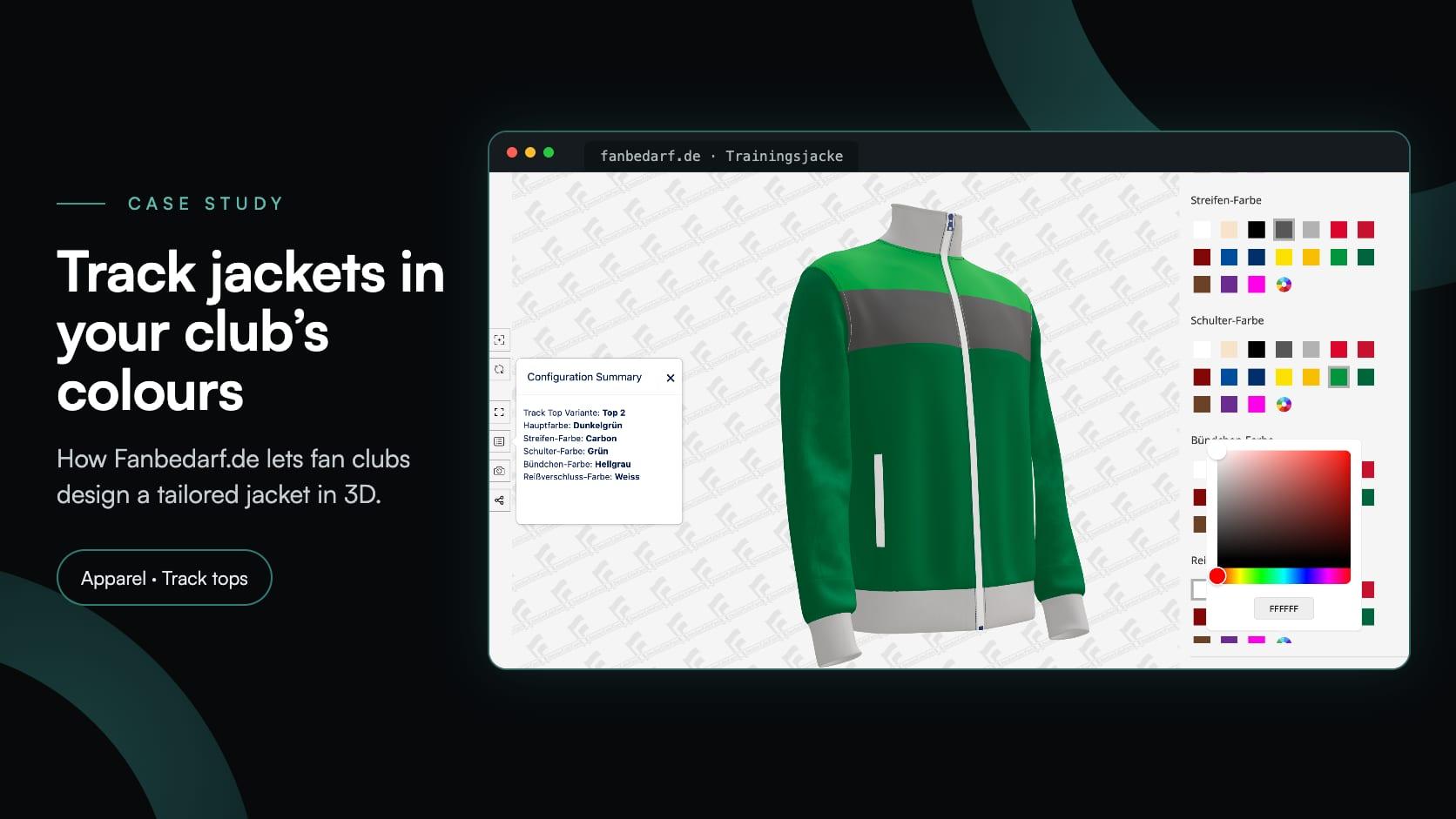
Fanbedarf.de
Fanbedarf.de, a club wear workshop in Nuremberg, added a 3D jacket configurator: four Track Top models, 17 fabric colours for every part of the jacket and a non-binding request.
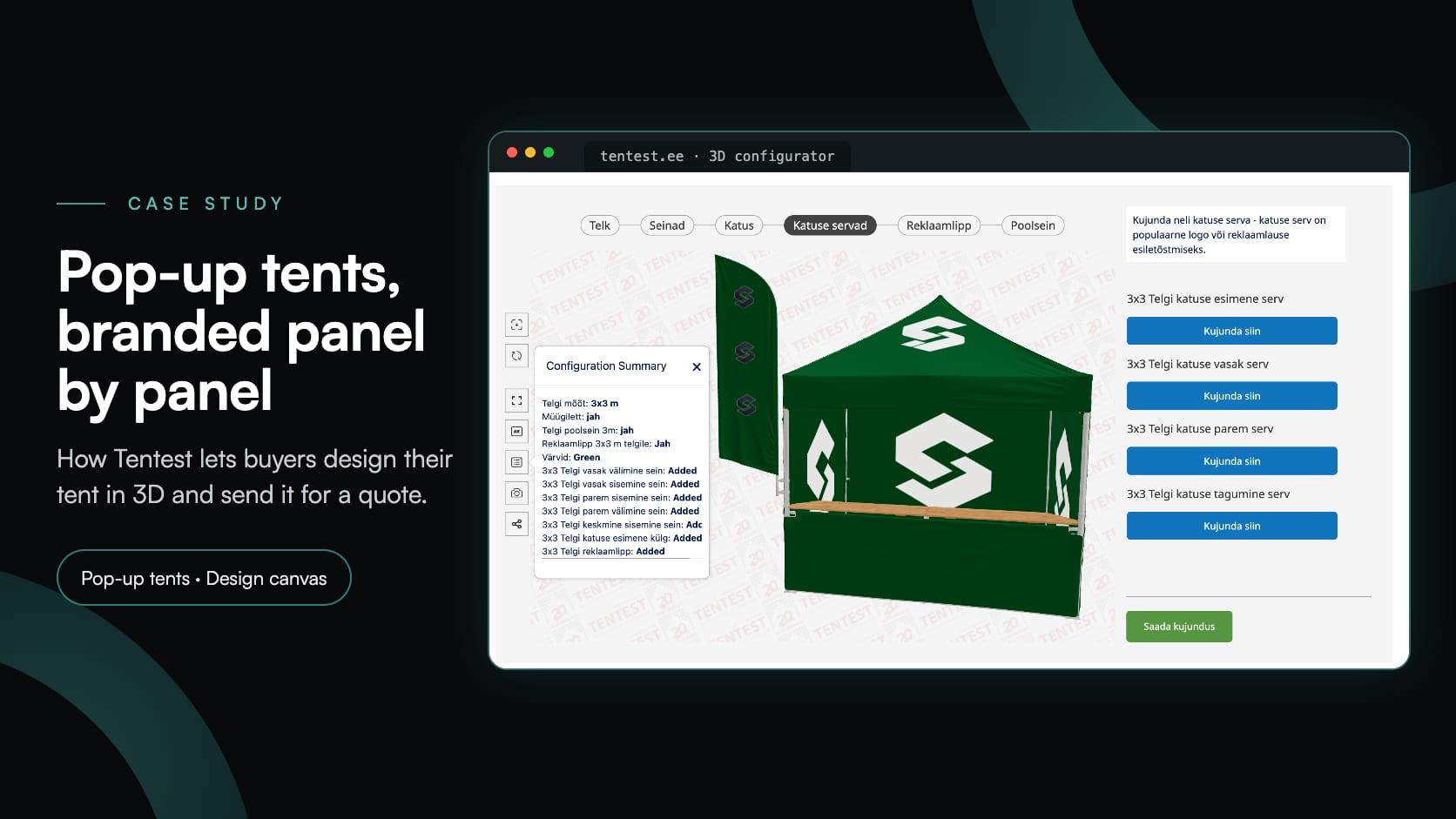
Tentest
Tentest, an Estonian pop-up tent maker in Scandipro Group, built its own 3D configurator: six tent sizes, a design canvas with logo upload on every panel, AR and a quote request.
Yes. The same option blocks, materials and rules apply to garments and to hard goods such as gloves, helmets and bikes.
Yes. Image Upload takes the club’s artwork, within the file types and size you allow, and you choose whether customers can move, scale or rotate it. The Design Canvas lets them place graphics freely.
For SVG files, yes. Distinct fill colours are detected as colour channels and can be recoloured independently at runtime.
A quote form captures the configuration together with the contact details, and submissions appear under Requests in your dashboard.
Yes. The WooCommerce and Shopify integrations can add the configured item to the cart at the calculated price.
Usually one per product model, but they share the material library and the same setup approach, so subsequent products are faster to build.
Component-level bike builds with compatibility rules and build pricing.
Guides, tutorials and news from the Simplio3D team.
Zakeke Alternatives in 2026: 7 Product Configurators Compared
Looking for a Zakeke alternative? What Zakeke offers today, when it is worth staying, and seven alternatives compared on 3D, rules, stores and published prices.
The Simplio3D Shopify App Is Now on the Shopify App Store
Simplio3D is now on the Shopify App Store. Install the app, add a 3D configurator to your theme with blocks, and let the cart charge the price your configurator calculates.
Product Configurator MCP: Connect Claude, Cursor and VS Code to Simplio3D
MCP connectors let Claude, Cursor or VS Code work with your real Simplio3D projects. What a connected agent can read and change, how approval works, and how to connect one.
How a Product Configurator Gets Built (2026 Workflow)
The decisions that determine whether a configurator project succeeds — defining the requirement, choosing the project type, building options, logic and pricing, and where AI now does the work.
Preparing 3D Models for Simplio3D: A Practical Guide
Structure, UV mapping, optimisation and pivots — the four things that decide whether a 3D model becomes a working configurator or a troubleshooting exercise.
Own a 3D product configurator to drive sales and generate proposals directly from your website