
Roof shape and pitch
Gable, hip, mono-pitch or flat, with the pitch adjusted and the geometry rebuilt to match.
3D Roof Configurator
Let customers pick a roof shape, covering and colour, see it rendered on the structure, and get a price without waiting for a survey.
No credit card required
Gable, hip, mono-pitch or flat, with the pitch adjusted and the geometry rebuilt to match.
Tile, metal sheet, shingle or glass, applied as a real material rather than a colour swatch.
Finishes and colours shown on the roof in context, so a customer is not choosing from a small square.
Roof lights, glazed panels and openings added and positioned as options.
Span and length entered by the customer, with the price responding to the resulting area.
Rainwater goods, fascias and trims priced alongside the main structure rather than added later.
See how users score Simplio3D across the major software review platforms.

4.6/5

4.3/5

9.5/10
Covering material and colour are the decisions customers agonise over, and a sample tile on a counter tells them very little about a finished roof. Rendering the choice on the actual structure, in context and at any angle, settles the question quickly. That is worth more on a roofing product than almost any other building component.
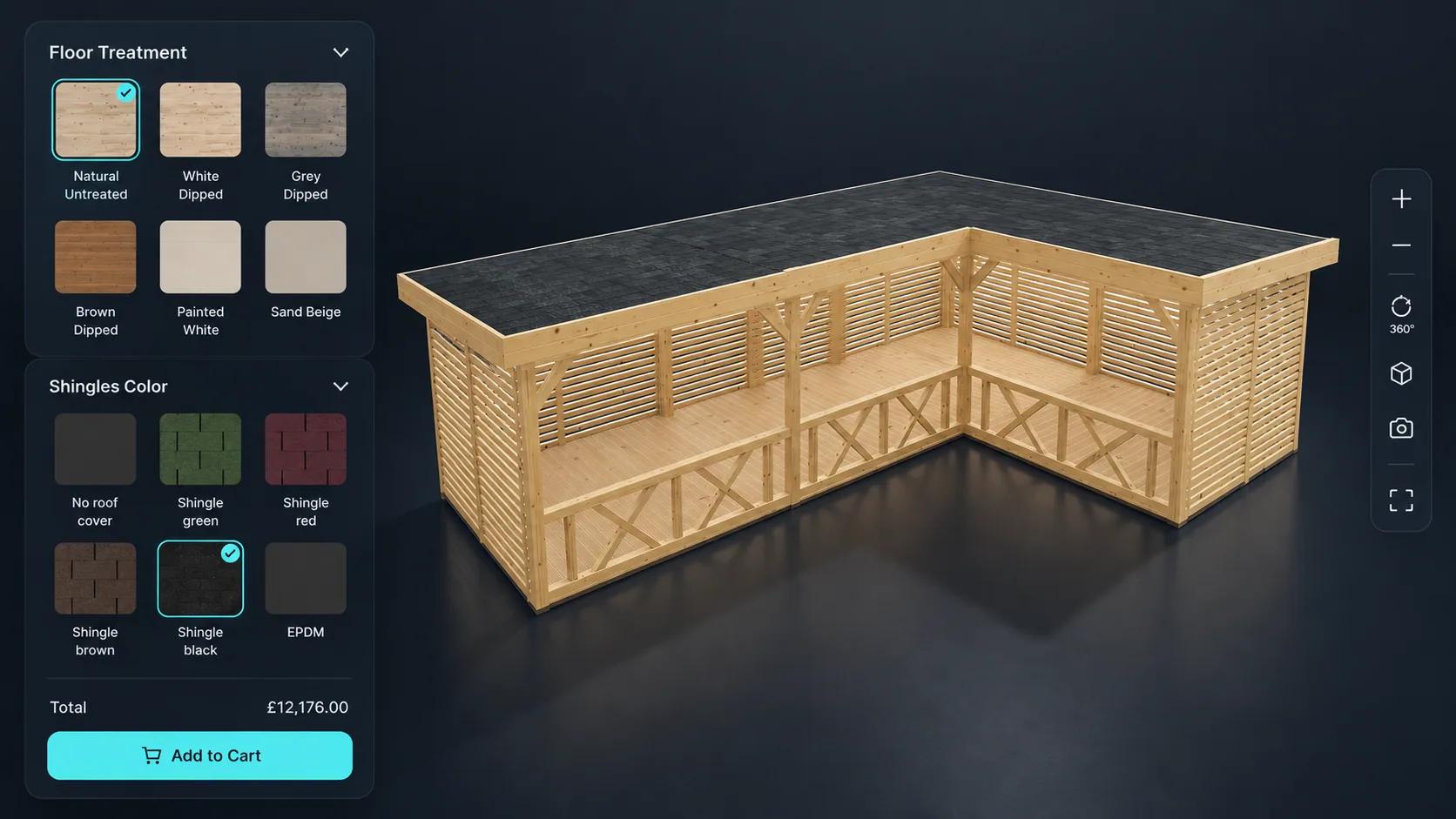
The same configurator pattern covers terrace roofs, canopies and glass structures, where the customer is choosing a span, a covering and a set of options against a fixed budget. Because pricing can key off area, a larger structure prices correctly without anyone rebuilding the quote by hand.
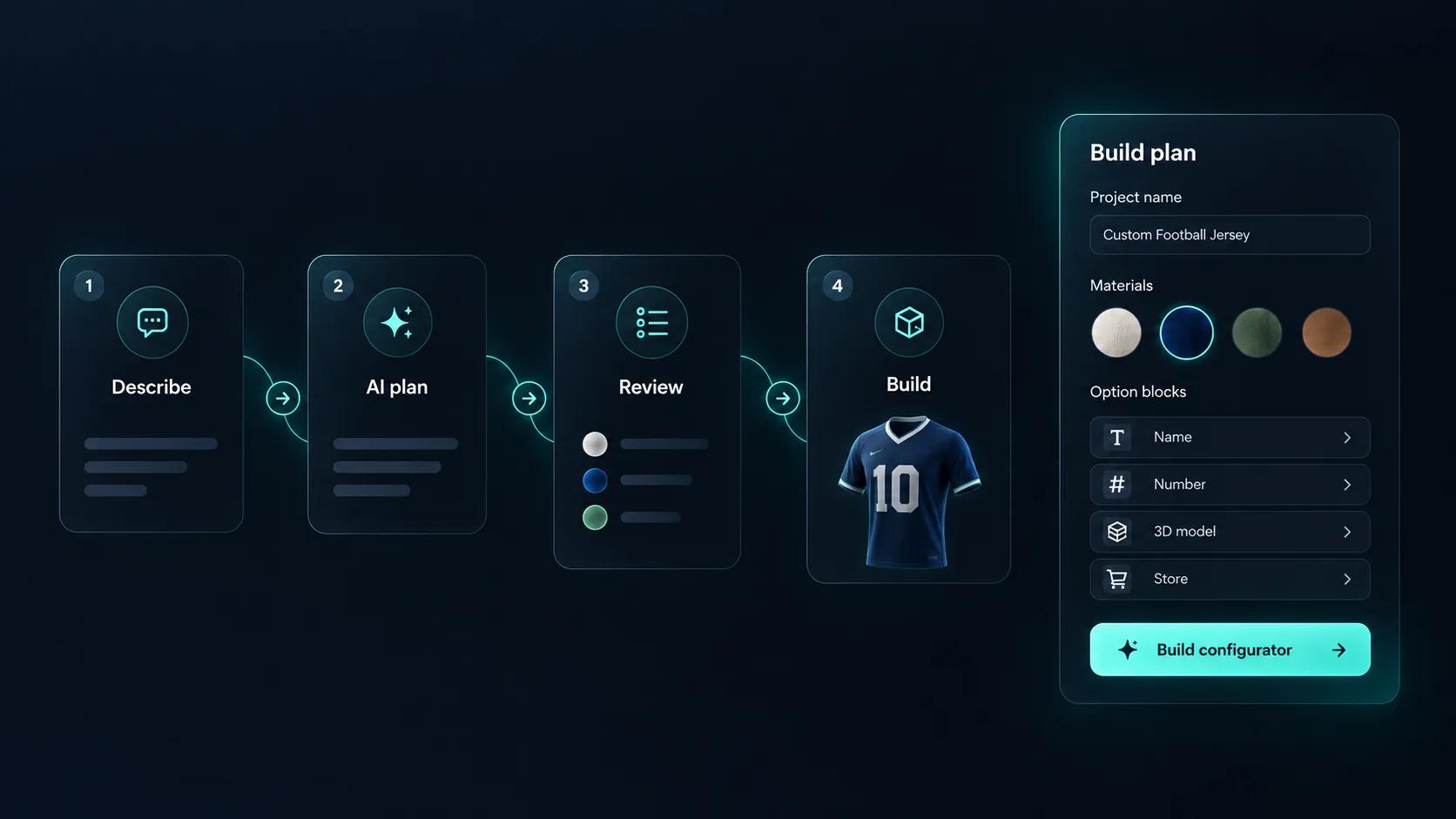
Try a brief like “a terrace roof with glass or polycarbonate panels, three frame colours and optional lights”. Generate with AI plans the materials, options, base price and form around a roof model in your library, for you to review and approve. It does not create the model. Once your area-based formula is in place, the AI assistant can test it by calculating the price of a given configuration.
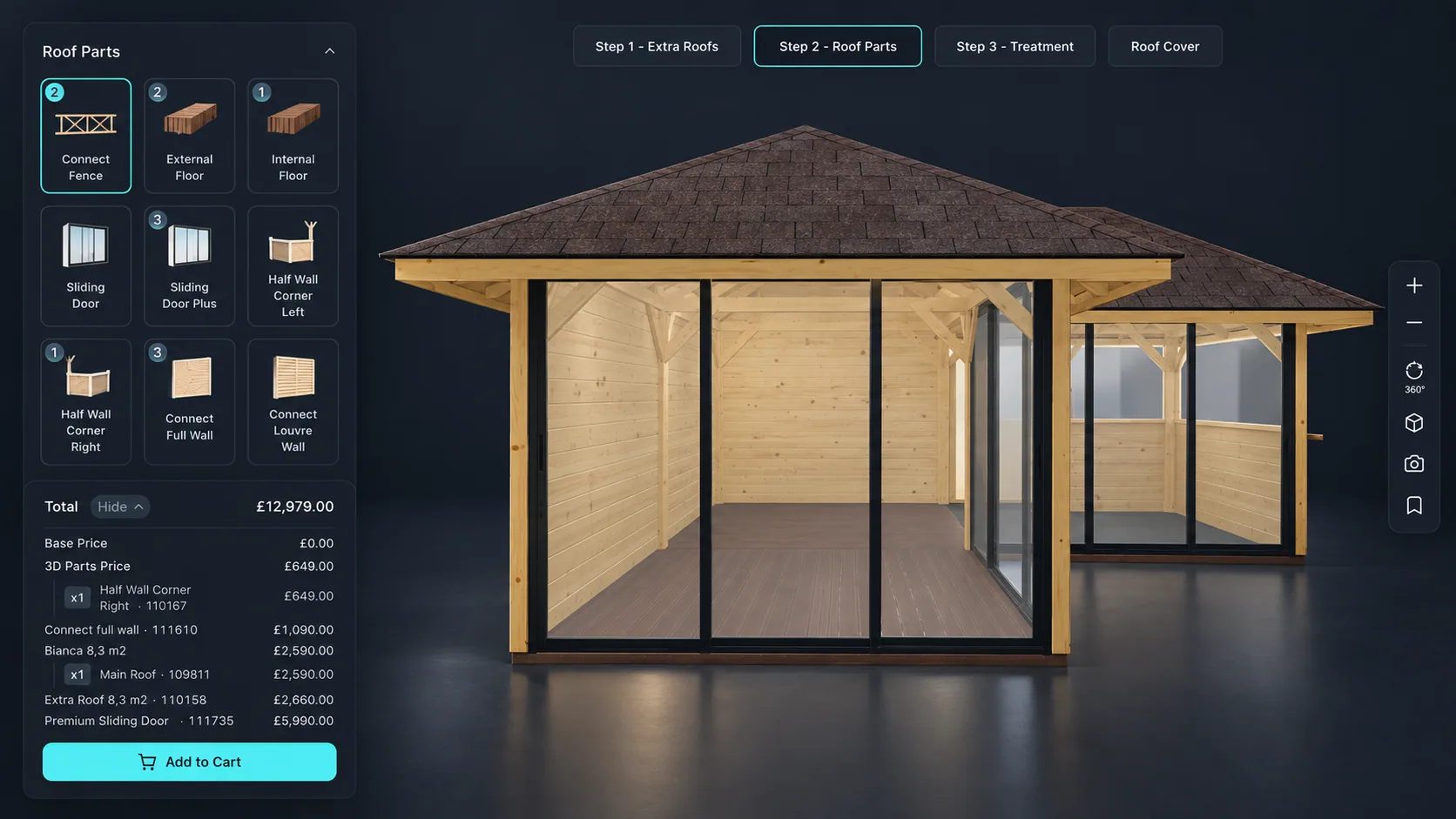
A modular garden building: add roof parts and treatments and watch the total change.
Model, options, rules, price, embed.
Import the roof structure and separate the covering, frame, glazing and trim so each can be controlled independently.
Add a dropdown for roof shape, swatches for covering material and colour, dimension inputs for span and length, and toggles for roof lights and rainwater goods.
Limit coverings and roof lights by the roof shape and pitch selected, so a tile that cannot be laid at a given pitch is never offered.
Price by roof area with a formula, with the covering material as a rate and rainwater goods, glazing and trims as priced extras.
Publish and embed it alongside your roofing range, or hand the share link to installers quoting on site.
One way to set up a roof and canopy range.
| What the customer chooses | How it is built | Rule or price example |
|---|---|---|
| Shape | Thumbnail Selector for gable, hip, mono-pitch or flat | Each shape shows only the coverings it can take |
| Span and length | Number Input with your maximum span | A formula works out the roof area |
| Covering | Select Material for tile, metal sheet or glass | A Variable holds the rate per square metre |
| Roof lights | Toggle Switch | Hidden on glass coverings; otherwise a fixed price |
| Rainwater goods | Toggle Switch | A Variable prices them from the perimeter |













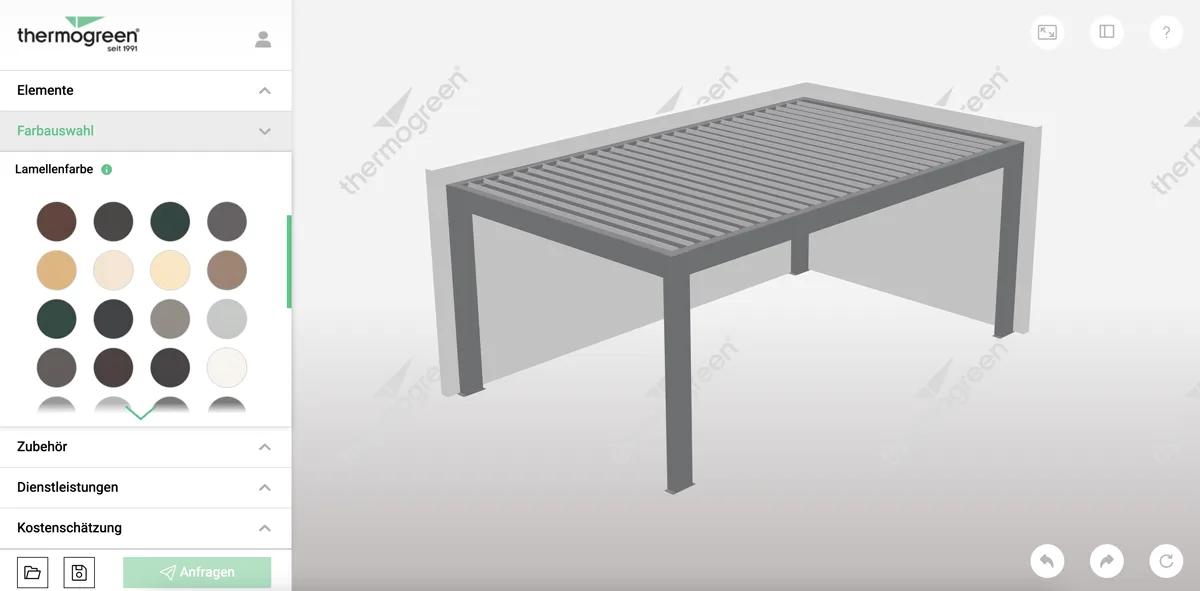
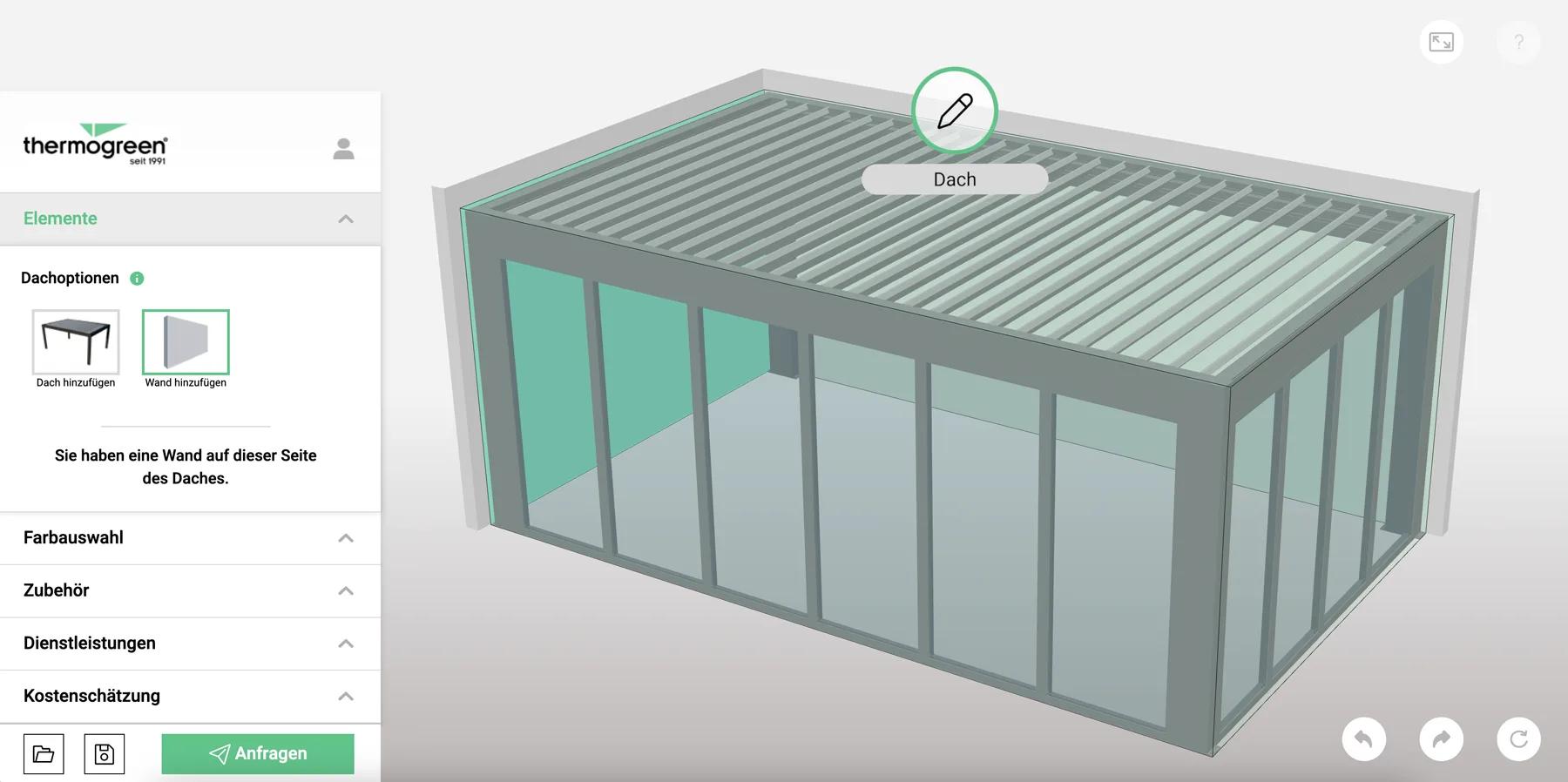
What a roof configurator connected to an ERP looks like in production: live prices for the customer, and a quoting screen for sales staff on site or in the showroom.
Thermogreen AG
Thermogreen AG needed a configurator that pulled real-time pricing from their Mendix ERP while the customer designed a glass roof terrace — plus a second interface for sales staff quoting on site.
Yes, if your model is built to allow it. Pitch can be exposed as a dimension input or a set of preset options, with the geometry and price responding.
Yes. Materials are PBR, so tile texture, metal sheen and glass all render as materials rather than flat colours.
It can. Pricing formulas can be driven by the configured dimensions, so a rate per square metre applies automatically as the customer resizes.
AR places the configured product at true scale through iOS AR Quick Look and Android Scene Viewer. It suits smaller structures such as canopies and terrace roofs better than a full house roof.
Not necessarily. A single project can offer several roof shapes as options, with conditional logic controlling which coverings and extras apply to each.
Through a quote form attached to the configurator, capturing the specification and the customer details together.
Roofs are often sold alongside other outdoor structures. The building configurator covers sheds, garages, carports and halls with the same pricing model.
Guides, tutorials and news from the Simplio3D team.
Preparing 3D Models for Simplio3D: A Practical Guide
Structure, UV mapping, optimisation and pivots — the four things that decide whether a 3D model becomes a working configurator or a troubleshooting exercise.
How a Product Configurator Gets Built (2026 Workflow)
The decisions that determine whether a configurator project succeeds — defining the requirement, choosing the project type, building options, logic and pricing, and where AI now does the work.
Simplio3D is Included in the Gartner Innovation Insight for Visual Configuration Report
In the 2020 Innovation Insight for Visual Configuration report, Simplio3D is included for the first time in the list of visual configuration vendors as a software solution provider for product configuration.
Zakeke Alternatives in 2026: 7 Product Configurators Compared
Looking for a Zakeke alternative? What Zakeke offers today, when it is worth staying, and seven alternatives compared on 3D, rules, stores and published prices.
Build a Configurator with Claude: the Simplio3D Plugin Tutorial
Install the Simplio3D plugin in Claude, sign in once and build your first 3D product configurator from a prompt: setup, permissions, the first prompts, and what stays in your hands.
Own a 3D product configurator to drive sales and generate proposals directly from your website