

Real-time 3D
PBR materials, lighting and shadows rendered live in the browser, on desktop and mobile.
No-code 3D configurator software
Let customers configure materials, components and dimensions in real time, with rules that keep every combination buildable and a price that follows what they chose.
No credit card required
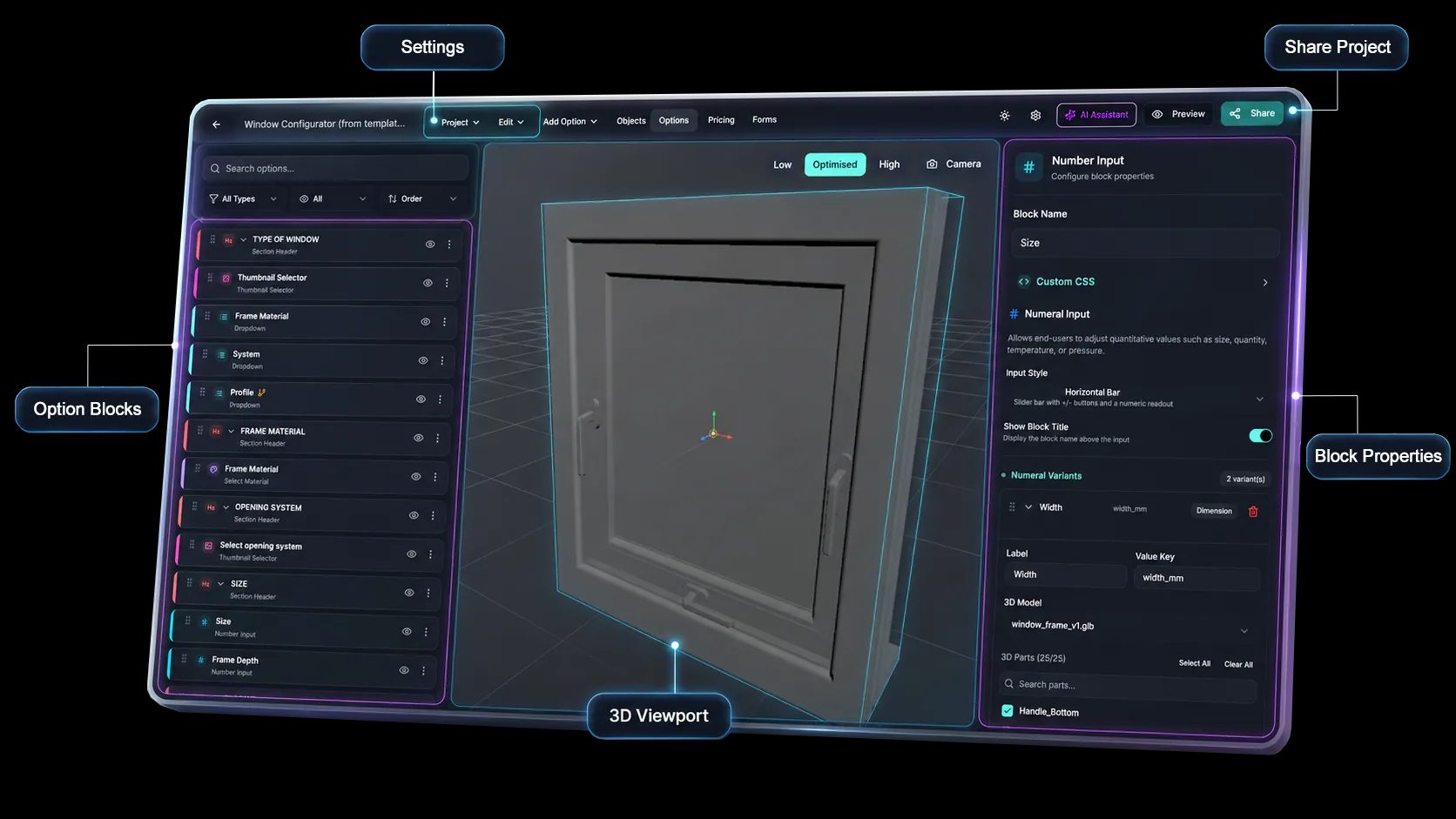
A no-code product configurator: everything below is set up in the editor, without writing a line of code.
PBR materials, lighting and shadows rendered live in the browser, on desktop and mobile.
Visual rules, options, dependencies and pricing logic.
An iframe snippet for any website or CMS, and web-view embedding in iOS, Android, React Native and Flutter apps.
AR Quick Look on iOS and Scene Viewer on Android, included from the Pro plan.
Send configurations to a Shopify or WooCommerce cart, or capture quote requests and generate a PDF.
Add your GA4 measurement ID, and forward the embed’s browser events, such as a changed option or a submitted quote, to your own analytics.
See how users score Simplio3D across the major software review platforms.

4.6/5

4.3/5

9.5/10
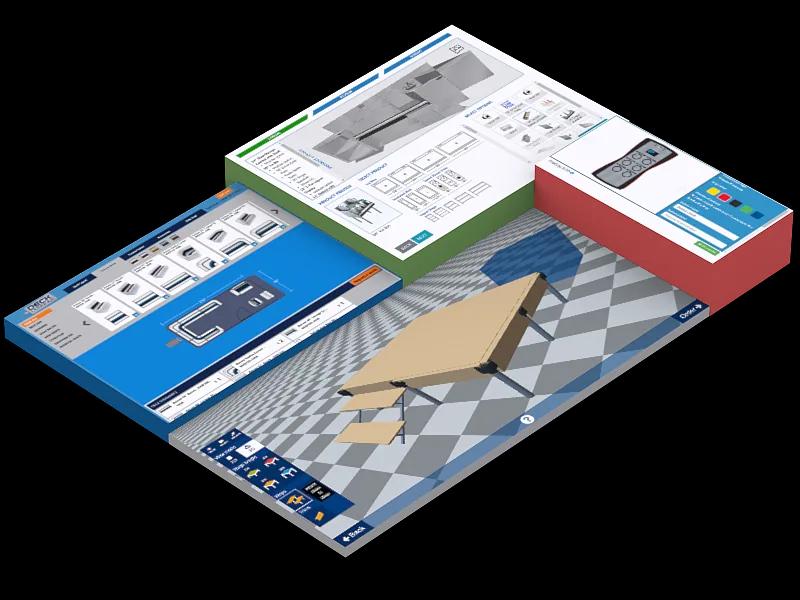
A configurator replaces a long list of product variants with one project that holds every option, rule and price. Customers specify the product themselves, and your team receives a buildable configuration instead of an open question. Because the editor is visual, the people who know the product can build and change it without a development project.
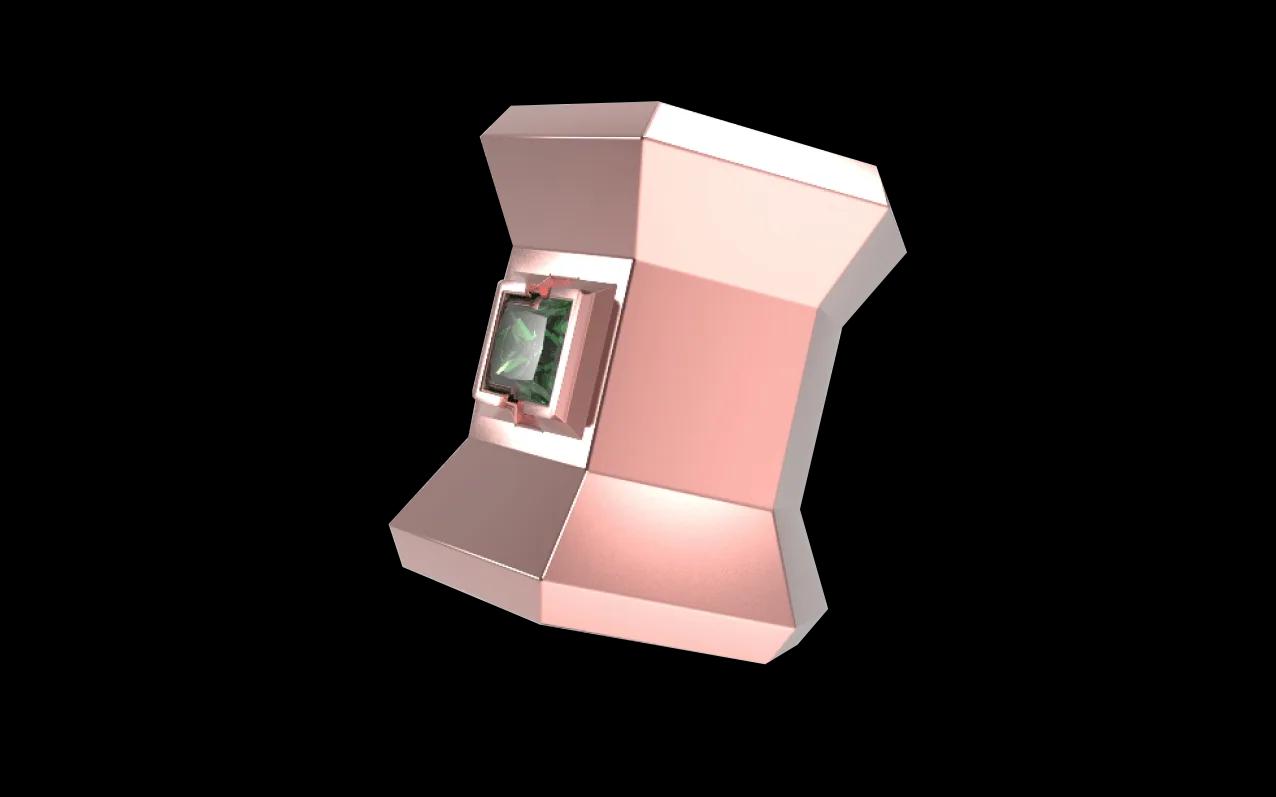
Not every product needs configuring. A Viewer project shows one finished product in 3D; a Configurator adds options, logic, pricing and forms. Both are built in the same editor and included from the Starter plan. The project type is fixed when you create a project, so choose per product.
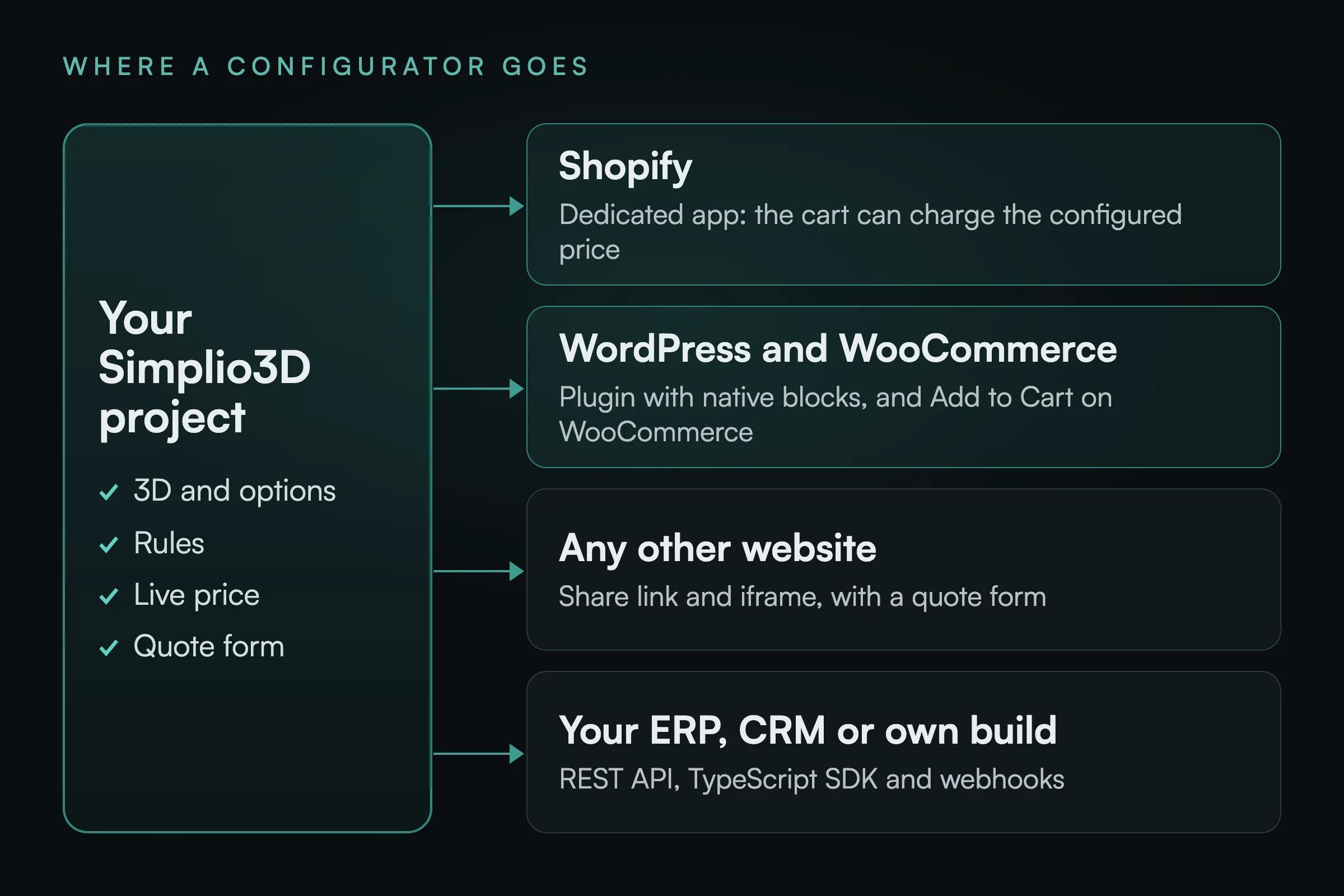
On Shopify and WooCommerce the configured product reaches the cart, and a priced Configurator project can charge the price your rules calculated. On any other site, embed the configurator and take quote requests, which arrive under Requests with the full configuration. For ERP, CRM or custom storefronts, the REST API and TypeScript SDK let your systems read and write project data.

On a phone, customers can place the configured product in their own space through AR Quick Look on iOS or Scene Viewer on Android, or try on accessories in wearable mode. On a computer, a QR code hands the current configuration to the phone. AR is included from the Pro plan.
Custom in-ear monitors: pick a faceplate design and add-ons and watch the total change.
Five steps, and nothing that needs a 3D background beyond the model itself.
Import GLB, GLTF, FBX, OBJ, STL, DAE or a ZIP archive, and organise the scene so the parts you want to control are separate.
Build PBR materials from your texture maps, or start from library recipes for metals, woods, fabrics, glass and plastics, then bulk-add them by category.
Assemble the controls customers will use from the sixteen block types: swatches, dropdowns, toggles, dimension inputs, text and image upload.
Conditional logic keeps combinations valid; price blocks and the formula editor produce a total that follows the configuration.
Enable the share link, copy the iframe snippet and place it on your site, or send configured products to a WooCommerce or Shopify cart.
The team at Simplio3D is very easy to work with, great problem solvers and very budget sensitive.

The execution of ideas on paper to a finished, functional application couldn't have been done any better.

Simplio3D have significantly enhanced our product presentations, providing a unique and interactive experience for our clients.

Versatile, easy to use and easy to deploy 3D Configurator. Super simple to use and create configurations on.

I have used other similar platforms and find Simplio3D the most intuitive way to build a configurator. I'm not a CAD engineer so I wanted a solution without features I couldn't understand.

It was so simple to get started, and the results have been very impressive. We now have it live on four different platforms.

The sixteen option block types, grouped by the job they do.
| Purpose | Blocks | Typical use |
|---|---|---|
| Appearance | Select Material, Colour Variants | Fabrics, finishes, paints, metals |
| Choosing from a set | Dropdown Select, Thumbnail Selector, Carousel | Styles, models, component tiers |
| Parts and structure | Show/Hide Objects, Modular Blocks | Optional components, assembled layouts |
| Size | Number Input | Made-to-measure products, quantities |
| Add-ons | Toggle Switch | Extras priced individually |
| Personalisation | Text Input, Image Upload | Names, engraving, customer artwork |
| Decoration | Pattern Designer, Design Canvas | Repeating prints, logo placement |
| Presentation | Scenery, Hotspot, Section Header | Backgrounds, callouts, grouping |
Dining chairs for a website, a showroom and trade fairs, hospital carts with a PDF specification and a quote request, and bike rack pages with a 3D viewer embedded without code.
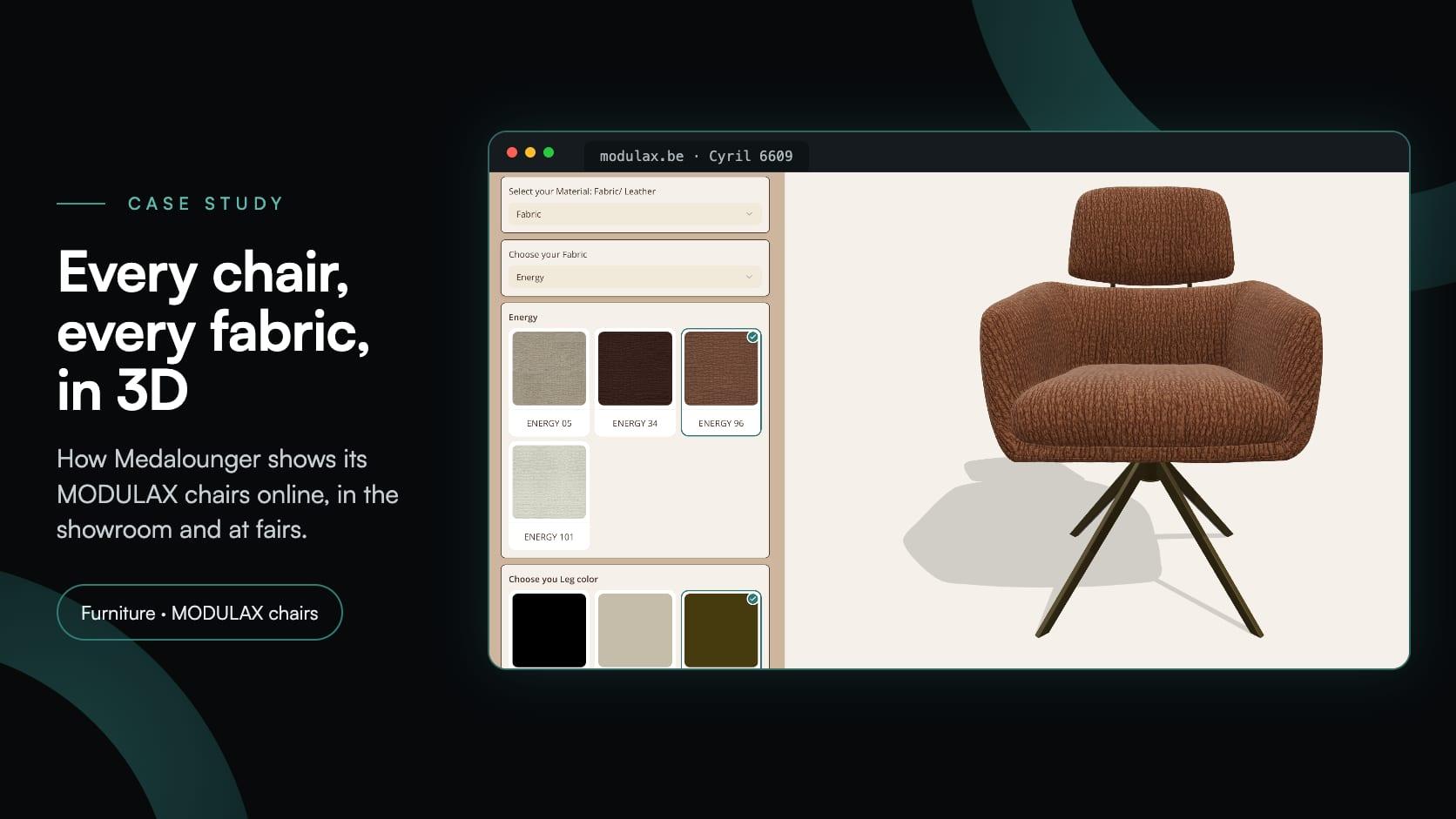
Medalounger
Medalounger, the Belgian maker of MODULAX furniture, built 51 chair configurators around one library of 161 materials, for its website, its showroom and its stand at furniture fairs.
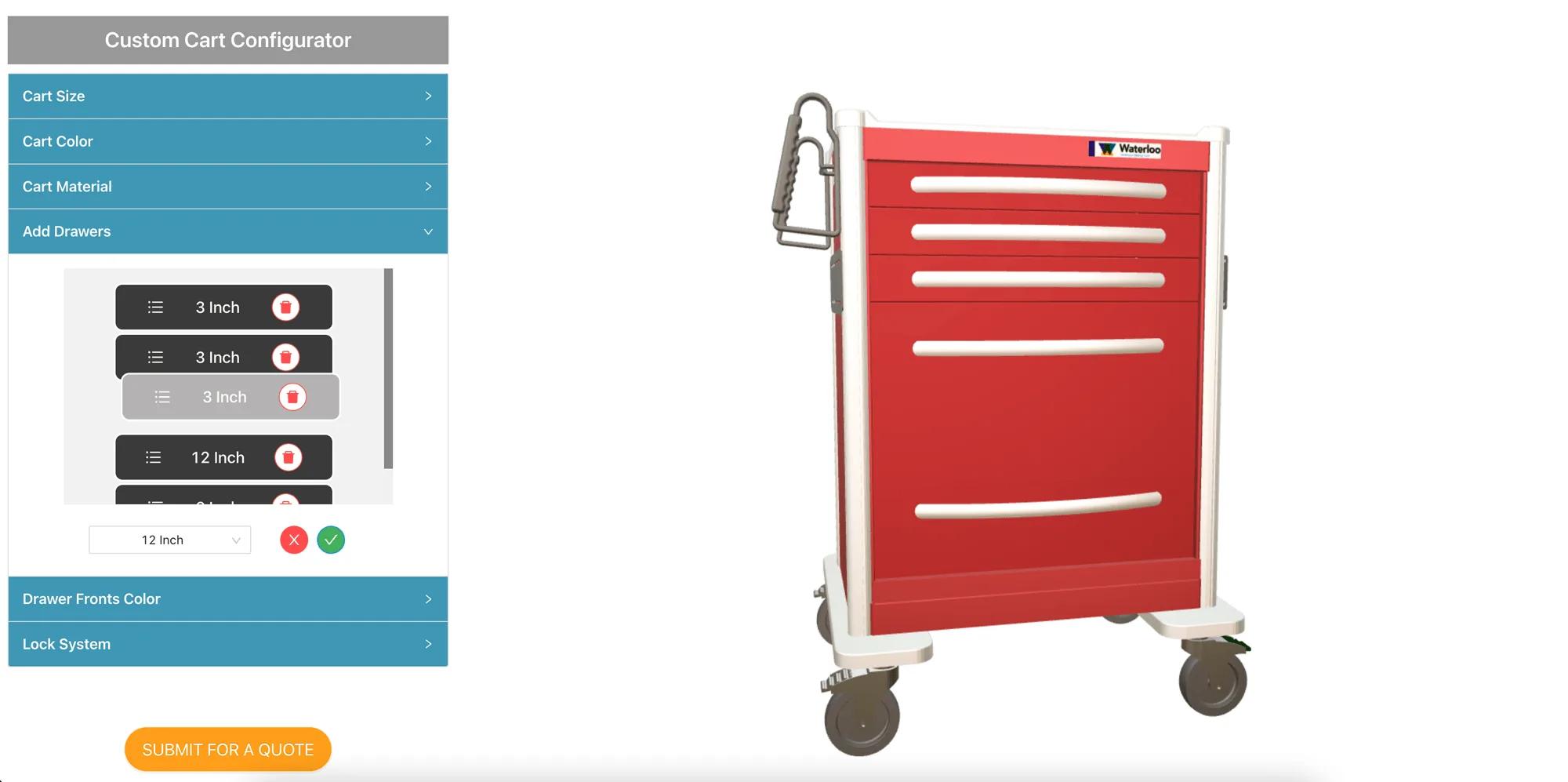
Waterloo Healthcare
A 50-year-old manufacturer of hospital procedure carts needed customers to configure drawers, colours and locking systems online, then download a PDF specification and request a formal quote.
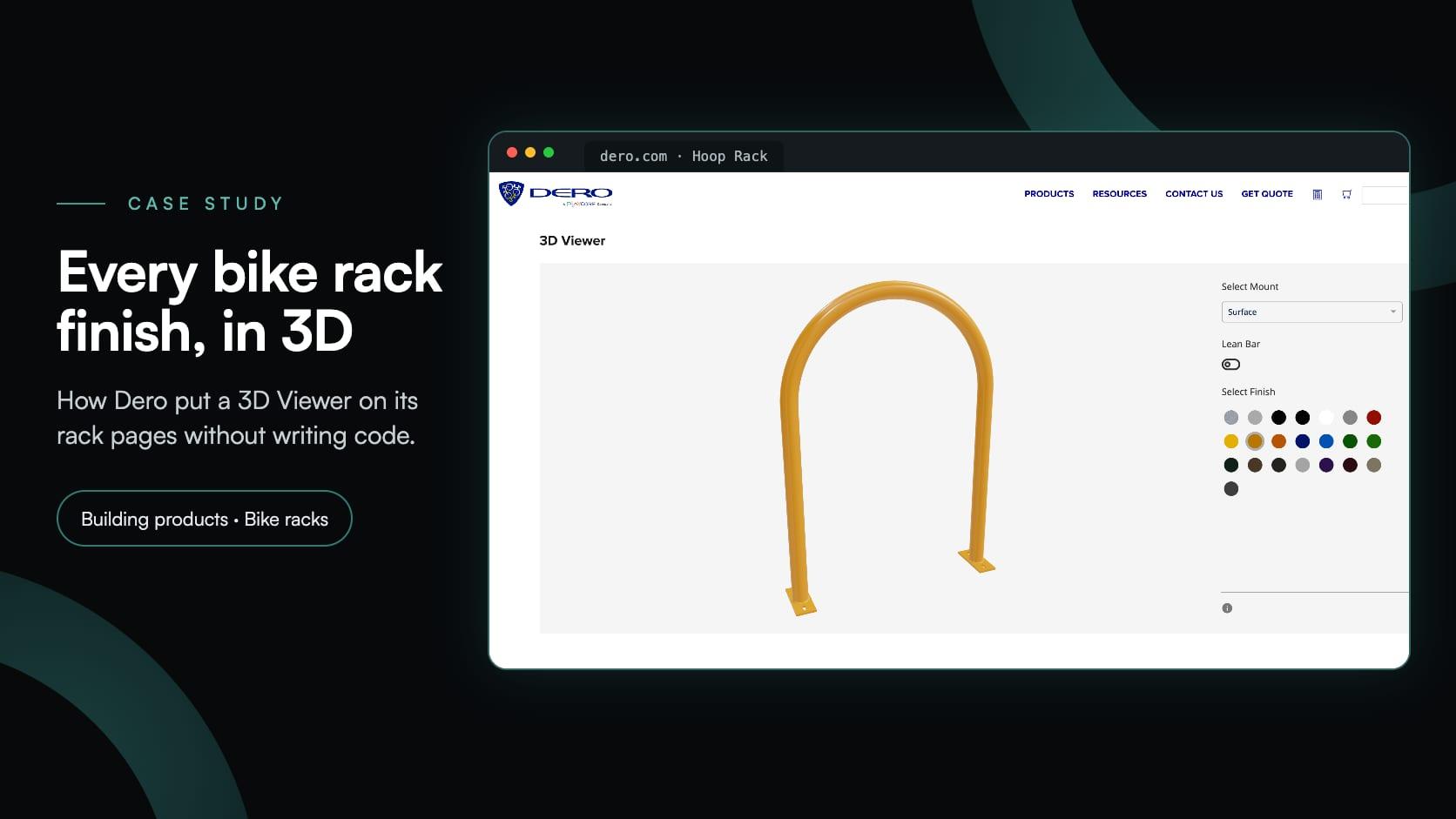
Dero
Dero, a PlayCore company, added a 3D Viewer to seven bike rack pages: visitors pick a mount, add a lean bar and try 22 finishes in 3D. No cart, no form and no code to embed it.
Real projects from manufacturers and retailers who sell in 3D.
Waterloo HealthcareHealthcare
Waterloo Healthcare: building a hospital cart in 3D
A 50-year-old manufacturer of hospital procedure carts needed customers to configure drawers, colours and locking systems online, then download a PDF specification and request a formal quote.
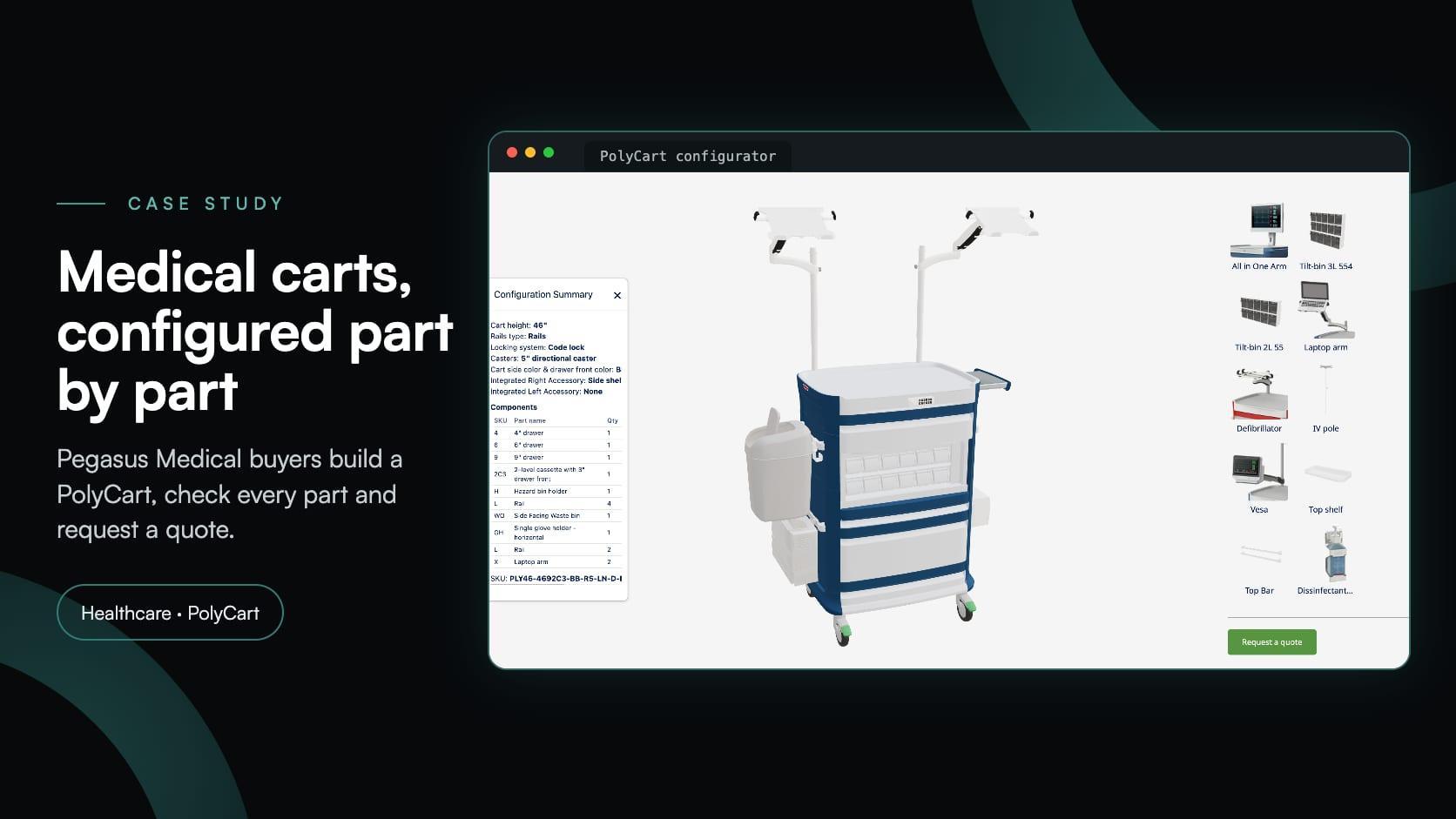
Pegasus MedicalHealthcare
Pegasus Medical: a 3D medical cart configurator its own team maintains
Pegasus Medical wanted buyers to configure PolyCart medical carts in 3D and request a quote, without paying for custom software. Simplio3D helped set it up; their team now runs it.
TentestBuilding products
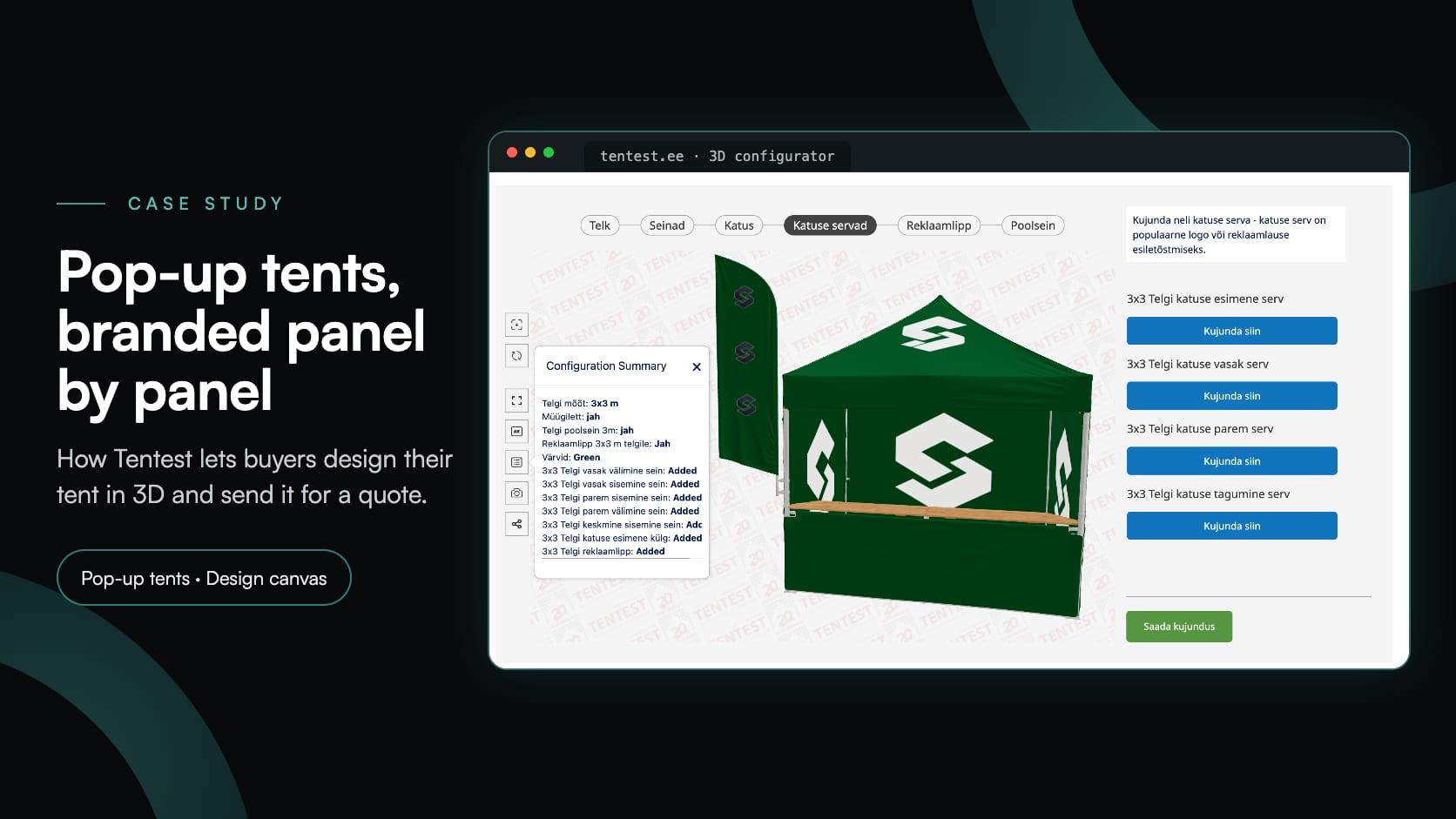
Tentest: a 3D pop-up tent configurator with a design canvas on every panel
Tentest, an Estonian pop-up tent maker in Scandipro Group, built its own 3D configurator: six tent sizes, a design canvas with logo upload on every panel, AR and a quote request.
Fell & FrameBuilding products
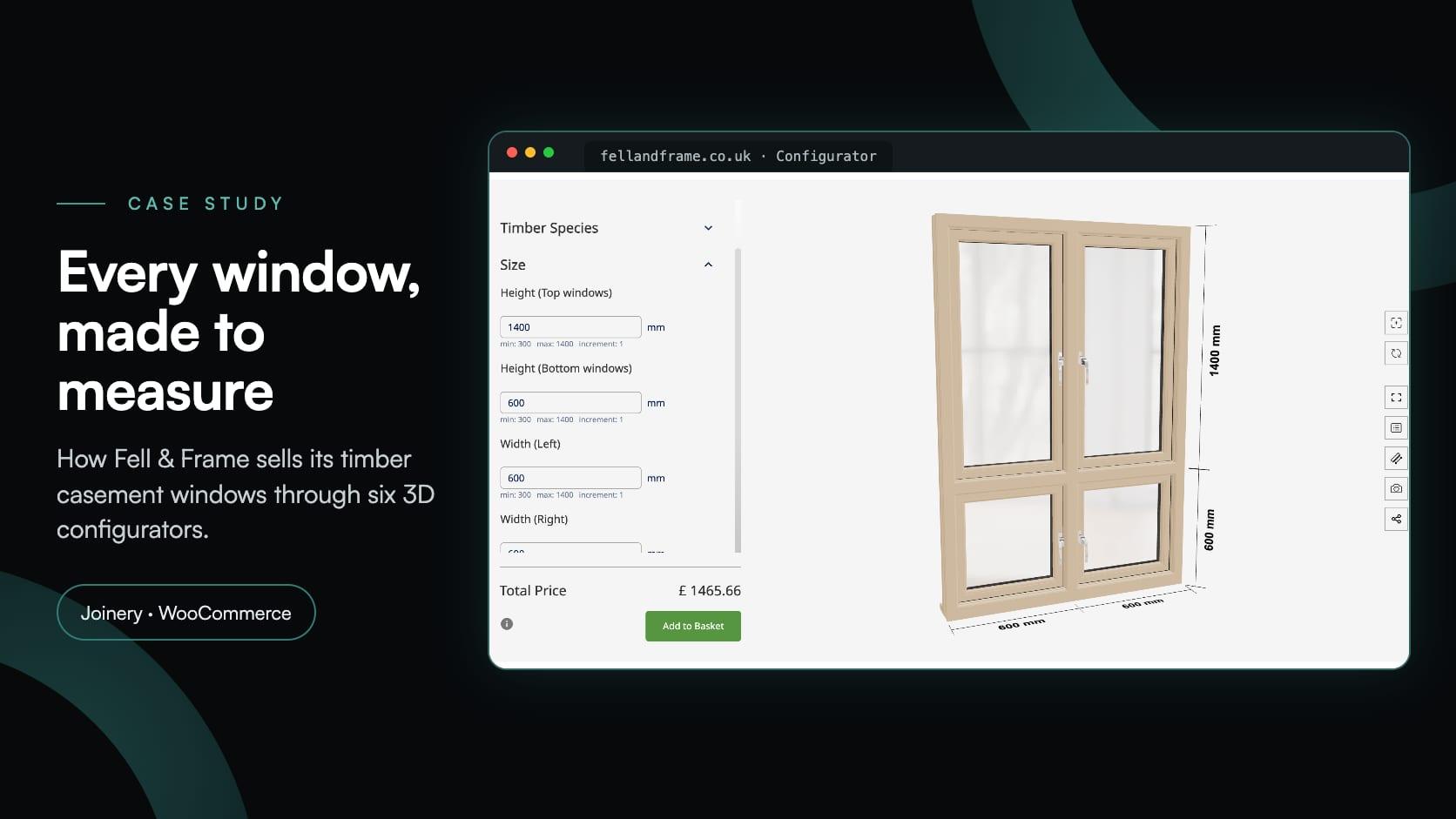
Fell & Frame: a timber window configurator built in-house for WooCommerce
Fell & Frame, a Carlisle joinery, built its own timber window configurator in Simplio3D. Buyers size six casement types to the millimetre and add them to the WooCommerce basket.
Iberica StoneFurniture
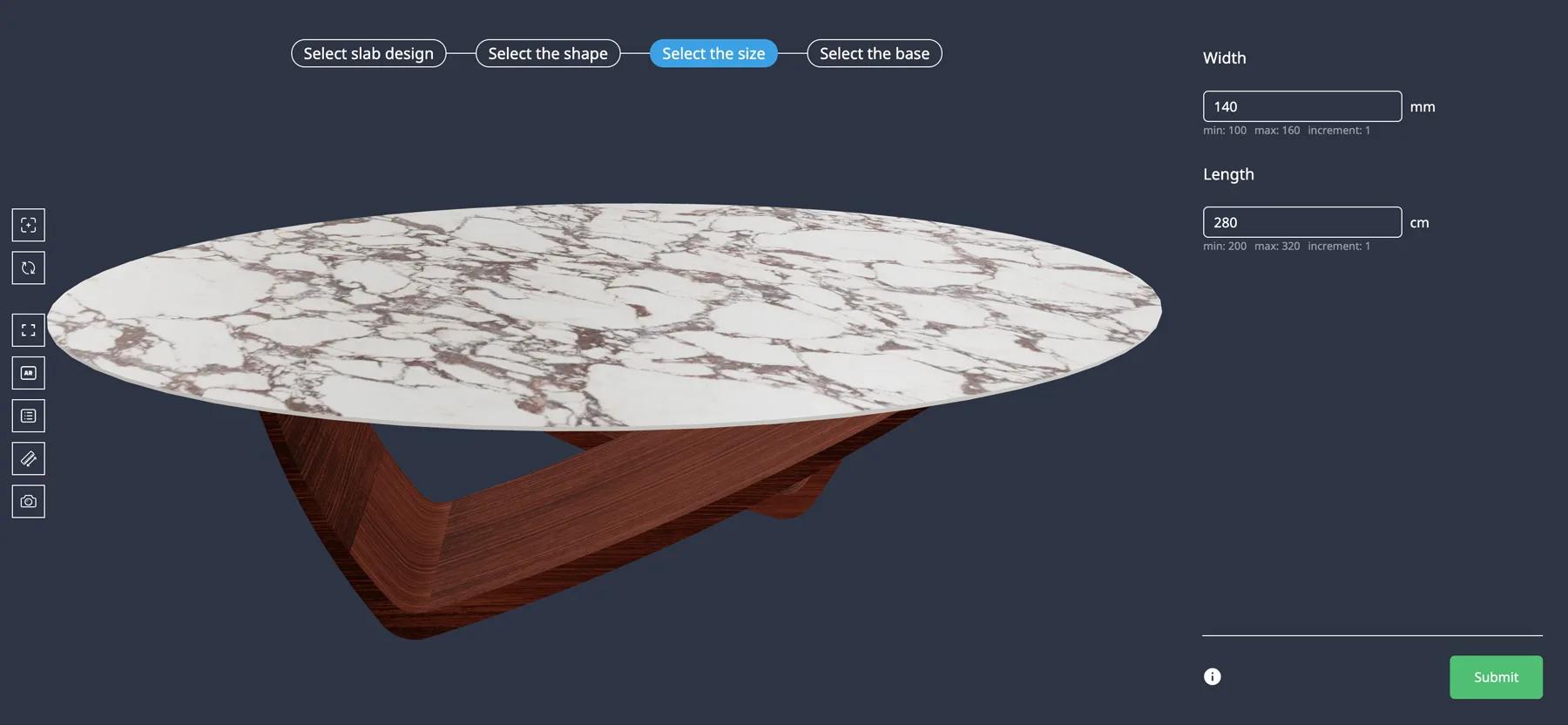
Iberica Stone: a 3D table configurator with built-in AR
Iberica Stone wanted customers to explore every customisation option on a premium stone table before buying. On the Starter plan they launched a 3D table builder with AR and quote requests.
Software that lets a customer or a salesperson specify a customisable product — choosing options, materials and dimensions — and see the result and the price before ordering, with rules that prevent combinations you cannot manufacture.
Variants multiply: a product with six finishes, four handles and two heights is forty-eight listings to create and maintain. A configurator keeps the option space in one project, so adding a finish next season is a material rather than dozens of new products.
Yes. Number Input feeds the pricing formula, and price tables handle two-dimensional combinations, which covers most area- and size-based pricing.
Both. A quote form captures the configuration with the customer details for made-to-order sales, and the Shopify and WooCommerce integrations can carry the configured price into a cart for direct purchase.
The prepared 3D model is normally the constraint. Once it is uploaded, assembling options, logic and pricing is visual work, so a single product can go live quickly and complexity can be added in stages.
Yes. Generate with AI drafts a project from a product description and the 3D models in your library, the AI assistant can audit an existing project for option and logic gaps, and an MCP connection lets an agent evaluate logic or calculate pricing against real projects. People approve pricing changes, and AI does not create the 3D model.
GLB, GLTF, FBX, OBJ, STL and DAE, plus ZIP archives bundling a model with its textures. Model versioning lets you replace the file later while keeping the configuration built around it.
Project settings cover display, branding and integration options, more than 140 of them, and on Enterprise a custom UI can be built on the viewer package if you need full control.
What a product configurator is, how it works and where it is used, before you compare software.
Add pricing rules, formulas and quote capture to the same configuration.
Describe the product and let AI draft the options, rules, price and form around your 3D model.
Guides, tutorials and news from the Simplio3D team.
How a Product Configurator Gets Built (2026 Workflow)
The decisions that determine whether a configurator project succeeds — defining the requirement, choosing the project type, building options, logic and pricing, and where AI now does the work.
How to Use the Simplio3D WordPress Plugin in Elementor
Place the Simplio3D viewer, options, price, summary and Add to Cart in Elementor with the free Shortcode widget: find your ids, build the layout and connect WooCommerce.
Product Configurator MCP: Connect Claude, Cursor and VS Code to Simplio3D
MCP connectors let Claude, Cursor or VS Code work with your real Simplio3D projects. What a connected agent can read and change, how approval works, and how to connect one.
The Simplio3D Shopify App Is Now on the Shopify App Store
Simplio3D is now on the Shopify App Store. Install the app, add a 3D configurator to your theme with blocks, and let the cart charge the price your configurator calculates.
Top 10 Best Product Configurator Software in 2026 (Pros & Cons Comparison)
A practical comparison of ten product configurator platforms — what each is genuinely built for, how they differ on visualisation, pricing logic and integration, and how to shortlist without wasting a quarter.
Own a 3D product configurator to drive sales and generate proposals directly from your website


