

Metal and finish
Yellow, white and rose gold, platinum and silver rendered with real metal shading rather than a colour tint.
3D Jewelry Configurator
Metal, stone, setting and engraving chosen in real time, rendered close enough to judge — and tried on virtually before the order is placed.
No credit card required
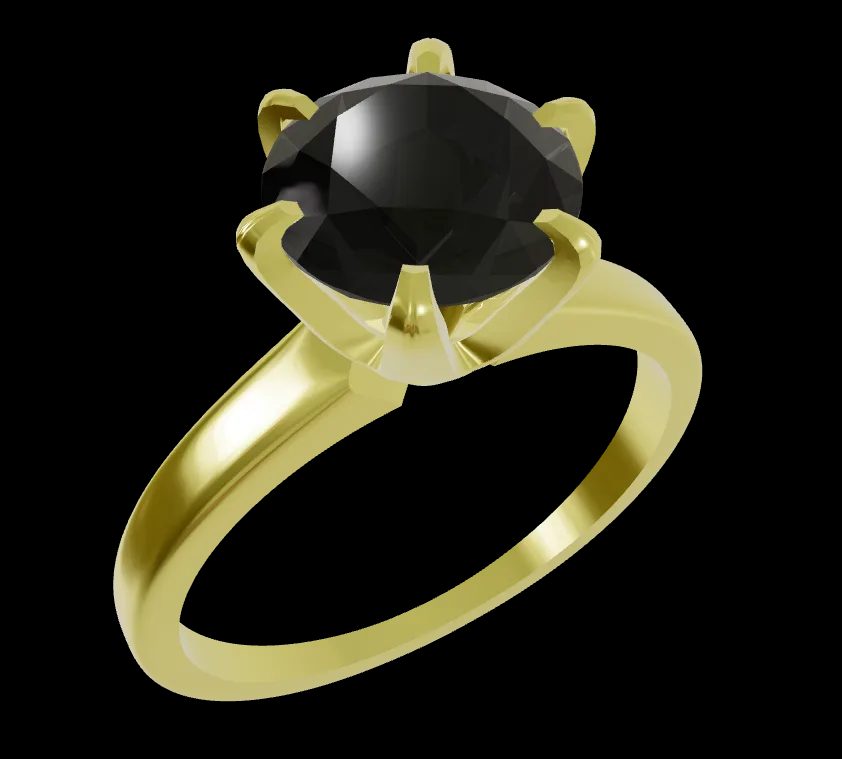
Yellow, white and rose gold, platinum and silver rendered with real metal shading rather than a colour tint.
Stone type, cut and size swapped on the model, with the effect on the piece visible immediately.
Solitaire, halo, pavé and other settings shown on the actual band instead of described.
Profile, width and detailing selected as options, with the price following where it should.
Custom text applied to the piece so the customer reads their own inscription before ordering.
Size captured as part of the configuration and carried through with the order.
See how users score Simplio3D across the major software review platforms.

4.6/5

4.3/5

9.5/10
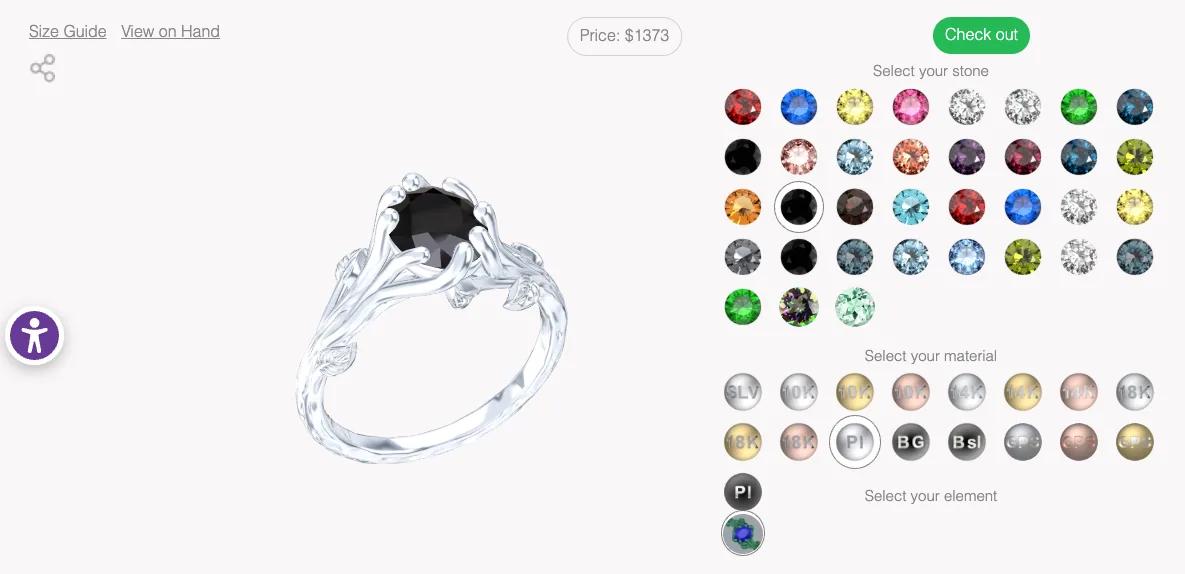
An engagement ring is not a catalogue purchase. The customer is building something specific, and every decision — metal, stone, setting, engraving — is part of the meaning of the object. A configurator makes them an active participant in that rather than a shopper choosing the closest available photo. It also removes the most common reason for hesitation: not being able to picture the finished piece.
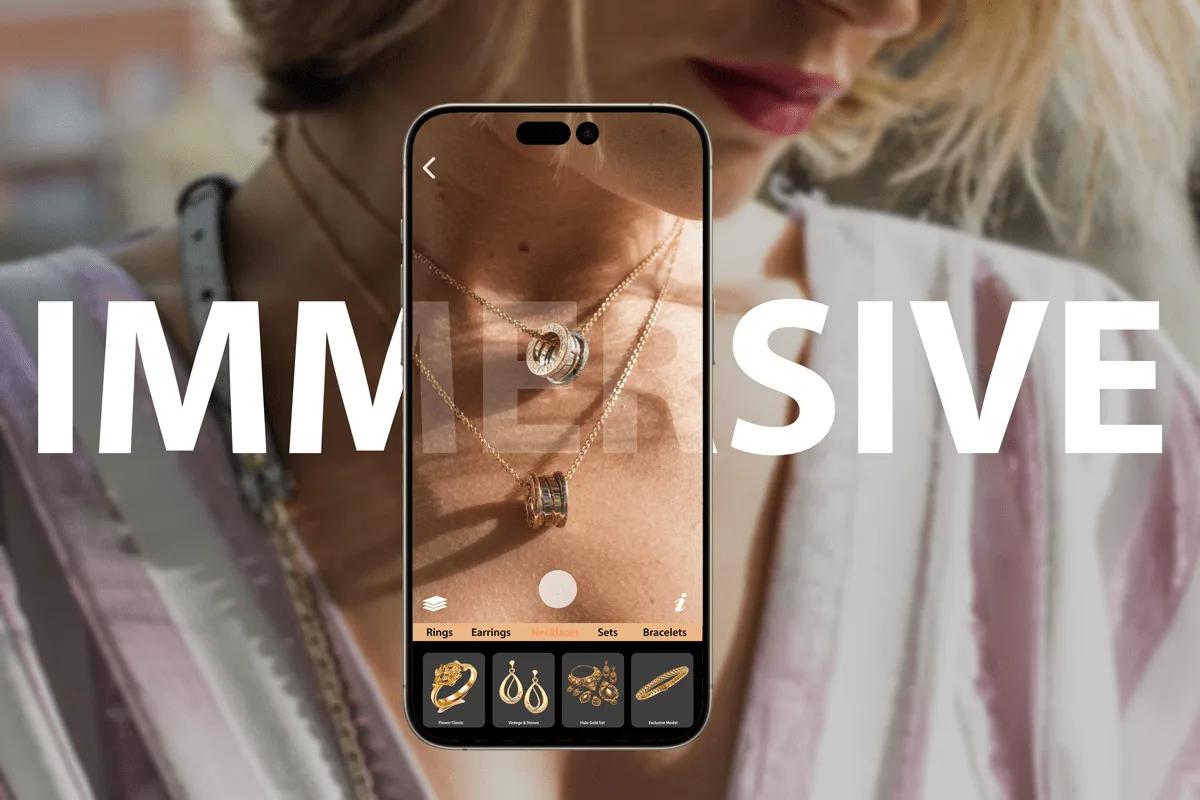
AR wearable mode tracks the face, wrist or hand rather than a floor surface, which is what jewellery needs. A customer can see a configured ring on their own hand, or a necklace at the right scale, using the camera on the phone they already have. It runs through AR Quick Look on iOS and Scene Viewer on Android, so nothing has to be installed, and the project only needs a share link enabled.
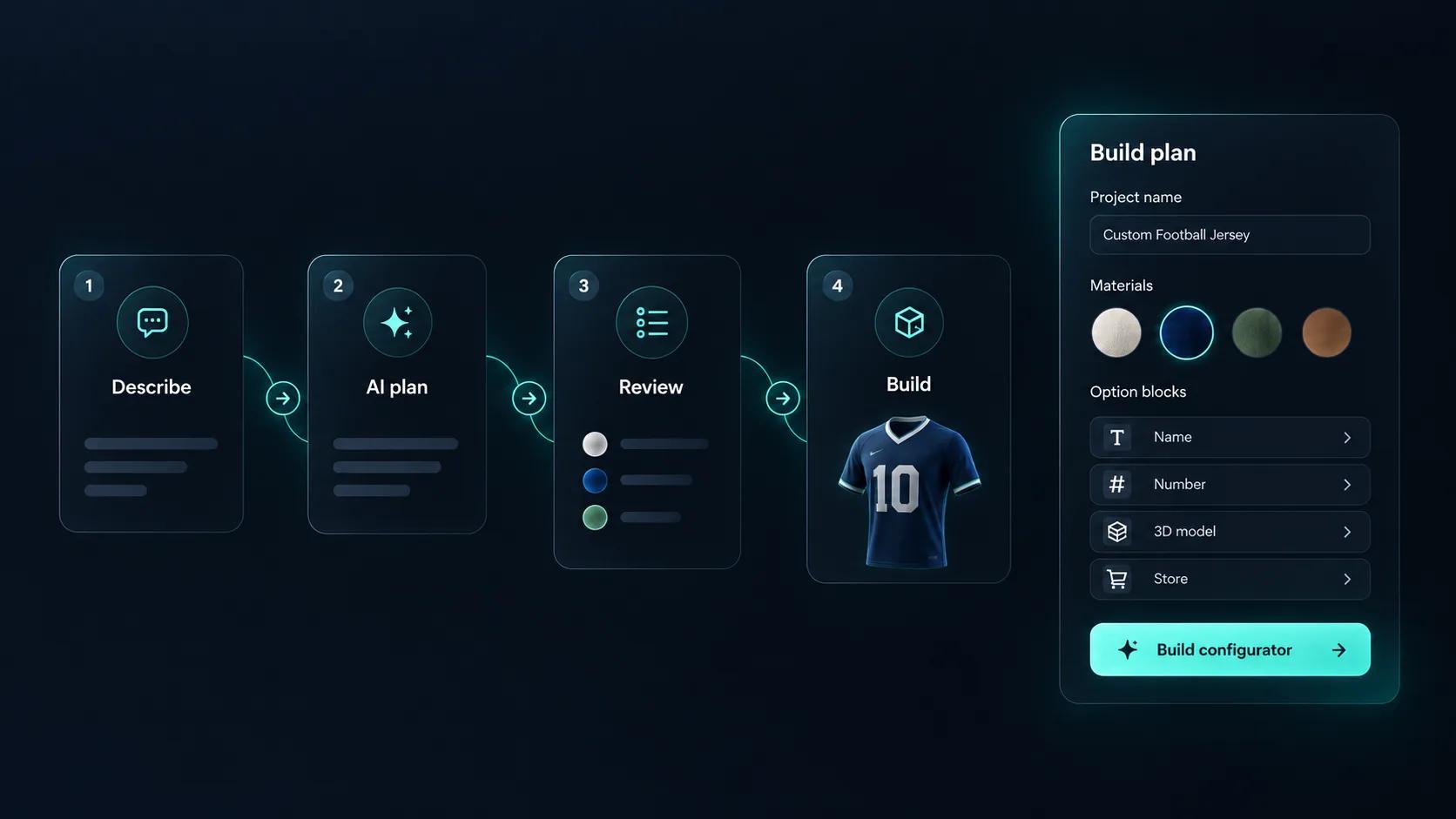
Setting up a jewelry configurator means building every option, every rule that links them, and every price that depends on them. Simplio3D can generate a working configurator from a product description, which gives you a structure to refine rather than a blank project. Its AI assistant can then audit what you have built — reviewing option coverage and conditional logic instead of leaving you to click through every combination. If you run a large catalogue, the MCP server lets an assistant connect with a scoped token to evaluate logic and calculate prices directly, proposing changes before anything is applied.
Detail matters more here than on almost any other product.
Import the piece with band, setting, stones and any detailing as separate parts so each can be changed independently.
Build the metals properly — yellow gold, white gold, rose gold, platinum and silver each behave differently under light — and the stones with the right transmission and dispersion.
Restrict stones and cuts by the setting chosen, and metal by band profile, so every configuration is one your bench can actually make.
Price the band as the base, then the stone by size and quality band using a price table, with engraving as a priced extra.
Publish and embed it on the product page, sending the configured piece to your cart or capturing it as a bespoke enquiry.
The team at Simplio3D is very easy to work with, great problem solvers and very budget sensitive.

The execution of ideas on paper to a finished, functional application couldn't have been done any better.

Simplio3D have significantly enhanced our product presentations, providing a unique and interactive experience for our clients.

Versatile, easy to use and easy to deploy 3D Configurator. Super simple to use and create configurations on.

I have used other similar platforms and find Simplio3D the most intuitive way to build a configurator. I'm not a CAD engineer so I wanted a solution without features I couldn't understand.

It was so simple to get started, and the results have been very impressive. We now have it live on four different platforms.

Yes. Text input is one of the sixteen option block types, so an inscription can be applied to the model and carried through with the order.
PBR materials handle metals properly, so the difference between yellow gold, white gold and platinum reads as a material rather than a colour swap.
Yes. AR wearable mode tracks the hand or wrist rather than a floor surface, which is what jewellery try-on requires.
Yes. Conditional logic limits which stones and cuts are available for a given setting, so an unmakeable combination cannot be ordered.
Each option can carry a price, and price tables handle stone size and quality bands, so the total reflects the configured piece.
Yes. The Shopify and WooCommerce integrations pass the configured piece and calculated price into the cart, or a quote form can capture bespoke enquiries.
The same platform covers clothing, footwear and accessories, with 2D design tools alongside the 3D configuration.
Own a 3D product configurator to drive sales and generate proposals directly from your website


