

Back to case studies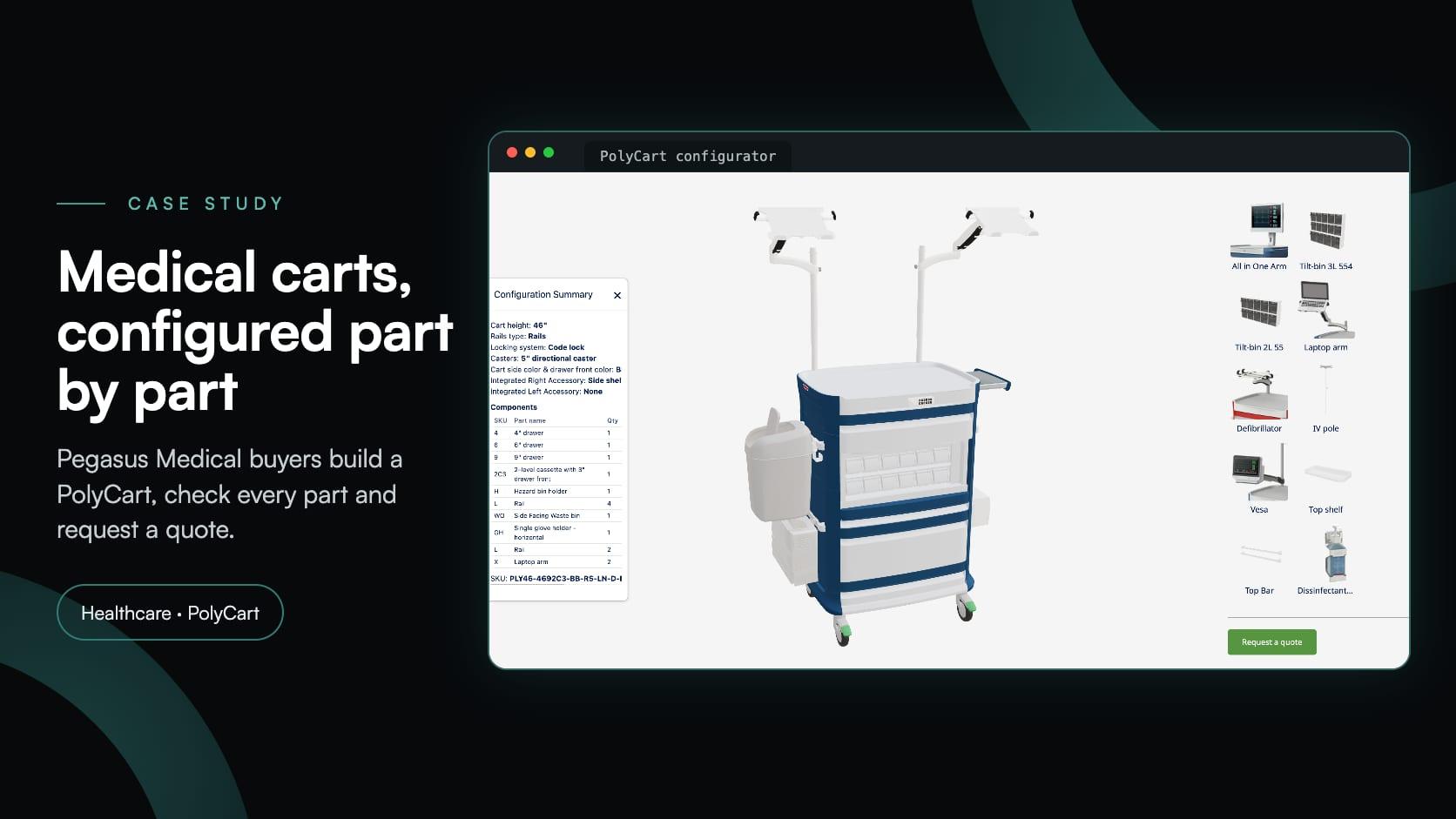
Healthcarehealthcarequotingmodularmanufacturing
Pegasus Medical: a 3D medical cart configurator its own team maintains
Pegasus Medical·
Pegasus Medical supplies medical storage and healthcare equipment, including the PolyCart line of medical carts. It wanted a medical cart configurator that customers and sales representatives could use to build a cart, see it in 3D and request a quotation, without the cost of commissioning custom software.
A PolyCart is specified option by option: one of three heights, the rails, the drawer layout, the locking system, casters, colours and a long list of accessories. With Simplio3D, and help from its team during setup, Pegasus Medical turned all of that into a single interactive 3D configurator.
A configurator without the budget and timeline of a custom software project.
Heights, drawer layouts, locks, casters, colours and accessories, all handled by a single configurator.
A guided, visual way through a long option list, for customers and for Pegasus Medical’s sales representatives.
Every selection shown on a 3D model of the cart, in real time.
Requirements sent together with the full specification of the configured cart.
The freedom to manage and update product options in-house, rather than relying on developers for each modification.
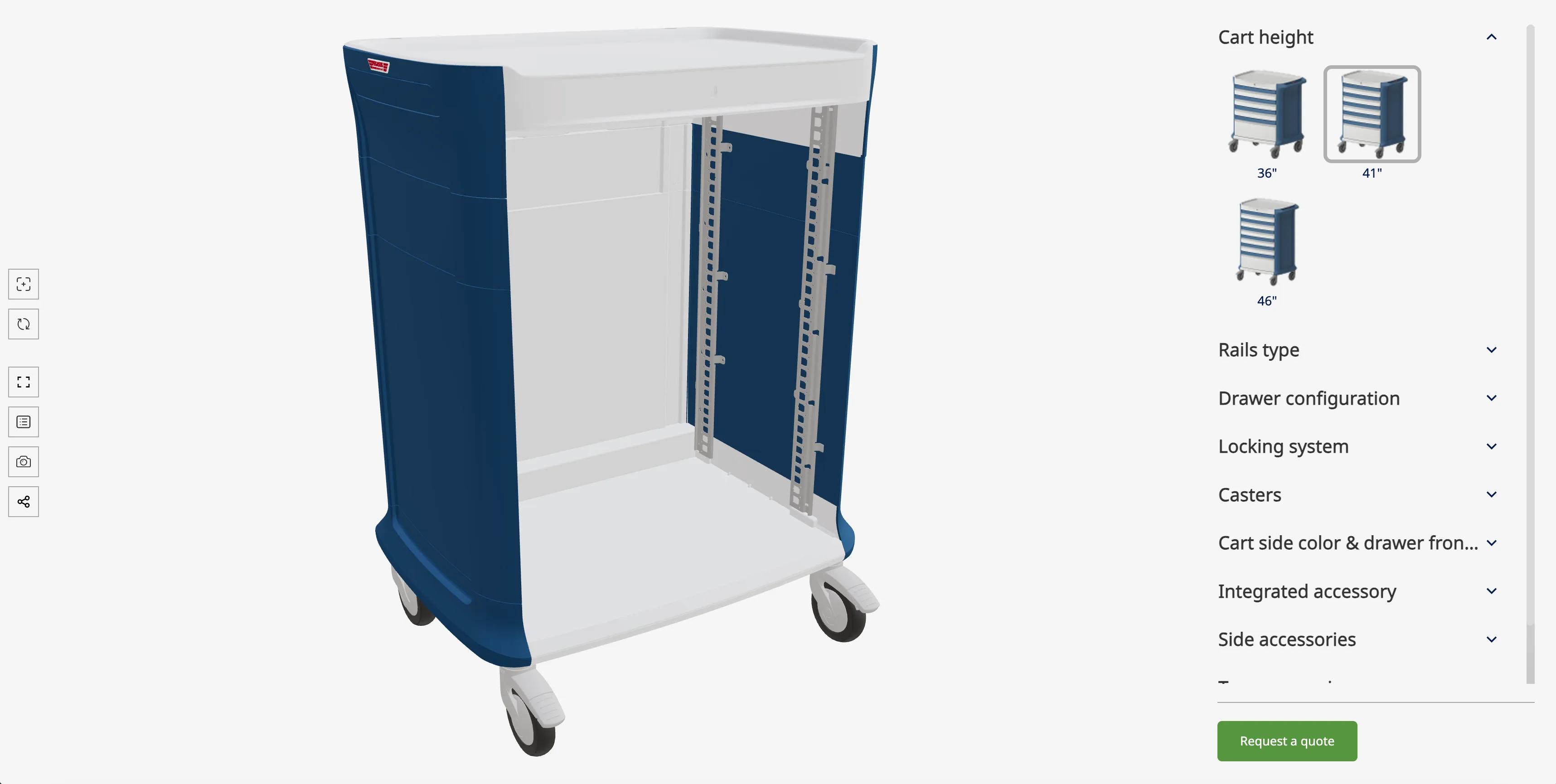
The configurator lays the choices out as sections in a side panel, in the order a cart is specified, with thumbnails for the visual options. Each selection changes the 3D model immediately, and the buyer can rotate the cart to inspect it from any side.
Drawers are the defining choice on a medical cart, so the drawer configuration is a modular option: drawers and cassettes are dragged into the cart and reordered until the layout suits the department that will use it.
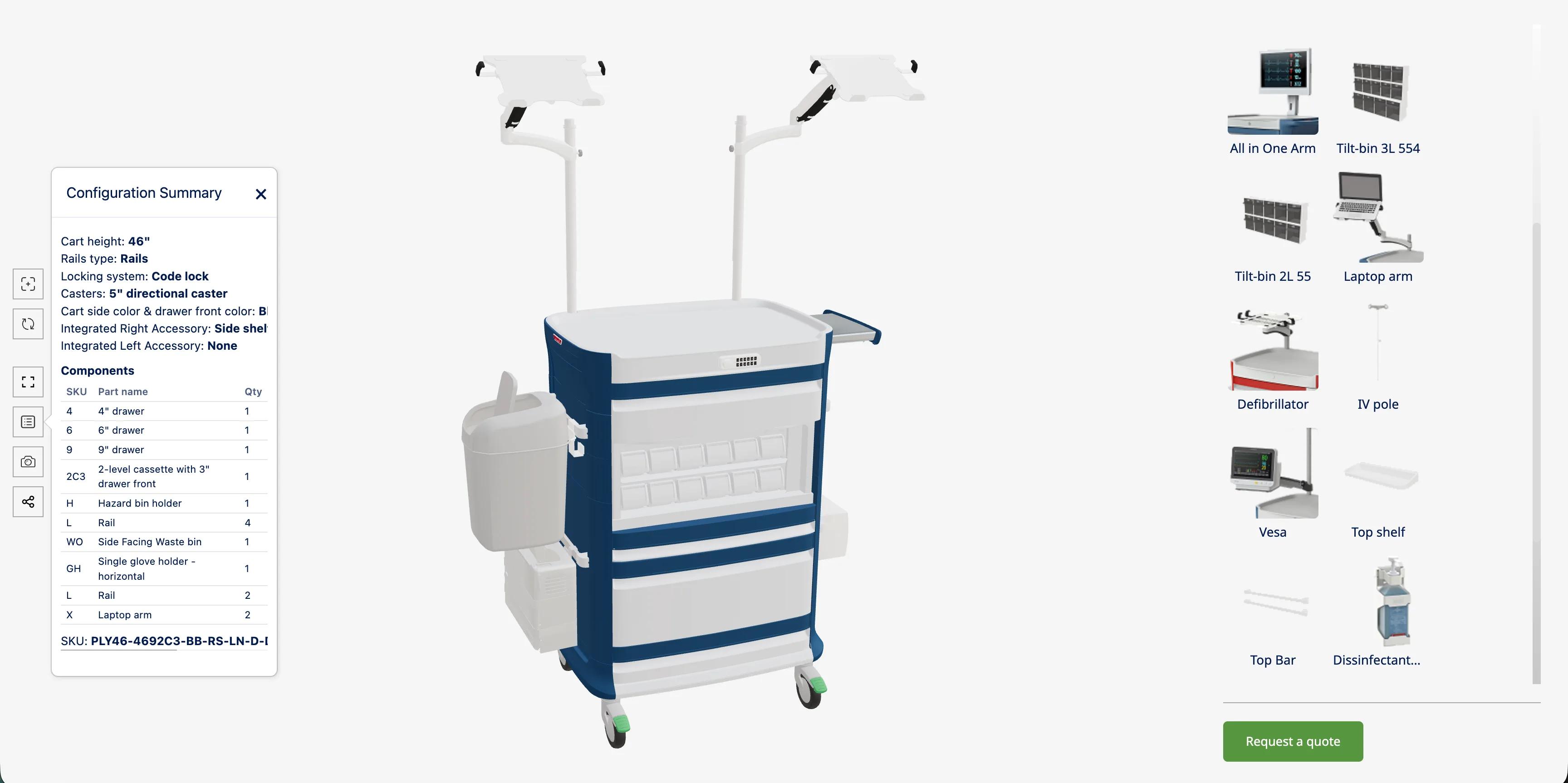
Before asking for a price, the buyer opens the Configuration Summary. It lists every selection, then a components table with the SKU, part name and quantity of each part (drawers, rails, a hazard bin holder, a waste bin, a glove holder, laptop arms and so on), and an overall SKU for the configured cart. The Request a quote button sits under the options, and the quote form captures the configuration together with the buyer’s details.
| Section | What the buyer chooses |
|---|---|
| Cart height | 36", 41" or 46" |
| Rails type | The rail configuration of the cart |
| Drawer configuration | 4", 6" and 9" drawers and two-level cassettes, dragged into the cart and reordered |
| Locking system | The security mechanism, such as a code lock |
| Casters | The mobility option, such as 5" directional casters |
| Colours | The colour of the cart sides and of the drawer fronts |
| Integrated accessories | Built-in accessories on the left and right of the cart, such as a side shelf |
| Side accessories | Waste bins, hazard bin holders, glove holders and shelves |
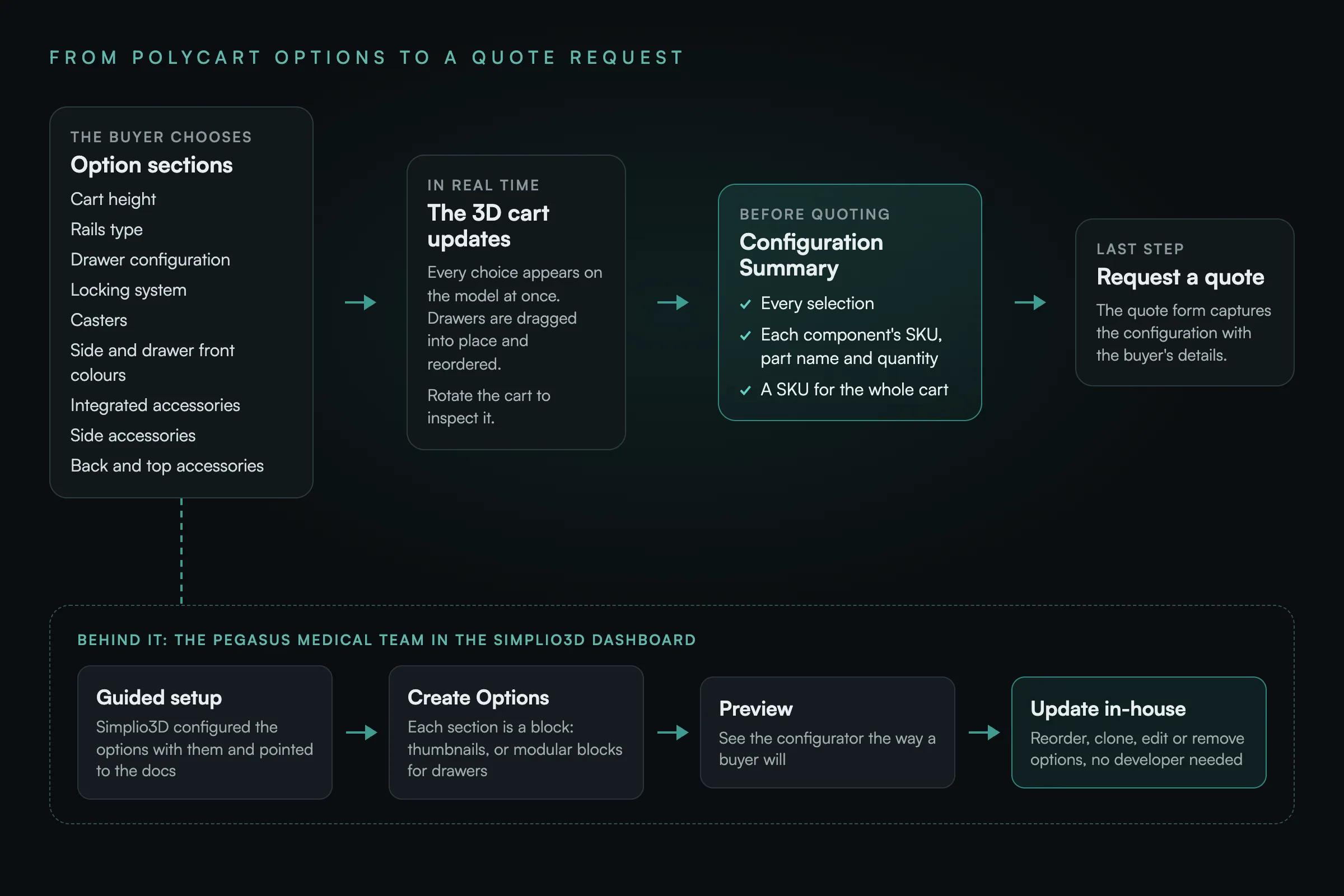
| Back and top accessories | All-in-one and laptop arms, VESA mounts, IV poles, defibrillator supports, tilt bins, a top shelf, a top bar and a disinfectant holder |
36", 41" or 46". The model shows the empty cart body at that height, ready to be filled.
Choose the rails type, then drag drawers and cassettes into the cart and reorder them into the layout the department needs.
Select the locking system and the casters, then the colour of the cart sides and drawer fronts.
Integrated accessories first, then side, back and top accessories, from waste bins and glove holders to IV poles and monitor arms.
Open the Configuration Summary to review every selection, component and quantity, then send the quote request.
The Simplio3D team worked alongside Pegasus Medical through the initial setup: configuring the product options, giving technical guidance and pointing the team to the documentation whenever they ran into trouble.
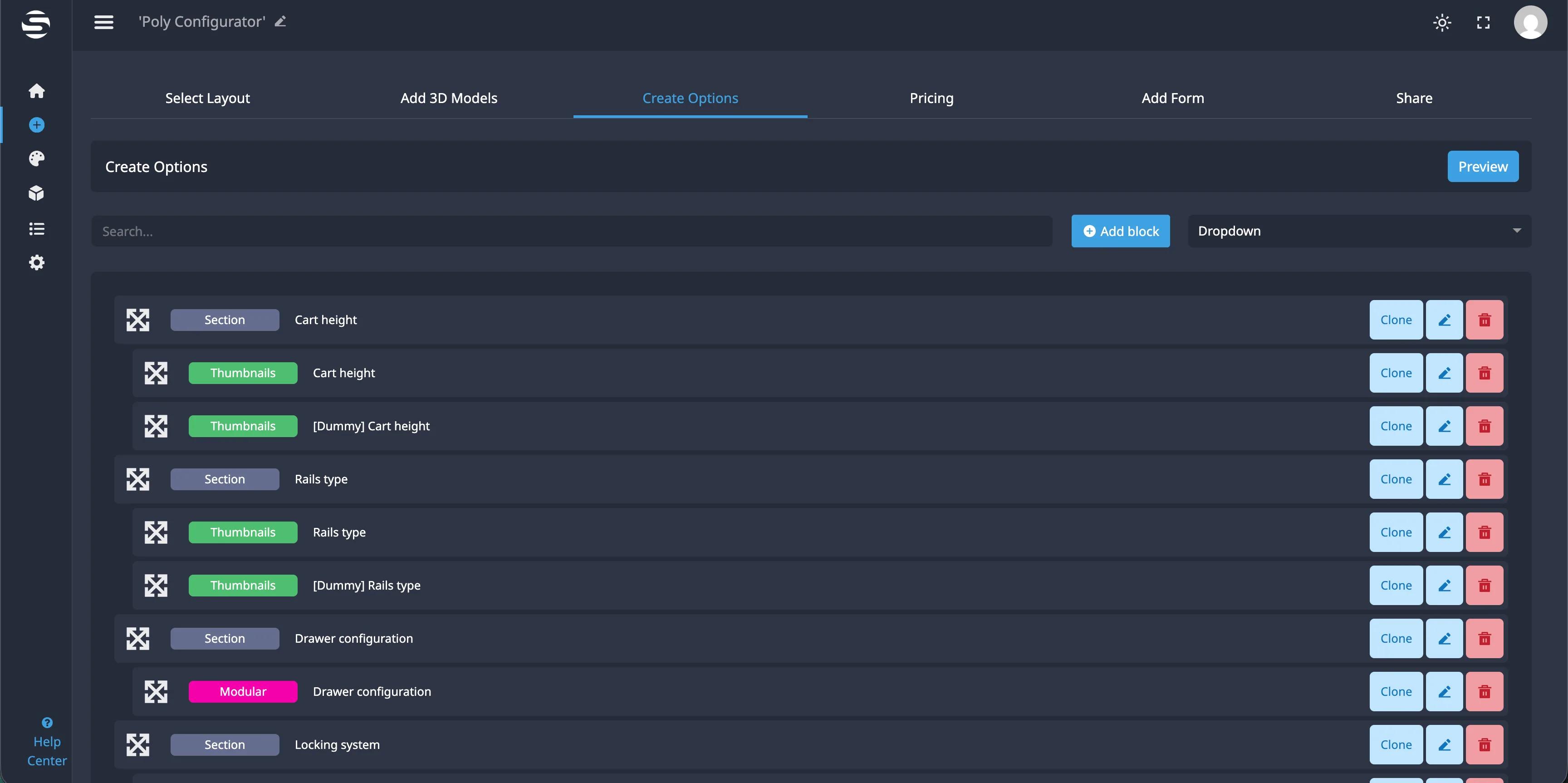
Pegasus Medical kept its own access to the Simplio3D dashboard. In Create Options, each section of the configurator (Cart height, Rails type, Drawer configuration, Locking system and the rest) is a block the team can reorder, clone, edit or delete, and check with Preview. When the PolyCart range changes, the team updates the configurator itself instead of waiting for a developer.
Guided setup followed by self-service management made a practical alternative to building and maintaining a fully custom configurator.
Customers and sales representatives explore combinations on a 3D cart, arranging drawers and accessories themselves, instead of working through option lists.
Each request starts from a configuration the buyer has reviewed in the summary, with its components and quantities.
Pegasus Medical updates its configurators as product requirements evolve, with responsive Simplio3D support when it needs it.
I like that the team at Simplio3D was very responsive and helped us set up the configurators, and they pointed us to very good documentation whenever we had trouble. I appreciate that we have access to the back end, which allows us to make changes on our own. The configurator is stable and intuitive.
Nothing in this section was part of the Pegasus Medical setup described above. For a product line with as many interacting options as PolyCart, three newer Simplio3D capabilities are worth knowing about:
How Waterloo Healthcare’s procedure cart configurator handled drawer layouts, colours and locks, then produced a PDF specification for a quote.
Sections, thumbnails, modular blocks and the other option types a configurator like this one is assembled from.
Own a 3D product configurator to drive sales and generate proposals directly from your website
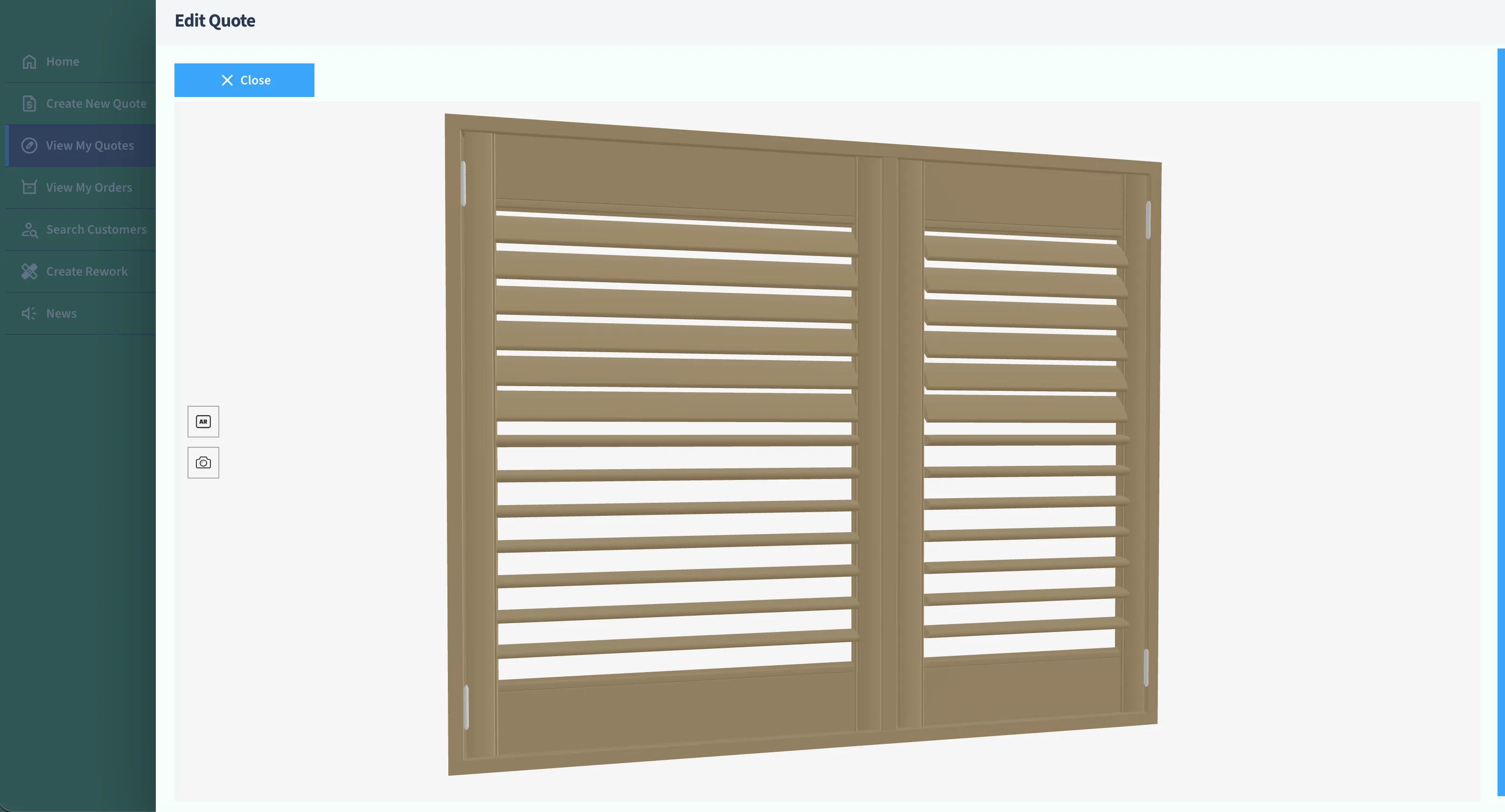
Evergreen Shutters Ltd needed accurate visuals for thousands of shutter variations inside their own quoting platform. Instead of building a 3D engine, they integrated the Simplio3D API and returned a generated 3D view with every quote.
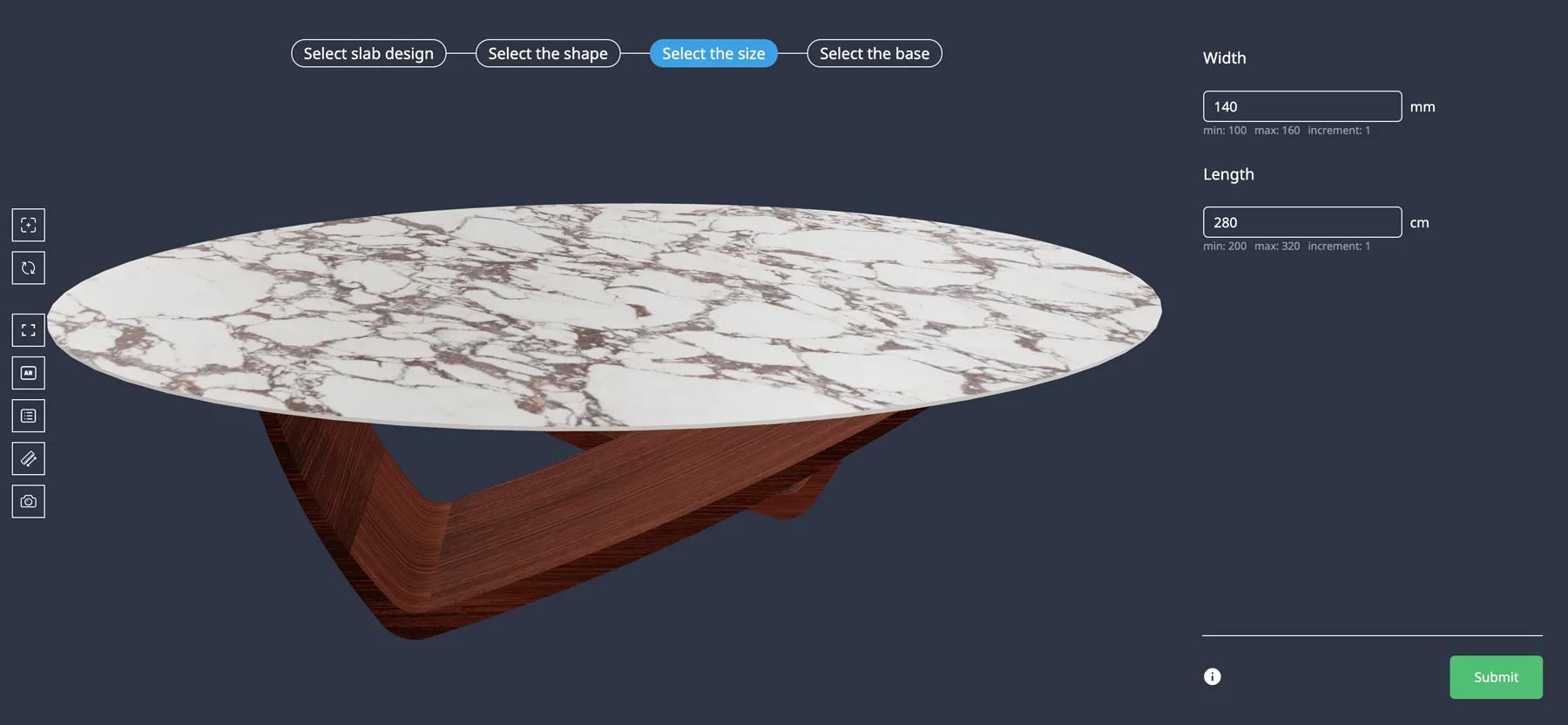
Iberica Stone wanted customers to explore every customisation option on a premium stone table before buying. On the Starter plan they launched a 3D table builder with AR and quote requests.
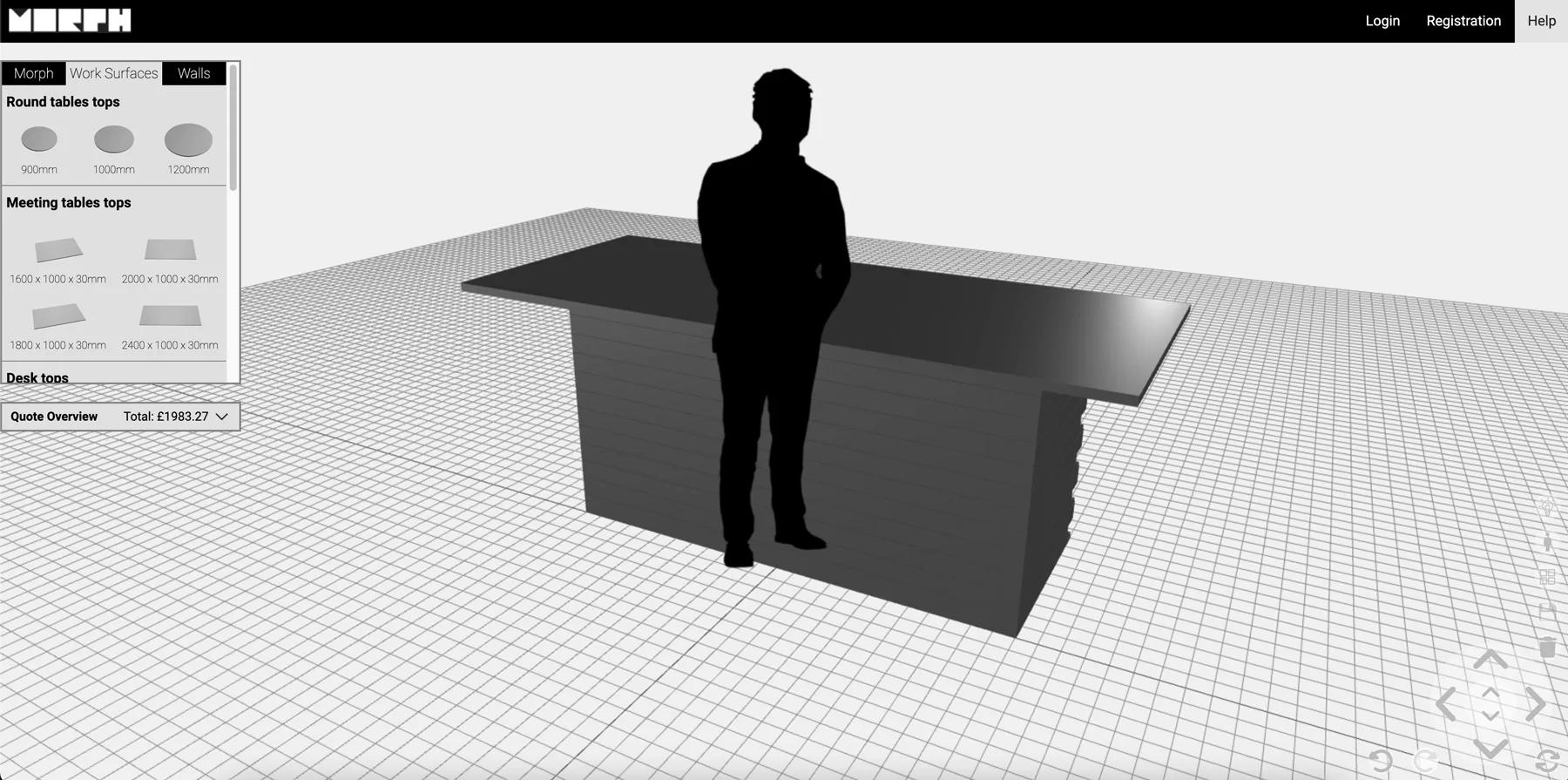
Morph Bricks needed a configurator where customers could build walls, meeting rooms and tiered seating from eight brick types — and get a PDF instruction manual for the design they submitted.