

Back to case studies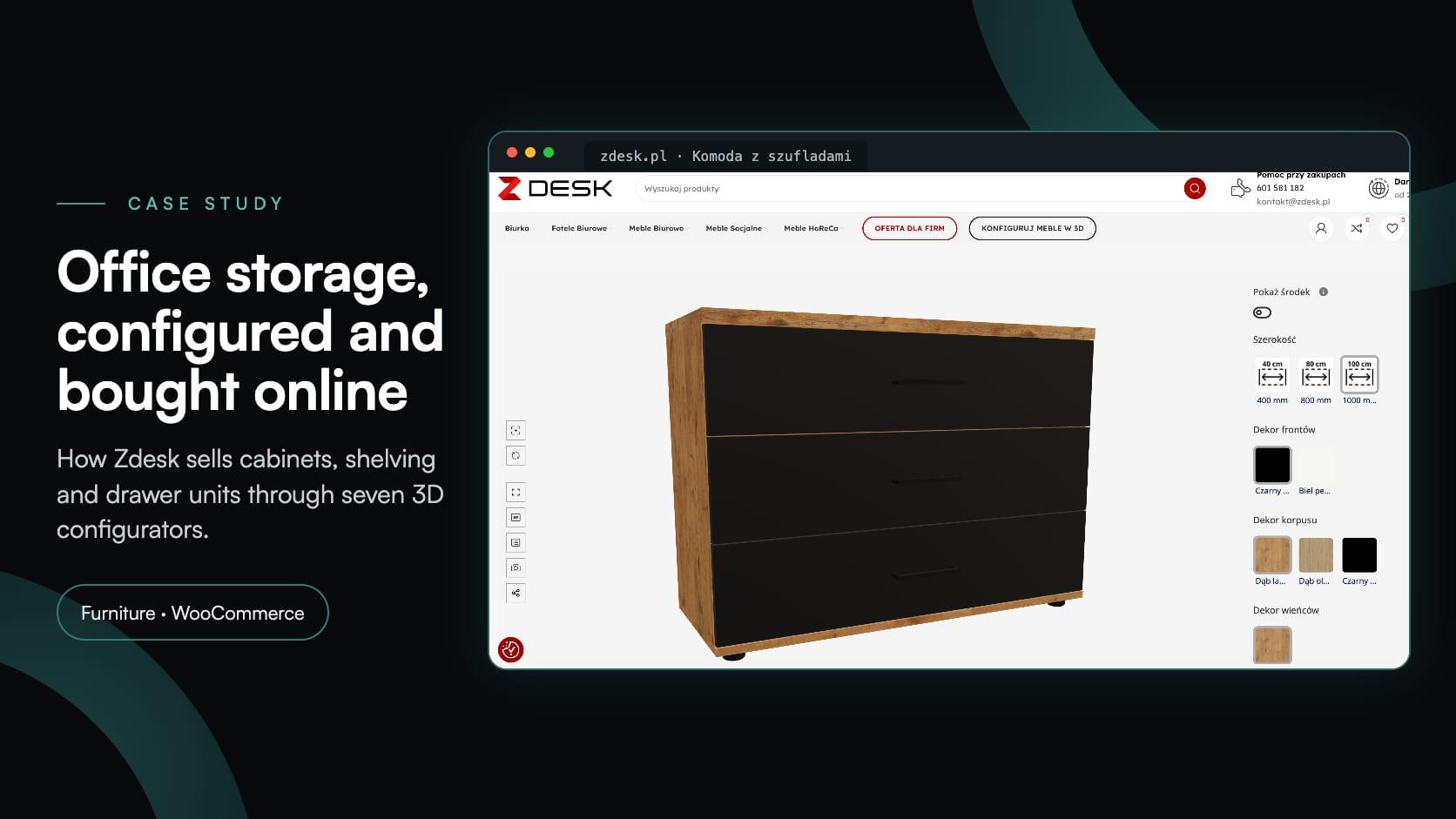
Furniturefurnitureecommercewoocommerceoffice furniture
Zdesk: a 3D office furniture configurator built into WooCommerce
Zdesk·
Zdesk is an office furniture manufacturer from Wrocław, Poland, with its own production hall in nearby Dobrzykowice. It sells desks, office chairs, cabinets and other office furniture to companies and to people furnishing a home office, through its own WooCommerce store at zdesk.pl.
Office storage comes in many versions: up to three widths, heights from two to seven file-folder heights, several décors for the fronts, body and top, and a choice of handles, locks and drawer layouts. Between March and April 2026, Zdesk added an office furniture configurator for seven of its product lines. It is built with Simplio3D and embedded in WooCommerce with the Simplio3D Product Configurator plugin for WordPress. Buyers configure each piece in 3D, see the gross price change with every choice, and add the result straight to the cart.
| Item | Details |
|---|---|
| Client | Zdesk (Z DESK Sp. z o.o.), an office furniture manufacturer in Wrocław, Poland |
| Store | zdesk.pl, built on WordPress and WooCommerce |
| Integration | The Simplio3D Product Configurator plugin for WordPress, in Add to Basket mode |
| Configurators | Seven: a chest of drawers, the FLEX and NEXT drawer pedestals, the HYGGE, CLARO and SOAR cabinets, and VELO open shelving |
| Went live | March to April 2026, with a hub page and a “Konfiguruj meble w 3D” (configure furniture in 3D) button in the main menu |
| What the buyer sees | A 3D model that follows every choice, the gross price in złoty, and an add to cart button |
Up to three widths, six heights and several décors per line add up to more combinations than product photos or WooCommerce variants can show.
The exact cabinet, in the chosen size and décor, shown to the buyer before they pay for it.
Choices made on a model rather than in a list, so a wrong width, height or door side is easy to spot.
The gross price of the exact configuration, updated as the options change.
Configured furniture paid for in the same WooCommerce cart and checkout as Zdesk’s desks and chairs.
Simple enough for someone furnishing a home office, complete enough for a company equipping several workstations.
Each product line has its own configurator page on zdesk.pl. A hub page, “Konfigurator mebli biurowych 3D”, introduces all seven, and a Konfiguruj meble w 3D button in the main menu leads to it from anywhere in the store.
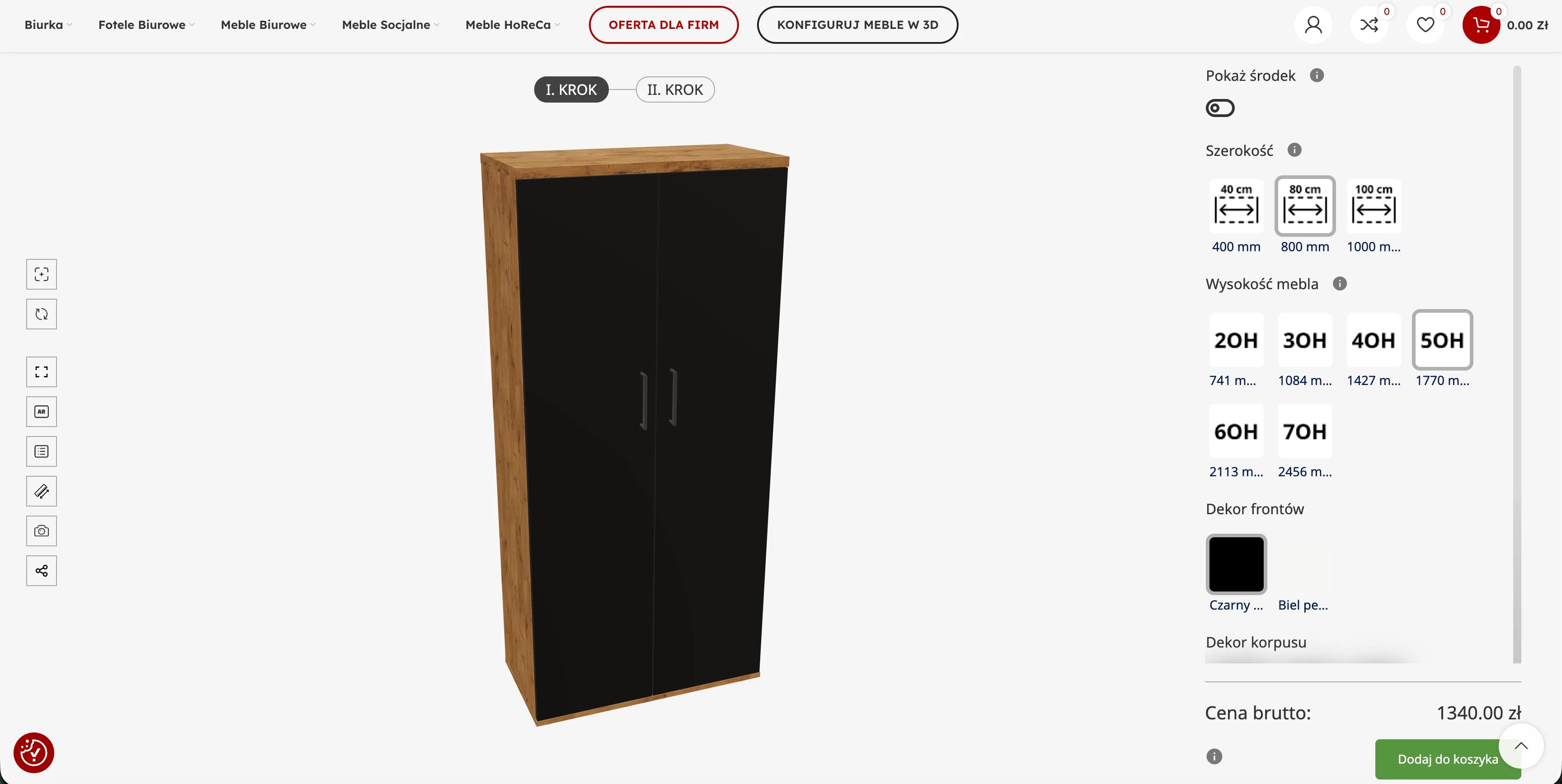
The 3D model fills the page, with the options in a panel on the right, in the order a cabinet is specified. On most lines that starts with the width, shown as thumbnails for 400, 800 and 1,000 mm, then the height. The décors of the fronts, the body and the top follow as material swatches in Zdesk’s finishes: black onyx, pearl white, Lancelot oak and oiled oak, with anthracite and mouse grey on the NEXT pedestal. Handles, locks and drawer layouts come last. Every choice changes the model at once, and the buyer can turn it to look at it from any side.
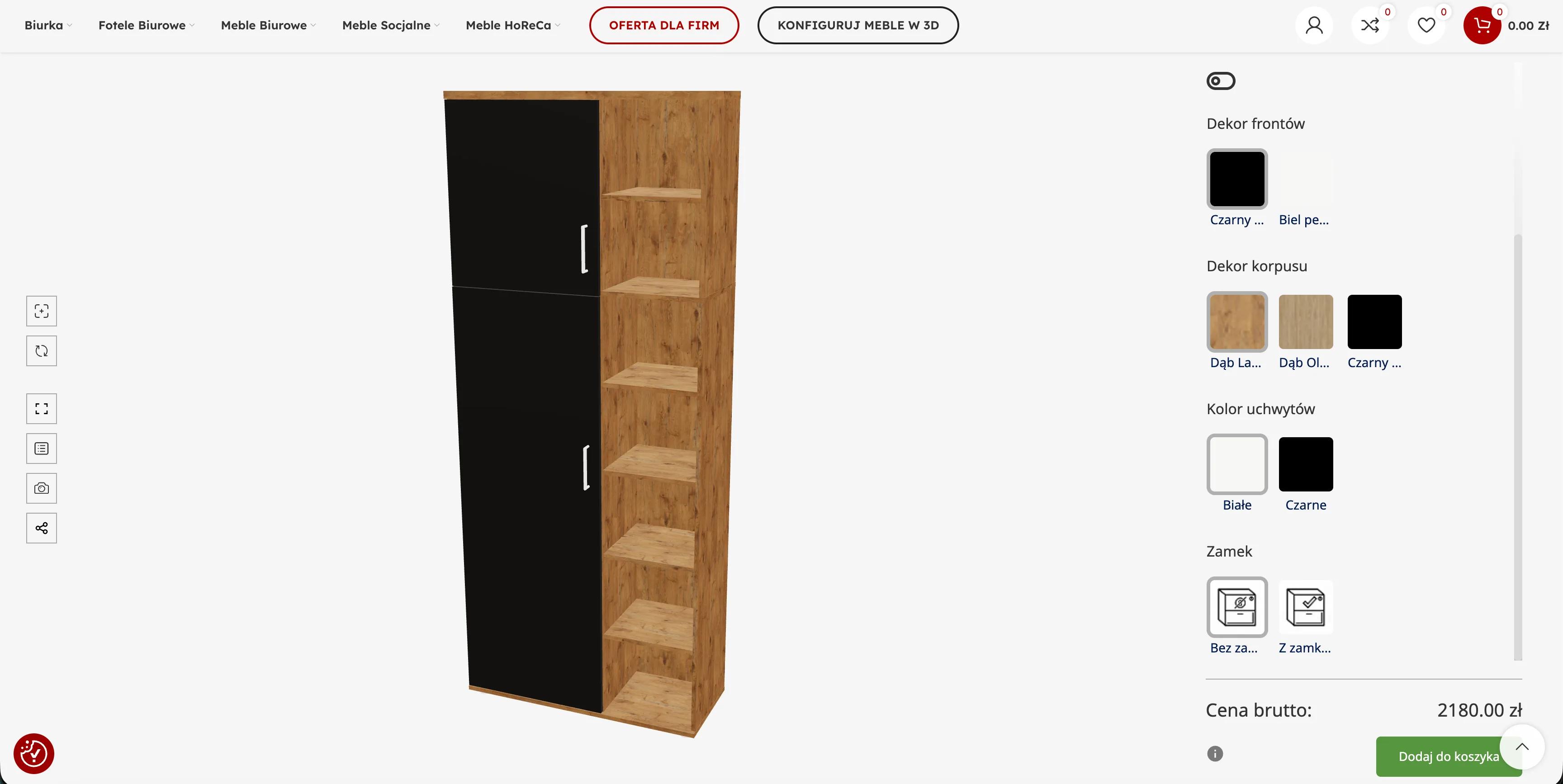
A Pokaż środek (show inside) switch reveals the interior, so the shelves and drawers can be checked before buying. Configurators with more options split them into steps: two on HYGGE, three on CLARO and FLEX. Under the options, the Cena brutto (gross price) updates with each selection, next to the Dodaj do koszyka (add to cart) button. A toolbar beside the model has buttons for full screen, AR, a snapshot and sharing.
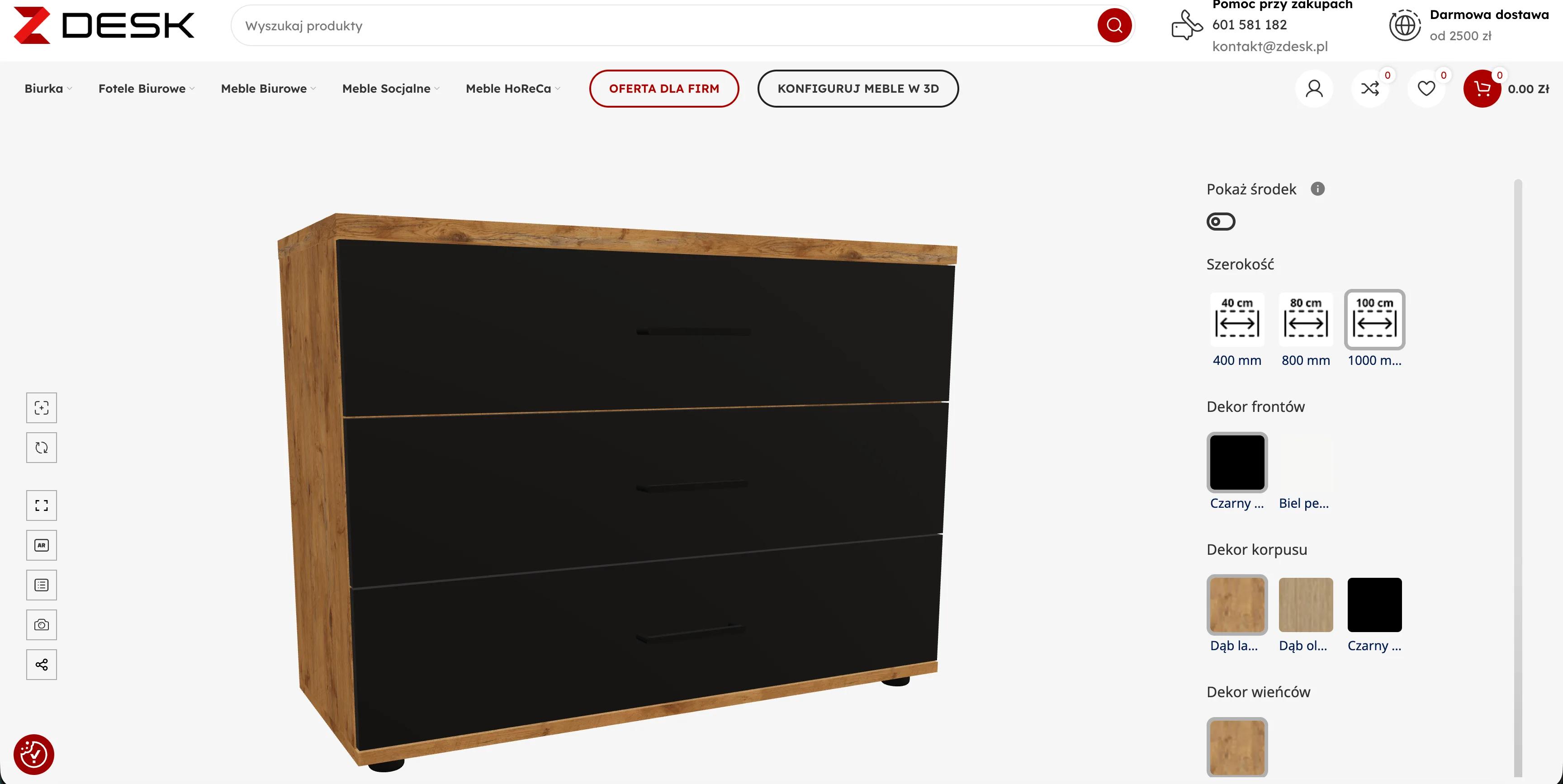
Heights are given in OH, the office-furniture unit of one row of standard lever-arch files. In Zdesk’s range 2OH is about 740 mm and each further OH adds 343 mm, up to 2,456 mm at 7OH.
| Product line | What the buyer chooses |
|---|---|
| Chest of drawers | Width 400, 800 or 1,000 mm; front, body and top décor; with or without a lock; black or white handles |
| FLEX drawer pedestal | Three steps (size, décor, extras); height 584 or 751 mm; two drawers, three drawers, or three with a pencil tray |
| NEXT drawer pedestal | Two steps (size, extras); height 584 or 751 mm; two drawers, two with a suspension-file insert, three drawers, or three with a pencil tray; fronts in oiled oak, Lancelot oak, anthracite or pearl white; body in black onyx, pearl white or mouse grey |
| HYGGE document cabinet | Two steps; width 400, 800 or 1,000 mm; height 2OH to 7OH (741 to 2,456 mm); front, body and top décor |
| CLARO cabinet | Three steps; width 400, 800 or 1,000 mm; height 3OH to 7OH; a closed lower section 2OH or 3OH high, with doors or drawers; options such as file drawers with an organiser and a central lock |
| SOAR wardrobe | A shallow 40 cm wardrobe with open shelving beside the door; height 4OH to 7OH; door hinged on the left or the right; front and body décor; white or black handles; with or without a lock |
| VELO open shelving | Width 400, 800 or 1,000 mm; height 2OH to 7OH; body in Lancelot oak, oiled oak, black onyx or pearl white; top décor; leg colour |
From the Konfiguruj meble w 3D button in the main menu, pick a product line, such as the HYGGE document cabinet.
Choose the width, then the height in OH. The 3D model and the price follow each choice.
Fronts, body and top, from Zdesk’s finishes, shown as swatches.
Handles, lock, drawer layout or door side, depending on the line. Switch on Pokaż środek to check the interior.
The gross price covers the exact configuration. Dodaj do koszyka puts it in the WooCommerce cart, ready for checkout.
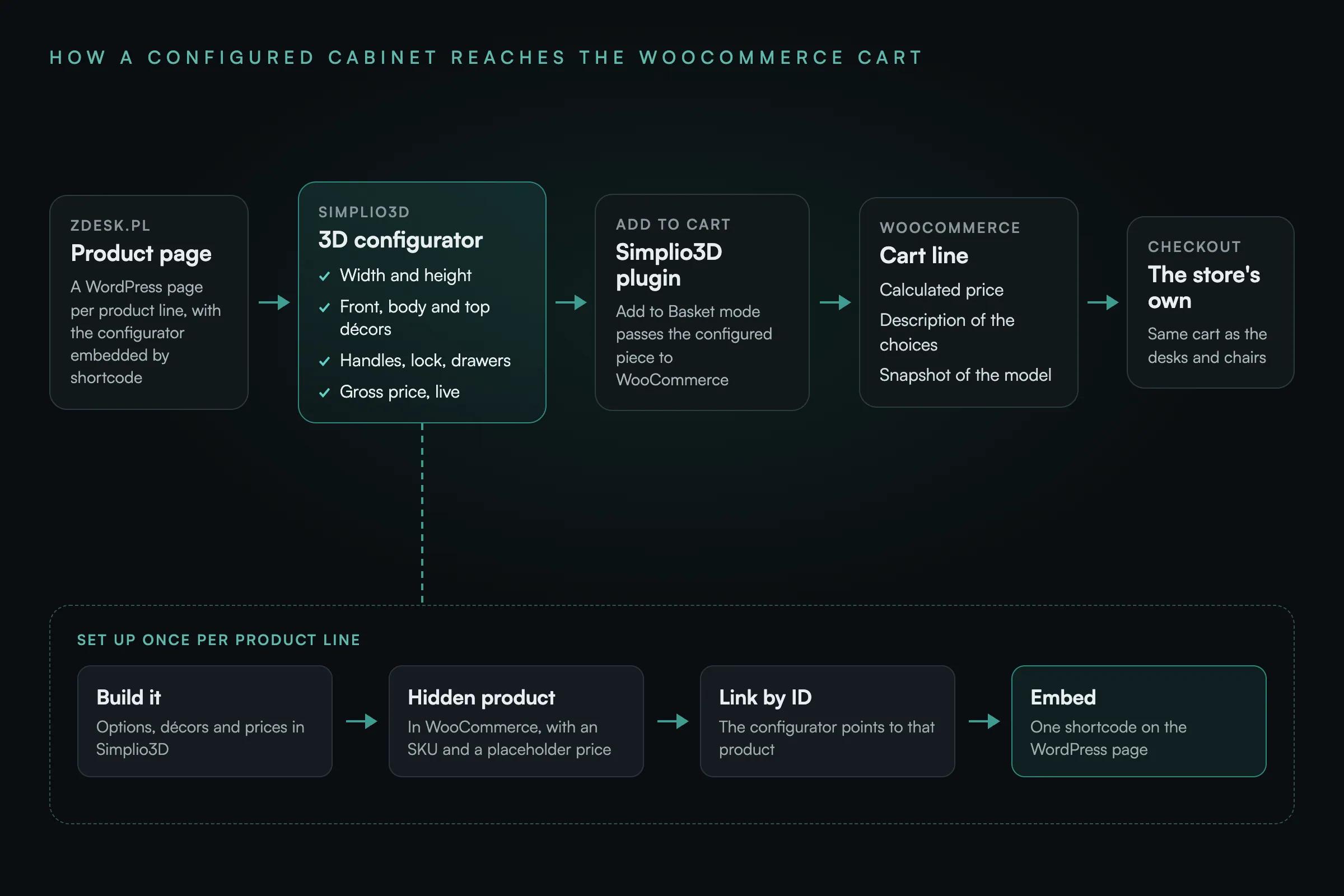
zdesk.pl runs on WordPress and WooCommerce, and the configurators are connected with the Simplio3D Product Configurator plugin in its Add to Basket mode. Each product line is set up once, the same way:
When a buyer presses Dodaj do koszyka, the plugin adds that product to the WooCommerce cart with the configurator’s calculated price, a description of the selections and a snapshot of the model. The buyer then pays through Zdesk’s normal checkout, in the same cart as any desks or chairs bought as regular products. More on this setup: 3D product configurators for WooCommerce.
Chests of drawers, pedestals, document cabinets, a wardrobe and open shelving can all be specified by the buyer, to size and finish, directly on zdesk.pl.
The gross price is on screen for the exact piece being configured, so the buyer knows the cost before adding it to the cart.
Each configured piece reaches the WooCommerce cart with a description of the choices and a snapshot of the model, next to products bought the usual way.
Our cabinets, shelving and pedestals come in so many widths, heights and décors that photos could never show every version. With Simplio3D, customers build the exact piece they need in 3D, watch the price change as they go and add it straight to the basket. The WordPress plugin fitted into our WooCommerce store without rebuilding anything, and once the first configurator was live we added the rest of the range within a few weeks. Customers know exactly what they are ordering, and so do we.
The Simplio3D Product Configurator plugin for WordPress, available on WordPress.org. Zdesk uses its Add to Basket mode: each configurator is linked to a hidden WooCommerce product and embedded on a WordPress page with a shortcode, and the configurator’s add to cart button places the configured piece in the store’s cart.
Yes. On zdesk.pl a configured cabinet sits in the same WooCommerce cart as desks and chairs sold as ordinary products, and the buyer pays for everything in one checkout.
Prices are set in Simplio3D for the options of each configurator, and the configurator shows the gross total as the buyer changes them. In Add to Basket mode the calculated price becomes the price of the cart line, in place of the hidden product’s placeholder price.
OH, from the German Ordnerhöhe (folder height), measures office storage in rows of standard lever-arch files. In the HYGGE configurator 2OH is 741 mm and each further OH adds 343 mm, up to 2,456 mm at 7OH.
No. Each configurator is embedded in an ordinary WordPress page of Zdesk’s existing WooCommerce theme, so the store kept its own design, menus and checkout.
Yes. Each Zdesk product line is its own configurator on its own WordPress page. They went live one after another between March and April 2026, starting with the NEXT pedestal and ending with the VELO shelving.
Nothing in this section is part of the Zdesk setup described above, which was built with the first version of the WordPress plugin. For a store starting now, or one updating its plugin:
How Iberica Stone let customers explore every option on a premium stone table in 3D and AR, then request a quote.
How a configurator connects to a WooCommerce store, and how the configured product and its price reach the cart.
How furniture makers let buyers choose sizes, finishes and fittings in 3D, with the price alongside.
Own a 3D product configurator to drive sales and generate proposals directly from your website
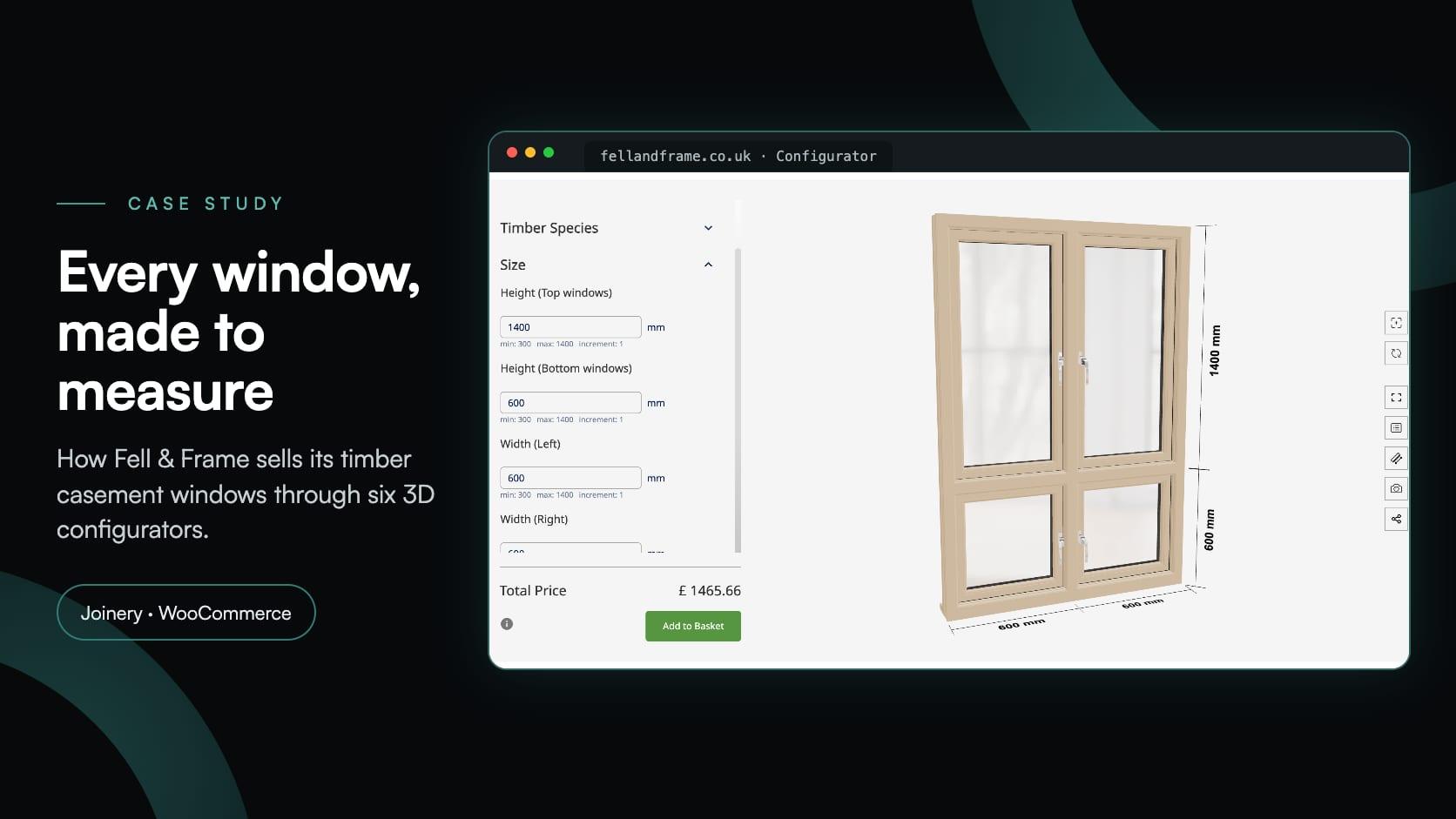
Fell & Frame, a Carlisle joinery, built its own timber window configurator in Simplio3D. Buyers size six casement types to the millimetre and add them to the WooCommerce basket.
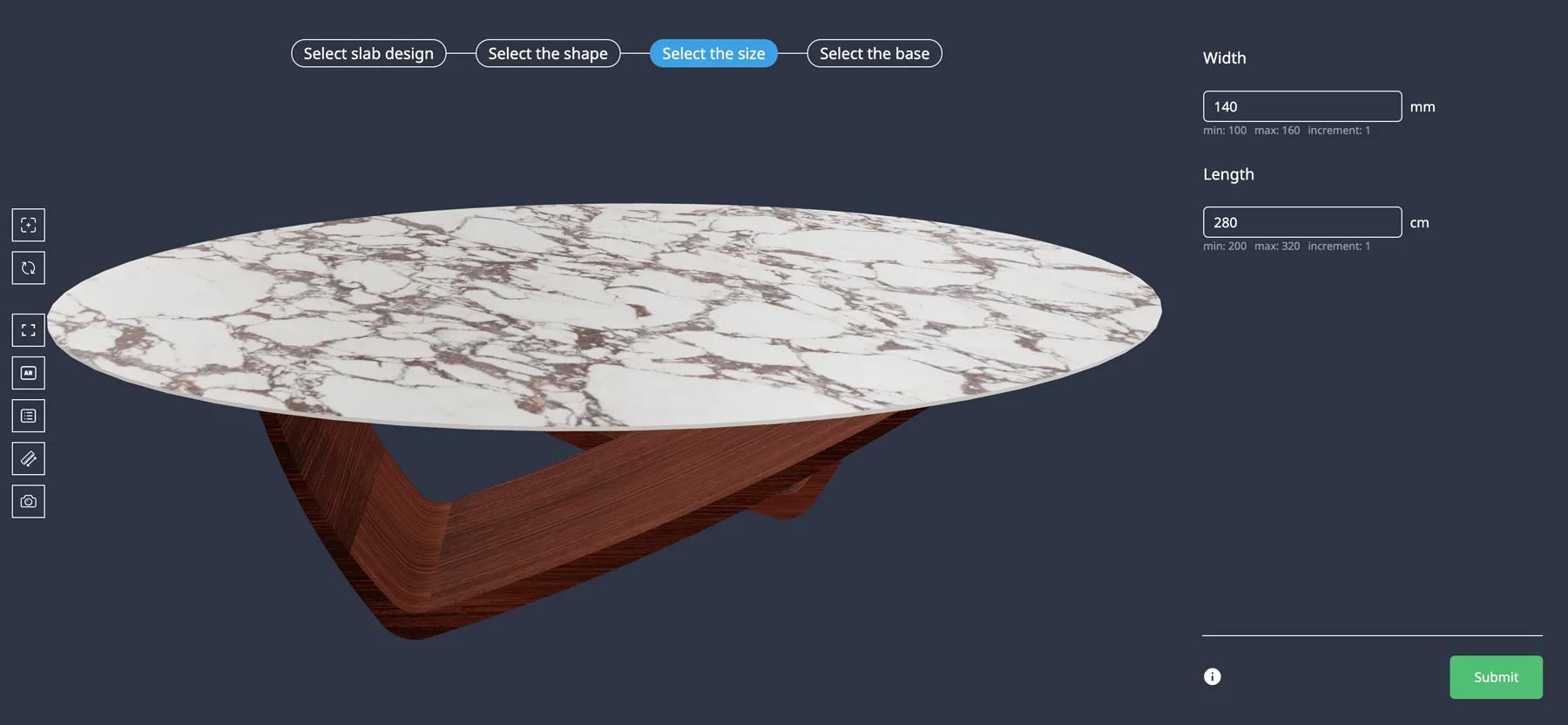
Iberica Stone wanted customers to explore every customisation option on a premium stone table before buying. On the Starter plan they launched a 3D table builder with AR and quote requests.
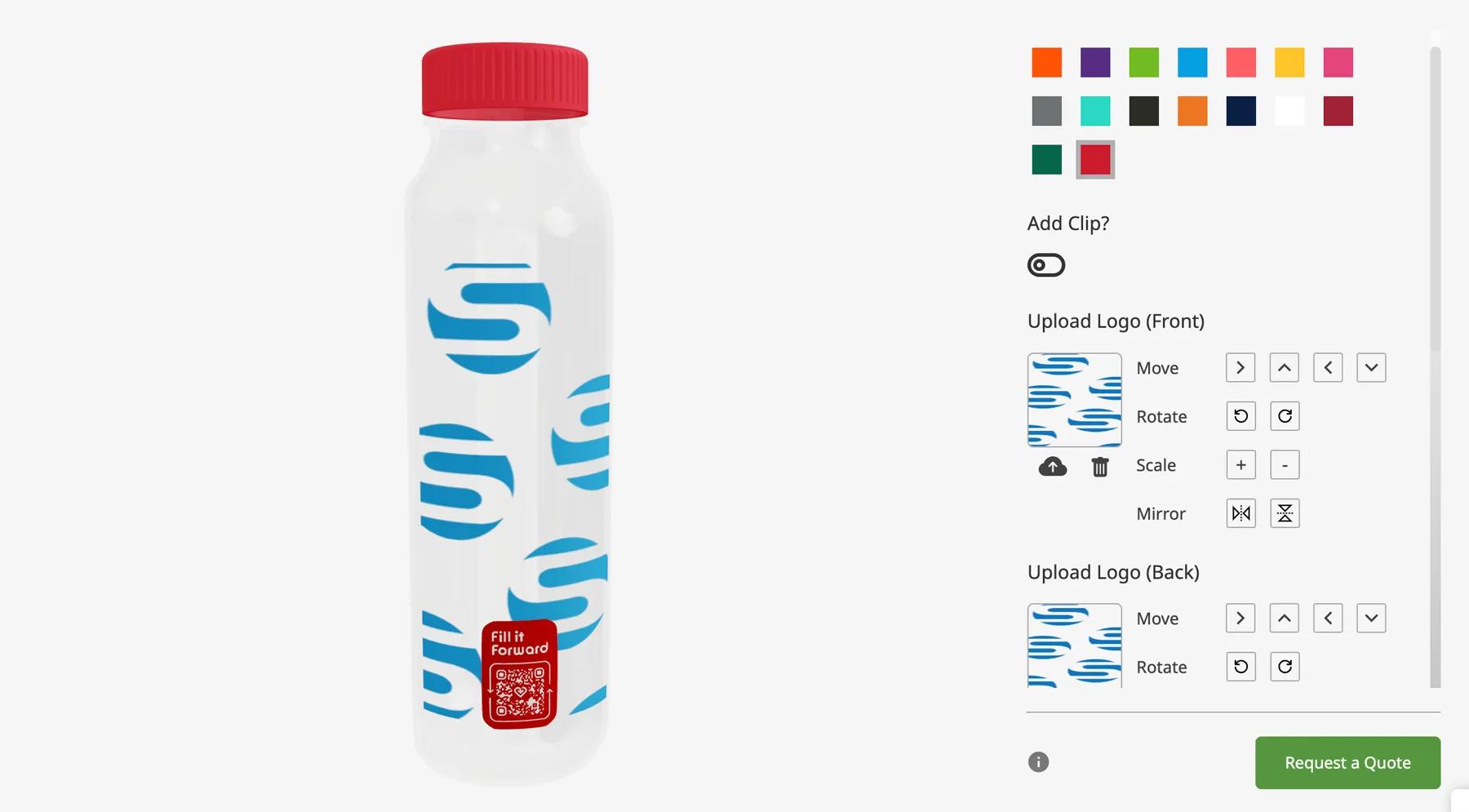
Fill it Forward wanted customers to personalise reusable water bottles online, and the resulting orders to flow into the ERP they already ran. A Pro account and the open API covered both.