

Back to case studies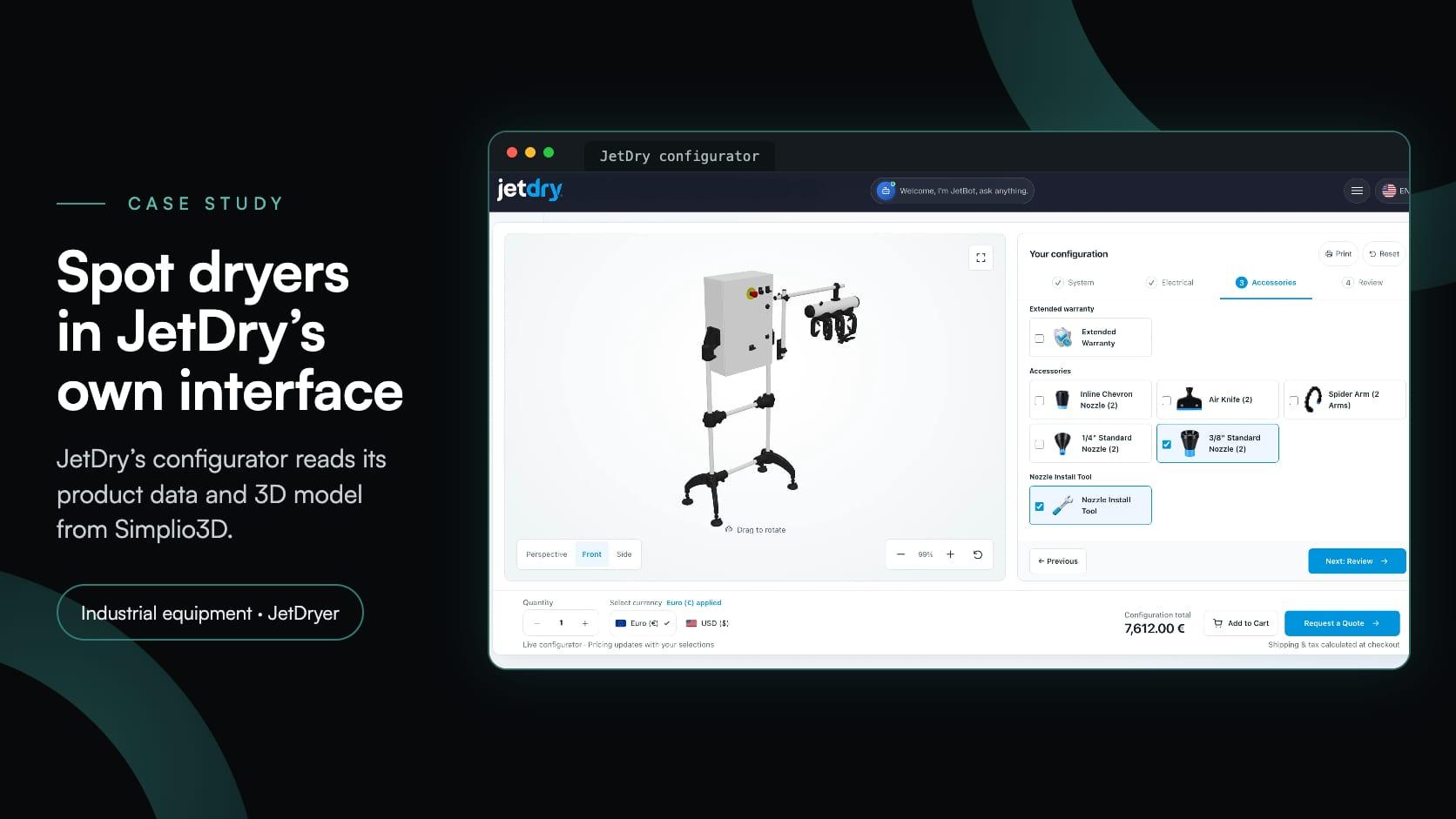
Industrial equipmentindustrial equipmentapicustom uiheadless
JetDry: a branded industrial product configurator built on the Simplio3D API
JetDry·
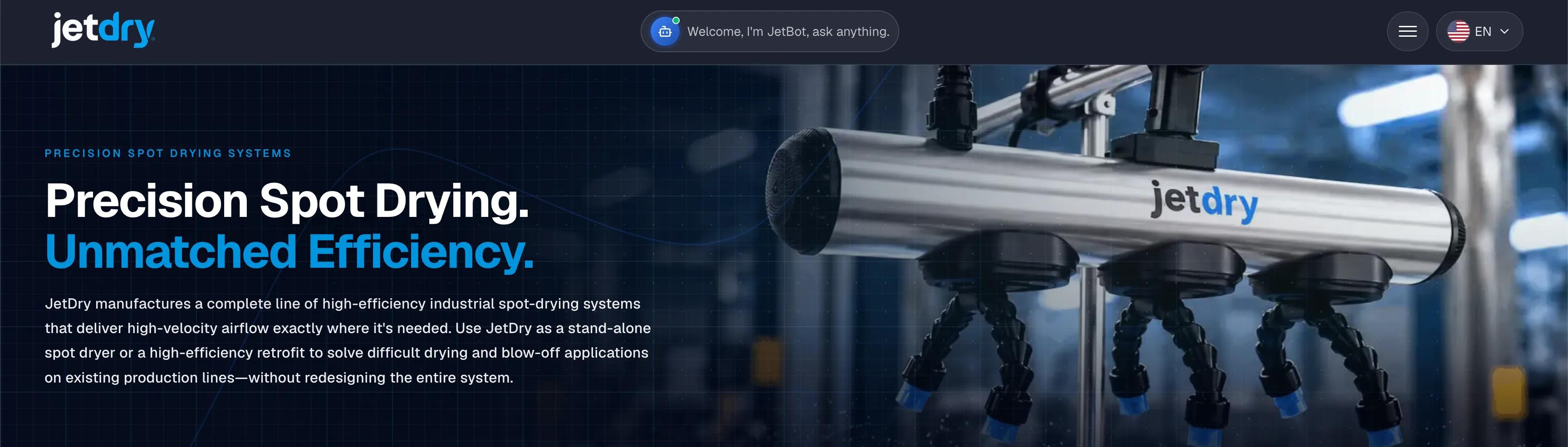
JetDry designs and manufactures industrial spot-drying systems in Germany. Its JetDryer range directs high-velocity air exactly where a production line needs it, either as a stand-alone spot dryer or as a retrofit that solves a drying or blow-off problem without redesigning the line. Every system is assembled from choices: the dryer size, the airflow attachment for the application, the mounting, the electrical specification and the accessories. The company behind it, Jetdry Technologies, is based in Berlin, and its website, jetdry.tech, presents the range in five languages, with a datasheet for each application.
On jetdry.tech, buyers put a system together in an industrial product configurator of JetDry’s own. It takes them through four steps beside a 3D view of the assembly, and a configuration code and a live total follow every choice. JetDry built the interface and the 3D viewer into the website itself, with Next.js, React and React Three Fiber, while the product definition and the 3D model come from a configurator project that JetDry maintains in Simplio3D. JetDry’s backend reads that project through Simplio3D’s Open API. It is a headless setup: Simplio3D holds the product, and the website decides how it looks and behaves.
| Item | Details |
|---|---|
| Client | JetDry (Jetdry Technologies of Berlin), which designs and manufactures industrial spot-drying systems in Germany |
| Products | JetDryer systems in three sizes, Jet2, Jet6 and Jet8, with 2, 6 or 8 nozzles, for six applications from inline chevron nozzles to a spot cooler |
| Website | jetdry.tech, a Next.js and React site in five languages, with its own cart and quote requests |
| Configurator | Its own page on jetdry.tech, with four steps beside a 3D viewer, a configuration code and a live total in euros or US dollars |
| From Simplio3D | One 3D model holding every part (359 in all), 14 option blocks with 68 variants, the price blocks and their formula, and the materials |
| In JetDry’s code | The steps, cards and icons, the rules between choices, the configuration code, the 3D viewer and its controls, the currency switch, the cart and the quote requests |
| Connection | JetDry’s backend reads the project through Simplio3D’s Open API, and the model reaches the browser through a proxy route on JetDry’s server |
| Platform | The earlier version of Simplio3D |
A JetDryer is built from a size, an application, a mount, electrical parts and accessories, and the early choices decide which parts the later ones need.
Buyers had to see the system they were putting together, from the front, from the side and in perspective, before asking for a price.
The configurator had to look and work like the rest of jetdry.tech, with JetDry’s own steps, cards and icons, not a separate tool in a frame.
Each configuration needed a code that names it exactly, and that loads the same system again when it is typed back in.
The total had to change with every choice and quantity, in euros or US dollars, before the buyer asks for a quote or adds the system to the cart.
The model, the options and the prices had to be maintained in one project, while the website team kept full control of the interface.
The configurator has its own page on jetdry.tech, headed “Build your drying system.” The 3D view fills the left of the page and the configuration panel the right, and a bar along the bottom carries the configuration code, the quantity, the currency, the total and the buttons that end the visit. The panel takes the buyer through four steps:
The configuration code is the system’s part number. It is built from the choices, so a Jet2 with inline chevron nozzles on a tripod, 230 V and Siemens components starts J2-N-TR-230-S, and it changes with every click. It works the other way round too: a valid part number typed into the box at the top of the System step loads that configuration. Print, Share and Reset buttons sit above the steps, and under the 3D view a link invites anyone unsure which setup fits their production line to ask JetDry’s team. The bar at the bottom ends in Add to Cart and Request a Quote, and jetdry.tech handles both itself.
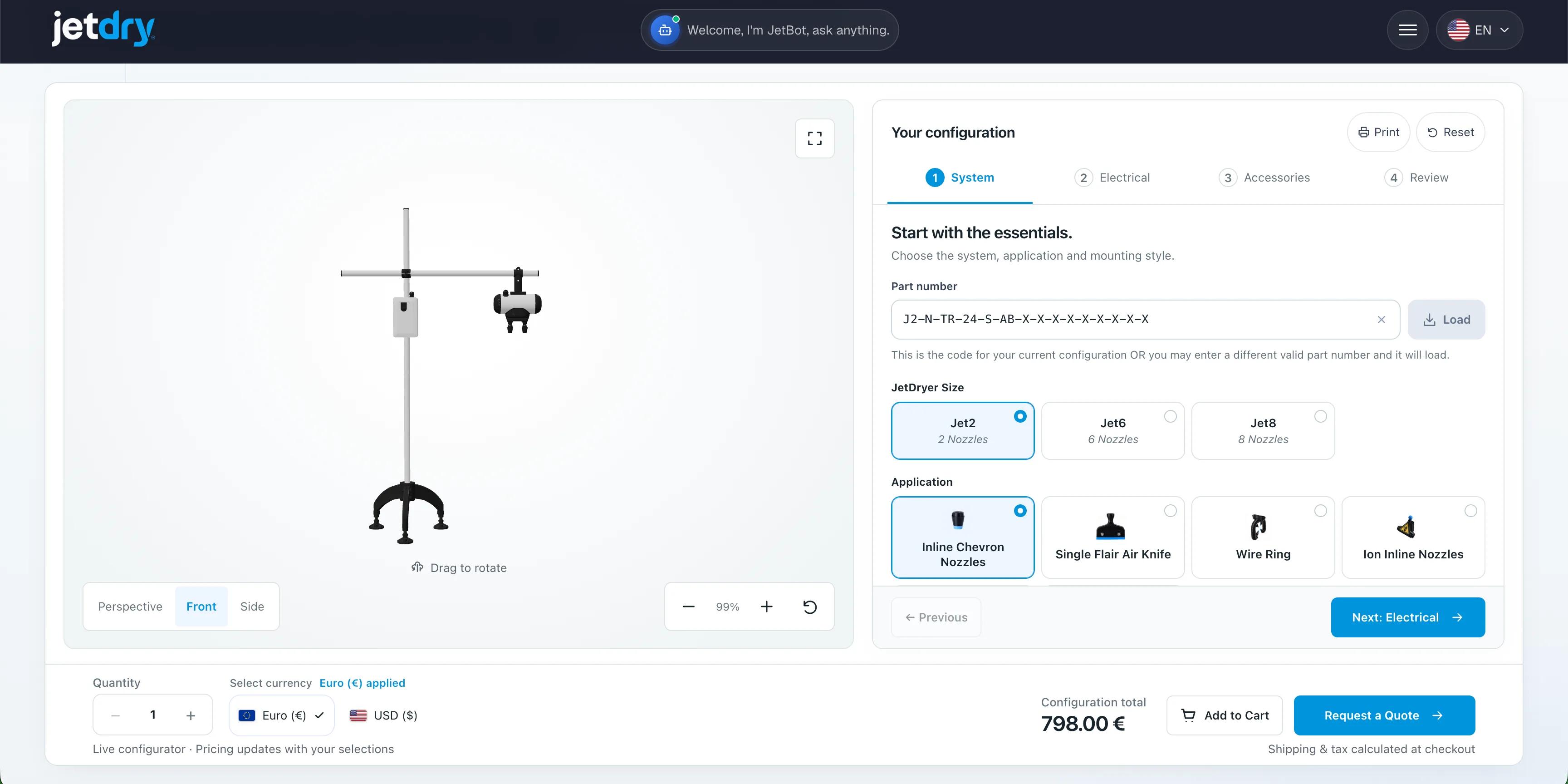
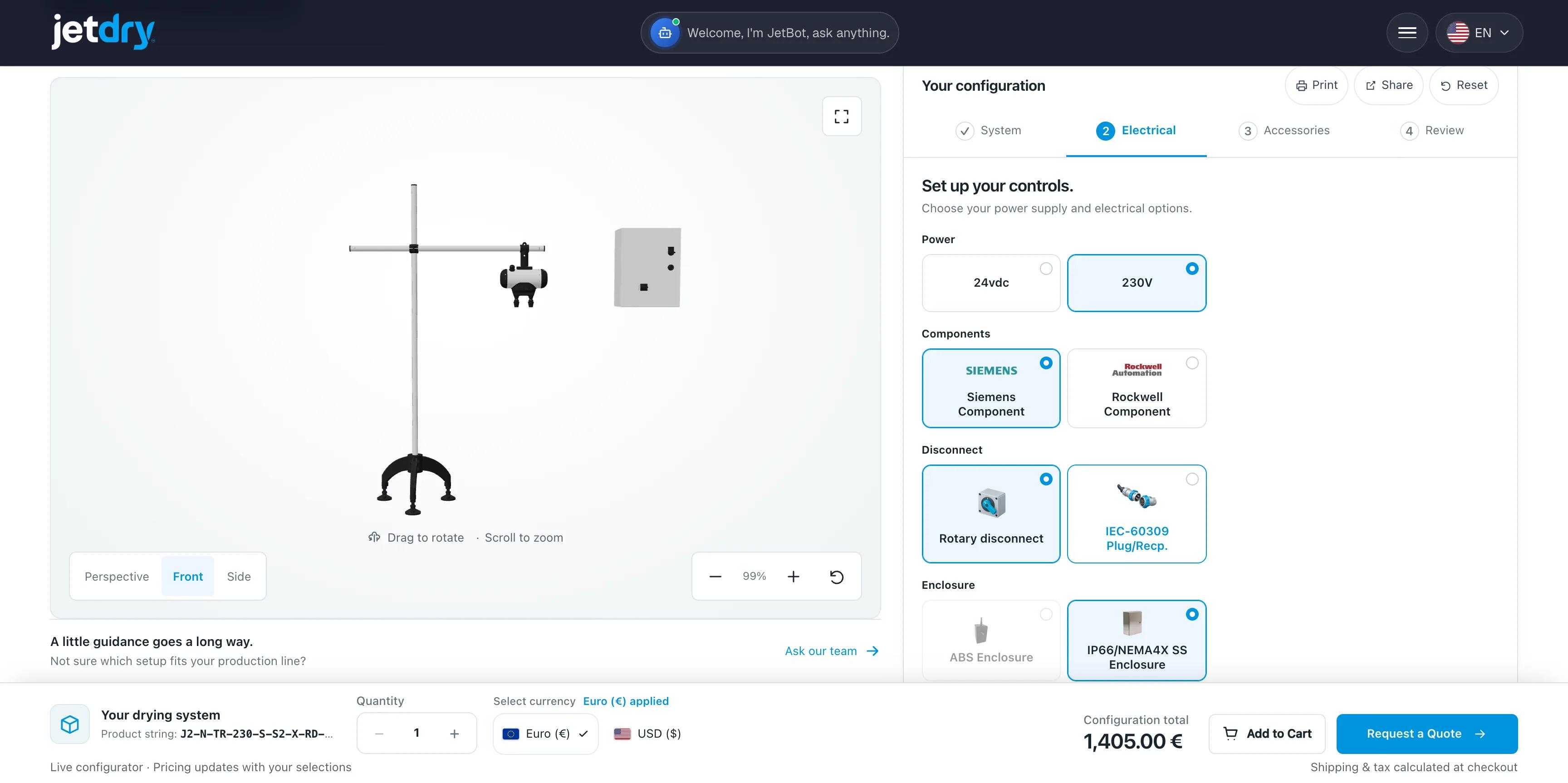
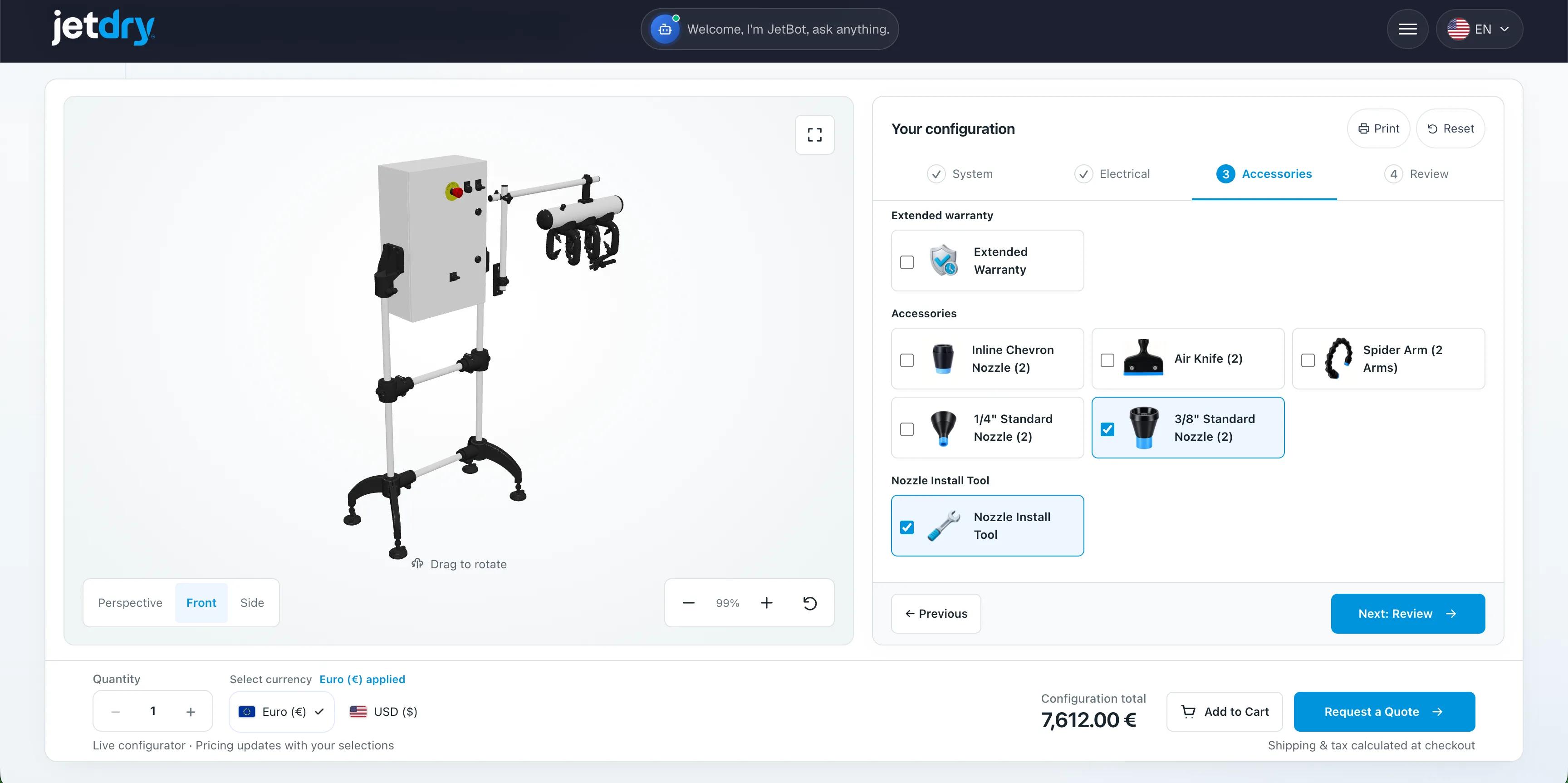
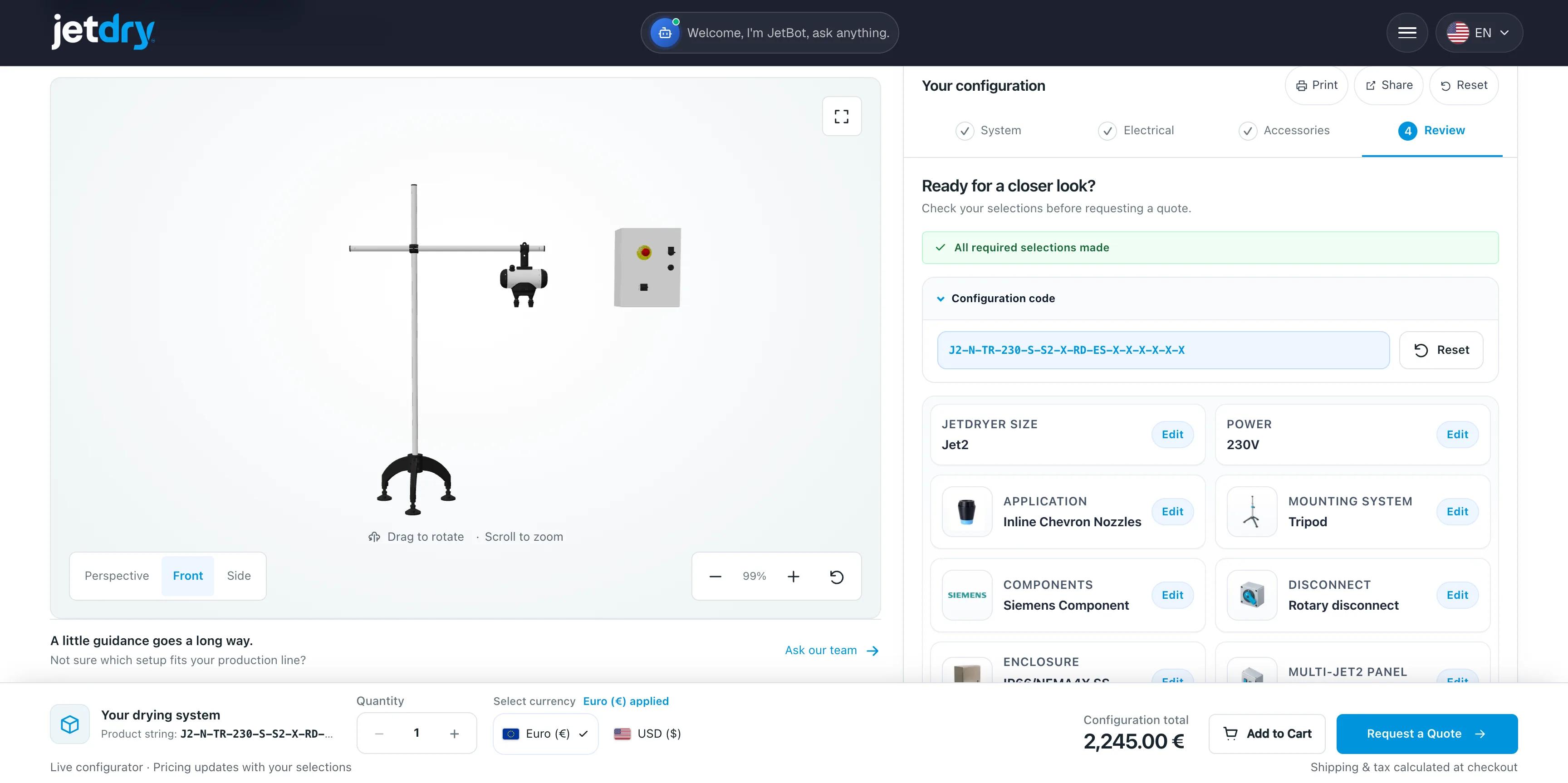
The choices on the first three steps, as the panel presents them.
| Step | Choice | Options |
|---|---|---|
| System | JetDryer size | Jet2, Jet6 or Jet8, with 2, 6 or 8 nozzles |
| System | Application | Inline chevron nozzles, a single flair air knife, a wire ring, ion inline nozzles, Spider Flex nozzles or a spot cooler |
| System | Mounting system | A tripod, or a 30 mm or 12 mm conveyor bracket |
| Electrical | Power | 24 V DC or 230 V |
| Electrical | Components | Siemens or Rockwell |
| Electrical | Disconnect | A rotary disconnect, or an IEC 60309 plug and receptacle |
| Electrical | Enclosure | ABS, or IP66/NEMA 4X stainless steel |
| Accessories | Multi-Jet2 panel | An electrical panel for two, three or four Jet2 dryers, which needs the stainless steel enclosure, 230 V and any application but the spot cooler |
| Accessories | Control options | E-stop contactor, distributed I/O, remote 24 V on-off and a potentiometer |
| Accessories | Floor stand | A floor stand, which takes the place of the mounting system |
| Accessories | Extended warranty | An extended warranty |
| Accessories | Accessories | Pairs of inline chevron nozzles, air knives, 1/4" and 3/8" standard nozzles, and two Spider arms |
| Accessories | Nozzle install tool | A nozzle install tool |
The product lives in a configurator project that JetDry maintains in Simplio3D. Its 3D model is a single file that holds every part of every possible system, 359 in all. Fourteen option blocks, from JetDryer Size to Nozzle Install Tool, describe the choices, with 68 variants between them, and each variant lists the parts of the model it shows. Where a choice looks different on each dryer, it is stored once per size: the inline chevron nozzles are a Jet2, a Jet6 and a Jet8 variant, each with its own parts, and the stainless steel enclosure has four versions. The prices are Simplio3D price blocks too: a base price, price groups that attach a price to the choices (the extended warranty is priced by dryer size), and a formula that multiplies their sum by a variable that one of the choices sets.
The browser never calls Simplio3D. When the configurator page opens, it asks JetDry’s own backend for the product definition, and the backend fetches it from Simplio3D’s Open API: a reference to the model, the option blocks, the price blocks and the materials, in one response. The model file itself is kept in Simplio3D’s storage, and the page downloads it through a proxy route on JetDry’s server. Every request the page makes goes to jetdry.tech, and the Open API key stays on JetDry’s server.
The page does the rest. When a buyer makes a choice, it picks the variant that fits the rest of the configuration, shows the parts that variant lists and hides the others, and works out the total from the price blocks and the formula. It also keeps the choices consistent with one another: a rotary disconnect moves the enclosure from S1 to S2 in the code and greys out the ABS enclosure, and a floor stand takes the place of the mounting system. The configuration code, the cart, the quote requests and the currency switch are JetDry’s own, with the exchange rate for US dollars coming from JetDry’s backend.
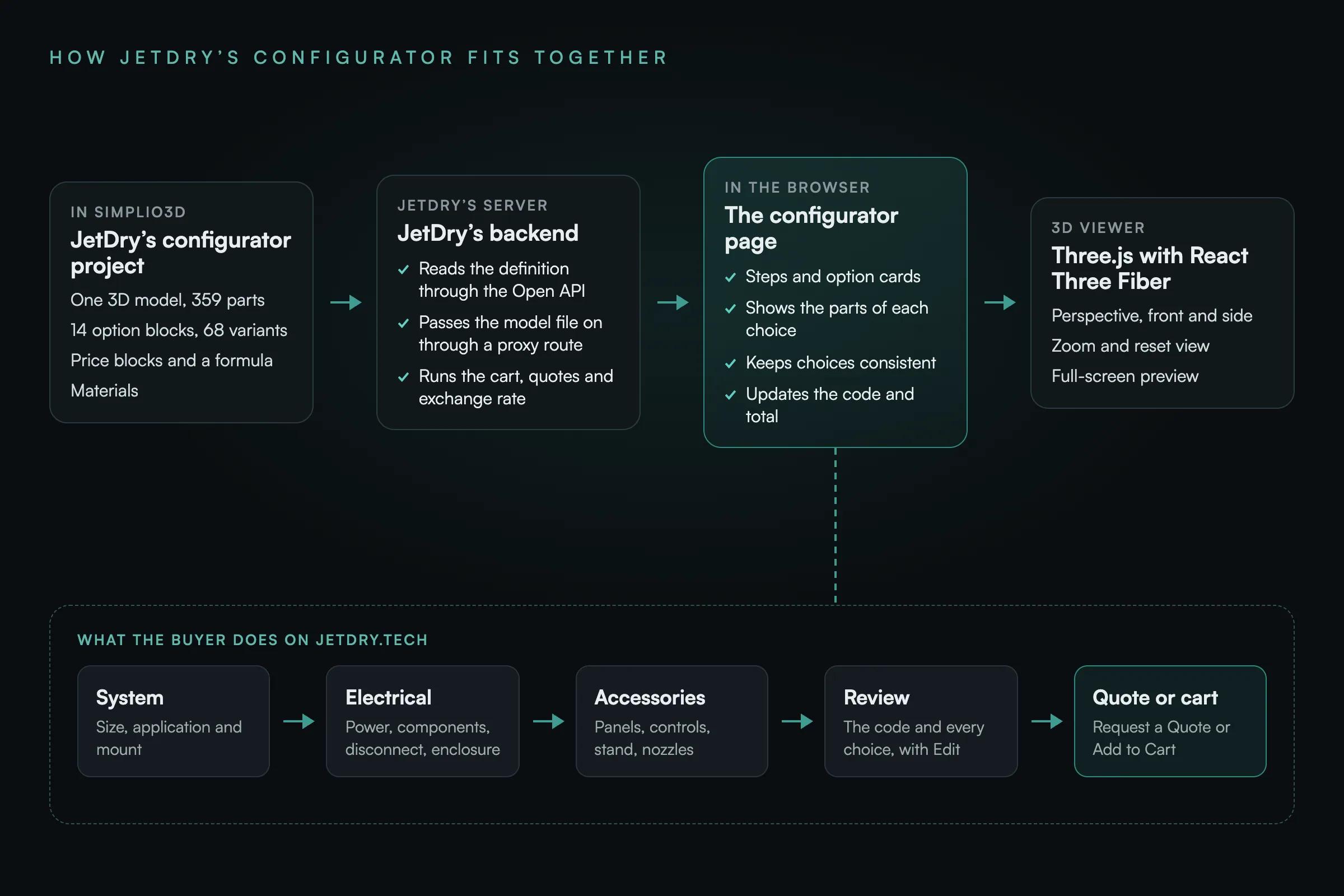
The 3D view is JetDry’s own as well: a Three.js scene, built with React Three Fiber inside the website’s React components. It loads the model, a single Draco-compressed file, and a new choice shows and hides parts of that model rather than loading another file. JetDry gave the viewer the controls an engineer looks for when checking an assembly:
Around the viewer, the option cards, icons, steps, review cards, spacing, colours and layouts for smaller screens are written in the website’s own code. The configurator therefore follows jetdry.tech’s design, and changes with it.
JetDry’s setup suits most configurable industrial equipment, where every system is assembled from options and each combination has to be right before it is quoted:
The 3D CPQ software and ecommerce product configurator pages cover pricing, quoting and integration in more depth.
Buyers see the dryer, its application, mount, enclosure and accessories together, from any angle, with the part number and the total beside them.
The steps, cards, icons and viewer controls are part of jetdry.tech, so the configurator looks and works like the rest of the site.
The model, the options and the prices are maintained in one Simplio3D project, and the website reads them through JetDry’s backend.
A tool in which a buyer assembles a machine or a system from its options, such as the size, the attachments, the mounting, the electrics and the accessories, and sees the result with its part number and price before asking for a quote. JetDry’s configurator puts a JetDryer spot-drying system together in four steps.
No. JetDry’s own viewer, a Three.js scene built with React Three Fiber, draws the model, and JetDry’s code renders every control. Simplio3D holds the product definition and the 3D model, and JetDry’s backend reads them through Simplio3D’s Open API.
Through JetDry’s server. The definition names the model file in Simplio3D’s storage, and the page downloads it through a proxy route on jetdry.tech, so every request the page makes goes to JetDry’s own domain.
In the page, from Simplio3D price blocks: a base price, price groups for the choices, a variable and a formula. The total changes with every choice and quantity, and JetDry’s backend supplies the exchange rate for US dollars.
The system’s part number, built from the choices: a Jet2 with inline chevron nozzles on a tripod, 230 V and Siemens components starts J2-N-TR-230-S. It changes with every choice, and a valid part number typed into the System step loads that configuration.
Yes. The current version documents four routes to an interface of your own, from the share view in an iframe, through Simplio3D’s renderer driven by your own controls, to your own renderer reading the API, which is the route JetDry took on the earlier version.
None of this section is part of JetDry’s configurator, which runs on the earlier version of Simplio3D and reads it through the Open API. On the current version, the Building a Custom UI tutorial describes four routes to an interface of your own, from the share view in an iframe to your own renderer reading the API, the route JetDry took. A project like this one could add:
How Thermogreen AG built a glass roof terrace configurator that takes live prices from its Mendix ERP, with a second interface for sales staff.
Price blocks, formulas and quote requests for products assembled from many options, connected to your ERP or CRM.
Shopify, WooCommerce, an iframe on any website, or a headless build on the REST API, the TypeScript SDK and webhooks.
Own a 3D product configurator to drive sales and generate proposals directly from your website
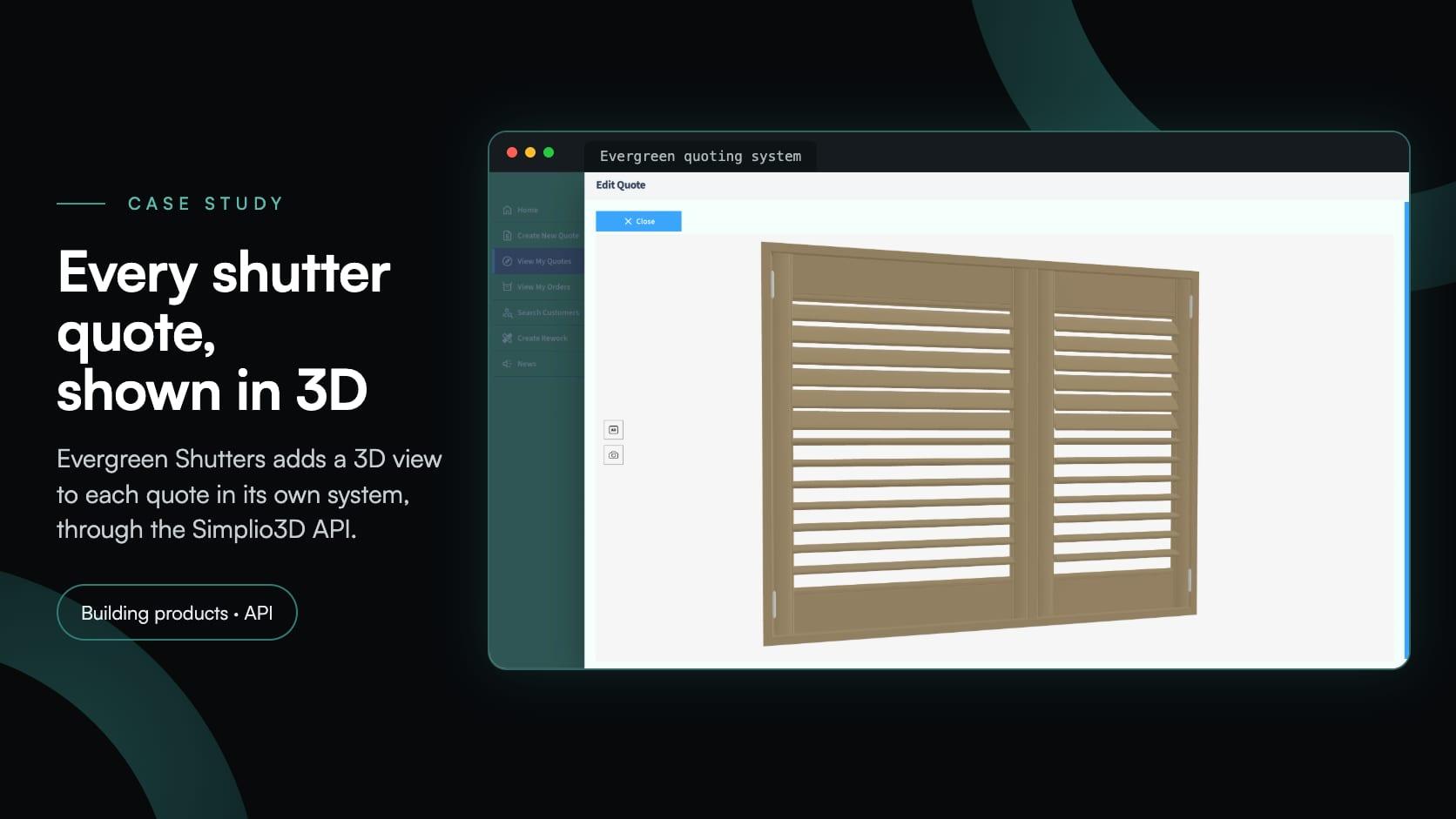
Evergreen Shutters Ltd needed accurate visuals for thousands of shutter variations inside their own quoting platform. Instead of building a 3D engine, they integrated the Simplio3D API and returned a generated 3D view with every quote.
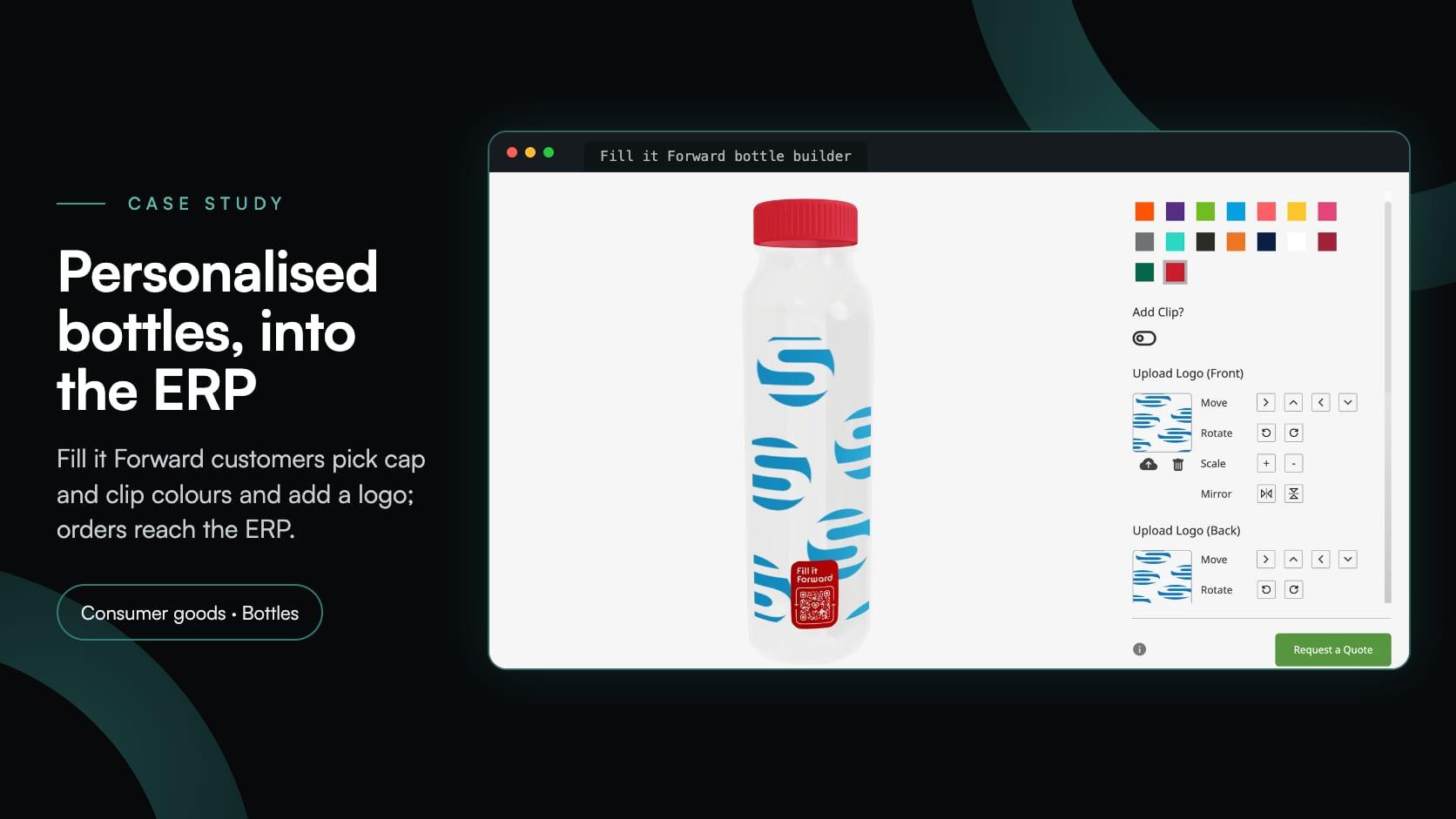
Fill it Forward wanted customers to personalise reusable water bottles online, and the resulting orders to flow into the ERP they already ran. A Pro account and the open API covered both.
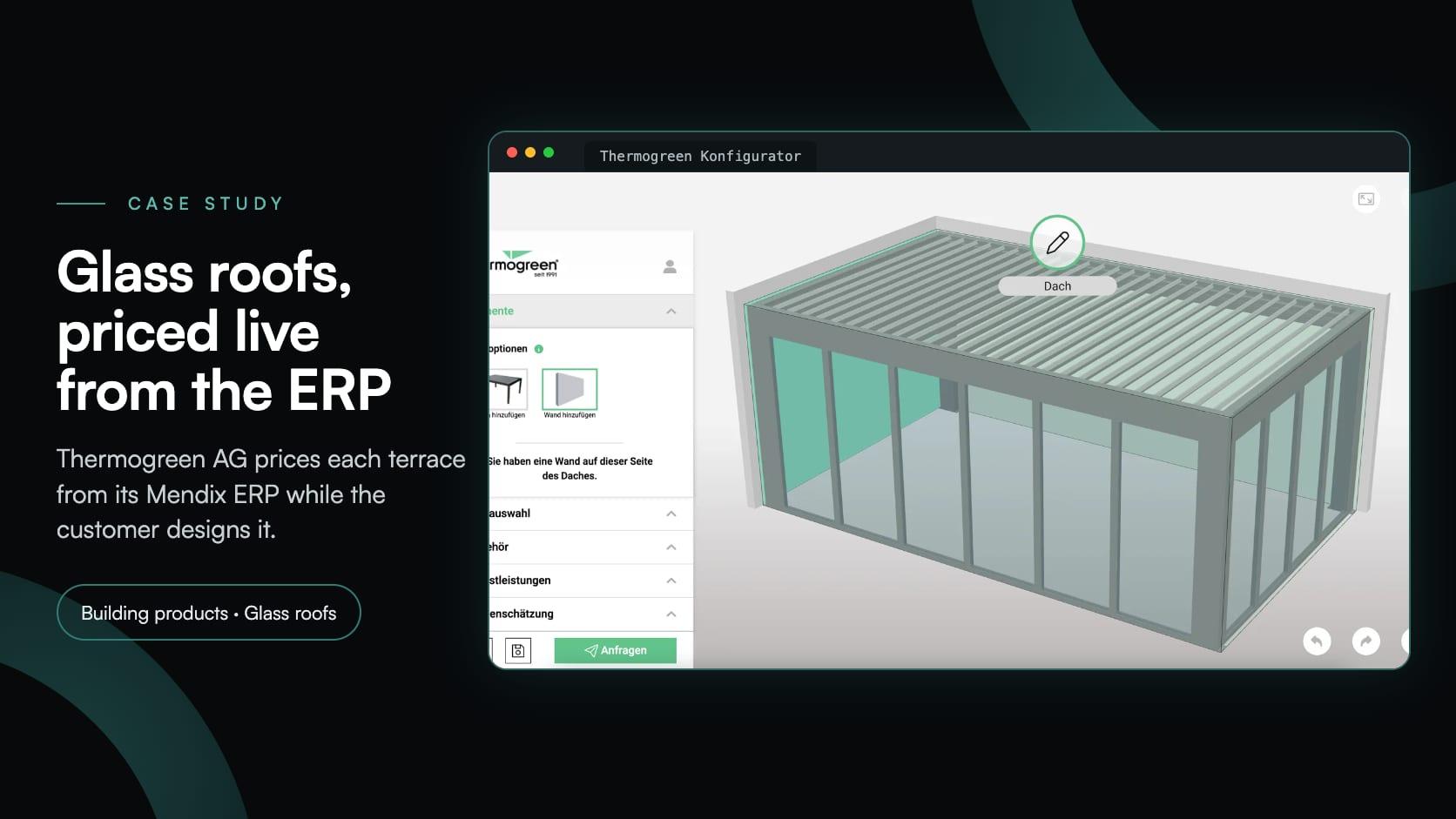
Thermogreen AG needed a configurator that pulled real-time pricing from their Mendix ERP while the customer designed a glass roof terrace — plus a second interface for sales staff quoting on site.