Size and layout
Width, depth and height set by the customer, with the building rebuilding around the numbers.
3D Shed Configurator
Sheds, garden rooms and barns configured in the browser — size, cladding, roof, doors and windows — with a price that updates as they go.
No credit card required
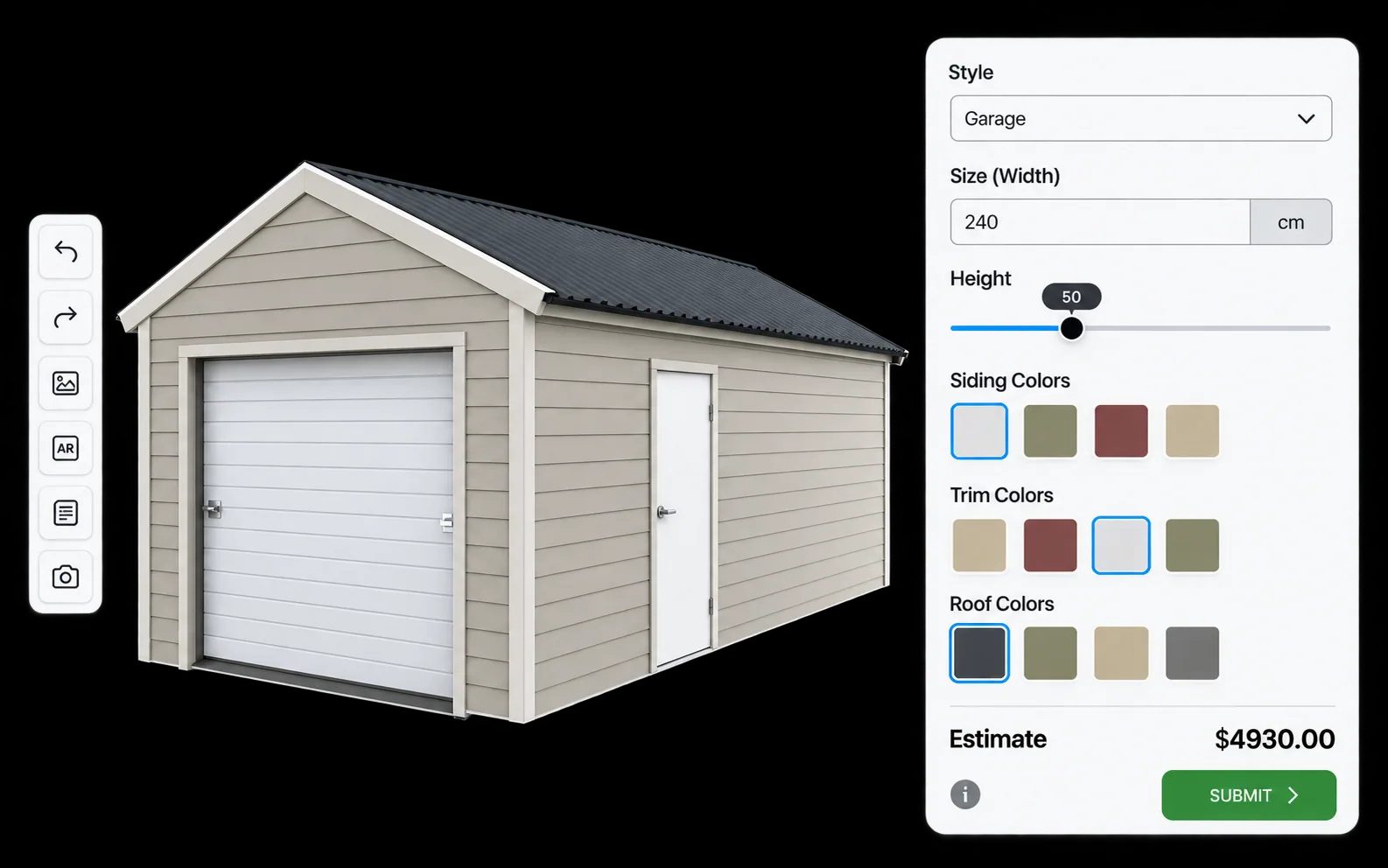
Width, depth and height set by the customer, with the building rebuilding around the numbers.
Apex, pent or hipped roofs with the covering material shown on the model.
Timber profiles, metal cladding and paint or stain finishes rendered as real materials.
Door type and position, window count and placement — the choices that make a shed usable.
Floor grade, bearers and base options presented as priced choices rather than small print.
The total updates as options are added, so the customer knows where they stand before enquiring.
See how users score Simplio3D across the major software review platforms.

4.6/5

4.3/5

9.5/10
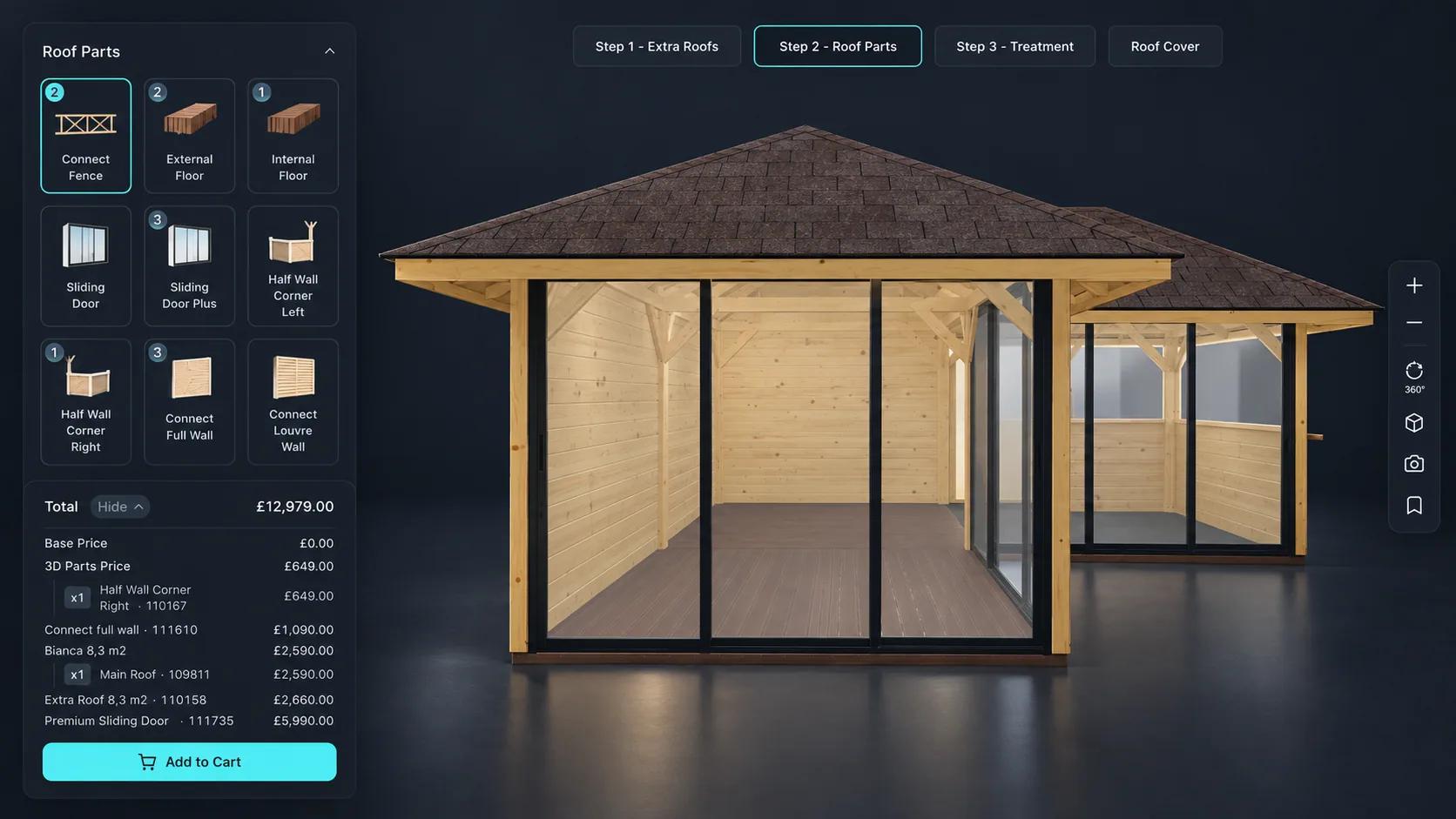
A shed range multiplies quickly: several sizes, a couple of roof styles, a handful of cladding options and a choice of door and window positions. Photographing that is impossible, so most sites show one example per size and leave the rest to the imagination. A configurator lets the customer place the door where they want it, pick the cladding they like, and look at the result from every side before committing.

Size is the thing customers get wrong about garden buildings. Augmented reality places the configured shed at true scale on the ground through the camera, using AR Quick Look on iOS and Scene Viewer on Android — nothing to install. Seeing an 8 by 6 in the actual space answers the question that otherwise turns into a return or a cancelled order.
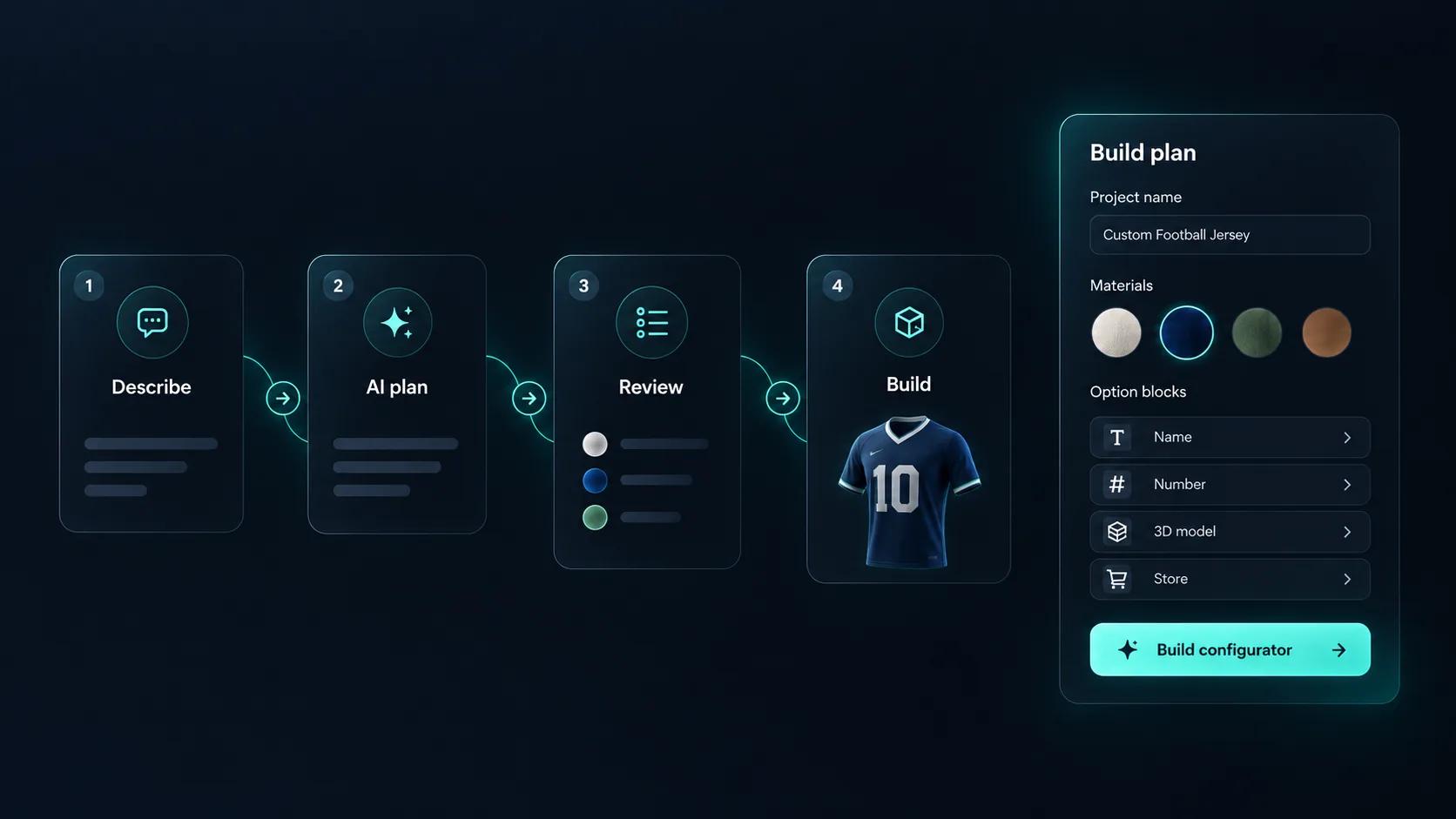
A shed configurator carries a lot of logic: options that only apply above a certain size, combinations that cannot be manufactured, prices that move with dimensions. Getting that right by hand is slow, and checking it is slower. Simplio3D can generate a working configurator from a product description to give you a starting point, and its AI assistant can audit an existing project — reviewing option coverage and conditional logic instead of leaving you to click every combination. For larger catalogues, the MCP server lets an assistant connect with a scoped token and evaluate logic or calculate prices directly, proposing changes rather than applying them silently.
A working configurator from one model of your standard building.
Import the building and separate the walls, roof, cladding, doors and windows so each can be swapped or repositioned.
Add dimension inputs for width and depth, dropdowns for roof style and door type, and swatches for cladding profile and finish.
Restrict door and window positions by the size chosen, and cladding by the roof style, so every configuration is one your workshop can actually build.
Price the base building by size, then add windows, floor upgrades, treatment and delivery as options so the total is the price the customer pays.
Publish and embed it on the product page. Enable AR so buyers can check the footprint against the actual garden before ordering.
















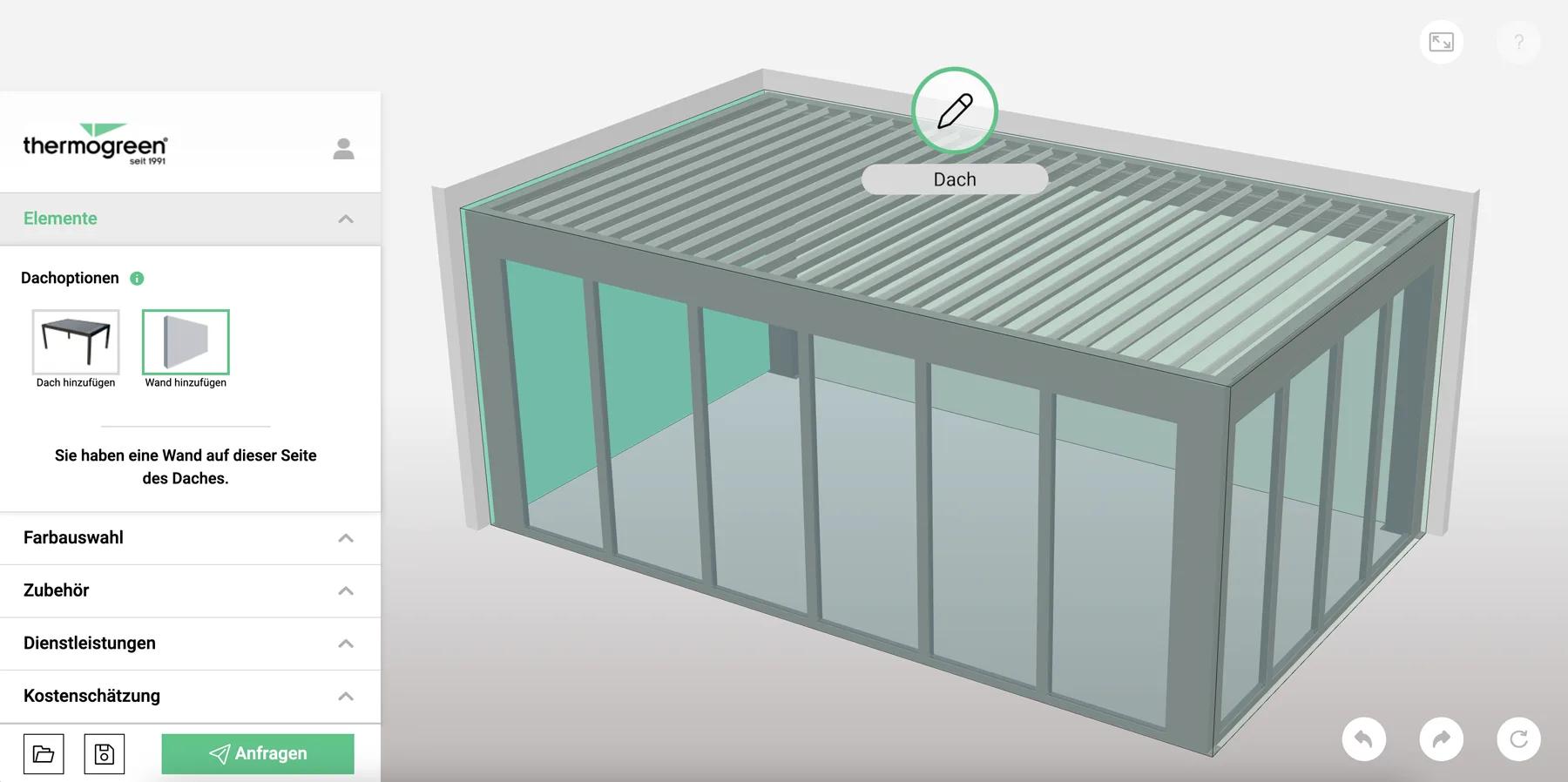
Glass roof terraces priced in real time from an ERP, and pop-up tents in six sizes with AR and a quote request.
Thermogreen AG
Thermogreen AG needed a configurator that pulled real-time pricing from their Mendix ERP while the customer designed a glass roof terrace — plus a second interface for sales staff quoting on site.
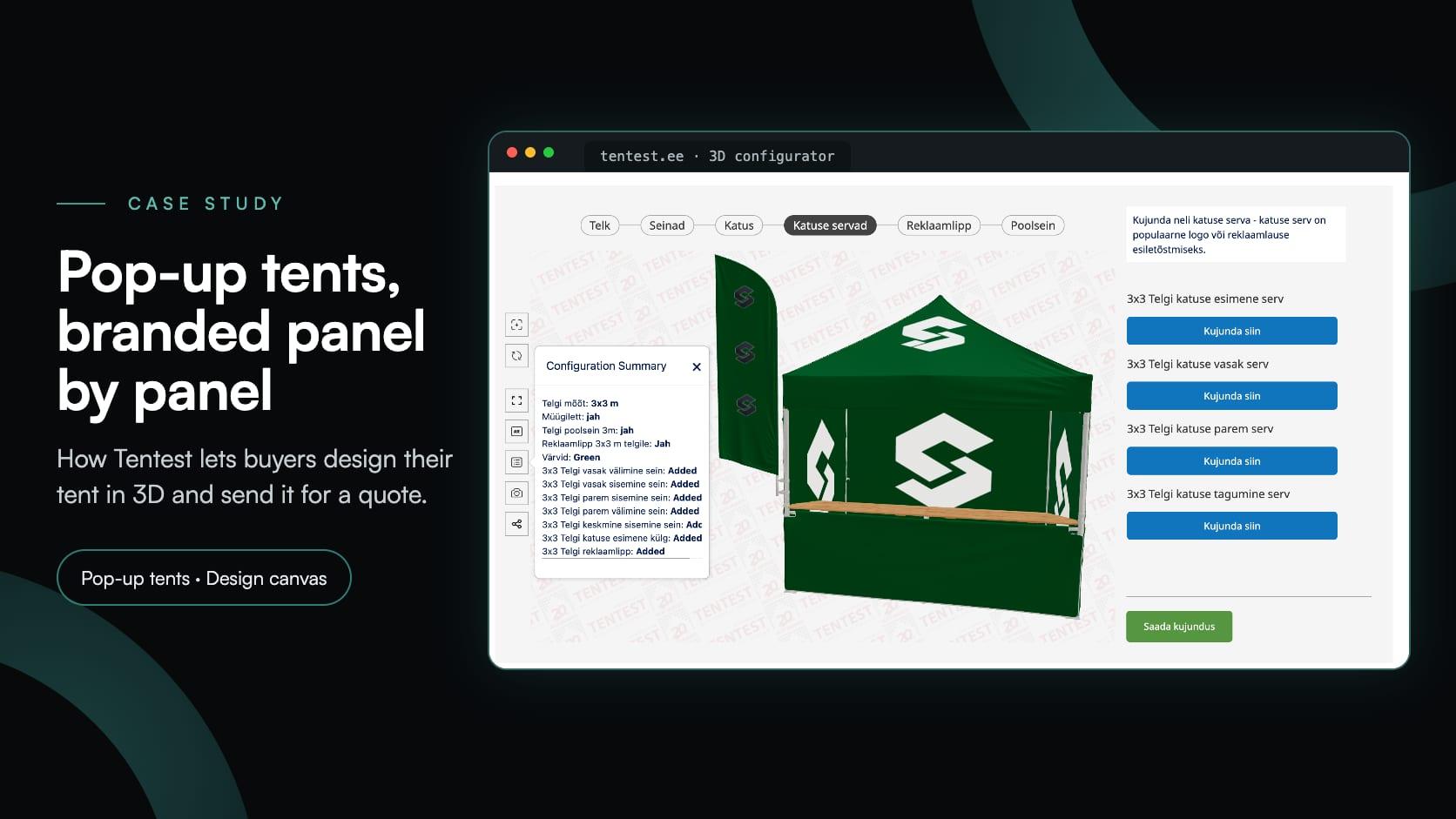
Tentest
Tentest, an Estonian pop-up tent maker in Scandipro Group, built its own 3D configurator: six tent sizes, a design canvas with logo upload on every panel, AR and a quote request.
Yes, if your model exposes those positions. Options can control which openings are visible and where they sit, with conditional logic keeping the combinations valid.
Yes. Dimension inputs accept customer-entered values within the minimums, maximums and steps you set, and pricing can respond to the resulting size.
Materials use PBR texture maps, so timber grain, paint finishes and metal cladding render realistically rather than as flat colour.
Either. A quote form captures the specification as an enquiry, or the configurator can push the configured product to a WooCommerce or Shopify cart for direct purchase.
Yes. It uses the AR frameworks already built into iOS and Android. The project needs a share link enabled for AR to work.
The 3D model is usually the longest part. Once it is imported, building the options, rules and pricing is done visually and does not require development work.
Halls, garages and carports work the same way, with dimension-driven pricing and rules that keep configurations manufacturable.
Guides, tutorials and news from the Simplio3D team.
Install the Simplio3D plugin in Claude, sign in once and build your first 3D product configurator from a prompt: setup, permissions, the first prompts, and what stays in your hands.
Place the Simplio3D viewer, options, price, summary and Add to Cart in Elementor with the free Shortcode widget: find your ids, build the layout and connect WooCommerce.
Structure, UV mapping, optimisation and pivots — the four things that decide whether a 3D model becomes a working configurator or a troubleshooting exercise.
We’re proud to announce that Simplio3D has been recognized by G2, the leading software review platform, earning both the High Performer badge and the Easiest Admin badge in the G2 Grid.
A practical comparison of ten product configurator platforms — what each is genuinely built for, how they differ on visualisation, pricing logic and integration, and how to shortlist without wasting a quarter.
Own a 3D product configurator to drive sales and generate proposals directly from your website