

Materials and finishes
Each finish is matched against your material library first. If a very similar name exists, the build stops and asks whether to reuse it.
AI configurator builder
Tell Simplio3D what you sell and its AI plans and builds a configurator around the 3D models in your library: materials, options, rules, a price and a form. You review the plan, approve anything that touches money, and publish when it is ready.
No credit card required
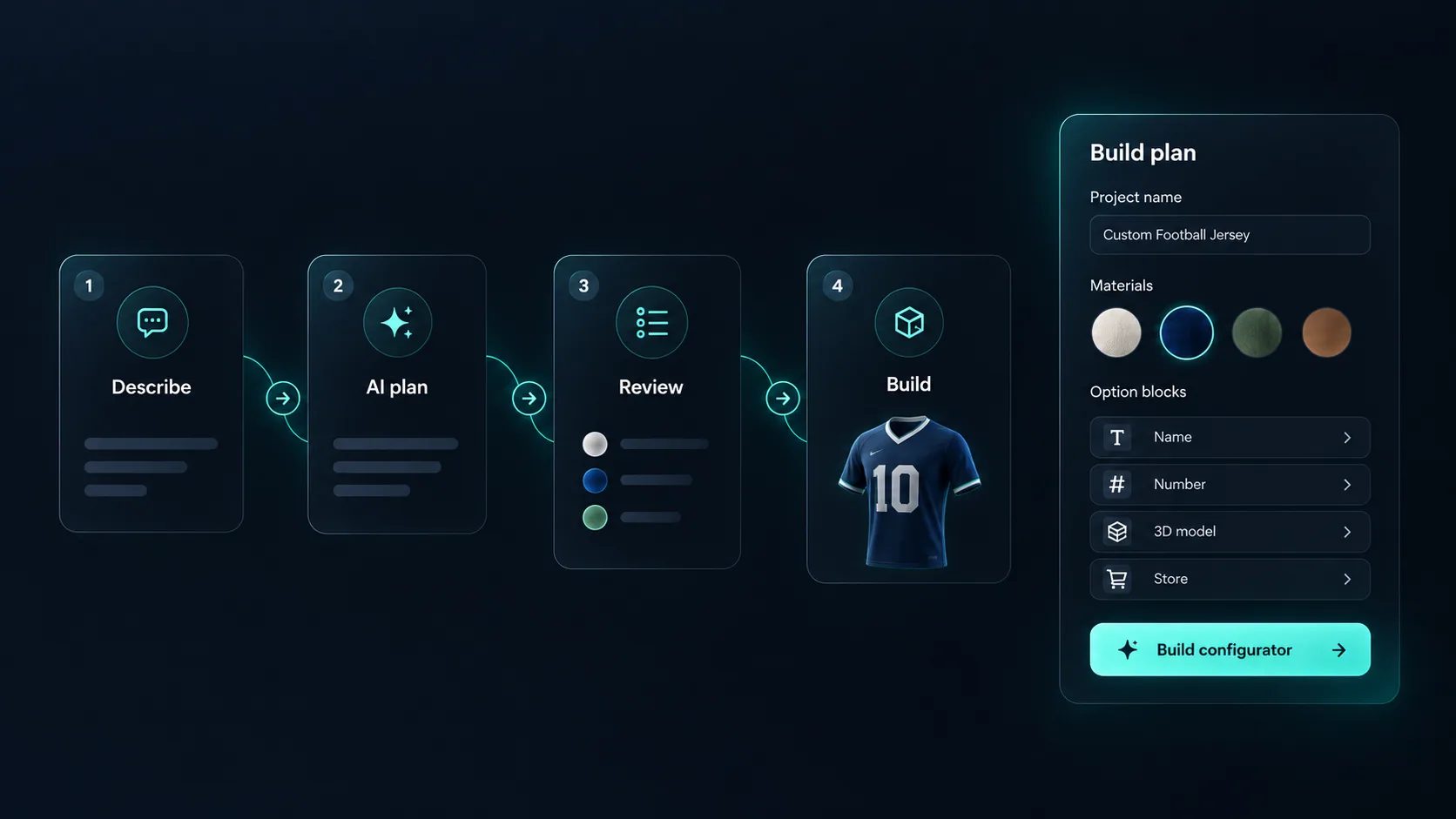
Each finish is matched against your material library first. If a very similar name exists, the build stops and asks whether to reuse it.
The choices you described, such as a frame finish or a seat cover, set up as blocks your customers will use.
Simple rules between options, listed in the plan so you can delete any you do not want.
Proposed with the amount and currency from your plan. It waits for your approval before it is applied.
The form fields you need, so a configuration can reach you as a request.
With Shopify or WooCommerce already connected, it proposes the product link and checkout mode, each for your approval.
Zobacz, jak użytkownicy oceniają Simplio3D na głównych platformach recenzji oprogramowania.

4.6/5

4.3/5

9.5/10
Five steps, starting from Generate with AI on your Projects page.
Say what you are selling, for example “a lounge chair configurator with oak, walnut and black frames, and a fabric or leather seat”.
The Build plan panel fills in as you talk: project name and type, 3D models, materials, option blocks, rules, pricing, form and store checkout. Remove anything you do not want.
If a model or texture is not in your library yet, upload it from the same dialog. It lands in your normal Assets library.
A checklist ticks off each step. It pauses when it needs an answer from you, and again for each change that needs approval.
Open the draft in the editor to confirm the 3D targeting and adjust variants and pricing. Carry on by hand, or ask the AI assistant.
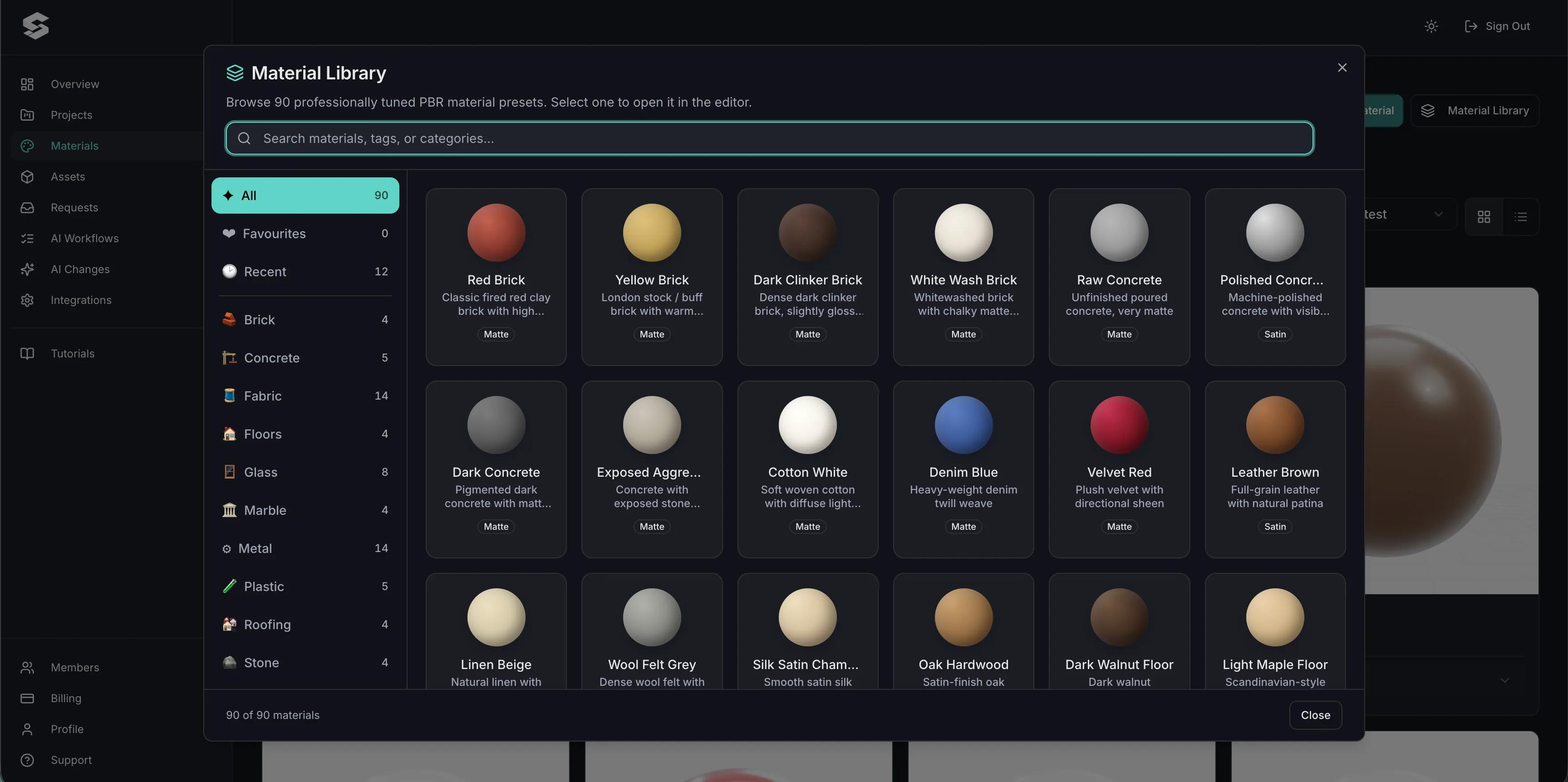
The AI works with the models, textures and graphics already in your library. If a model is missing it says so and offers an upload, rather than attaching something unrelated. For a model you do not have yet, you can upload your own files, or import a free one from an online library such as Poly Haven, Sketchfab or the Smithsonian.
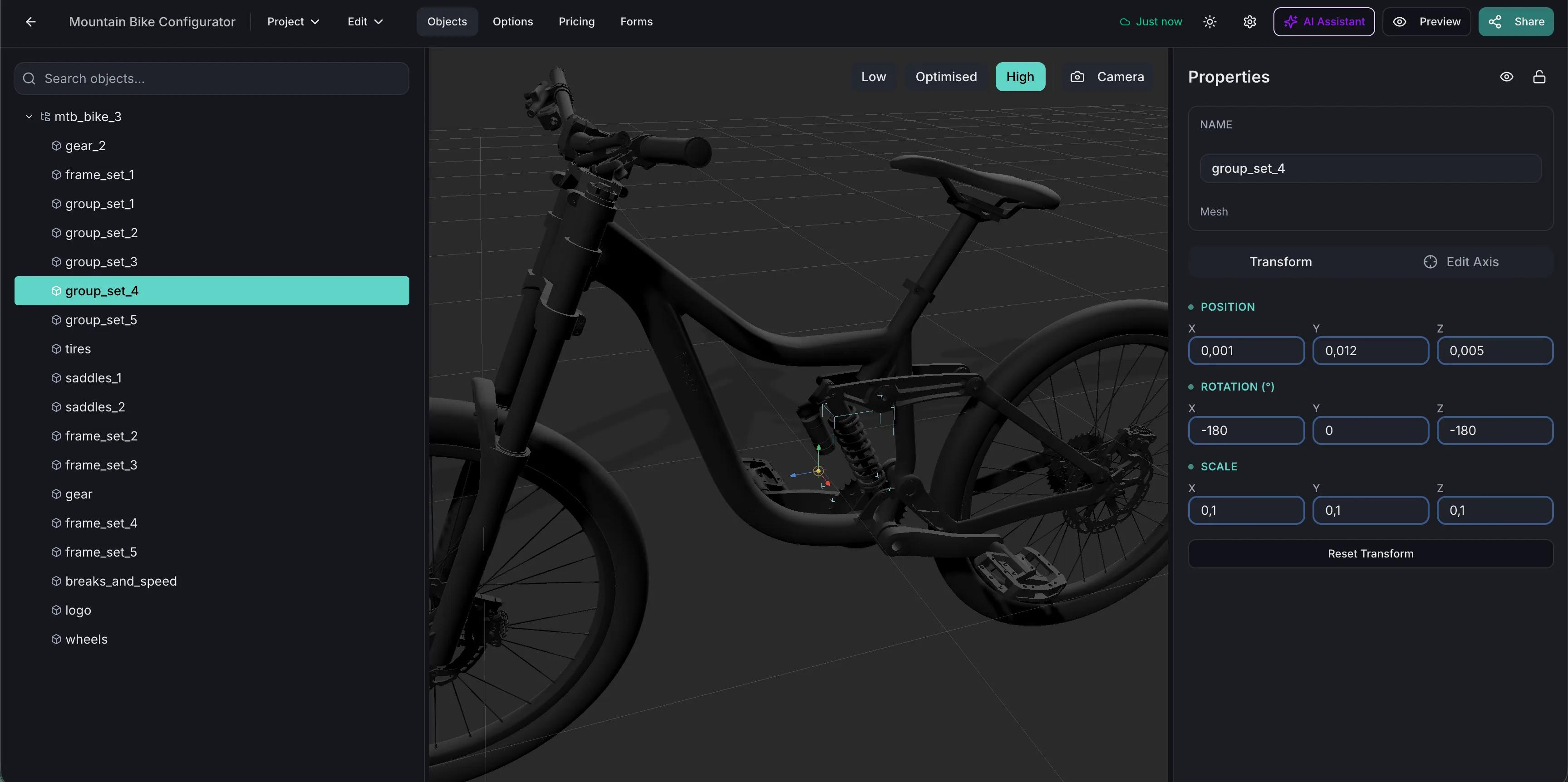
Inside a project, the assistant reads your blocks, rules and even the part names in the 3D file. Ask it to “add a size option” or “audit this configurator”, and an audit gives you a health score with every finding, split into safe fixes and decisions for you. Sensitive changes wait for your Apply, and most changes can be undone.
The plan is yours to edit, and your edits win over the assistant’s suggestions.
| Step | The AI | You |
|---|---|---|
| Project and 3D models | Plans the project around models in your library | Attach any model that is missing |
| Materials | Reuses what it recognises, creates the rest | Choose when a similar material already exists |
| Options and rules | Creates the blocks and show or hide rules in the plan | Confirm the 3D targeting in the editor |
| Base price | Proposes the amount and currency | Apply or decline |
| Store product link and checkout mode | Proposes them if a store is already connected | Apply or decline, and connect the store yourself |
| Modular setup | Attaches modules and creates materials and pricing | Finish module variants and snap sides by hand |
| Publishing | Never | Turn on sharing when it is ready |
Connect Claude, Cursor or VS Code over MCP. A connection starts read-only, write access is ticked per area, and high-risk changes only ever become proposals you apply in the dashboard.
Product configurator MCP guideThe Simplio3D plugin for Claude adds the connector and seven skills, so Claude can build from a brief, audit a project and check whether it is ready to publish.
Claude plugin tutorialThese configurators were built by hand, without the AI builder. They show what the platform can do once a project is refined: a chair range on one material library, a cart its own team maintains and a tent with a design canvas on every panel.
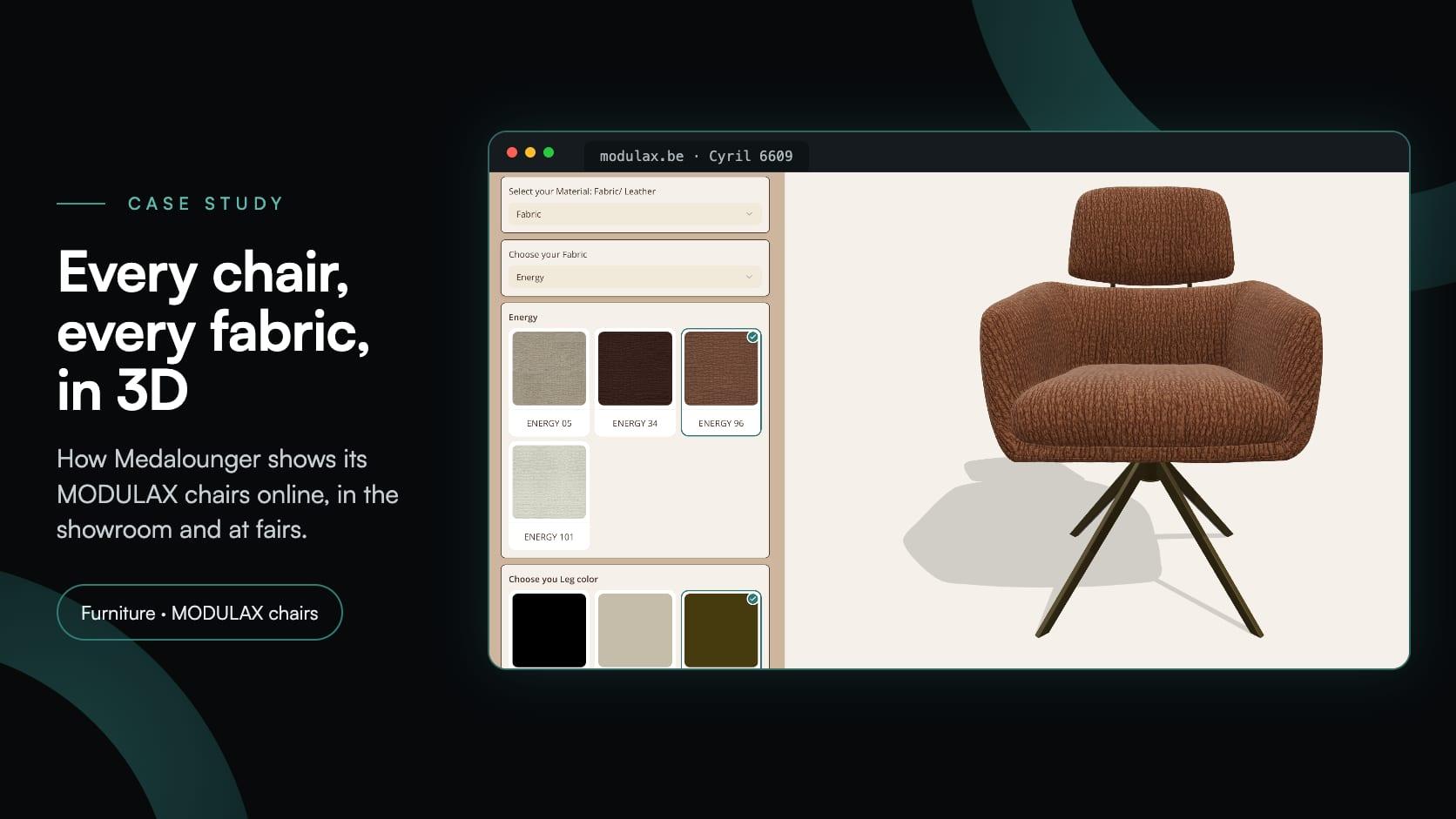
Medalounger
Medalounger, belgijski producent mebli MODULAX, stworzył 51 konfiguratorów krzeseł opartych na jednej bibliotece 161 materiałów — na potrzeby swojej strony internetowej, salonu ekspozycyjnego i stoiska na targach meblowych.
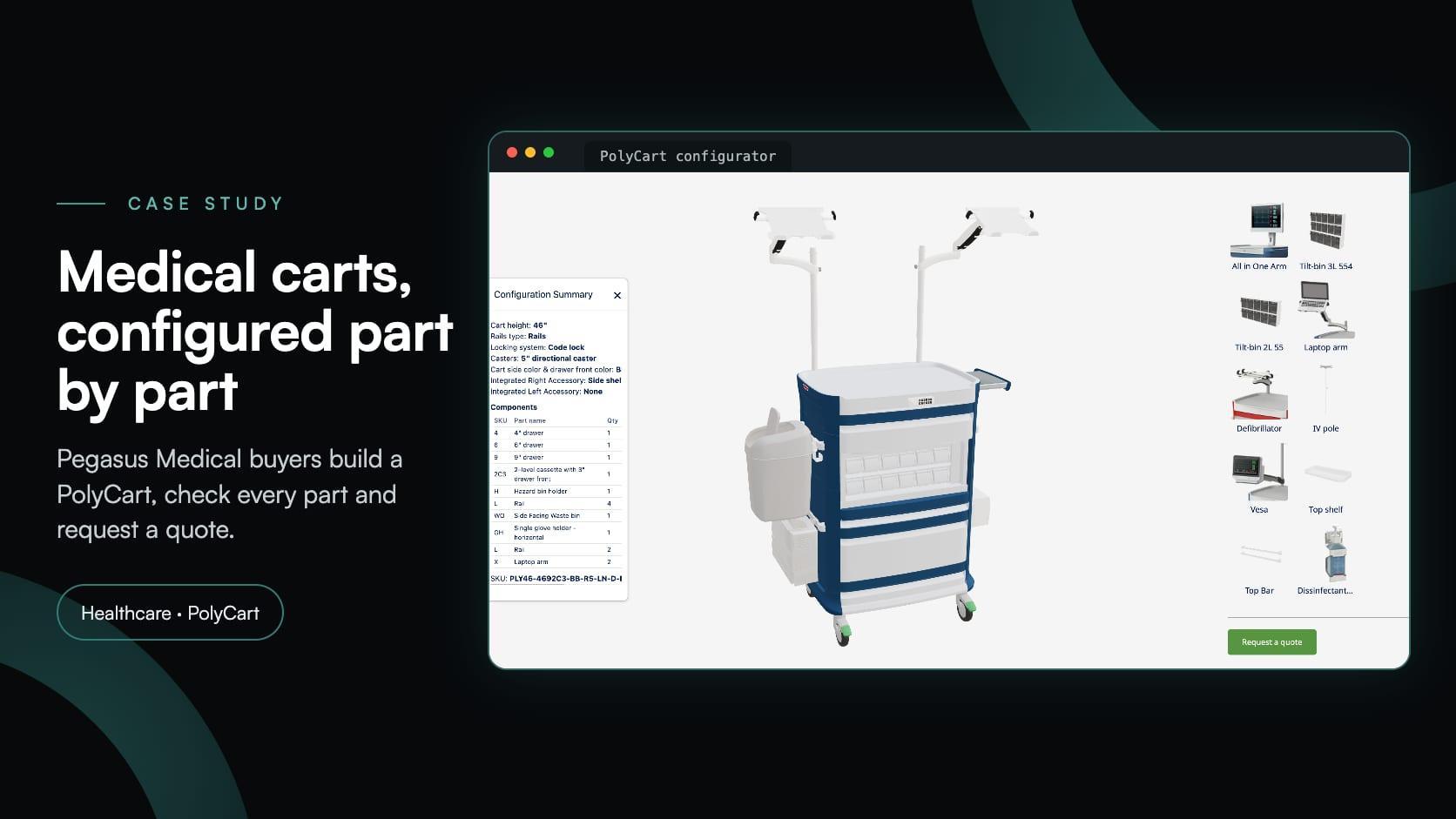
Pegasus Medical
Pegasus Medical chciał umożliwić kupującym konfigurowanie wózków medycznych PolyCart w 3D i składanie zapytań ofertowych bez ponoszenia kosztów dedykowanego oprogramowania. Simplio3D pomogło w jego wdrożeniu; obecnie ich zespół sam nim zarządza.
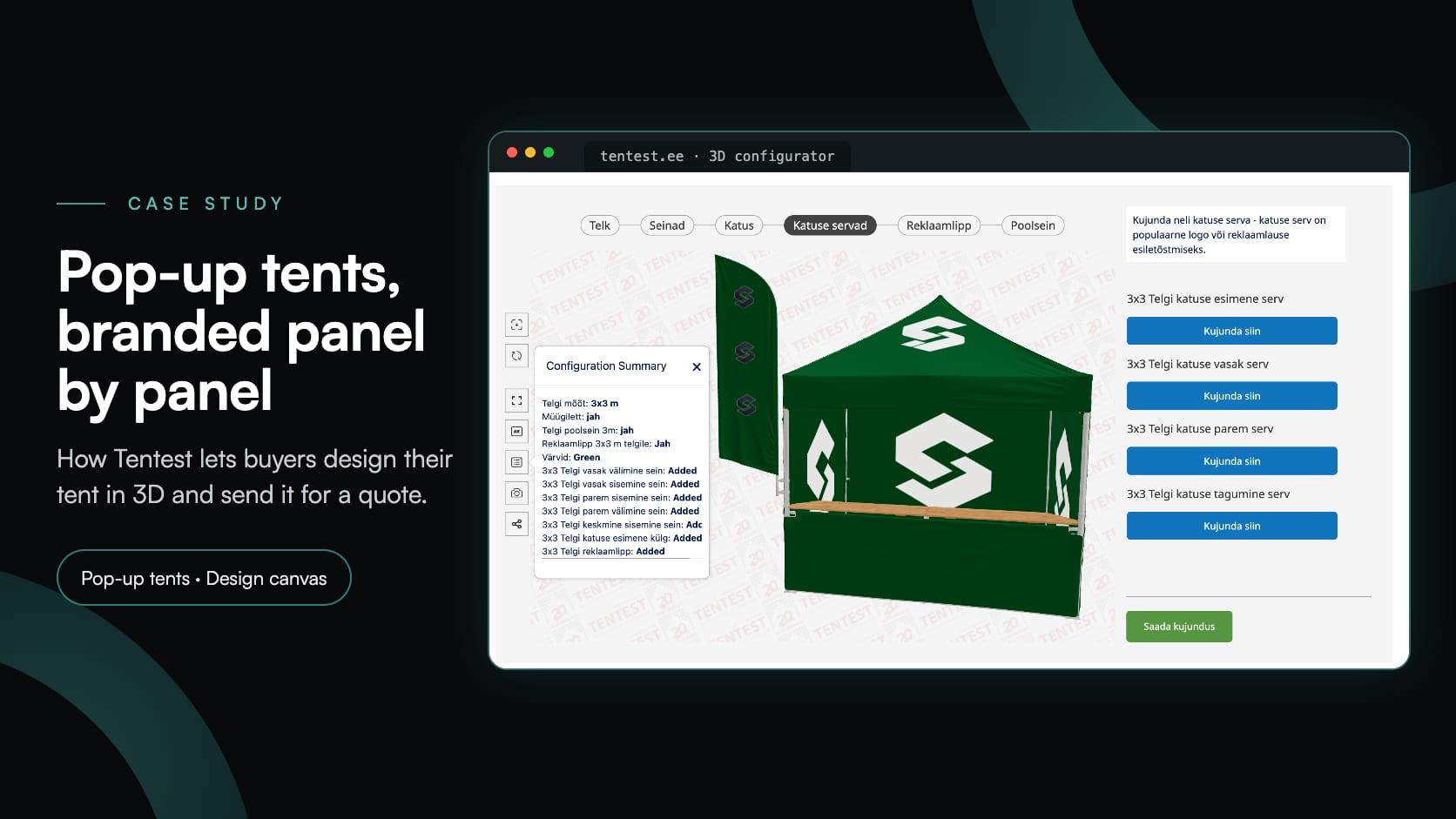
Tentest
Tentest, estoński producent namiotów ekspresowych należący do Scandipro Group, stworzył własny konfigurator 3D: sześć rozmiarów namiotów, obszar projektowy z możliwością przesłania logo na każdym panelu, AR oraz zapytanie ofertowe.
Here it means a configurator built with AI help. You describe the product, and the AI plans and creates the project: materials, option blocks, rules, a price and a form. The customers who use it see a normal configurator.
No. It can only use assets that already exist in your library, and it can read their part names. You upload your own model, import a free one from an online library, or start from the 3D Model Library.
No, and it is not meant to be. It is a first draft: the structure is in place, and you review and refine it before customers see it. Nothing is published until you turn on sharing yourself.
No. The base price, the store product link and the checkout mode each wait for your approval. In the AI assistant and connected AI tools, pricing, SKUs, deletions and bulk edits become proposals you apply.
Generate with AI, the AI assistant and AI connections are available on every paid plan, Starter included, and in the 30-day Pro trial. Modular projects are not on Starter.
Yes, if the store is already connected: it can search your products and propose the link. It cannot connect a store for you or read store credentials. That stays with you, in Dashboard → Integrations or your Shopify admin.
The documentation gives step-by-step setup for Claude, Claude Desktop, Claude Code, Cursor and VS Code with GitHub Copilot. Anything a connected tool reads is sent to that tool’s AI provider, so grant only the access it needs.
The editor the draft opens in: option blocks, conditional logic and pricing you can change by hand.
What a product configurator is, how it works and where it is used.
The decisions in order, from requirements to launch, and where AI helps.
Poradniki, samouczki i aktualności od zespołu Simplio3D.
Product Configurator MCP: Connect Claude, Cursor and VS Code to Simplio3D
Konektory MCP umożliwiają Claude, Cursor lub VS Code pracę z rzeczywistymi projektami Simplio3D. Dowiedz się, co podłączony agent może odczytywać i zmieniać, jak działa zatwierdzanie oraz jak go połączyć.
Simplio3D jest uwzględniony w raporcie Gartner Innovation Insight dla wizualnej konfiguracji
W raporcie Innovation Insight dla wizualnej konfiguracji z 2020 roku, Simplio3D po raz pierwszy znalazł się na liście dostawców wizualnej konfiguracji jako dostawca rozwiązań programowych do konfiguracji produktów.
Build a Configurator with Claude: the Simplio3D Plugin Tutorial
Zainstaluj wtyczkę Simplio3D w Claude, zaloguj się tylko raz i stwórz swój pierwszy konfigurator produktów 3D na podstawie polecenia: konfiguracja, uprawnienia, pierwsze polecenia oraz to, co pozostaje w Twoich rękach.
Przygotowanie modeli 3D do Simplio3D: Praktyczny przewodnik
Struktura, mapowanie UV, optymalizacja i pivoty — cztery rzeczy, które decydują o tym, czy model 3D staje się działającym konfiguratorem, czy ćwiczeniem rozwiązywania problemów.
Top 10 Najlepszych Oprogramowań do Konfiguracji Produktów w 2026 roku (Porównanie Zalety i Wady)
Praktyczne porównanie dziesięciu platform do konfiguracji produktów — do czego każda z nich jest naprawdę stworzona, jak różnią się w zakresie wizualizacji, logiki cenowej i integracji oraz jak stworzyć listę bez marnowania czasu.
Posiadaj konfigurator produktów 3D, aby zwiększyć sprzedaż i generować oferty bezpośrednio z Twojej strony internetowej.


